


Sell straight from the chat with WhatsApp Catalog
.png)
Share on WhatsApp
.png)


Turn every WhatsApp conversation into a storefront. Your Shopify products — photos, prices, variants and all — now live inside WhatsApp, so customers can browse, pick, and buy without ever leaving the chat.
Why this matters
WhatsApp messages get opened. Links to your website often don't get tapped. With Catalog, the product is the message, customers see images, prices, and descriptions natively in WhatsApp, and can build a cart right there.
Zoko keeps your catalog in sync with Shopify automatically. Change a price, run out of stock, add a new product — WhatsApp updates on its own. No CSV uploads, no manual edits in Meta Commerce Manager.
When to use it
- Customers ask "do you have this in blue?" - Send the exact variant as a product card instead of a link they may never click.
- Broadcasts that sell, not just tell - Attach products to campaign messages so a promo becomes a one-tap shopping trip.
- Abandoned-cart recovery - Resend the exact items they left behind, ready to re-add in chat.
- New collection drops - Share a whole collection as a browsable multi-product message.
No setup required — it's already done
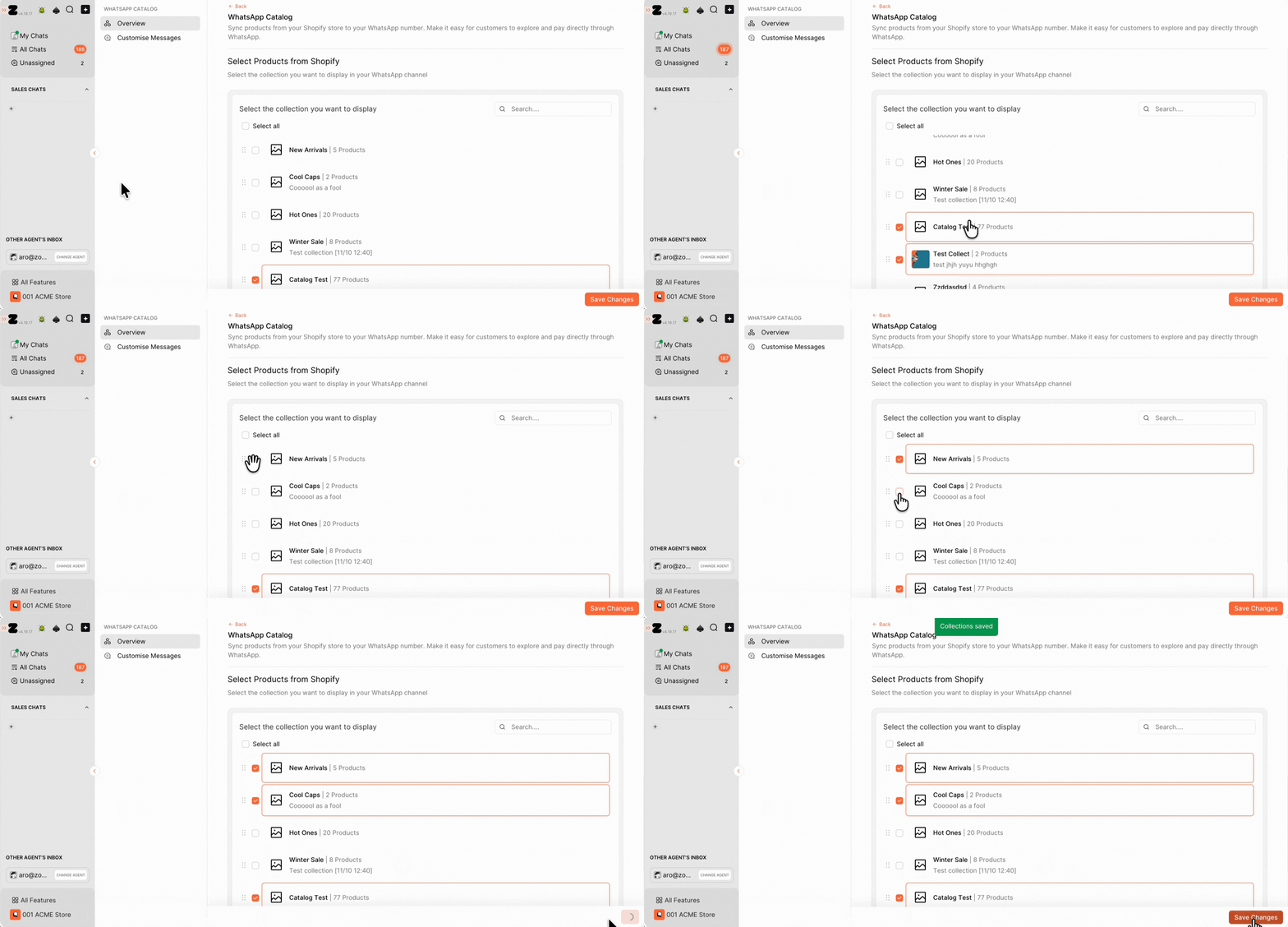
Here's the best part: there's nothing to configure. As soon as you install the Zoko Shopify app, your Shopify collections sync to Zoko automatically. No CSV uploads, no Meta Commerce Manager, no connecting anything.
See your synced collections All your existing Shopify collections are already in your catalog. View them anytime in the Catalog Manager.
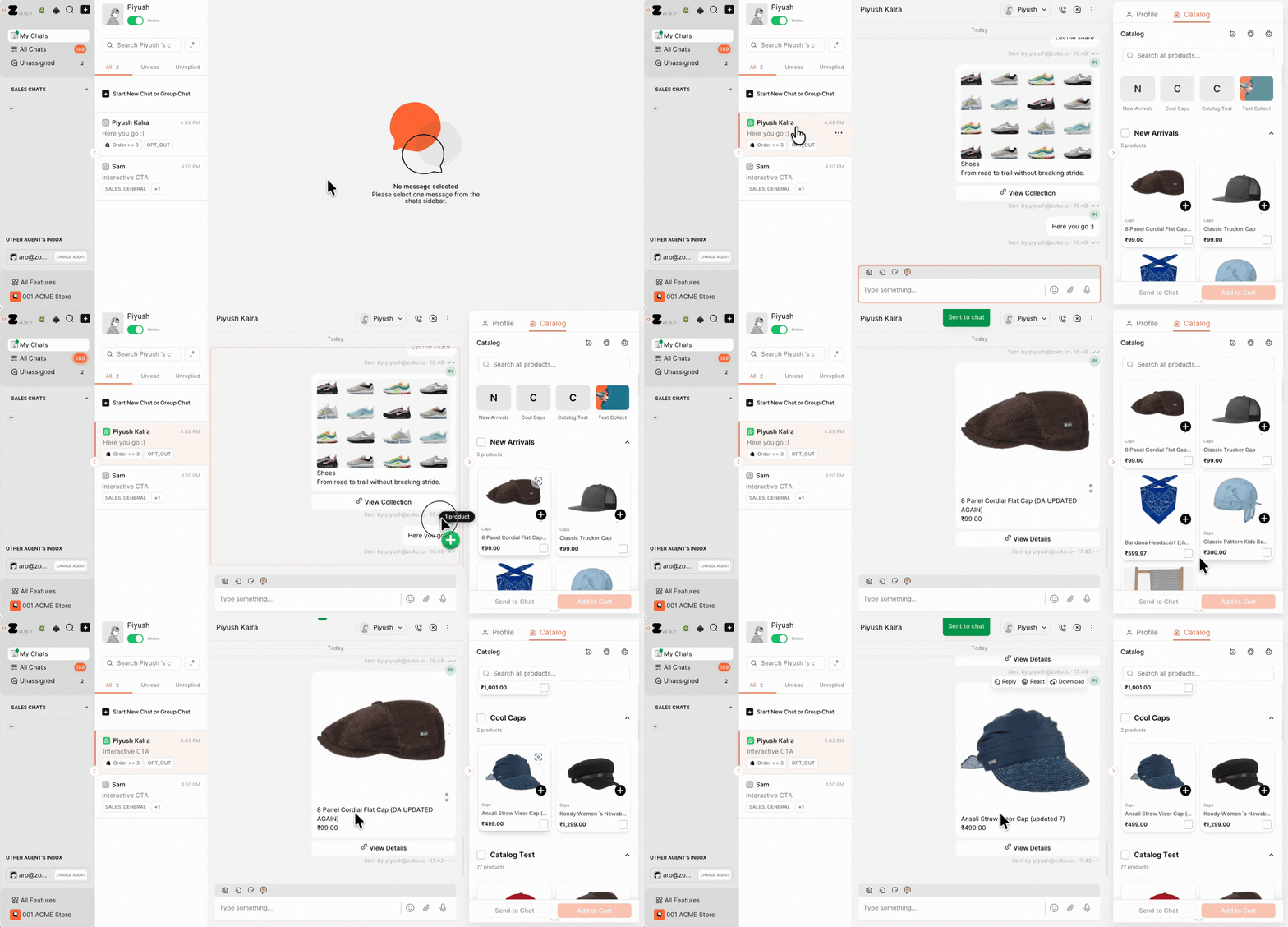
Send products in chat Open My Chats and select any conversation, your catalog is right there in the panel on the right, ready to send.
Don't have any collections yet? If you haven't set up collections in Shopify, create them first and they'll flow straight into Zoko. Refer to our article: How to create Product collections.
What it costs
Catalog sync is included in your Zoko plan — there's no extra Zoko fee for sending product messages.
👉 Ready to try it?
Your catalog is already live. Open your Catalog Manager → or head straight to My Chats → and send a product.
FAQ
Do I need to set anything up?
No. The moment you install the Zoko Shopify app, your collections sync automatically — no manual uploads, no Meta Commerce Manager, nothing to configure. Everything stays up to date with prices, stock, images, and variants.
What happens when a product goes out of stock?
It's marked as out of stock in your Zoko catalog automatically — the product stays visible, it's just flagged as unavailable. It updates back to in-stock on its own when you restock in Shopify.
How does checkout work?
When the customer is ready, you share a checkout link — and it opens in a web view right inside WhatsApp. They stay in the chat the whole way through payment, never bouncing out to a browser. Behind that web view is your real Shopify checkout page, so there's nothing new to set up: every payment method and shipping method you already use in Shopify works exactly the same way.
Will my existing payment methods work?
Yes. Because checkout reuses your live Shopify checkout, all your current payment methods carry over automatically; no reconfiguration needed.
Will my existing shipping methods work?
Yes. The web view checkout runs on your live Shopify checkout, so your Shopify shipping methods and rates apply to WhatsApp catalog orders just like any other order.
Does this work with my existing broadcasts and flows?
Yes, you can attach catalog products to broadcasts, flows, and automated replies.
