


How to Set Up Auto-Replies on Instagram
Learn how to configure Greeting and Away Messages on Instagram to send automatic replies to your customers.
.png)
Share on WhatsApp
.png)


Instagram auto-replies help you respond to customer messages instantly, even when your team is offline. Whether you're welcoming new customers with a greeting message or informing them that you're away, automatic replies ensure every message receives a timely response.
Before setting up Instagram auto-replies, make sure:
- Your Instagram account is connected to Meta Business Suite.
- You have owner/admin access to both your Instagram account and Meta Business Suite.
- Your Instagram account is a Business or Creator account. Auto-replies are not supported for private accounts.
To do this:
1. Go to Instagram profile section and click on ☰ (three-line menu) in the top-right corner.

2. Scroll down and click on Messages and Story Replies.

3. Click on Message Requests.

4. Turn on the Allow Access to Messages toggle.

Once enabled, you're ready to configure auto-replies in Meta Business Suite.
1. Log in to Meta Business Suite and click on Inbox.

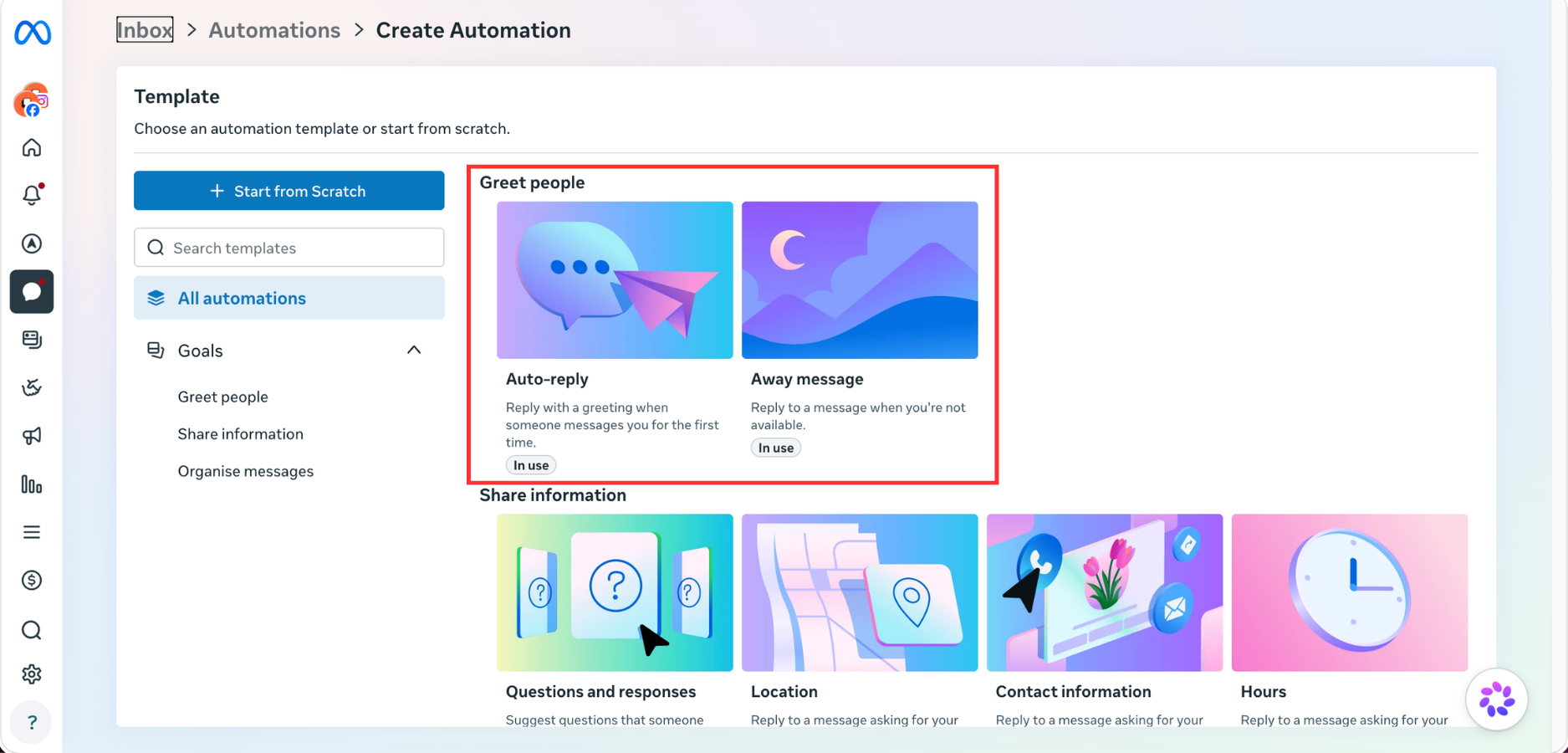
2. Click on Create Automation.

3. Choose the automation you want to set up:
- Auto-Reply (Greeting Message): Automatically greets customers when they message you.
- Away Message: Lets customers know you're unavailable and will respond later.
In our case, we selected Auto-reply.
4. Turn on the Auto-reply toggle, select Instagram as the messaging channel, type the message you want customers to receive automatically, and click Save Changes.
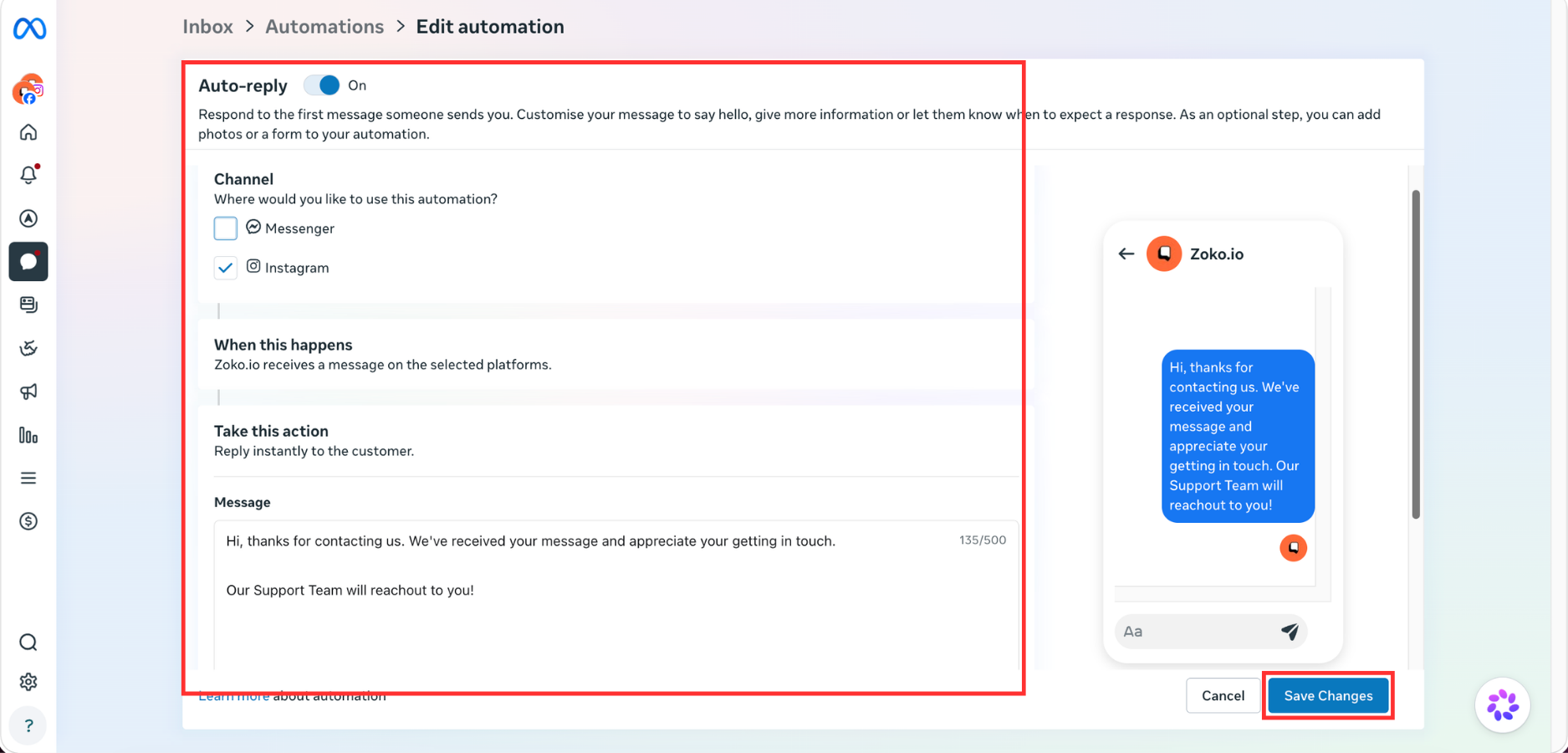
That's it! Your Instagram auto-reply is now active and will automatically respond to customers.
Keywords: Instagram auto reply, Auto reply, Greeting message, Away message, Instant reply, Automated message, Welcome message.
