


How to Change a Fast Response Template from the Chat Screen
Learn how to change a Fast Response Template from the chat screen.
.png)
Share on WhatsApp
.png)


When a customer's 24-hour customer service window expires, you can no longer send regular chat messages. You will need to use an approved WhatsApp template to contact them.
You can change a Fast Response Template directly from the chat screen by choosing the template you want to use. This makes it quicker and easier to send your frequently used messages without having to search for the template every time.
Choose a Fast Response Template
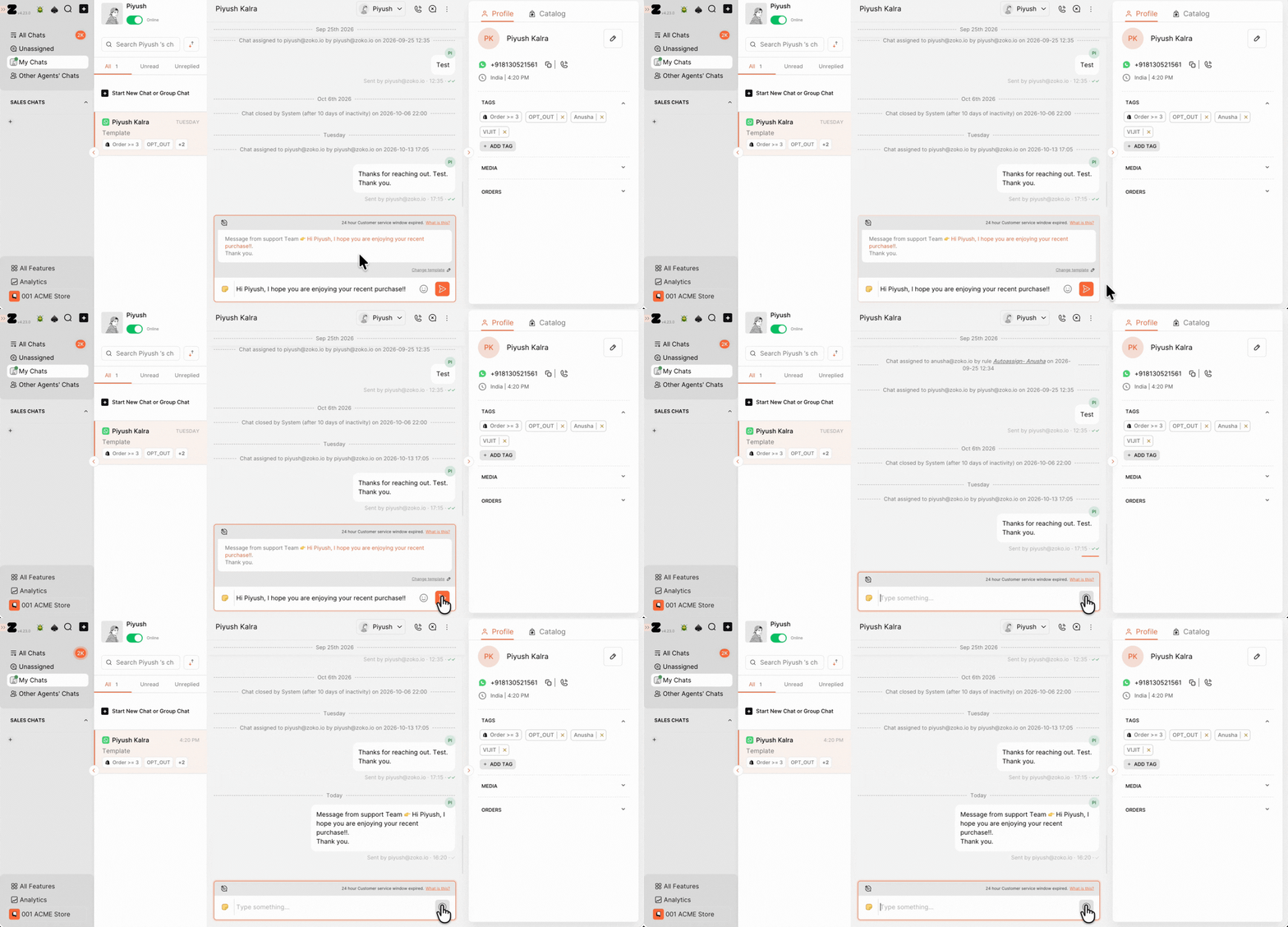
1. Open the customer's chat and click the template icon next to the message input box.
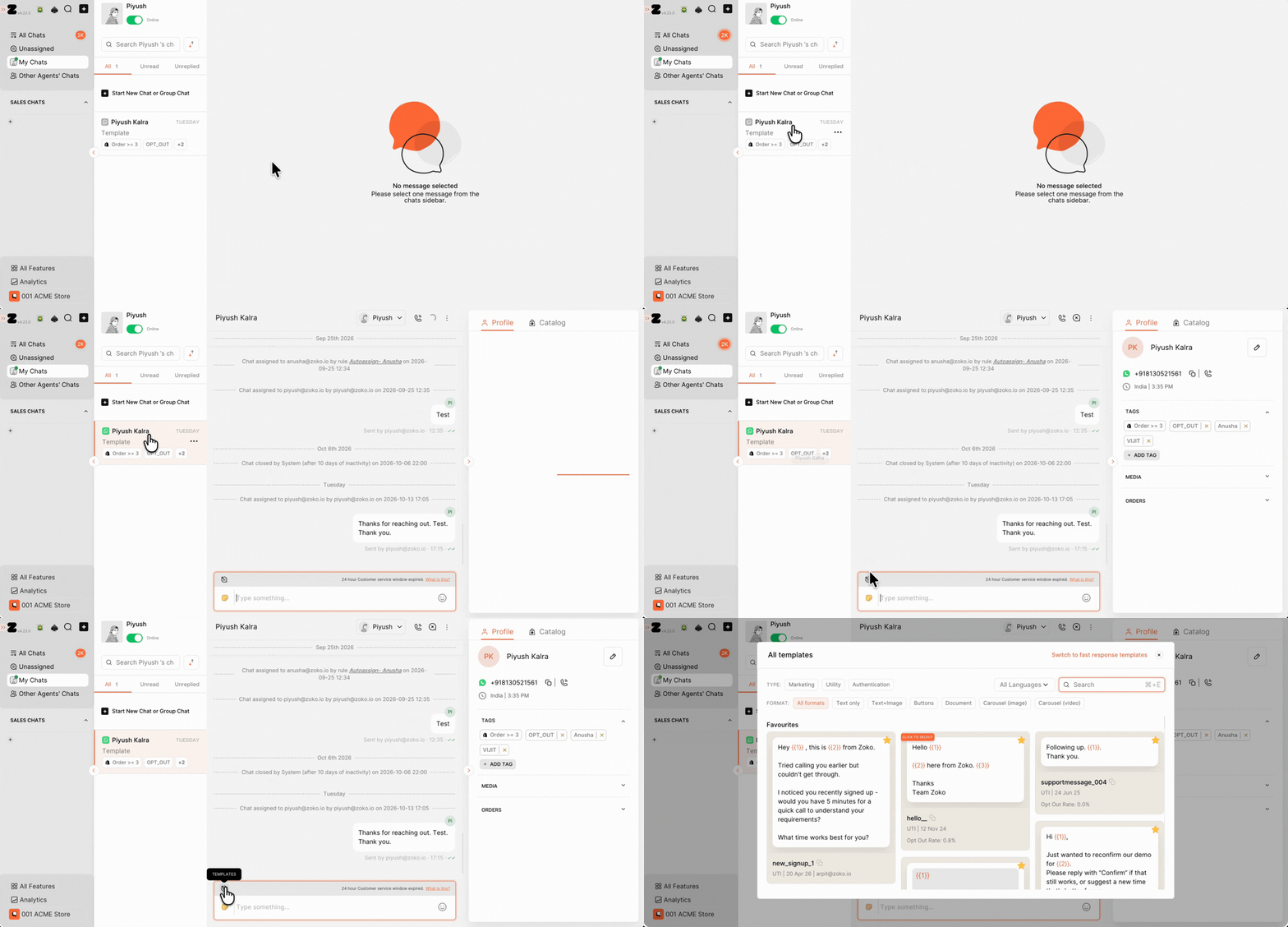
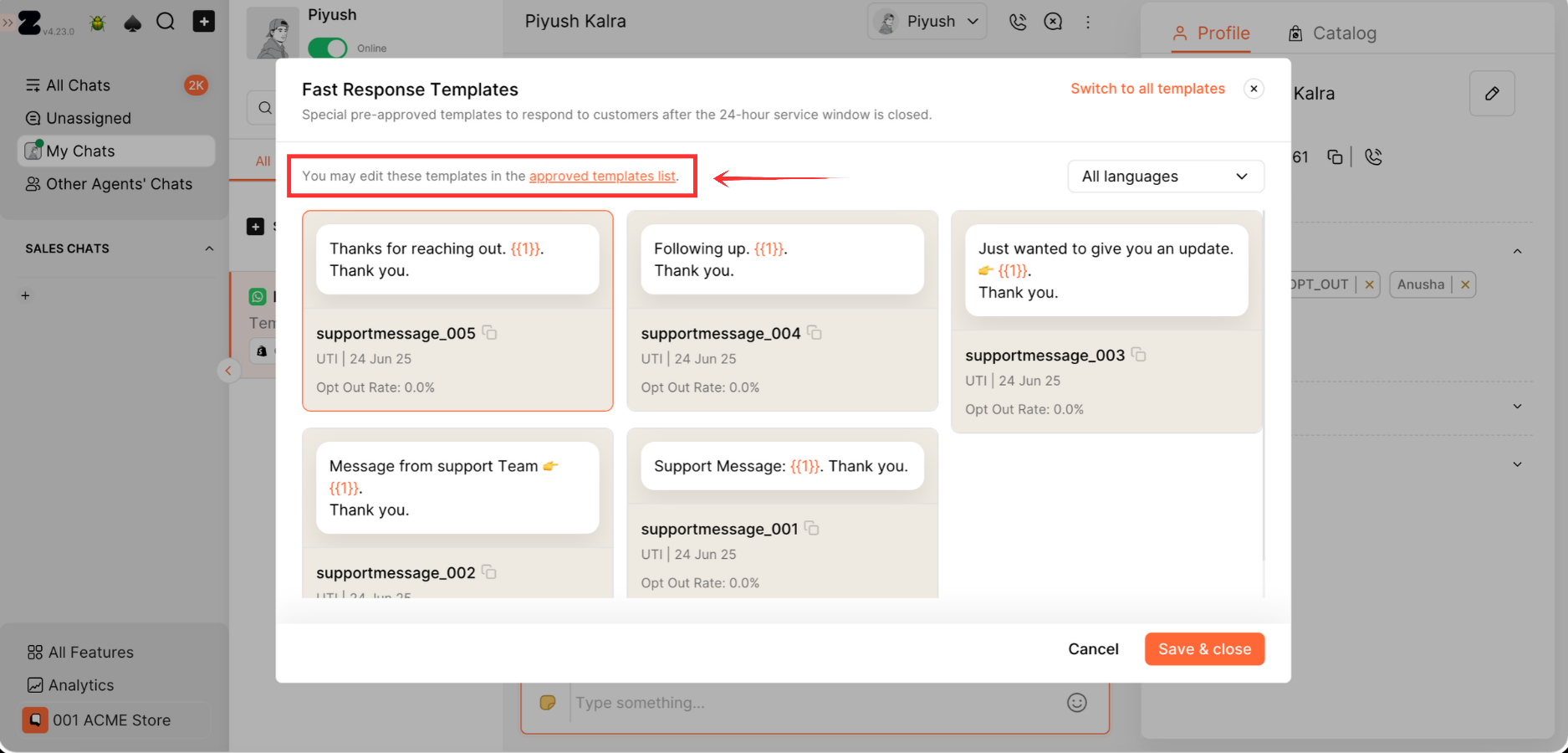
2. In the All templates pop-up window, click Switch to fast response templates.
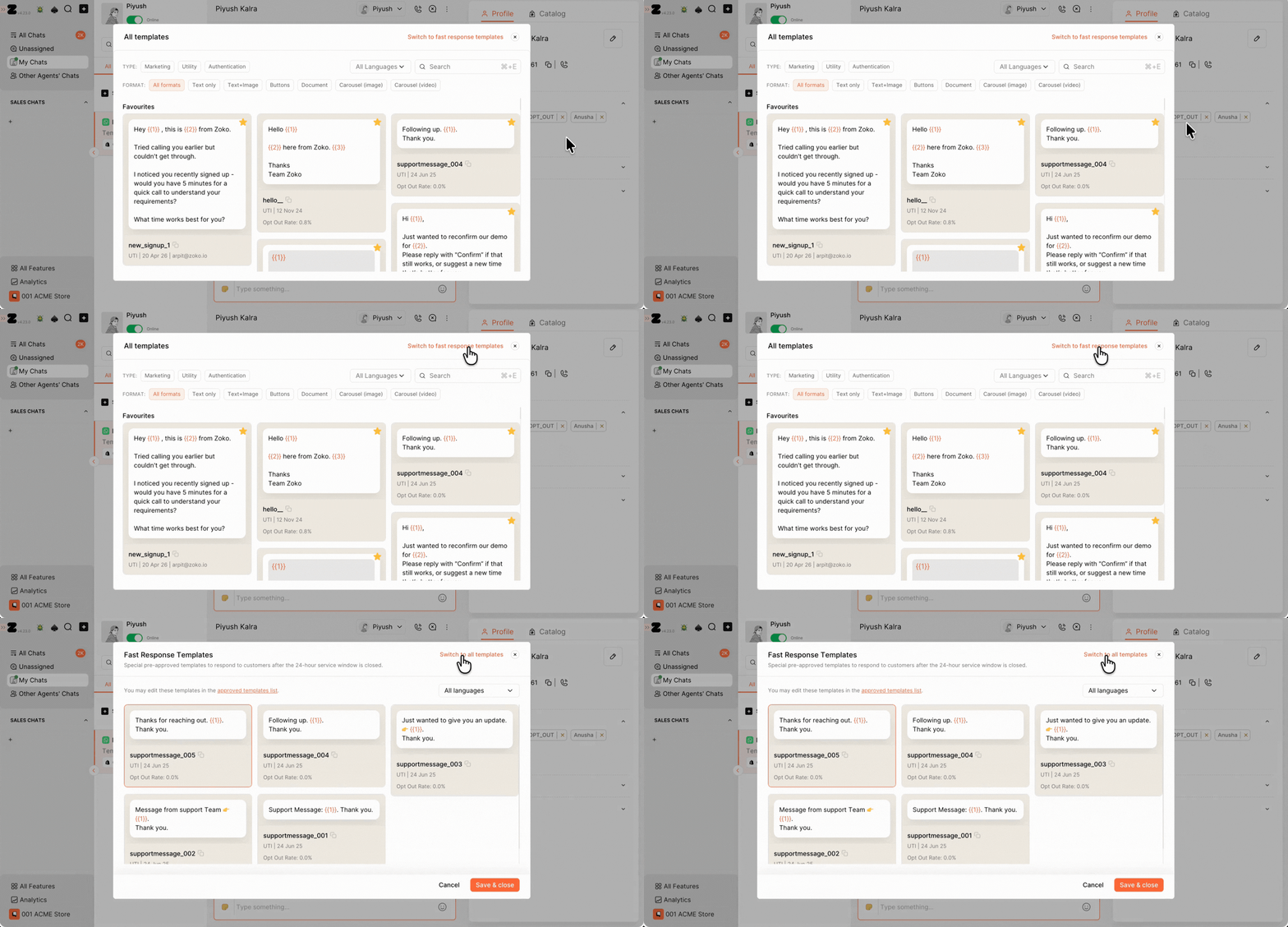
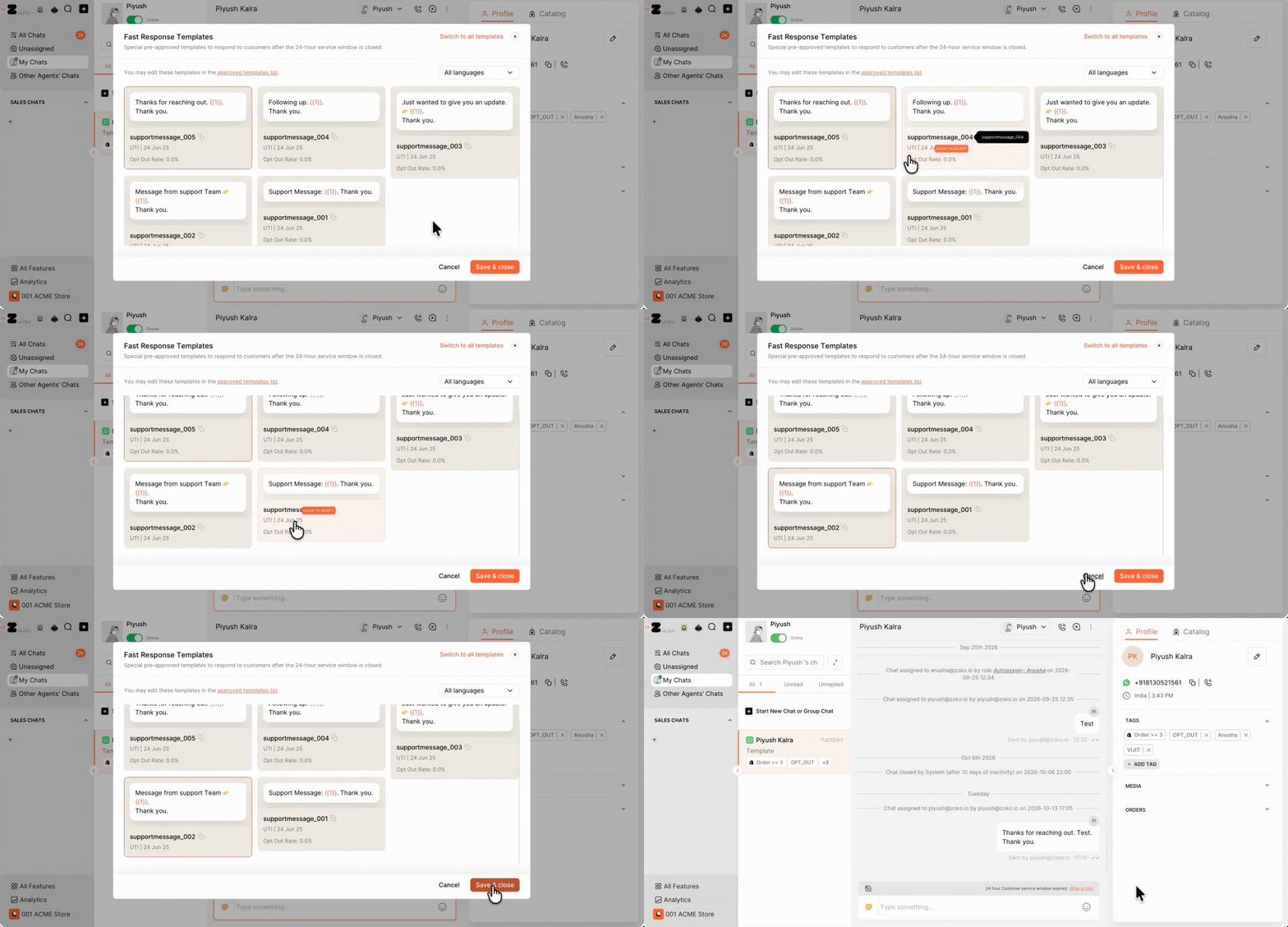
3. Select the template cards you want to include in your list and click Save & close.
Send a Fast Response Template
1. Type your message in the message field.
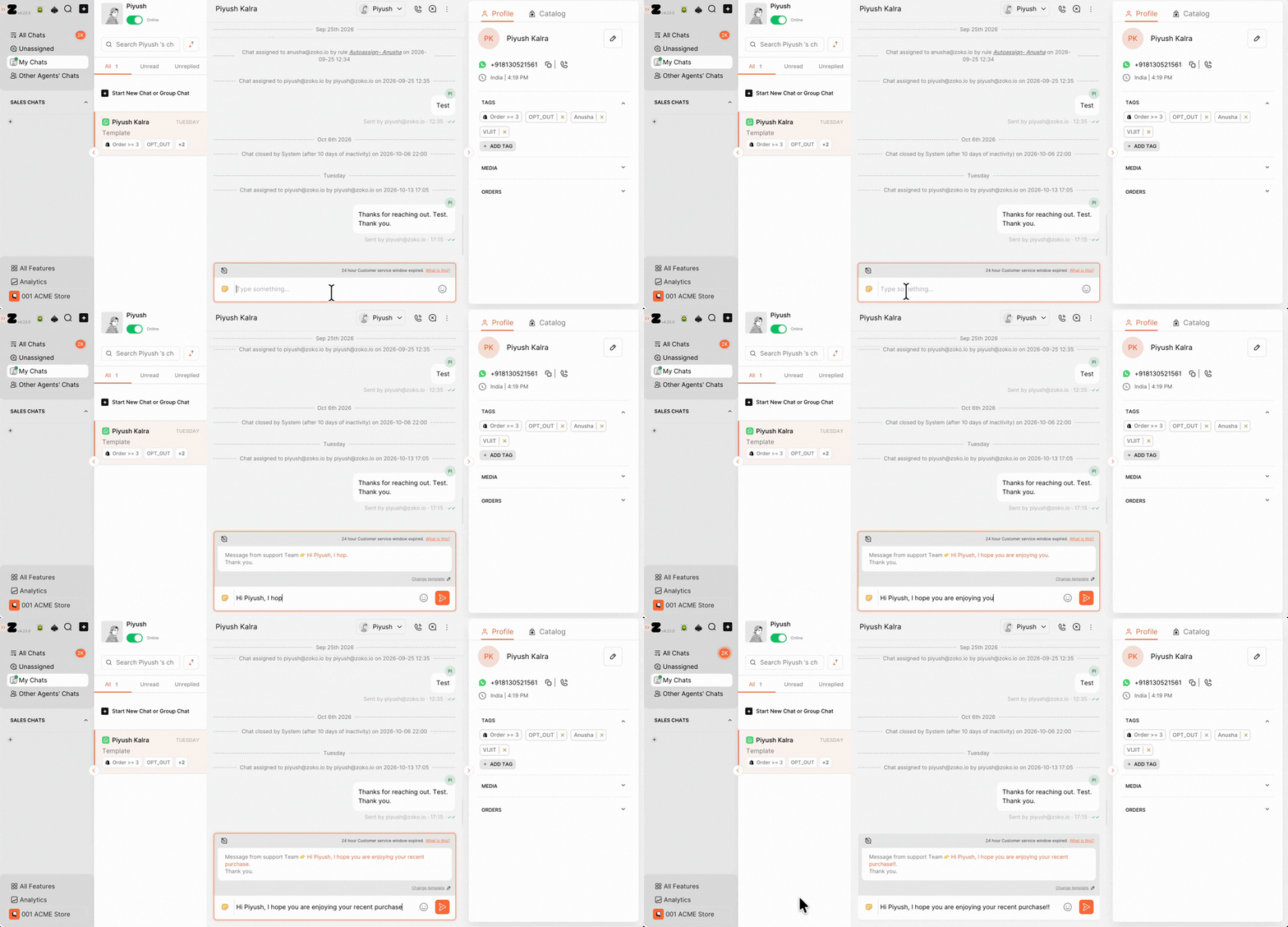
2. Click Send or press Enter to send the message to the customer.
Important Notes
- Customizing vs editing: Customizing your Fast Response Templates list only changes which templates appear in the chat screen. If you want to edit a template's content, click the Approved Templates link in the All templates pop-up window.
- Template categories: Meta determines a template's category based on its content. Avoid promotional language when creating or editing a Utility template, as Meta may classify it as a Marketing template instead.
- Using Utility templates: Utility templates are meant for non-promotional messages, such as order updates. Don't use them for promotional messages or broadcasts, as this may lead to reclassification by Meta.
Keywords: Send template, customize template, Chat templates, Fast response template, Change fast response template, WhatsApp template
