


How to Set Up a Username for Your WhatsApp Business
Learn how to add a username to your WhatsApp Business number in Meta Business Manager.
.png)
Share on WhatsApp
.png)


You can now reserve a username for your brand's WhatsApp numbers. Customers can use these usernames to start conversations with your business without needing to know or save your phone number.
Note: This feature is only available if:
- Your business has completed verification on Meta.
- Your WhatsApp number is connected with Zoko.
- You have admin access to your Meta Business Manager.
If these requirements are not met, you will not be able to create a username.
To do this:
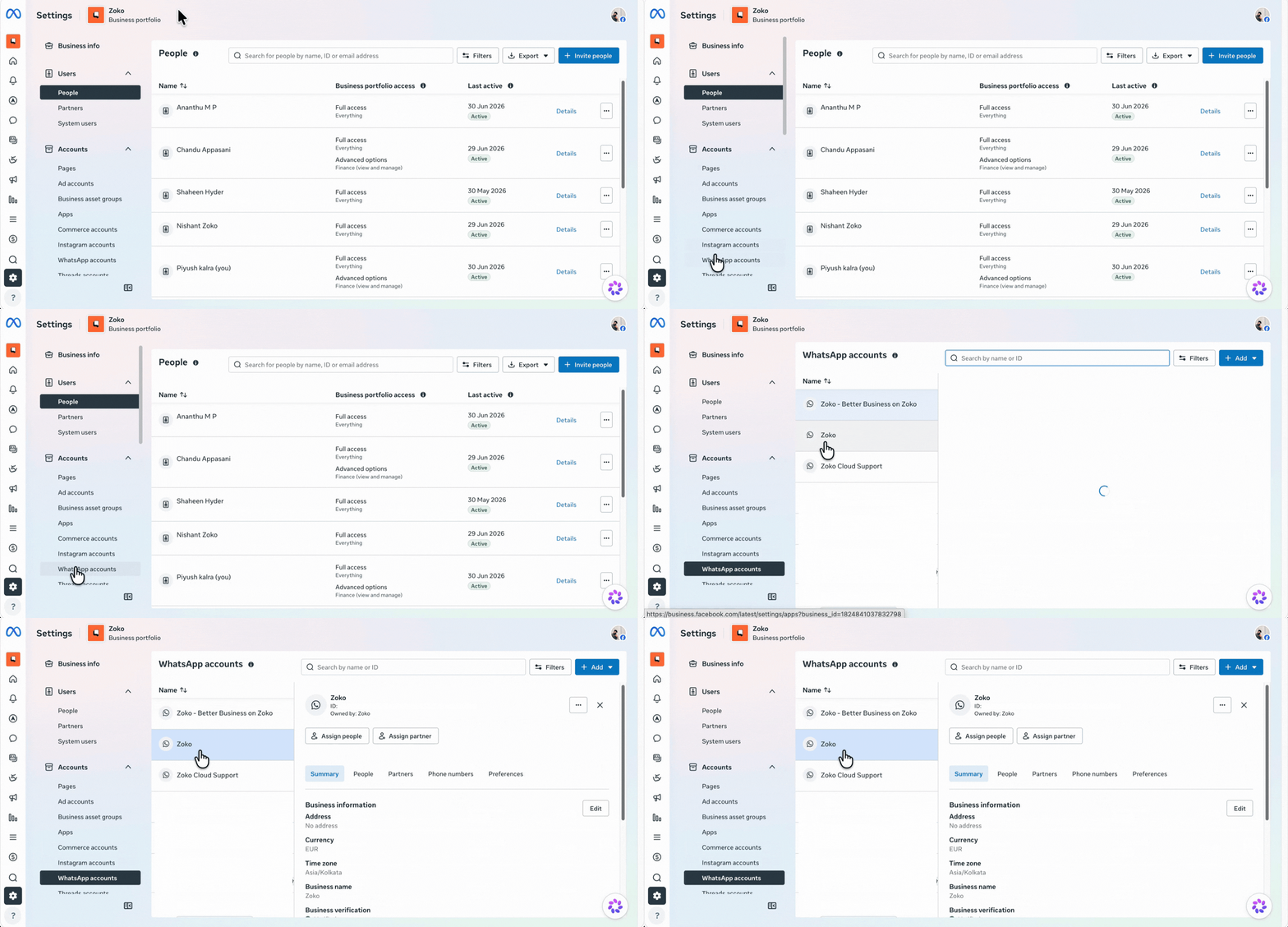
1. Log in to your Meta Business Manager account, go to Business Settings, and click WhatsApp Accounts.
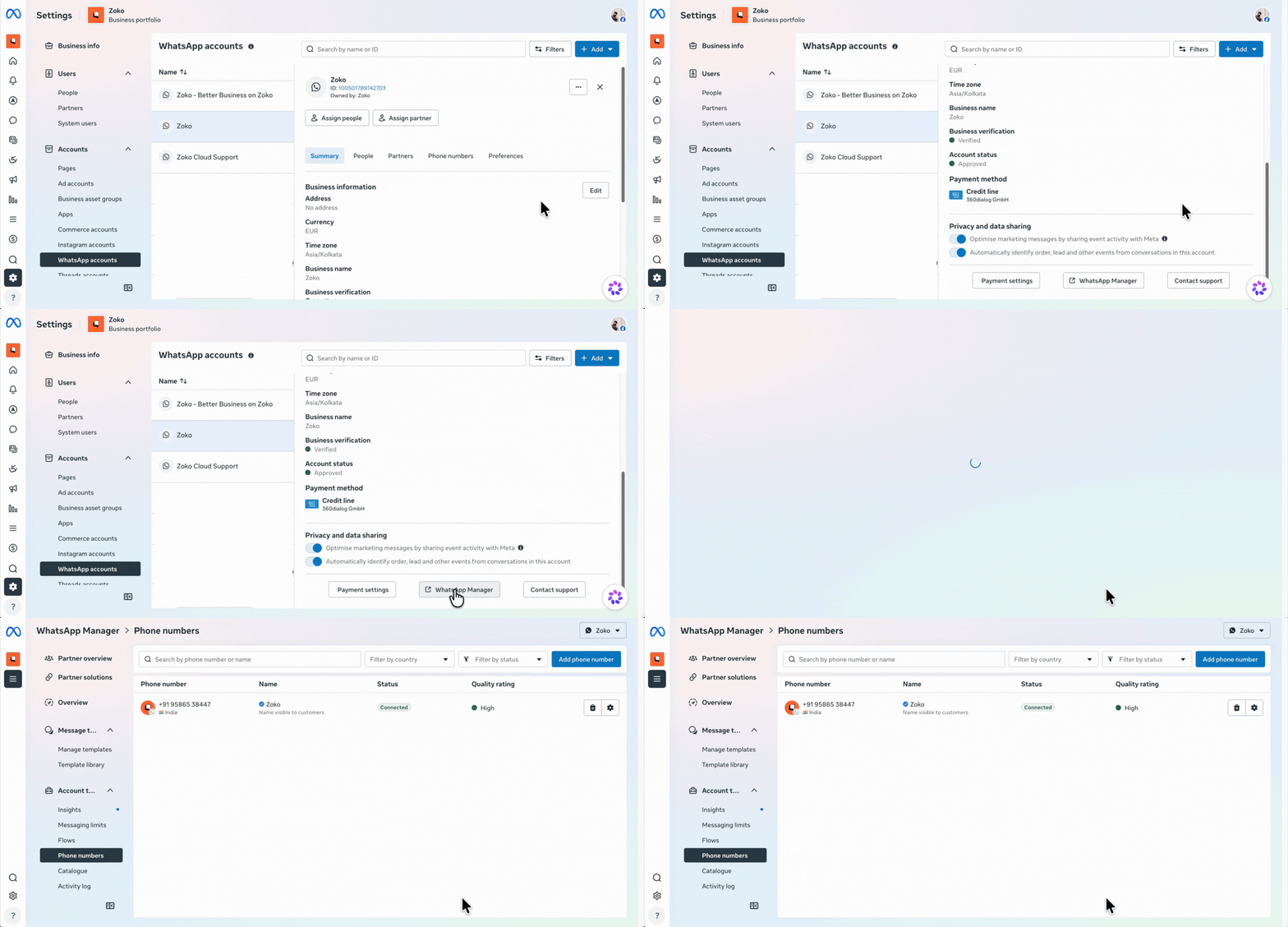
2. Select the WhatsApp Business Account for which you want to create a username, scroll down, and click WhatsApp Manager.
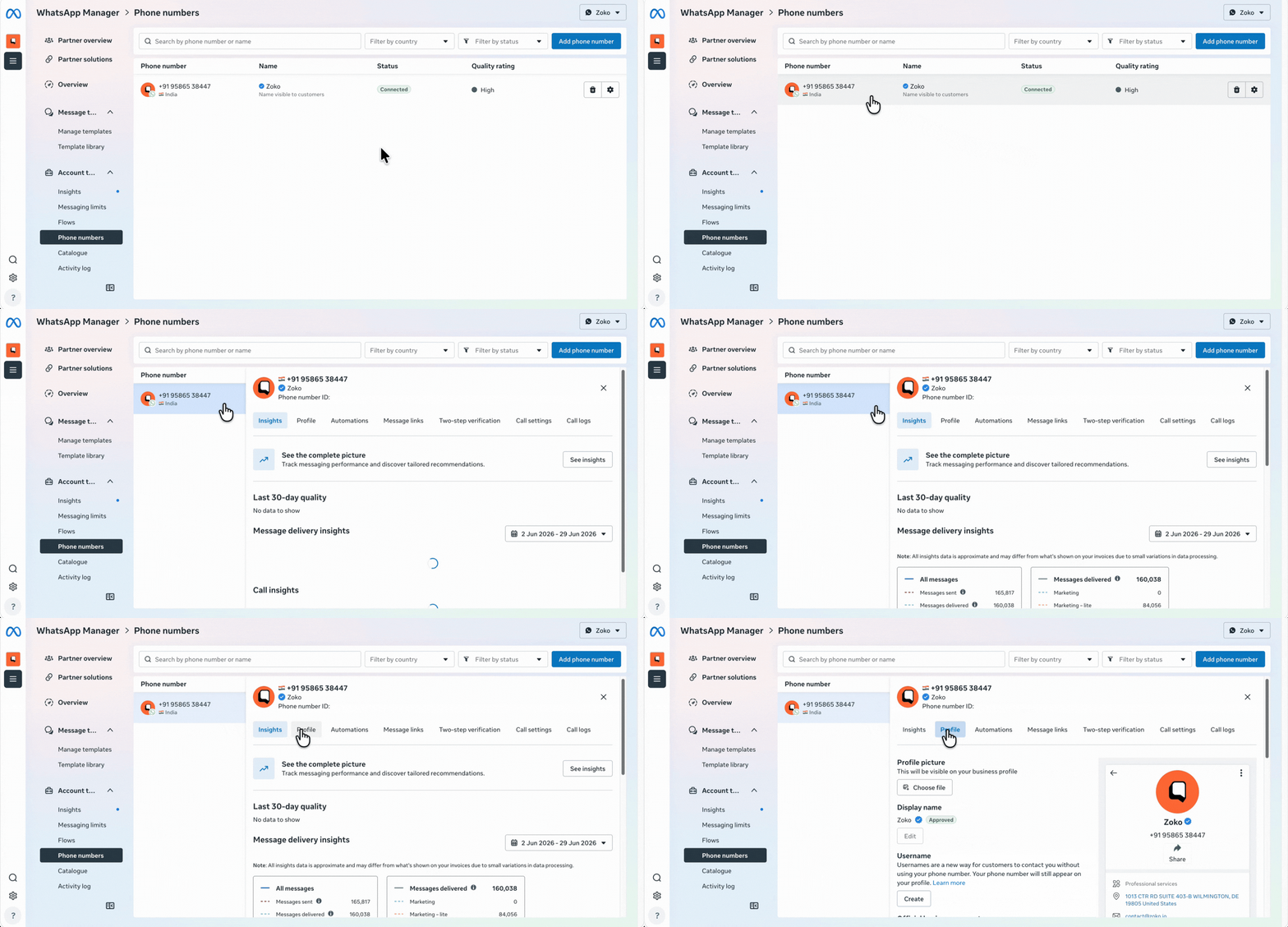
3. Click Phone Numbers and then go to the Profile tab.
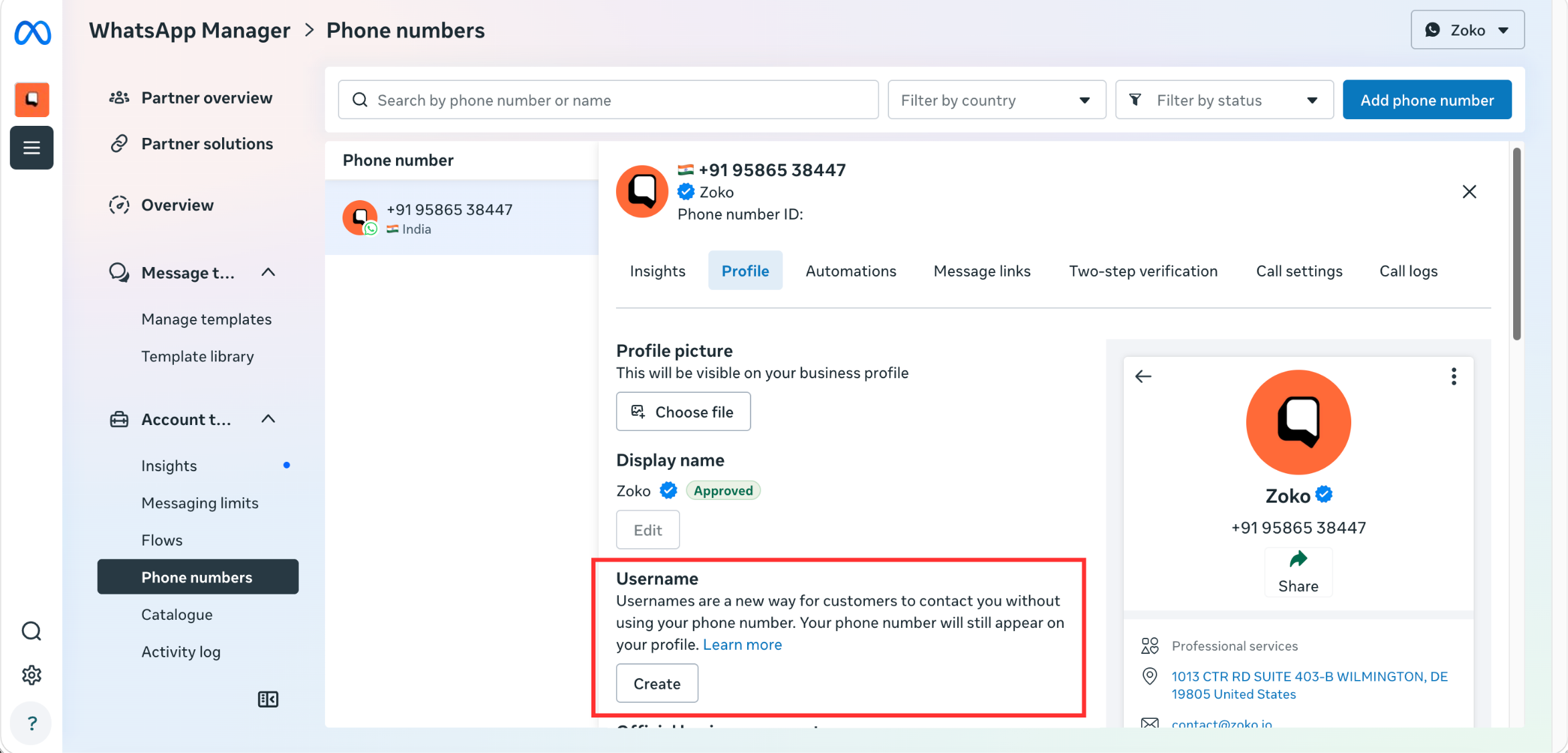
4. Under Username, click on Create.
5. Type the username you'd like to use for your brand, or select one of Meta's suggested usernames, and then click on Save.
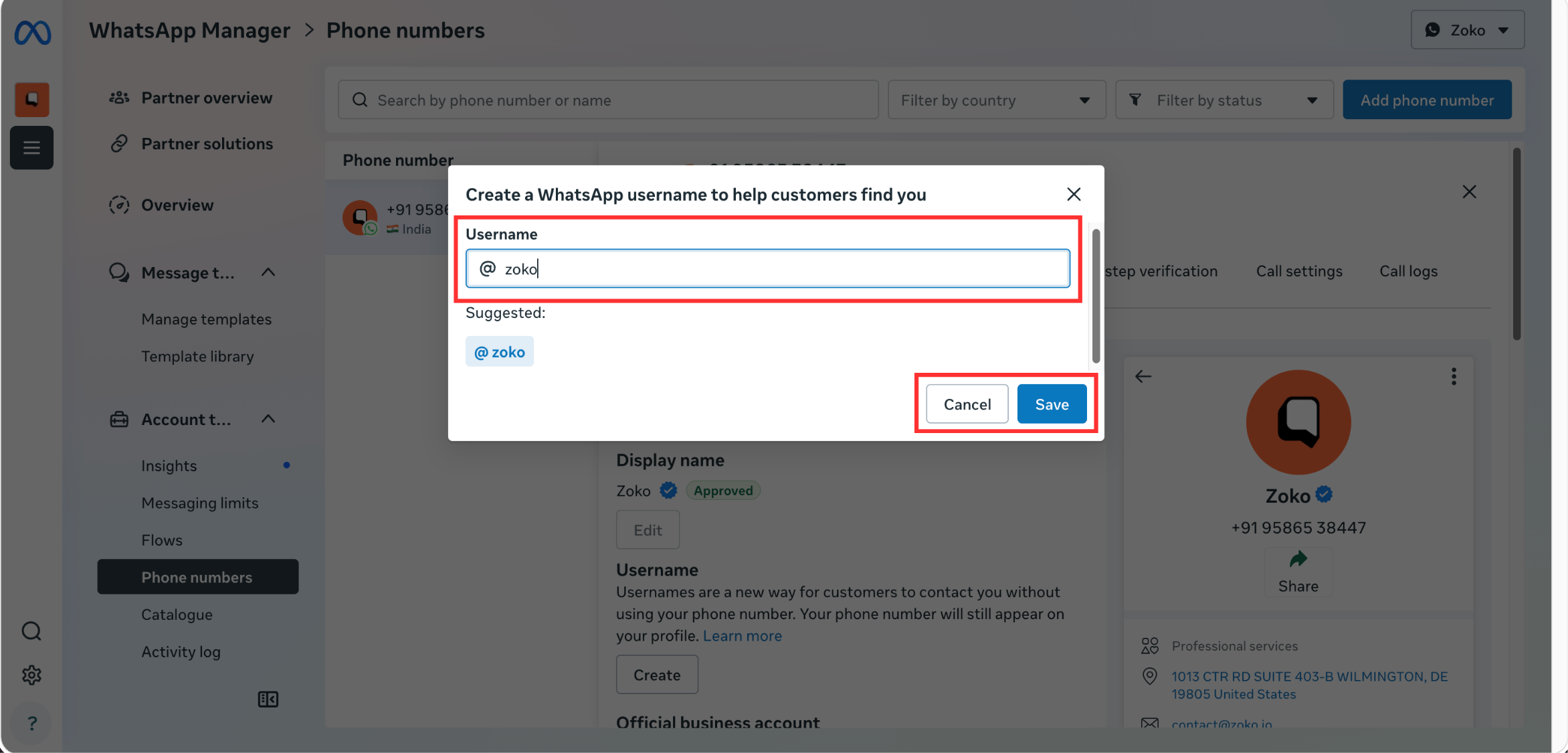
That's it! Your username will be available once approved by Meta.
How will customers see my business name?
In WhatsApp chat windows, business profile information is displayed in the following order of priority:
- Saved contact name
- Verified business name or Official Business Account (OBA) name
- Username
- Phone number
For example, if your business details are:
- Saved contact name: Zoko Support
- Verified business name: Zoko
- Username: @zoko
- Phone number: +1 234 567 890
Customers will see:
- Zoko Support if they have saved your contact.
- Zoko if they haven't saved your contact but your business is verified.
- @zoko if there is no saved contact name or verified business name.
- +1 234 567 890 if none of the above are available.
Why can't I request a username?
If you see the error "Account not eligible to request a username," it means that your WhatsApp Business Account is currently not eligible for the feature. Meta has not published detailed eligibility criteria, and the feature is still being rolled out gradually. If your account is not eligible, you may need to wait until Meta enables the feature for your account.
Keywords: WhatsApp username, WhatsApp business username, Set up username, Reserve WhatsApp username.
