


How to Raise a Support Ticket with Meta
.png)
Share on WhatsApp
.png)


If you’re facing issues related to Meta, such as Meta Business Manager, Meta Business access, or WhatsApp Business API, you’ll need to contact Meta Support. These issues are managed entirely by Meta, and we do not have control over them or the ability to resolve them on your behalf.
Below are the different ways to raise a ticket with Meta, depending on what access is available to you.
Option 1: Contact Meta Direct Support
Meta Direct Support is a private support channel that connects businesses with Meta’s internal support teams for specific products and services.
Note: Not all businesses have access to Direct Support.
Steps to Raise a Ticket:
1. Open the Meta Direct Support page: https://business.facebook.com/direct-support (Log in using the Facebook account connected to your Meta Business Manager.)
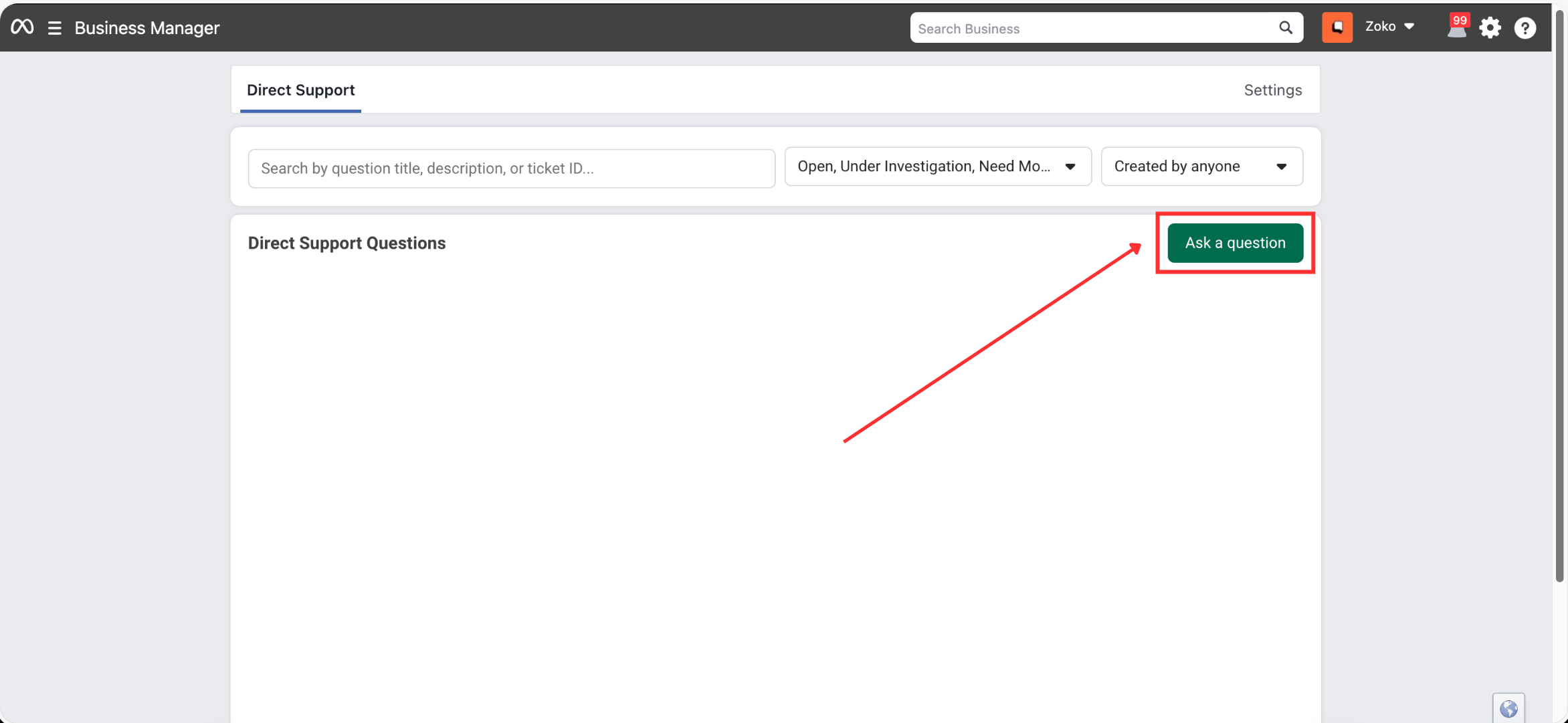
2. Click on Ask a Question.
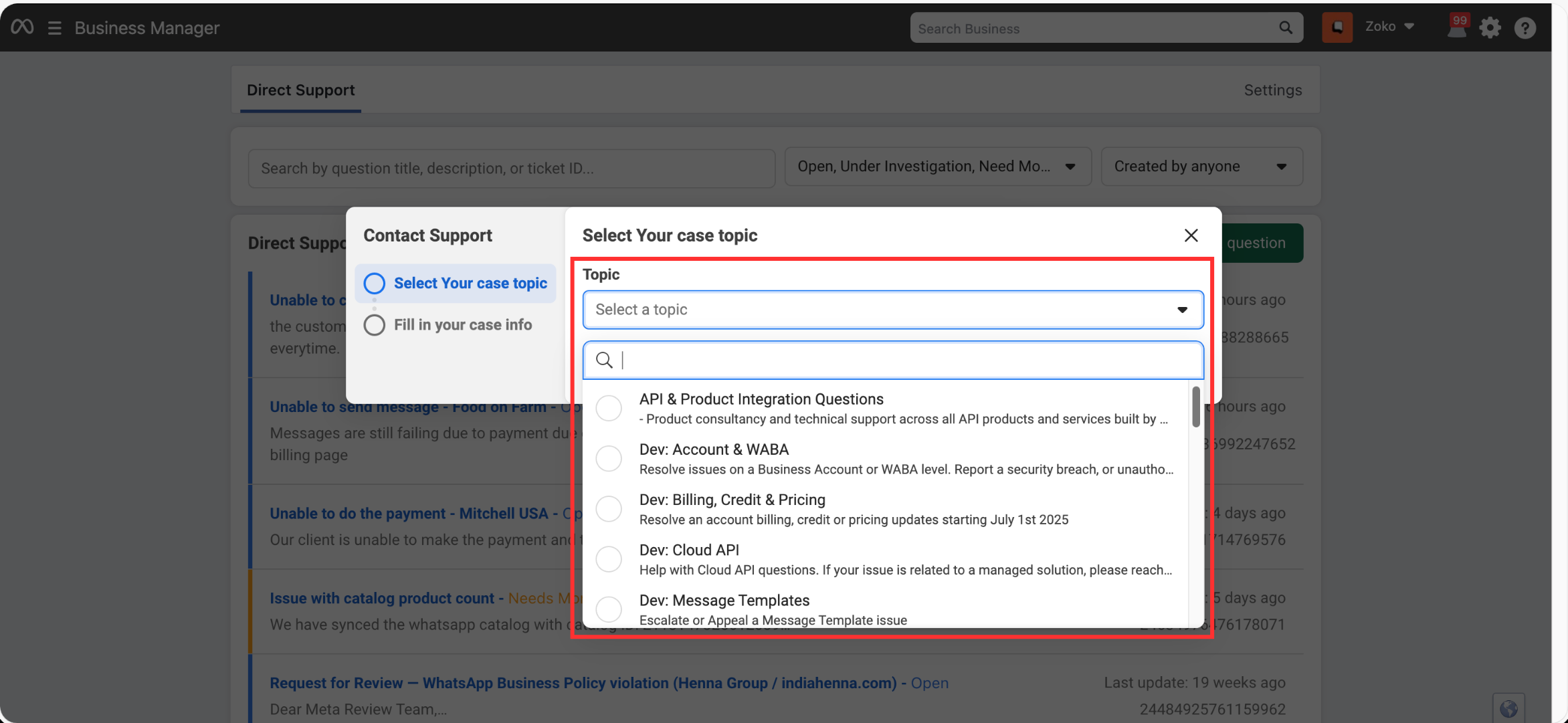
3. Select the relevant topic from the dropdown.
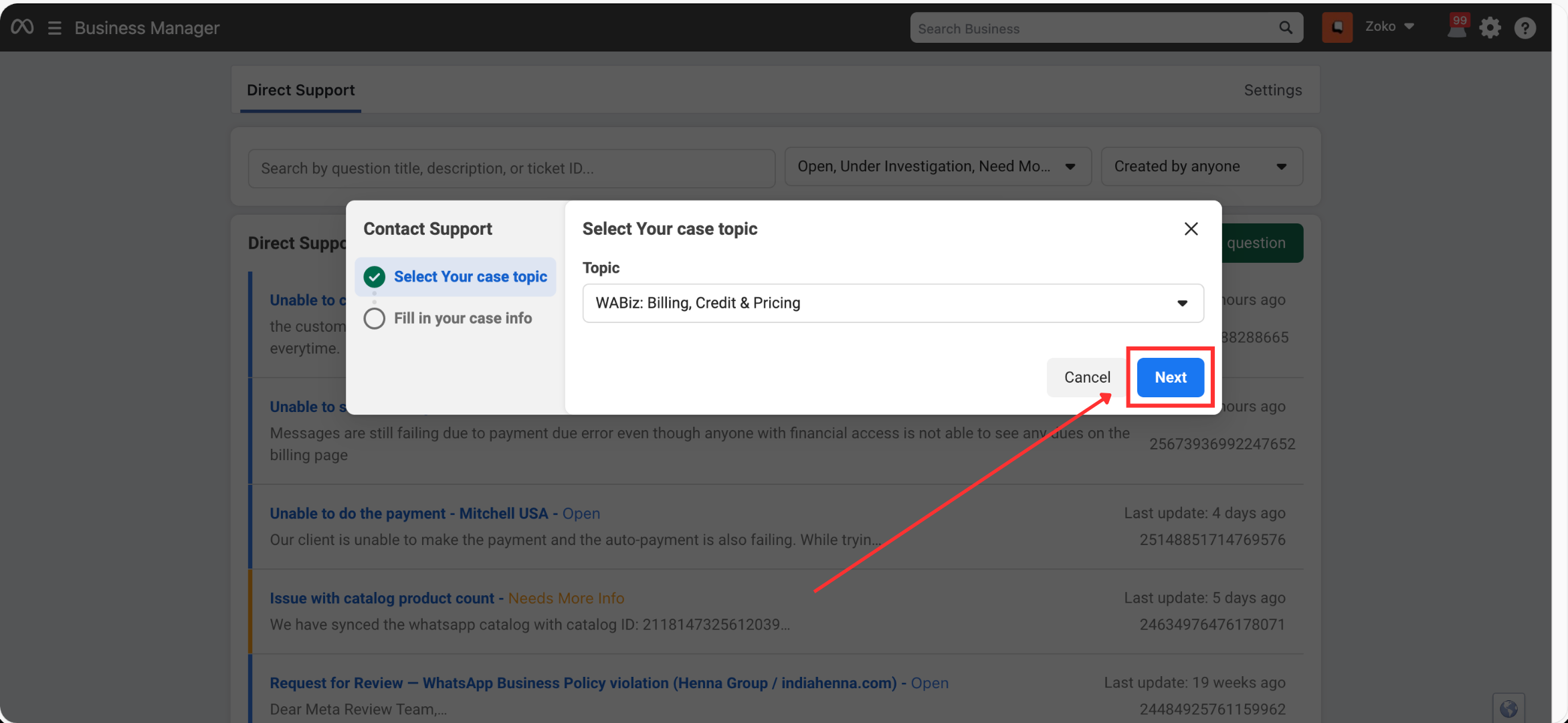
4. Click on Next.
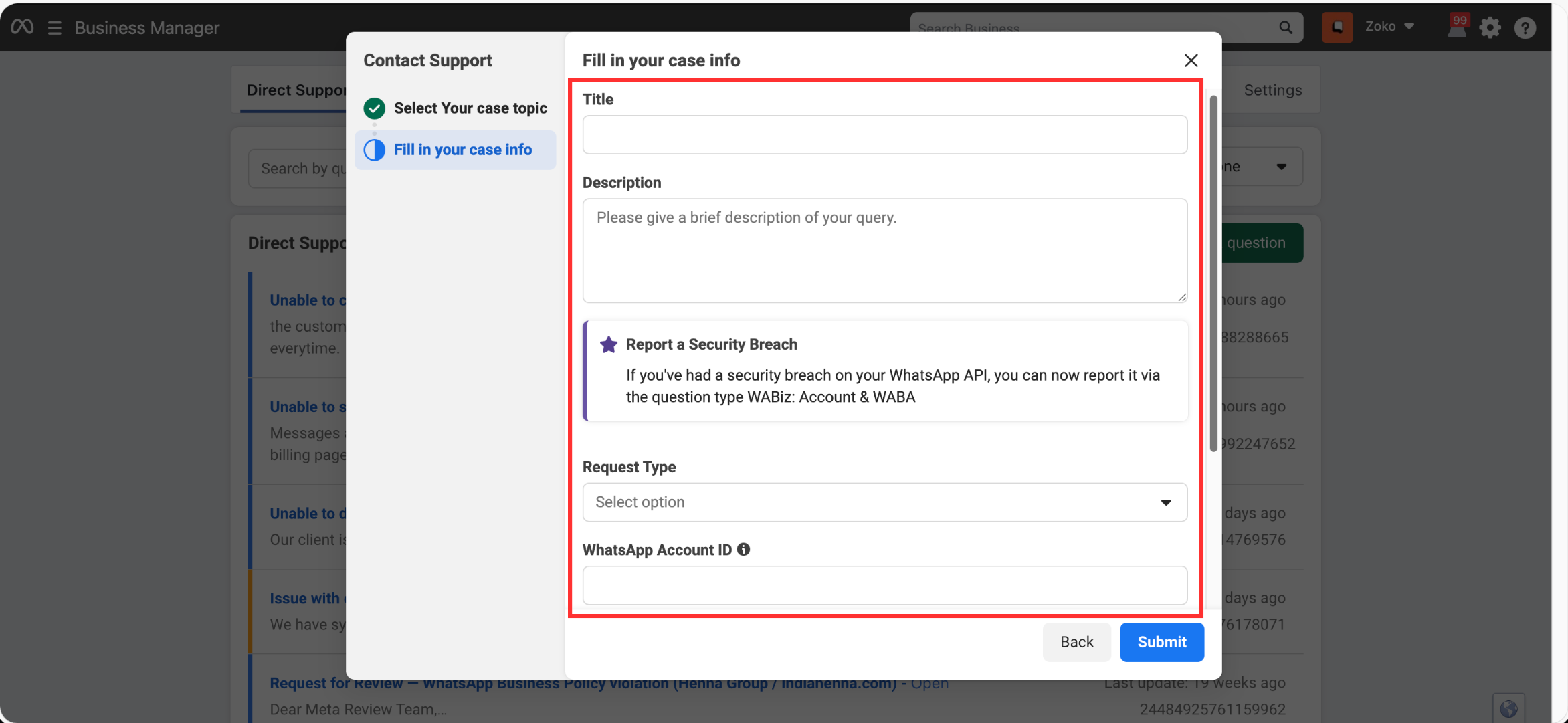
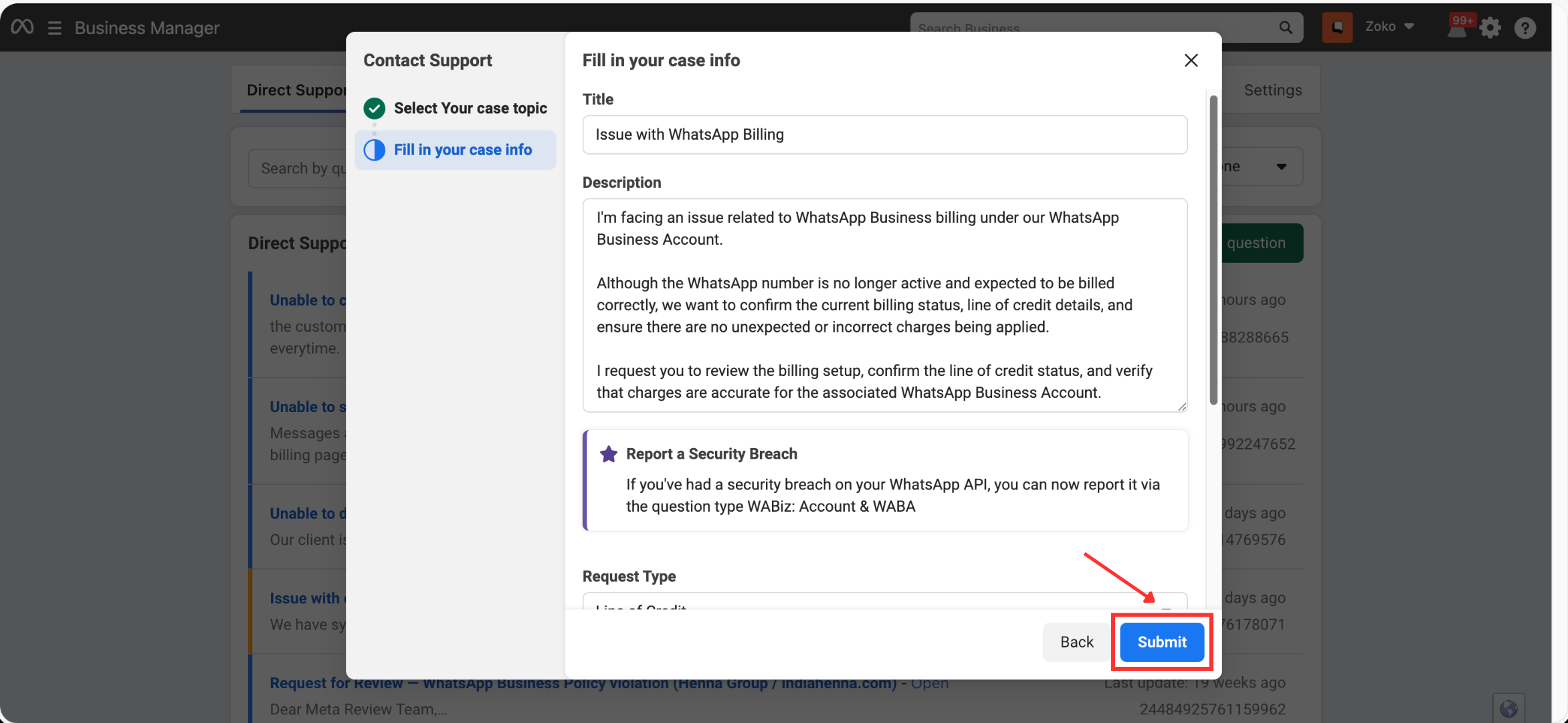
5. Describe your issue clearly:
- What exactly is not working
- Any error messages
- Screenshots (recommended)
6. Click on Submit and wait for Meta’s response via email.
Option 2: Raise a Ticket via Meta Help Center (If Direct Support Is Not Available)
If you do not see the Direct Support option, you can still contact Meta through the Help Center.
Steps to Raise a Ticket from the Help Center:
1. Open this facebook page: https://www.facebook.com/profile (Log in with your Facebook account)
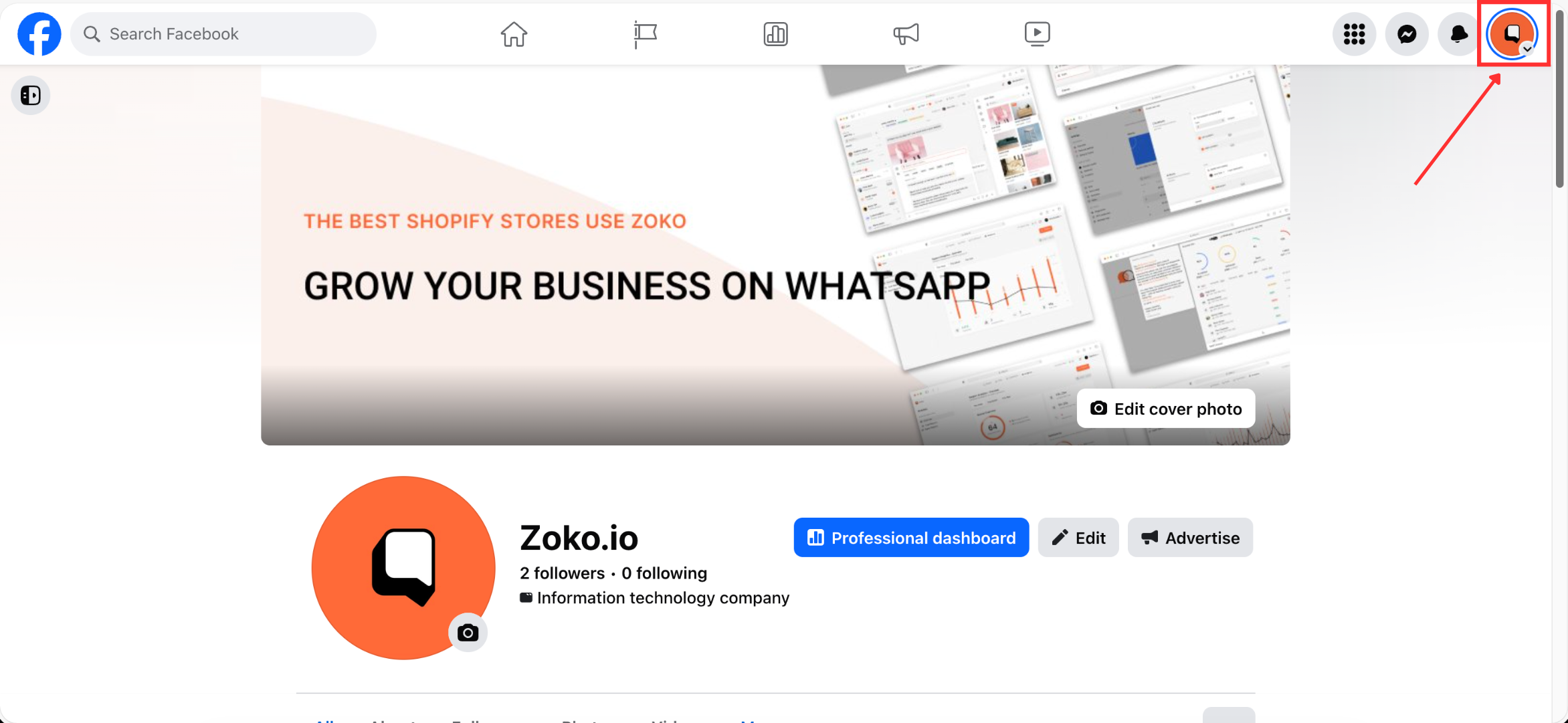
3. Click your profile picture in the top right of Facebook.
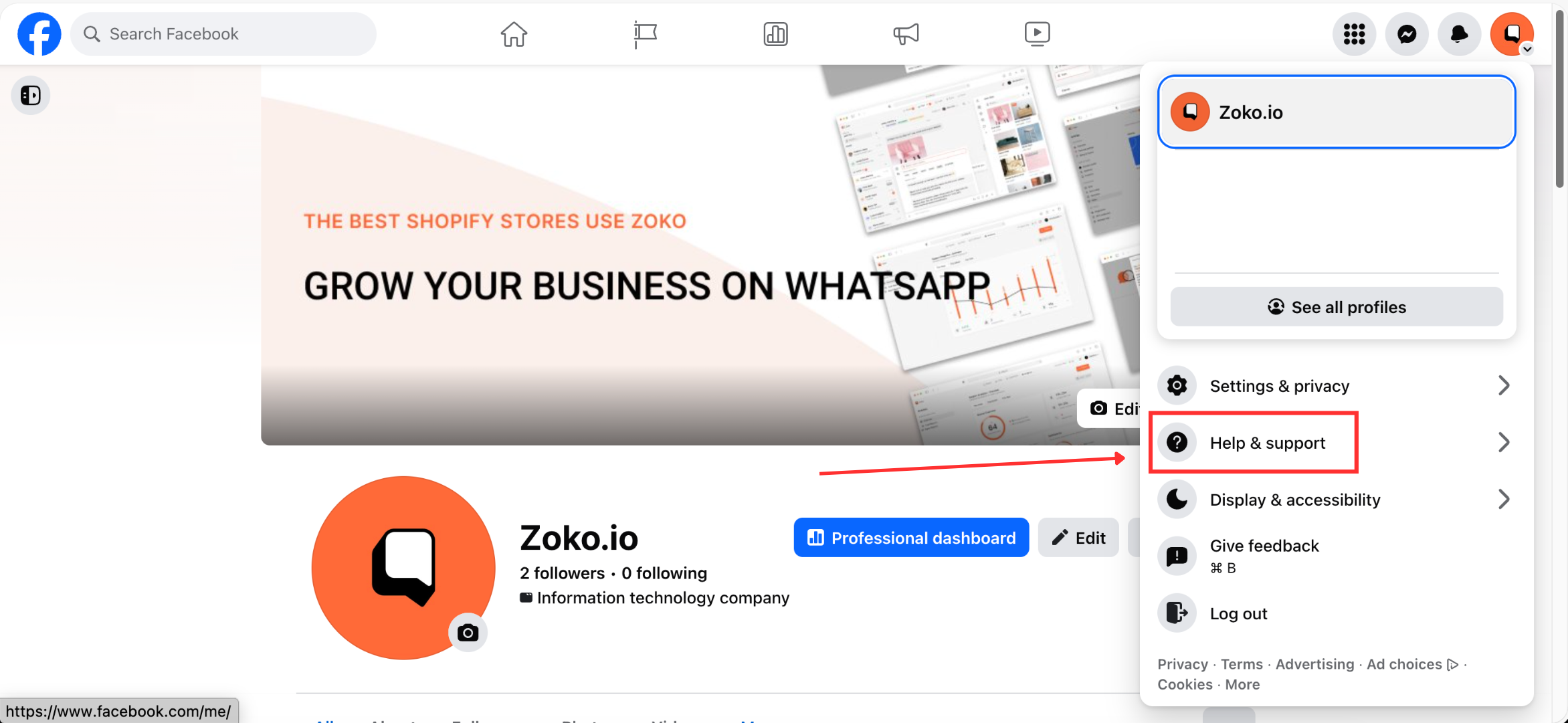
4. Click on Help & support.
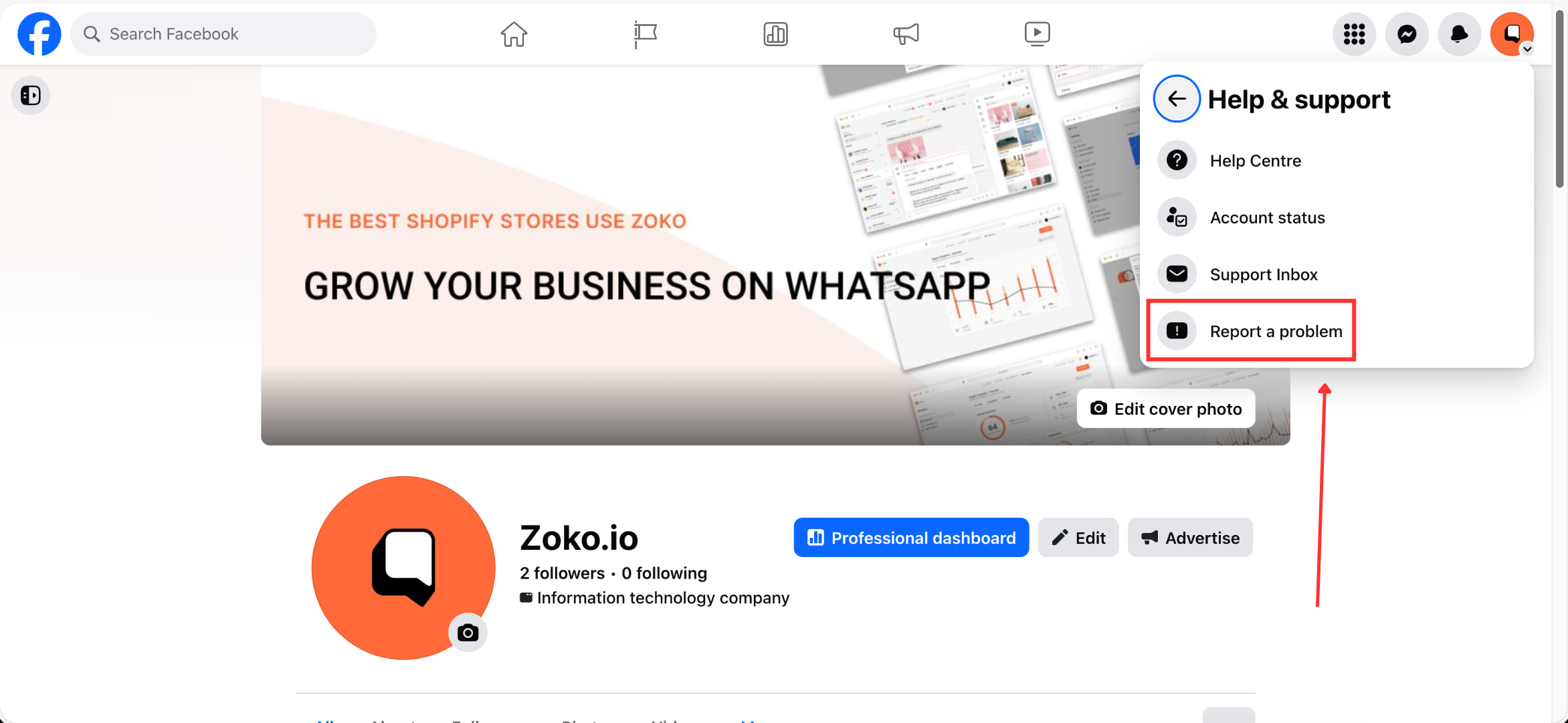
5. Select Report a problem.
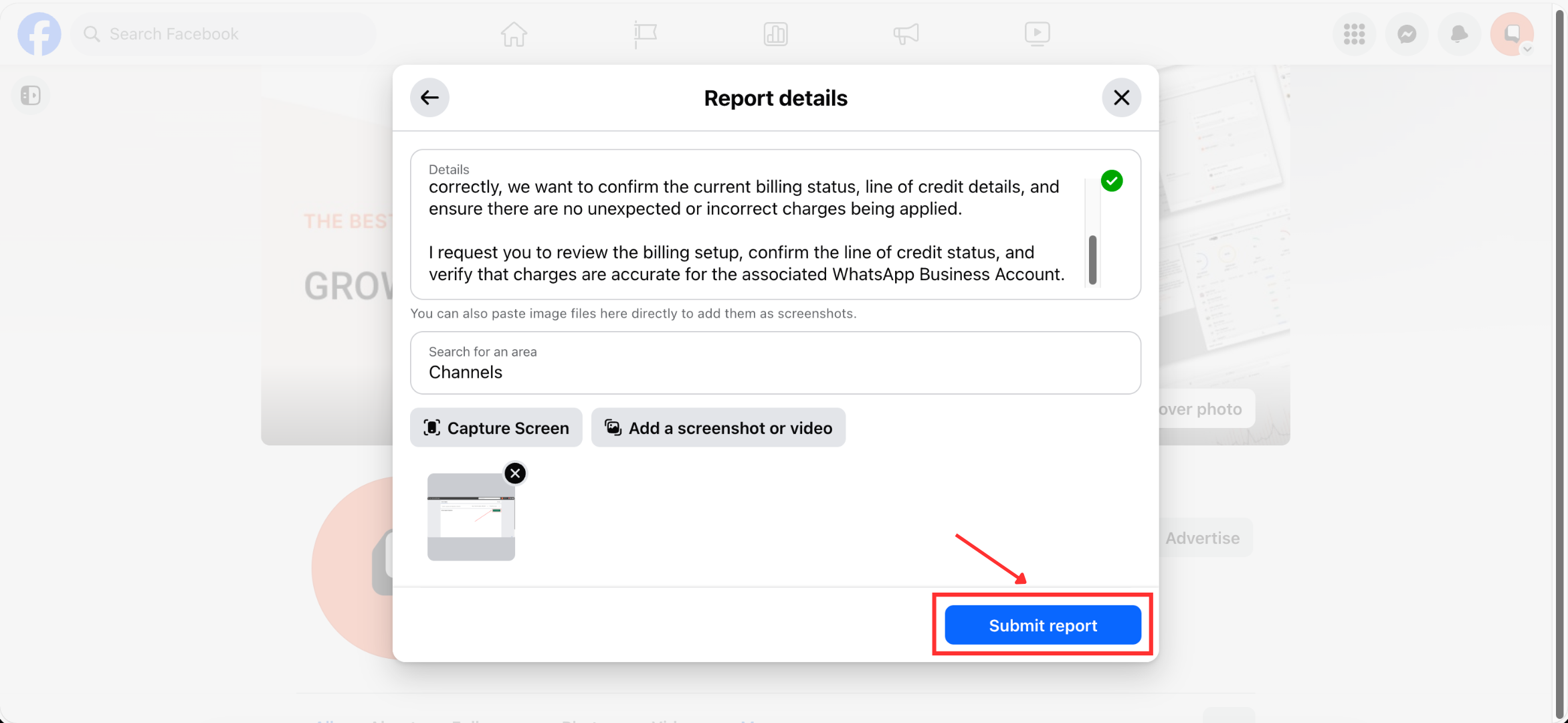
6. Fill out the support form with accurate details and Screenshot or Video.
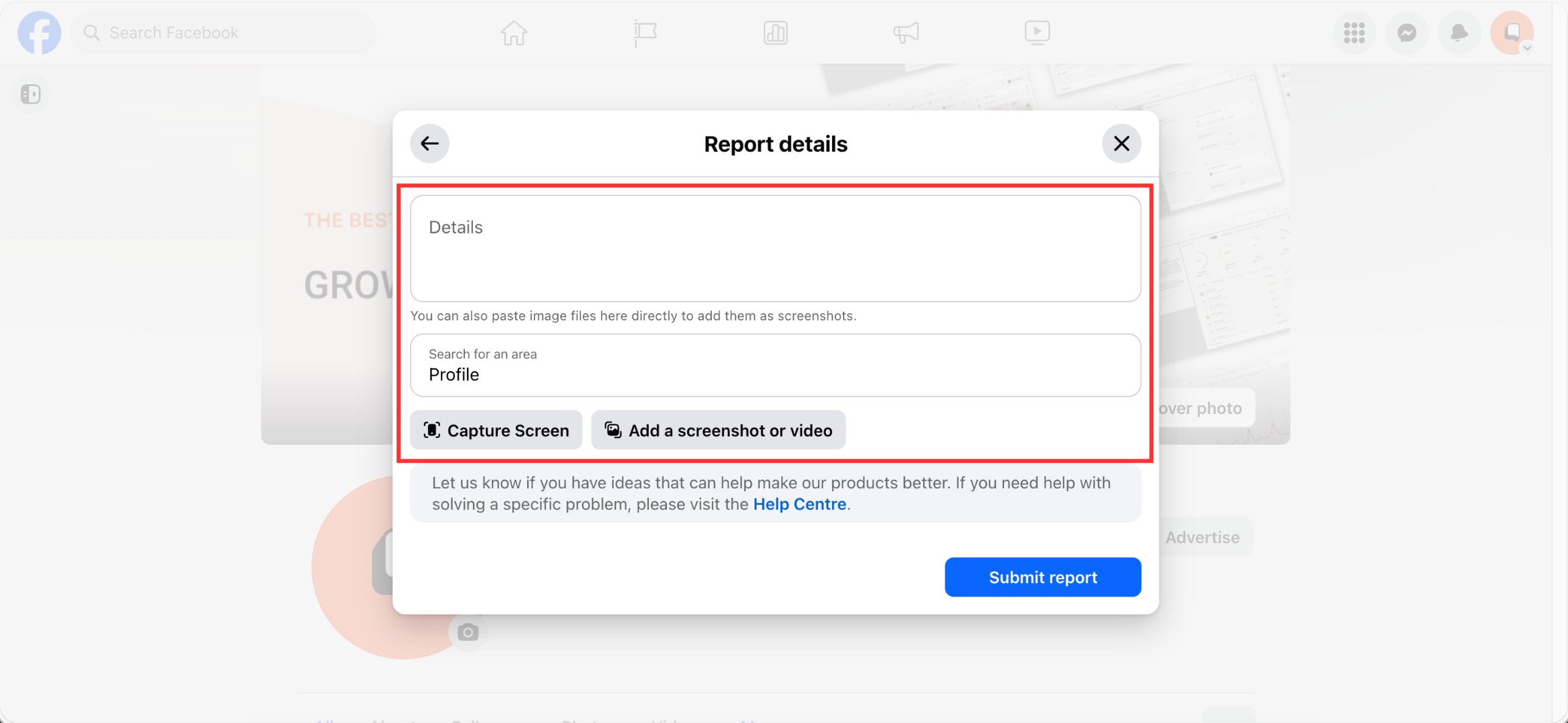
7. Submit the request by clicking on Submit report and wait for Meta’s response via email.
Important Notes
- Meta support responses may take 24–72 hours, depending on the issue.
- Always use the same Facebook account that owns or manages the affected business assets.
- Providing clear descriptions and screenshots helps Meta resolve issues faster.
Keywords: Meta support, Raise a ticket, Meta support ticket, Account blocked, Billing issue, Payment failure, WhatsApp support, Message failure.
