


Understanding Quality Ratings and improving your store's Quality Rating
.png)
Share on WhatsApp
.png)


WhatsApp monitors how customers interact with your message templates to ensure businesses provide a positive customer experience. Your quality rating is based on customer engagement and feedback received on your messages. If a template continues to receive negative feedback, WhatsApp may reduce delivery, pause the template, or disable it altogether.
You can monitor your account's quality rating and health status directly from the Broadcast page in Zoko dashboard.
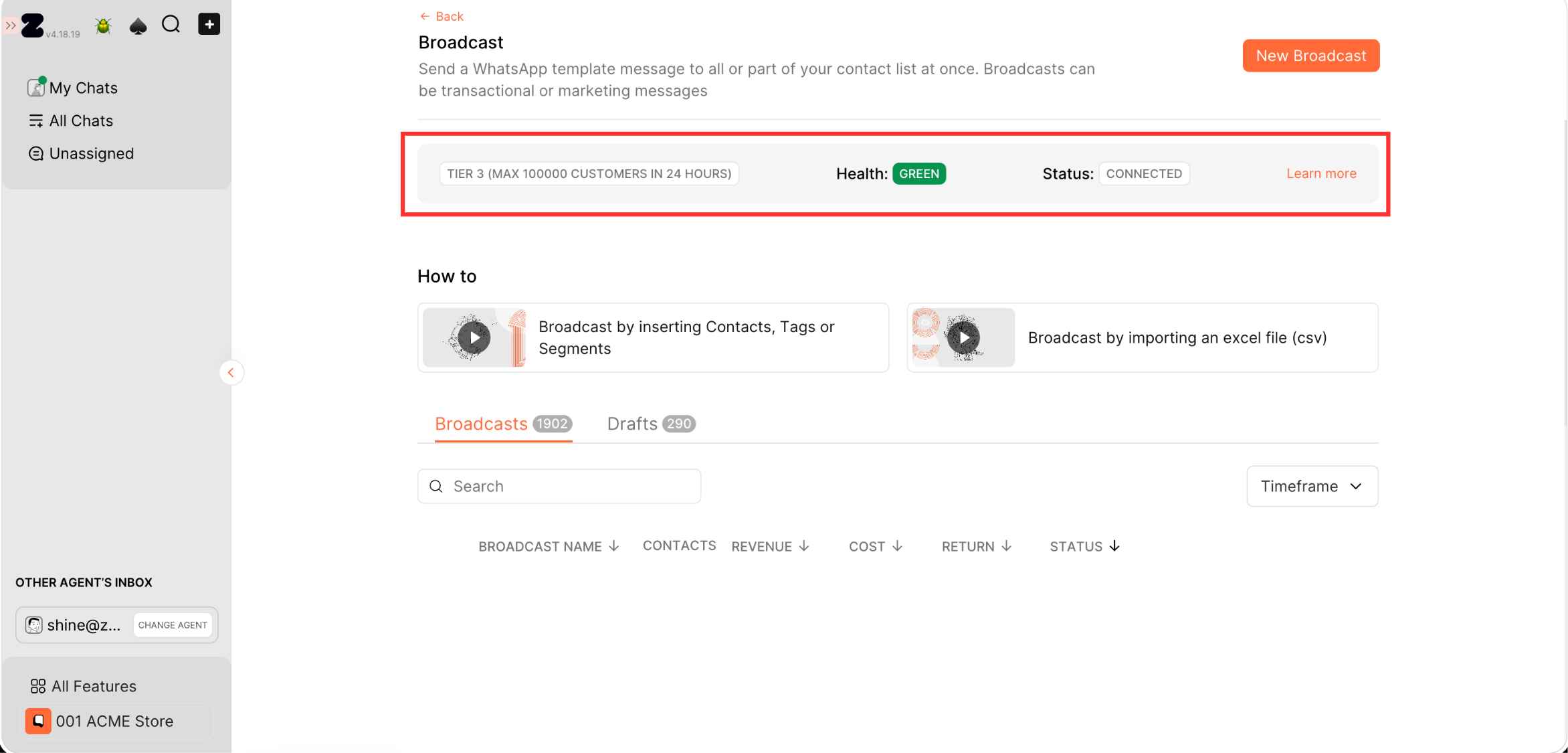
WhatsApp business API Quality Ratings
Templates can have one of the following quality ratings:
- Green (High Quality) - Your template is healthy and can be sent normally.
- Yellow (Medium Quality) - Your account has received some negative feedback and needs attention to prevent further quality decline.
- Red (Low Quality) - Your account health is at risk. It's recommended to reduce or pause broadcasts that may be causing negative feedback and focus on improving customer engagement until the account returns to a healthier state.
- Unknown (Quality Pending) - WhatsApp has not yet collected enough data to determine the template's quality. This is common for newly created templates.
How to Improve Your Template Quality Rating
If your template quality drops to Yellow or Red, it may indicate that recipients are not engaging positively with your messages. Review your messaging strategy, audience targeting, and template content to identify what may be causing negative feedback.
The following best practices can help improve template performance and maintain a healthy quality rating:
- Send messages only to customers who have explicitly opted in to receive communications from your business.
- Ensure the message content matches the customer's expectations and the reason they opted in.
- Review underperforming templates and update the copy, offer, timing, or call-to-action.
- Avoid sending too many promotional messages within a short period.
- Focus on sending relevant and valuable content that customers are likely to engage with.
Improtant: A template's quality rating does not determine whether it can be sent. Templates with Green, Yellow, Red, or Unknown ratings can still be sent as long as their status remains Approved. If the template loses its Approved status, it cannot be used until approval is restored.
To understand WhatsApp messaging tiers, refer to the article How to Get Your Tiers Upgraded
Keywords: WhatsApp quality rating, WhatsApp template quality, Health status, Account blocked, Flagged, Account restricted
