


How to Remove Partner Access During Number Migration
Learn how to remove additional WhatsApp partner access in Meta Business Settings.

Share on WhatsApp


When migrating your WhatsApp number from another provider to Zoko, you may need to remove access to additional partners associated with your WhatsApp Business Account (WABA). This ensures that your previous provider no longer has access to your WhatsApp account and that all customer conversations are routed to Zoko.
Step 1: Set Up Conversation Routing
Go to Accounts >> WhatsApp Accounts, select your WhatsApp account, go to the Conversation routing tab, and click on Manage. Change all conversation routing settings to Zoko.
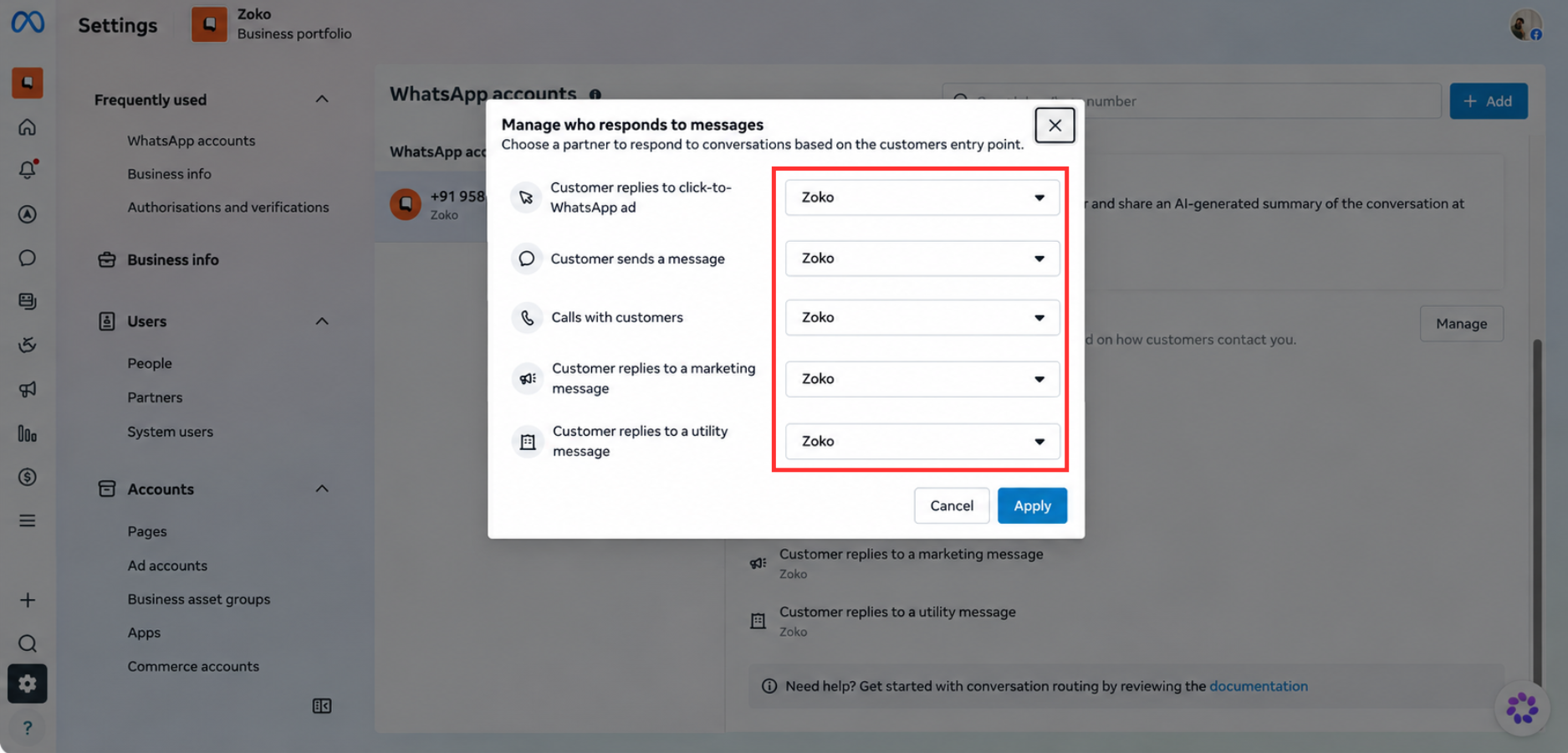
We have explained the step-by-step process in our article on How to Set Up Conversation Routing. Refer to it for detailed instructions.
Step 2: Remove the Additional Messaging Account
1. Go to the Messaging accounts tab.
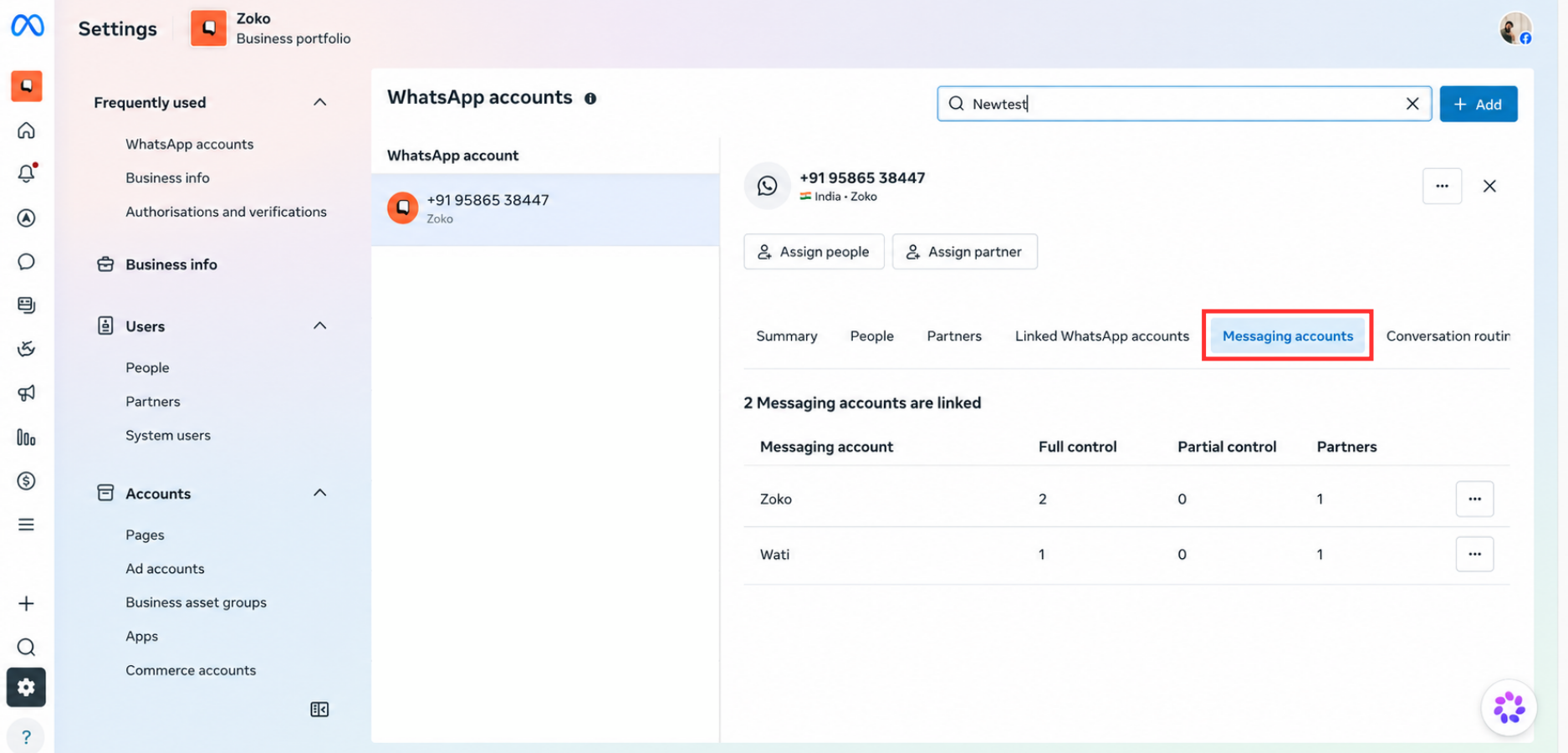
2. Find the messaging account associated with your previous provider, click on the three-dot icon next to it, and select View Messaging account.
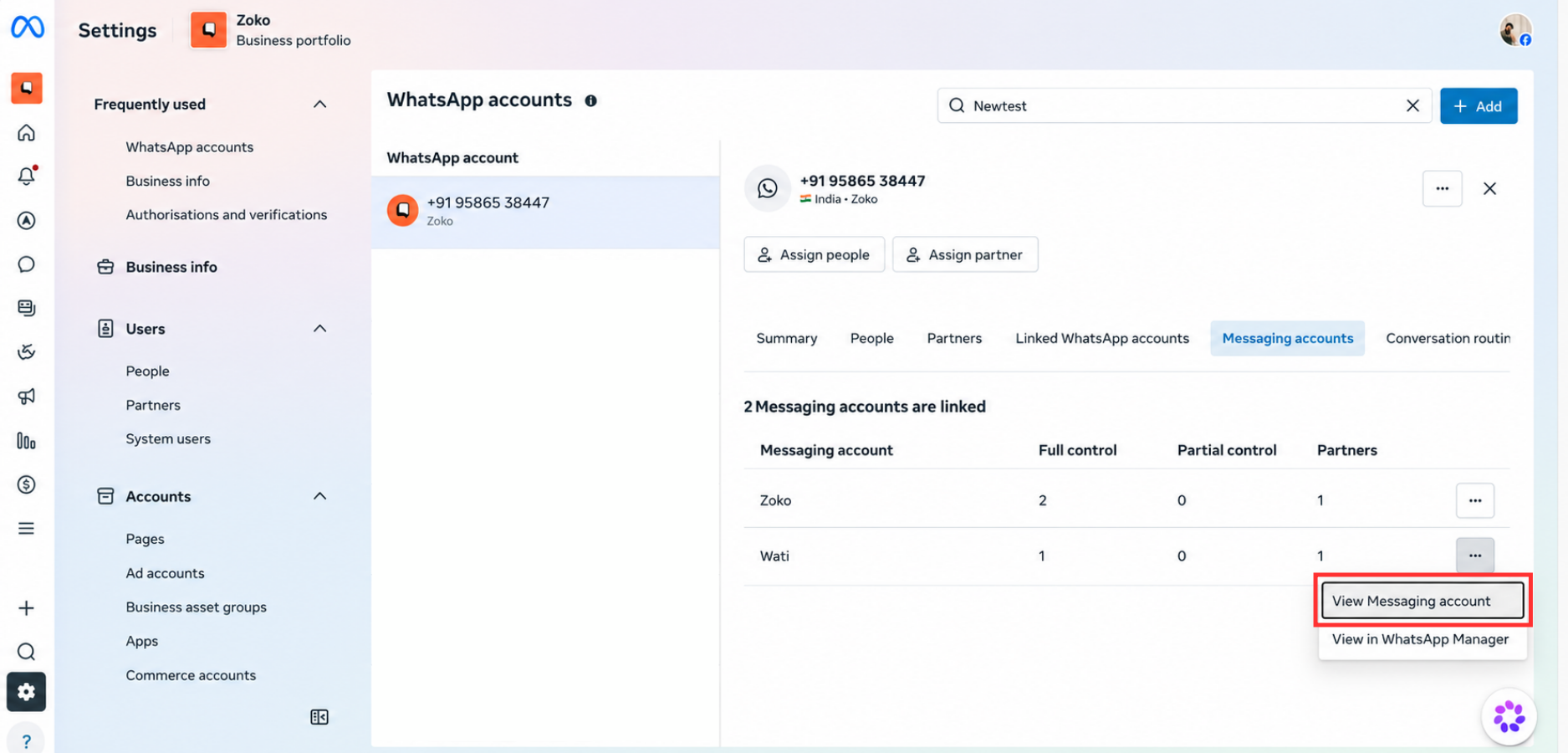
3. Click on the three-dot icon in the top-right corner and select Remove from business portfolio.
Note: A confirmation pop-up will appear. Confirm the removal to proceed.
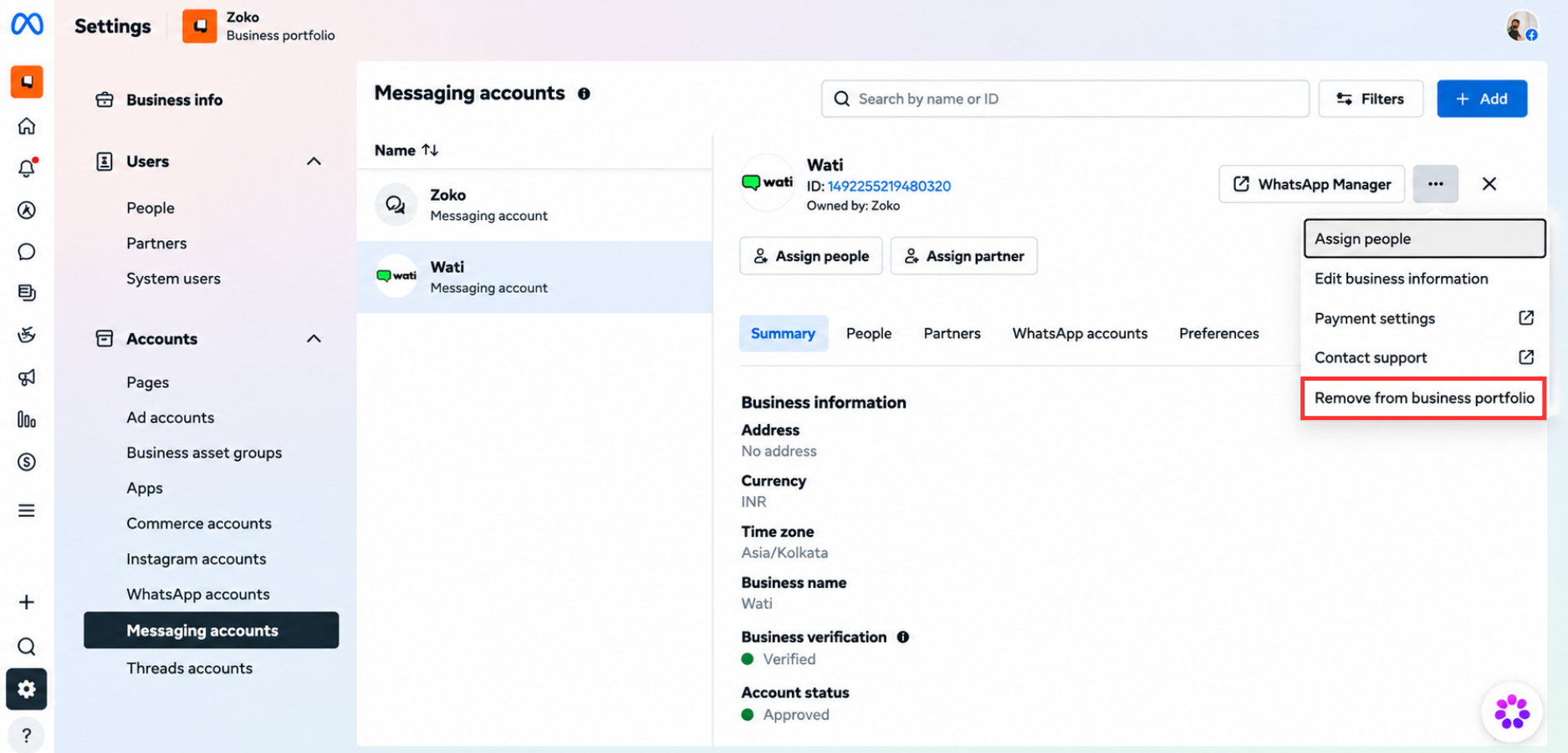
Step 3: Remove Partner Access
1. Go back to Accounts >> WhatsApp Accounts, and go to the Partners tab.
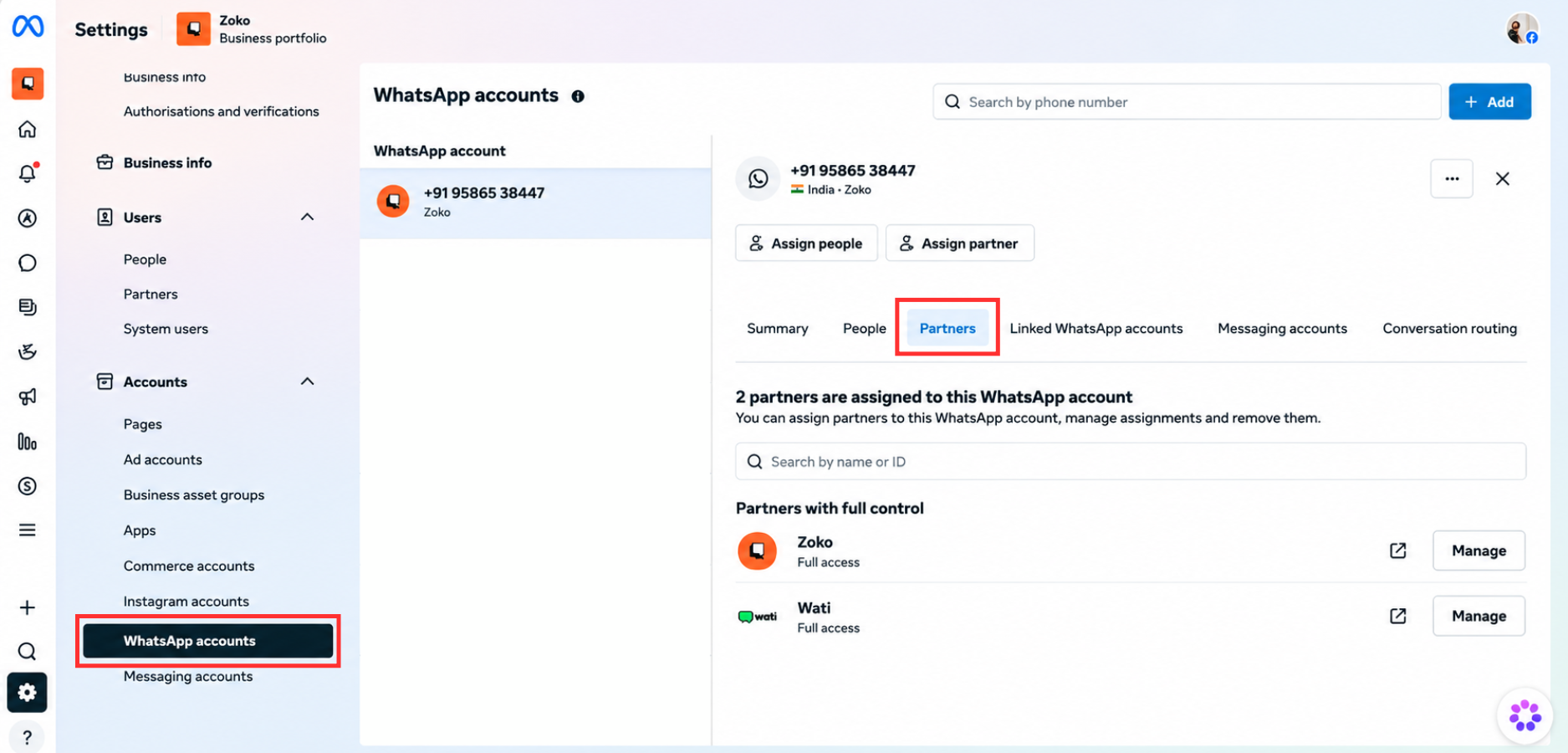
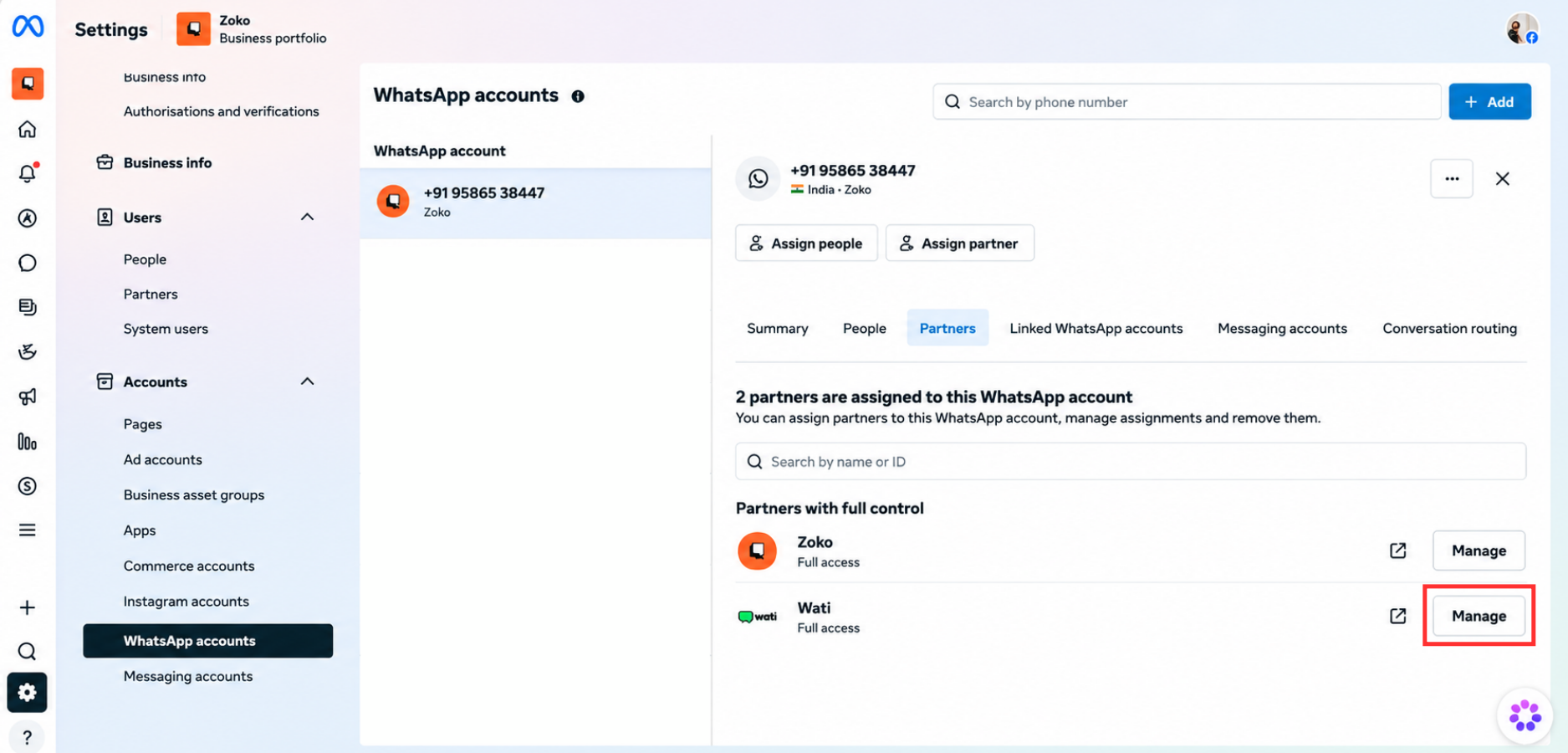
2. Find the partner whose access you want to remove and click on Manage.
3. Click on Remove access and confirm the removal.
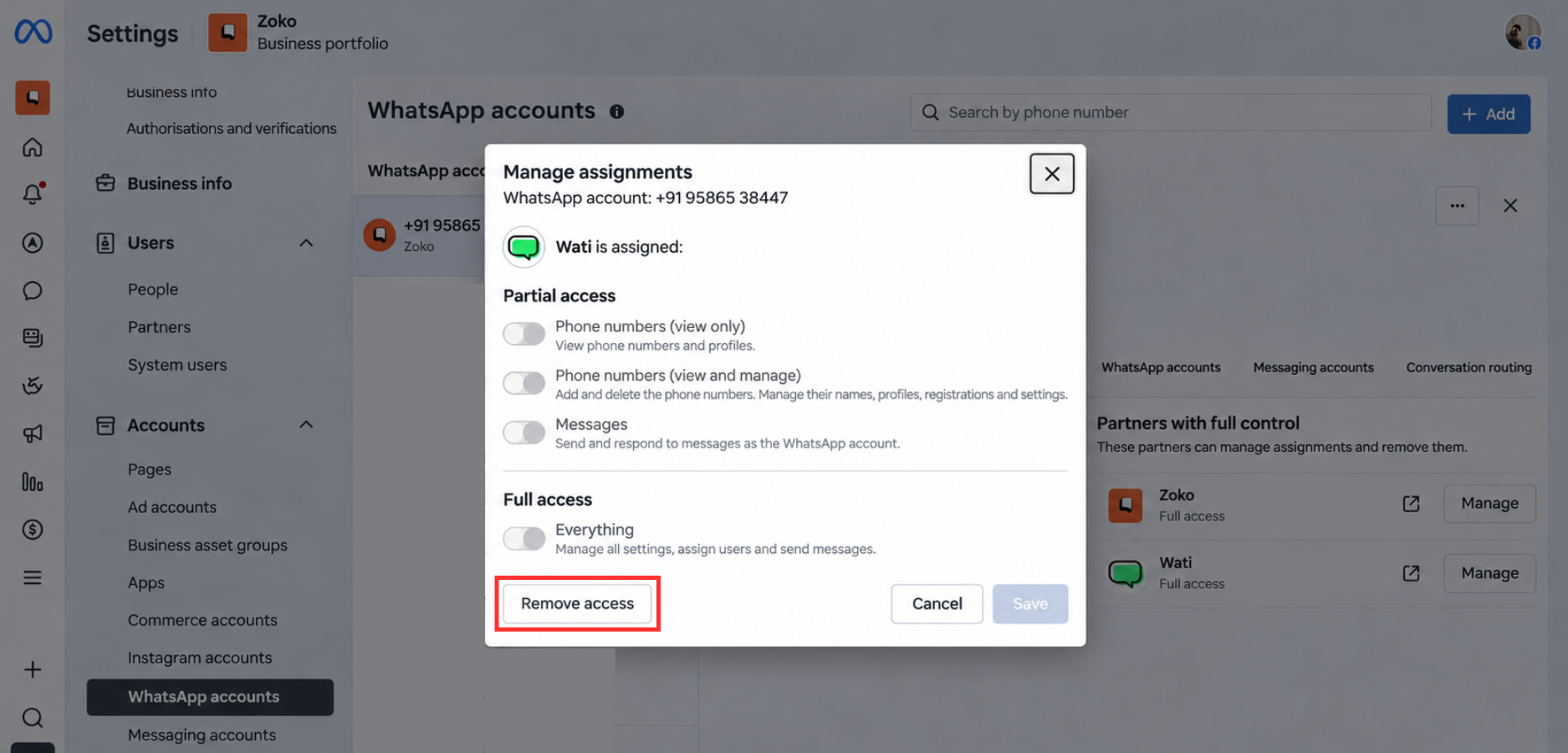
Note: Make sure you only remove the messaging account and partner access associated with your previous provider. Do not remove Zoko's messaging account or its access to your WhatsApp account.
Keywords: WhatsApp number migration, Remove partner access, Remove additional partners, Remove access, Previous provider, Partner access, BSP migration
