


How to Check and Clear Outstanding Dues in Meta
.png)
Share on WhatsApp
.png)
Sometimes WhatsApp messages fail to deliver because there is an outstanding due on your Meta account. This usually happens when Meta is unable to automatically charge your saved payment method due to issues like insufficient balance, card expiry, bank restrictions, or temporary network problems.
When an automatic payment fails, message and template delivery may be temporarily paused until the outstanding due is cleared.
In such cases, the solution is to manually clear the outstanding invoice.
To do this:
1. Log in to your Meta Business Manager.
2. Hover over the left panel, click on All Tools, and select Billing & Payments.
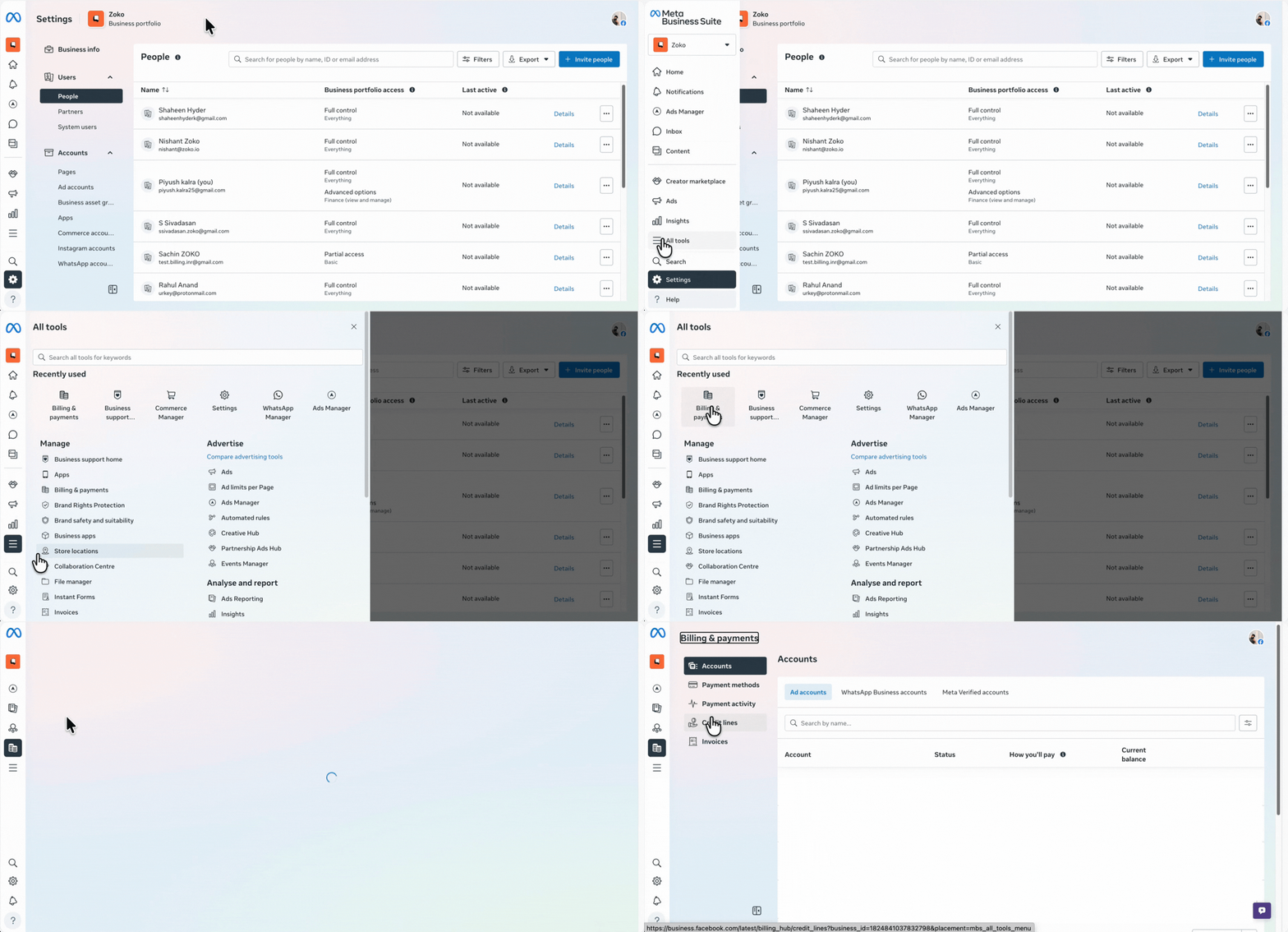
3. Inside Billing & Payments, go to WhatsApp Business Accounts.
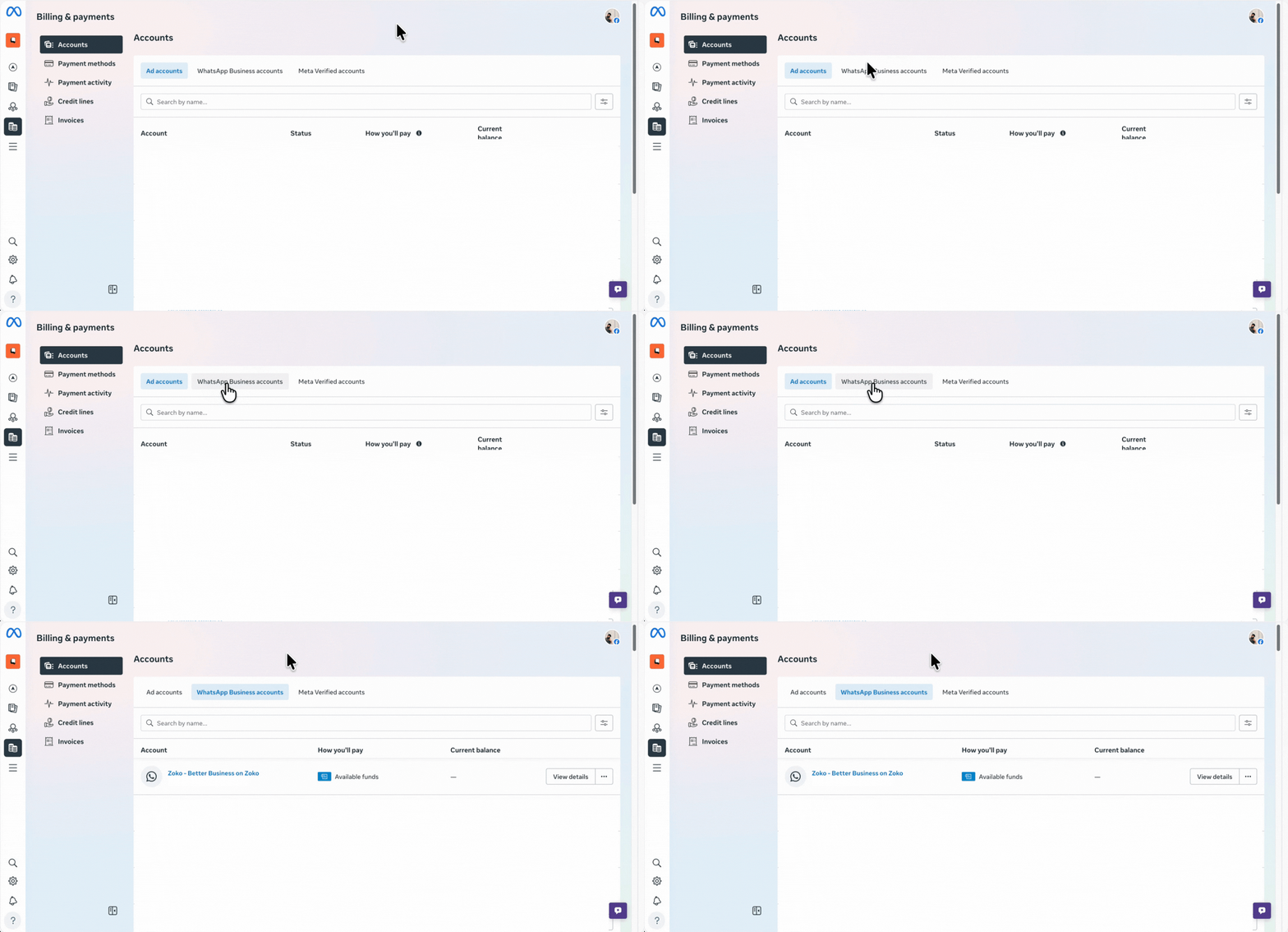
4. You will see a list of accounts linked to your Business Manager. Search for your WABA ID or WhatsApp name and click on View details.
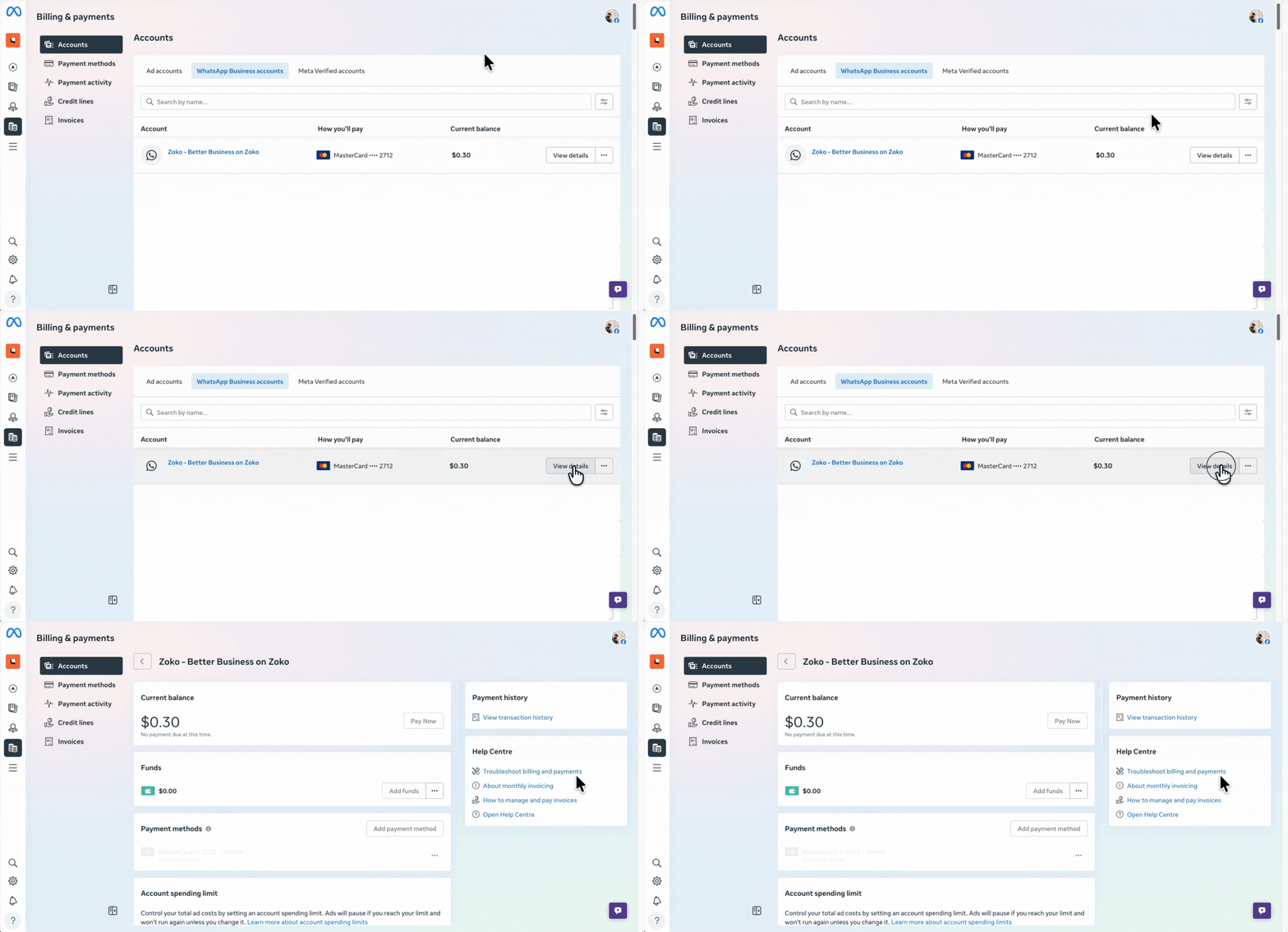
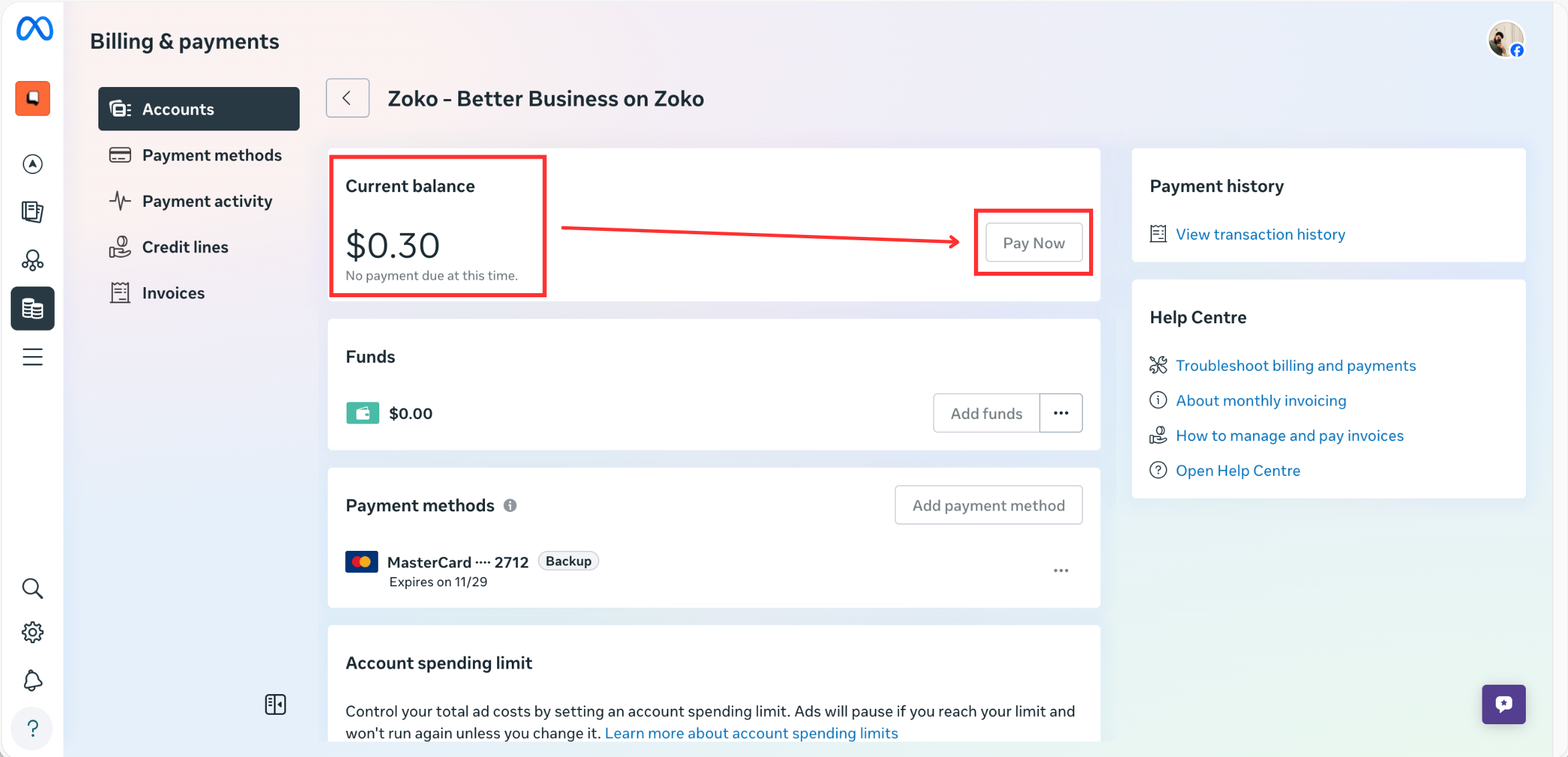
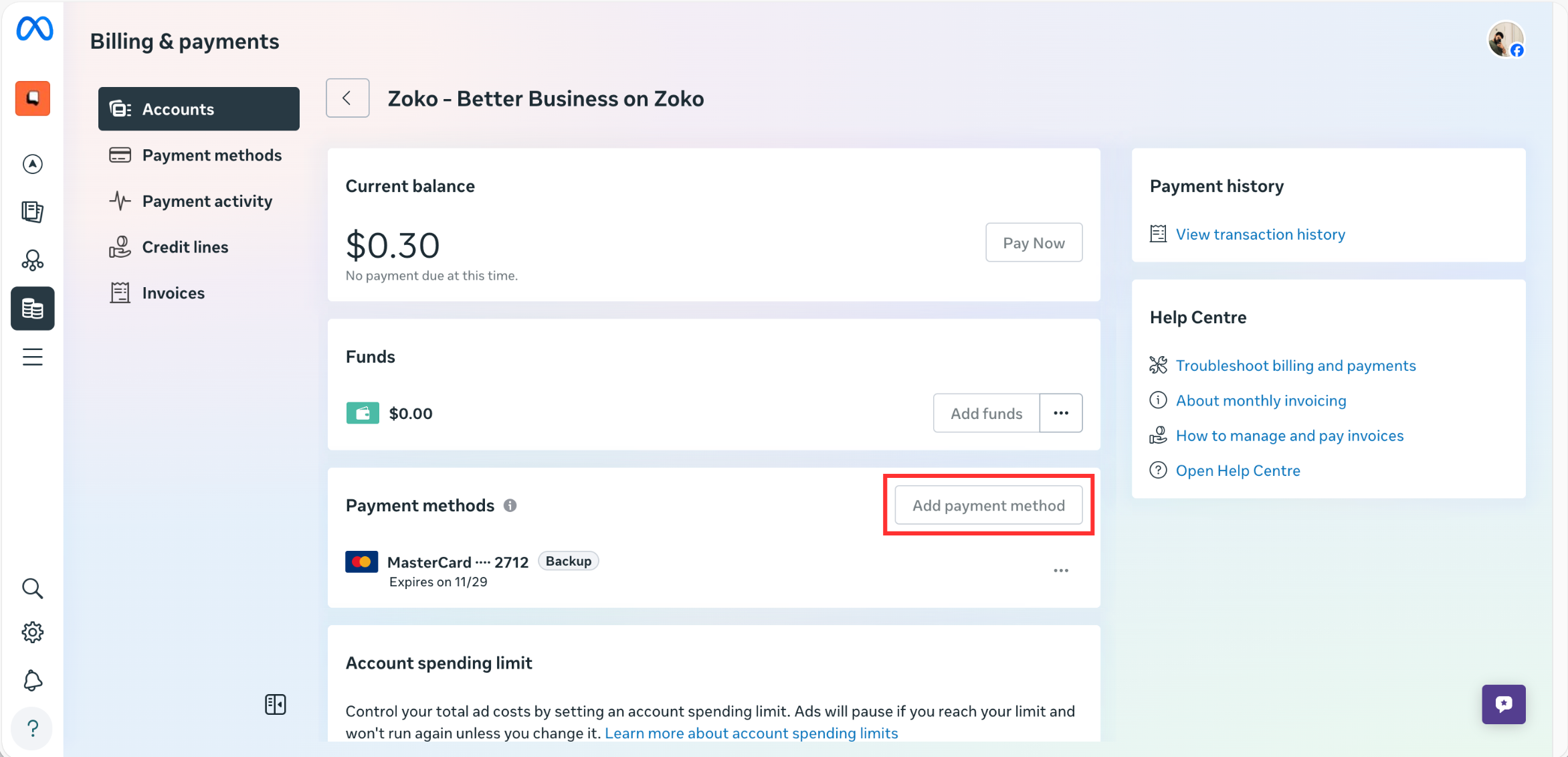
5. Here you will see:
- Current Balance.
- Payment Due/Outstanding Amount.
If you see a Payment Due, you can manually clear it by clicking the Pay Now button.
Note: If there is no pending due, the Pay Now button will appear disabled. This means your account does not have any outstanding dues and is already clear.
6. If auto-payments are failing repeatedly, it could be because your bank is not processing the payments. In such cases, you can add a new payment method by clicking on Add Payment Method and entering the new card or bank details.
If you are still facing issues and are unable to send messages, please reach out to us and we will help you. CONTACT US
Keywords: Payment due, Payment failed, Message Failed, Template delivery issue, Clear outstanding balance, WhatsApp billing issue, Error 131042, Unpaid invoices.
