


How to Raise an Appeal for a Blocked WhatsApp Account
.png)
Share on WhatsApp
.png)
If your WhatsApp account has been disabled by Meta, it usually happens due to one of the following reasons:
- The account was inactive for a long period.
- The account was active, but there are no messaging activity.
- The account did not comply with WhatsApp Business Terms of Service or Acceptable Use Policy.
In such cases, Meta may disable or block the account due to a policy breach. In most scenarios, you can raise an appeal with Meta by submitting a request along with a valid explanation.
To do this:
1. Log in to your Meta Business Manager using your Facebook account.
2. Go to All Tools and click on Business Support Home.
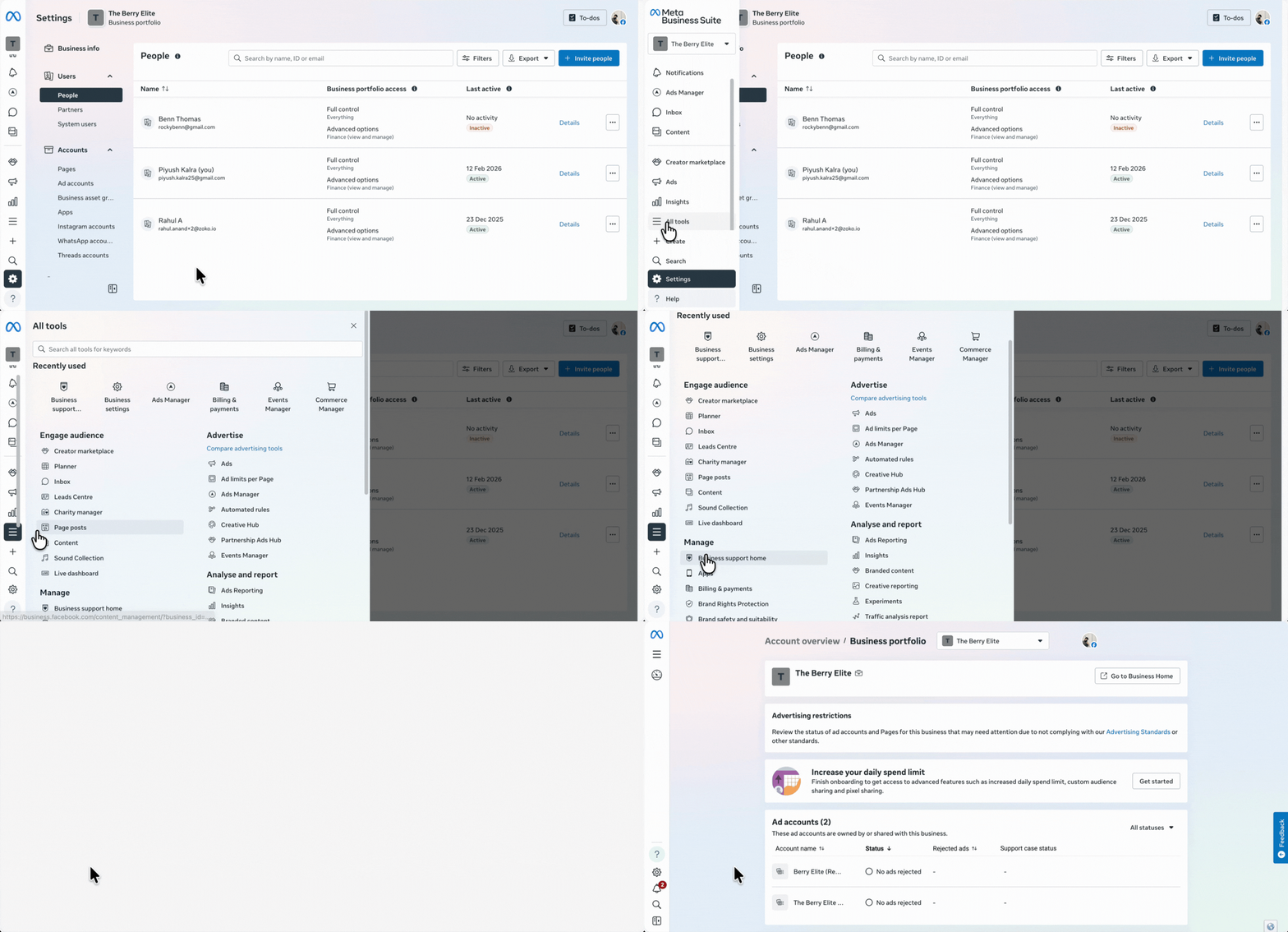
3. Scroll down and select the WhatsApp account for which you want to raise the request.
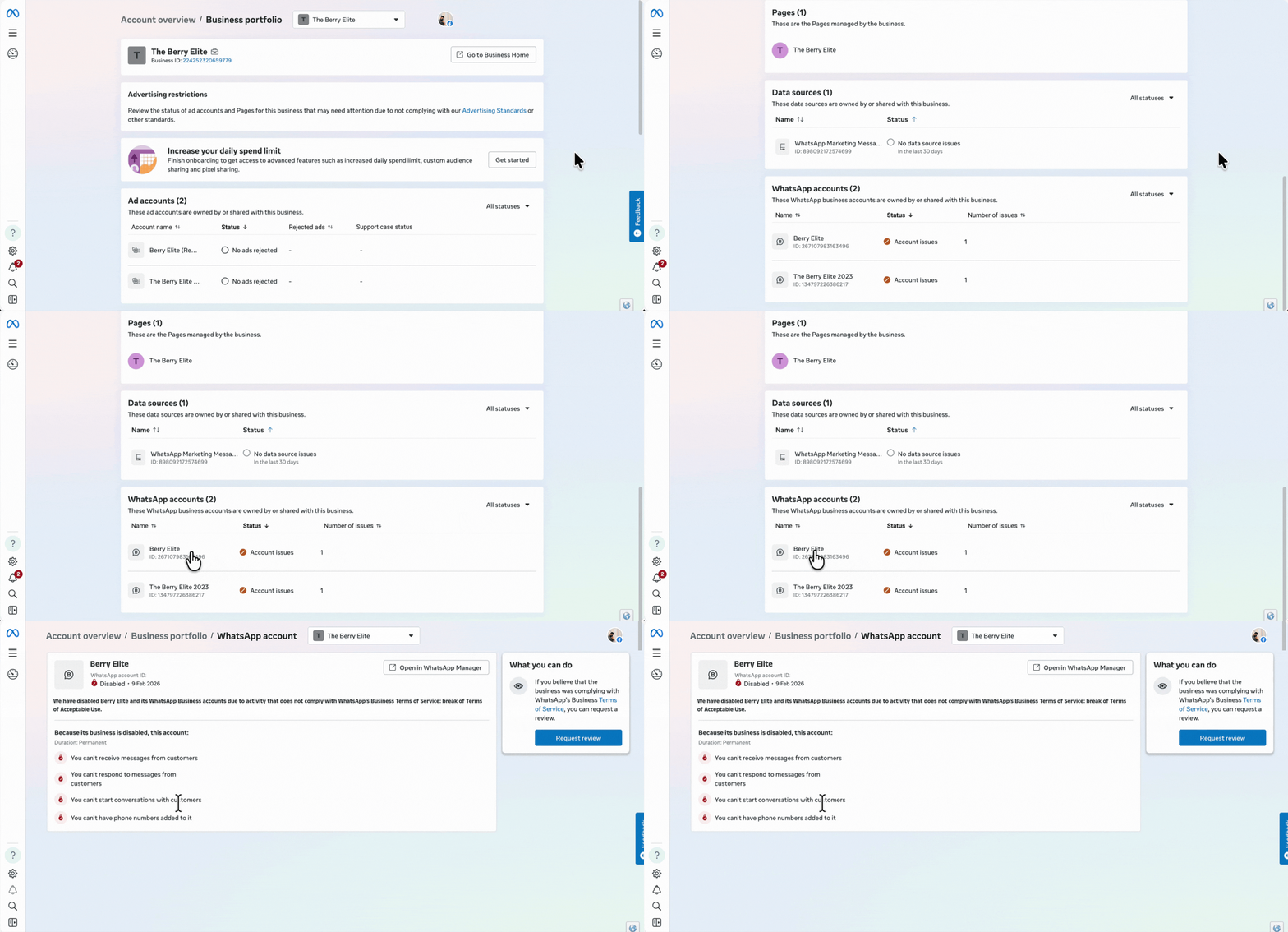
4. Click on Request review.
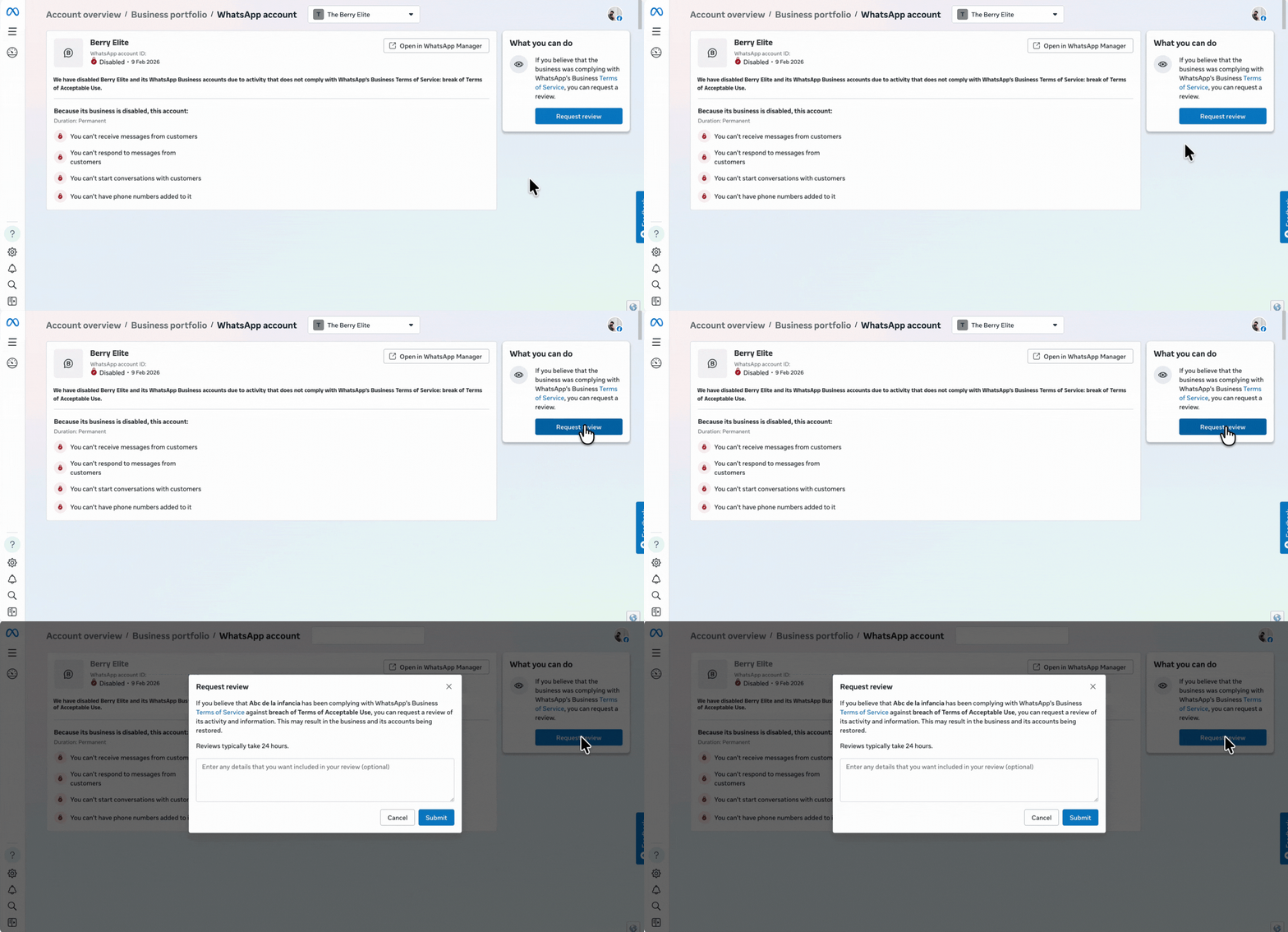
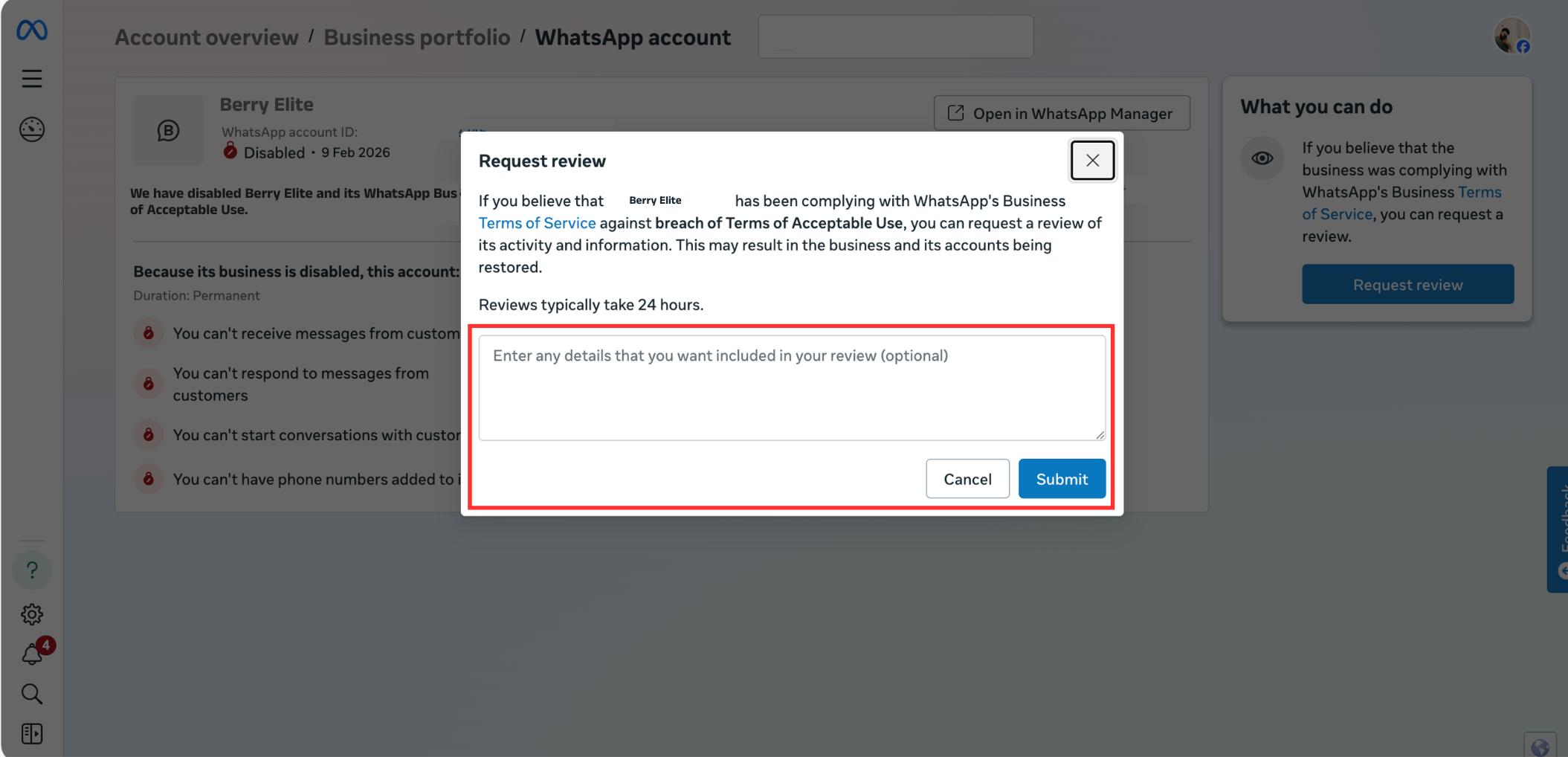
5. Provide the necessary details for Meta to review your appeal, and then click Submit.
Note: Meta will review your request within 24 hours and notify you via email with the decision.
Keywords: WhatsApp account blocked, WhatsApp account disabled, Account recovery, Meta blocked, Raise a request, Appeal.
