


Zoko Billing Page vs Shopify Invoice
.png)
Share on WhatsApp
.png)
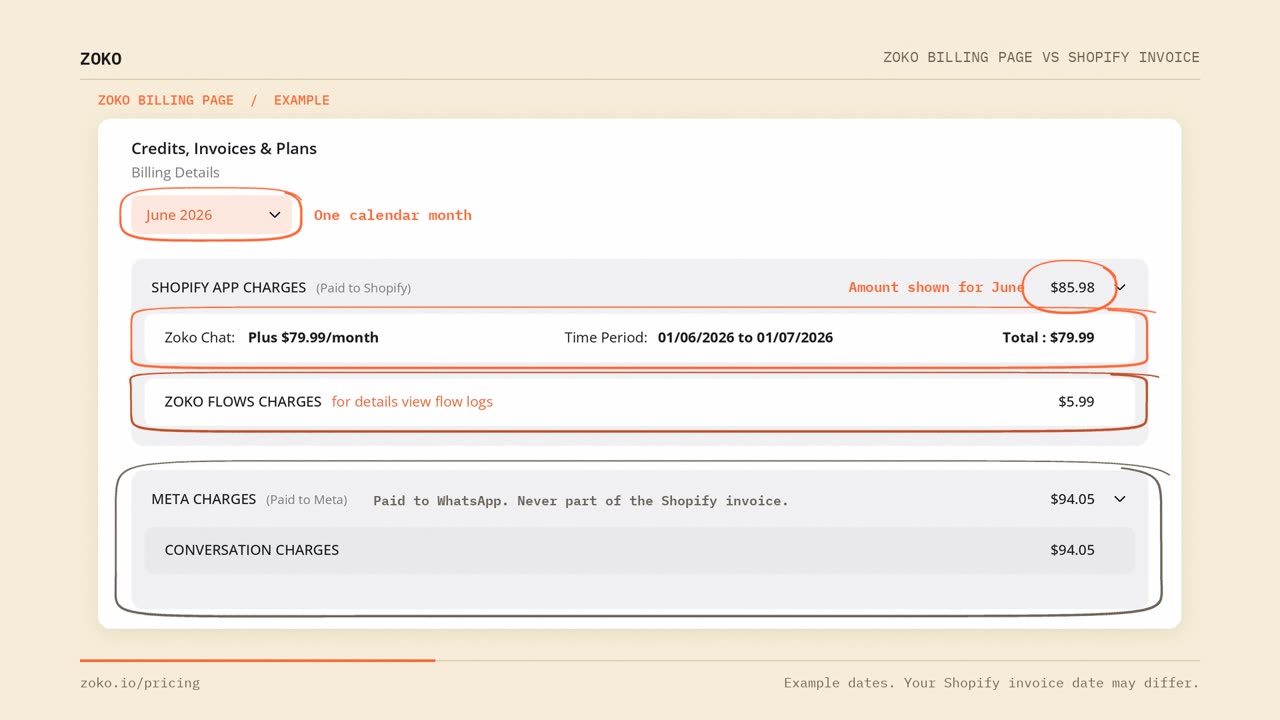
Zoko's billing page works in calendar months
WhatsApp bills by calendar month, and your plan's monthly allowances reset on the 1st. So Zoko does the same. On Zoko's billing page, the amount shown for a month is that month's subscription plus that month's usage.
Meta charges are also listed on Zoko's billing page, but you pay those directly to WhatsApp, so they are never part of the Shopify invoice.
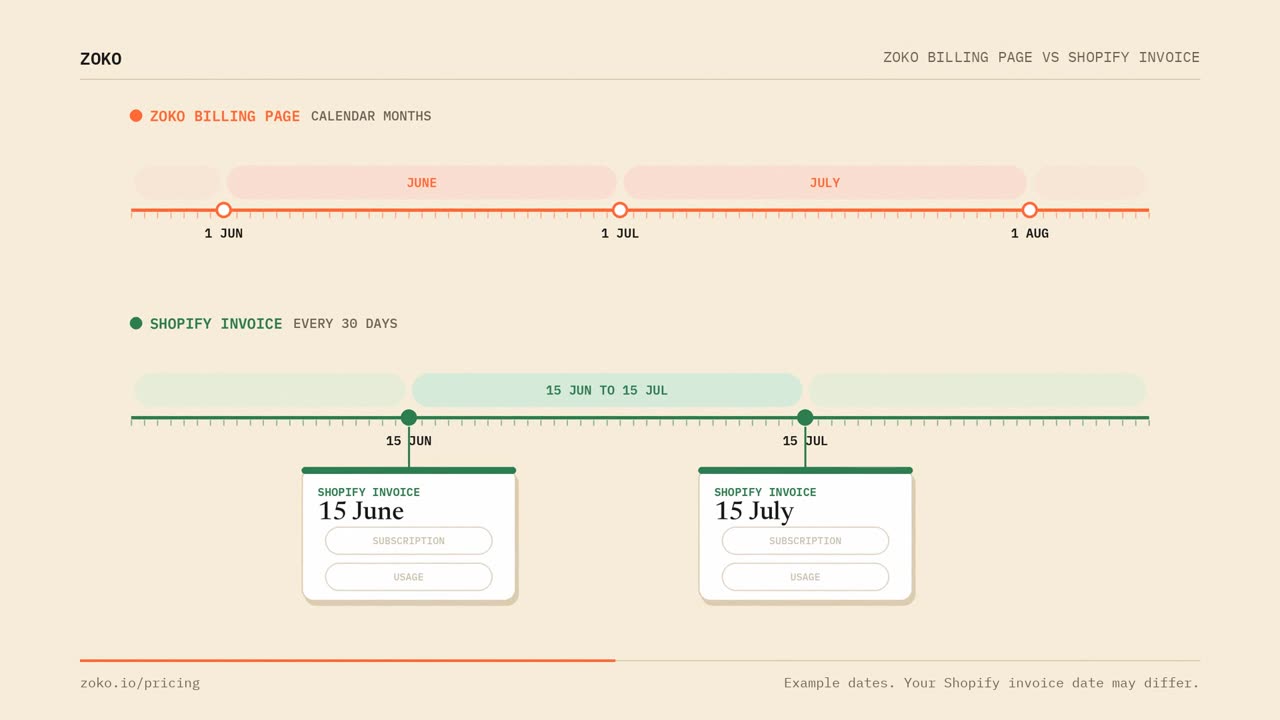
The Shopify invoice works in 30-day cycles
Shopify invoices you every 30 days, counting from the day your Shopify subscription started. In this example, that's the 15th of the month.
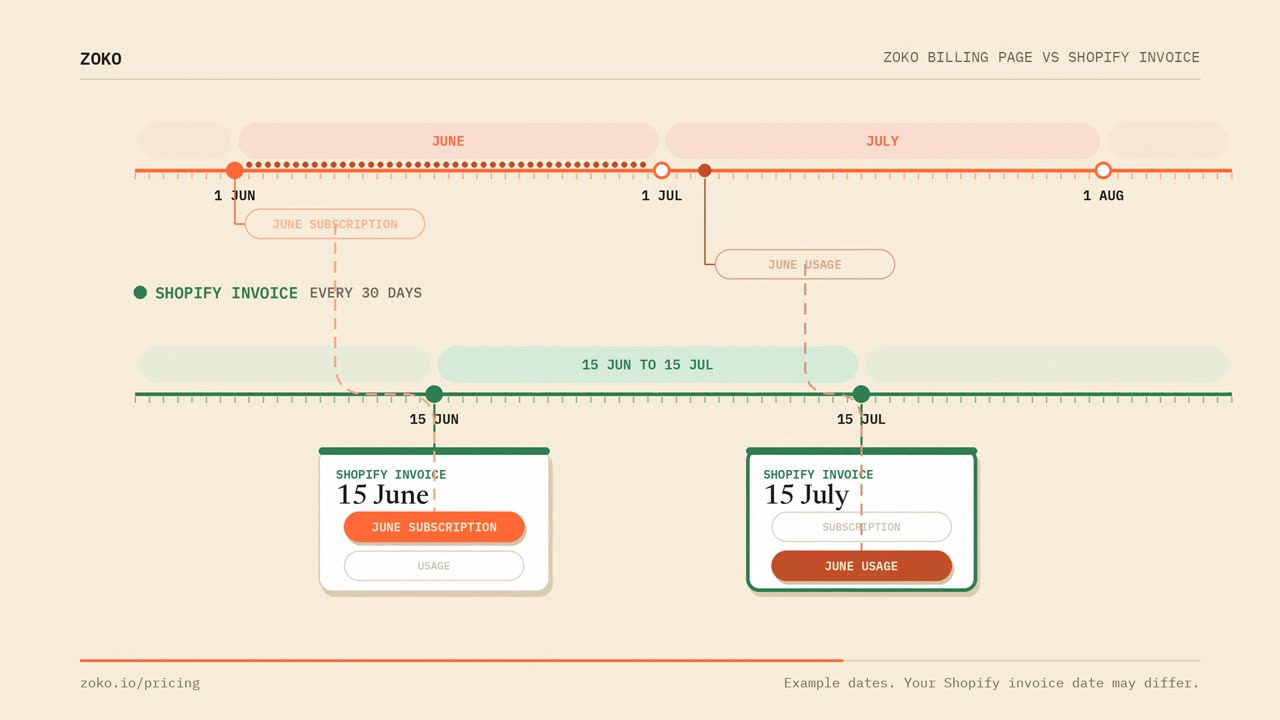
When each charge is sent to Shopify
Zoko sends your subscription for a month on the 1st of that month. Your usage can only be added up once the month is over, so it's sent in the first week of the following month. With a Shopify invoice date of the 15th, June's charges land on two different Shopify invoices.
What that means for your Shopify invoice
Each Shopify invoice shows one month's subscription plus the previous month's usage. Nothing is missing, and nothing is charged twice.
Example with a Shopify invoice date of the 15thShopify invoiceSubscriptionUsage15 JuneJuneMay15 JulyJulyJune
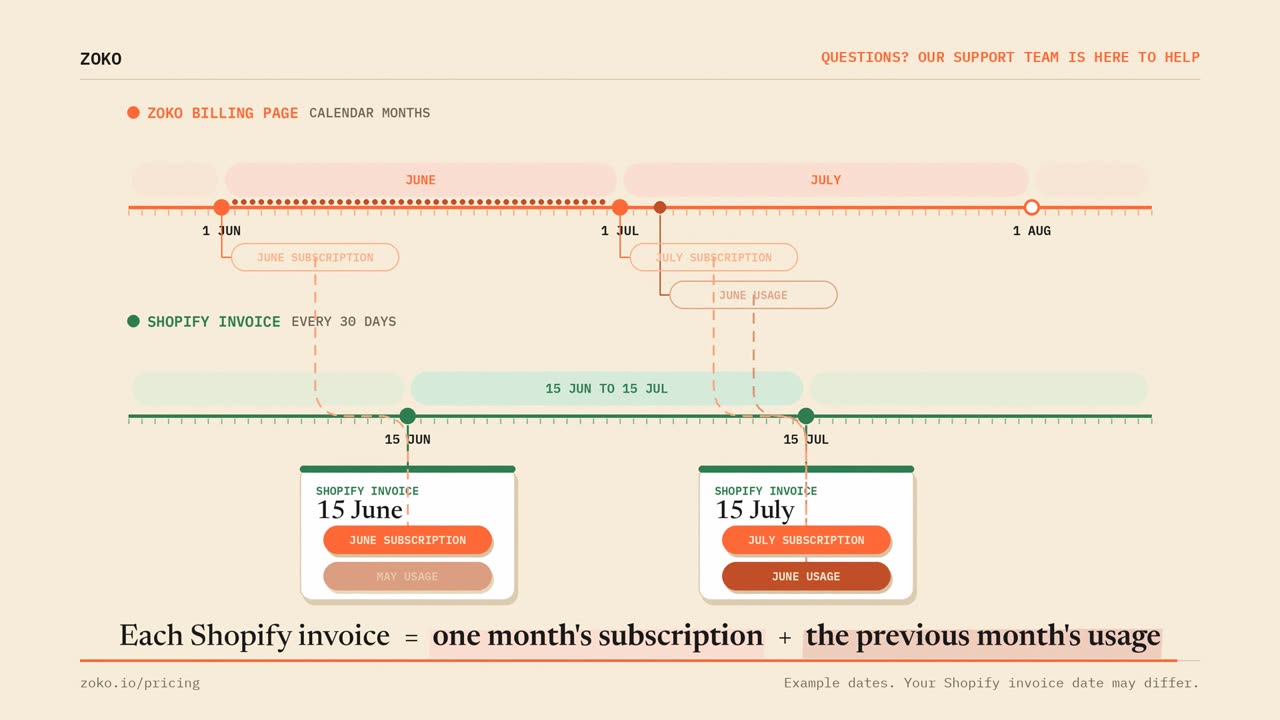
To match a month on Zoko's billing page, look for its subscription on the first Shopify invoice after the 1st of that month, and its usage on the Shopify invoice after that.
Keywords: Zoko billing, Zoko Shopify invoice, Shopify invoice amount, Zoko charges, Shopify charges, Zoko invoice
