


How to Automatically Assign Chats to Agents When an AI Bot Exits
Learn how to automatically assign unresolved Zoko AI chats to agents.
.png)
Share on WhatsApp
.png)
Sometimes, Zoko AI may not be able to answer every customer query. In such cases, you can automatically assign the chat to a human agent, ensuring that customers continue to receive the support they need without any interruption.
To do this:
1. Go to All Features and click on Zoko AI.
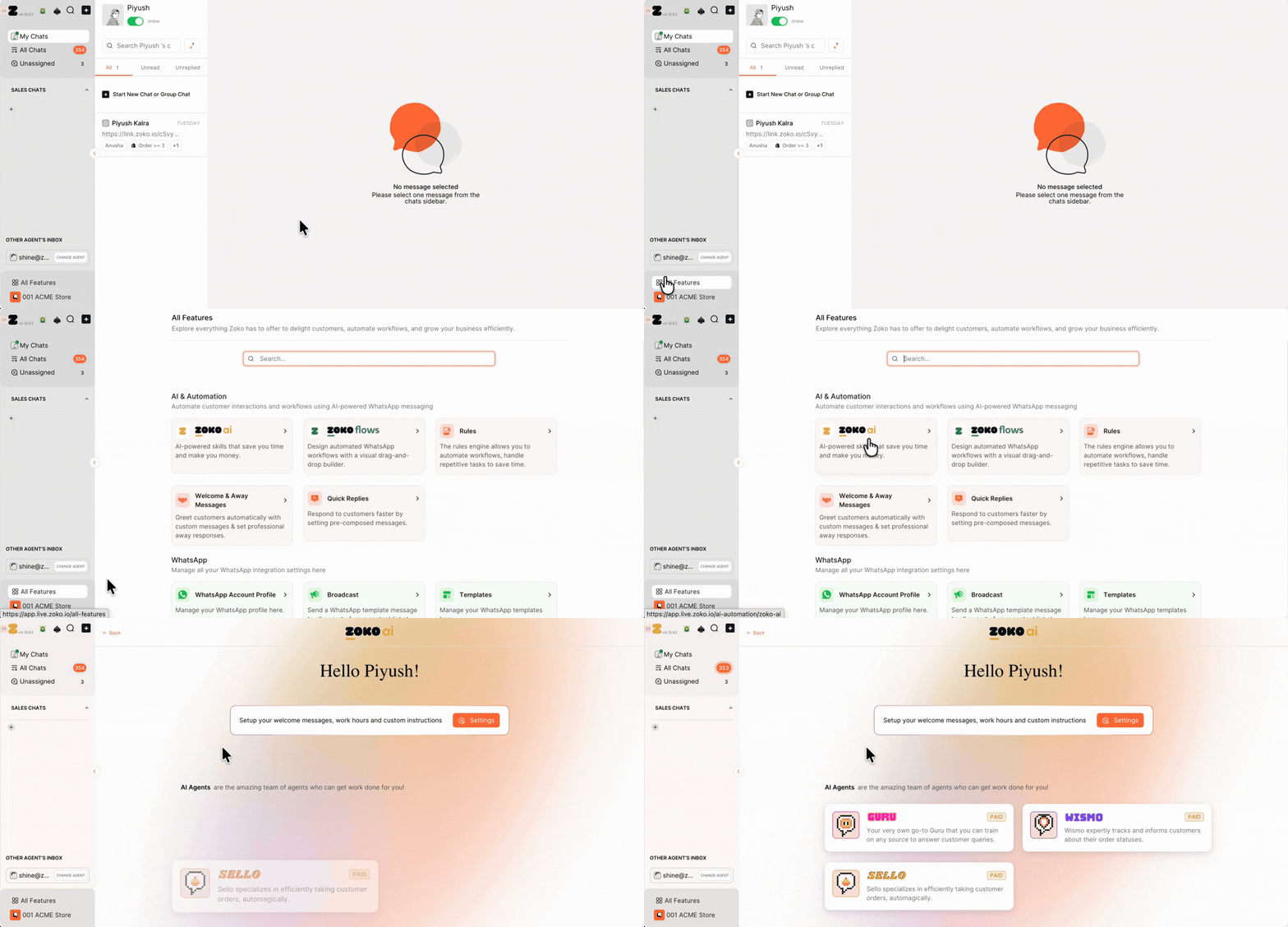
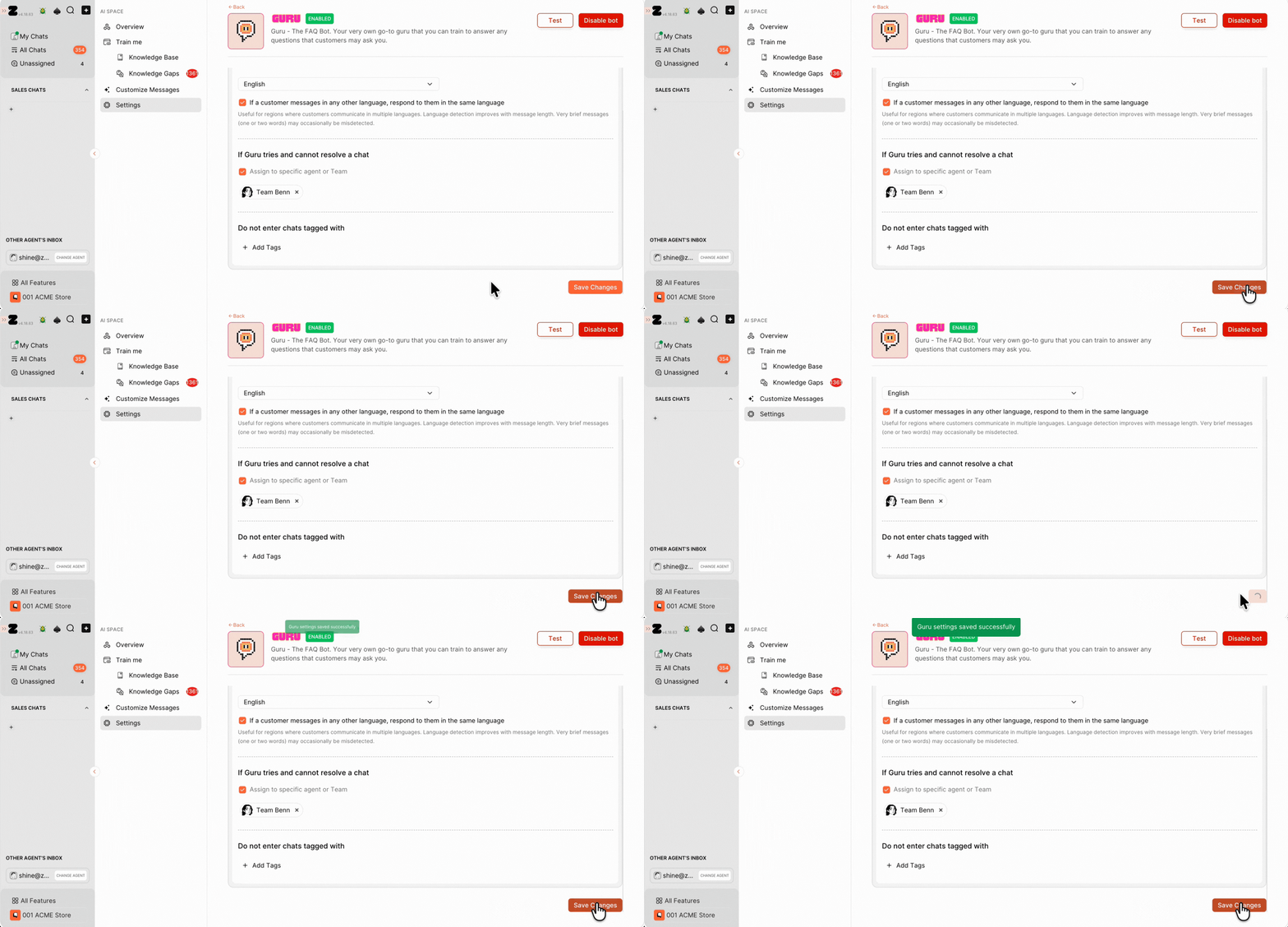
2. Select Guru.
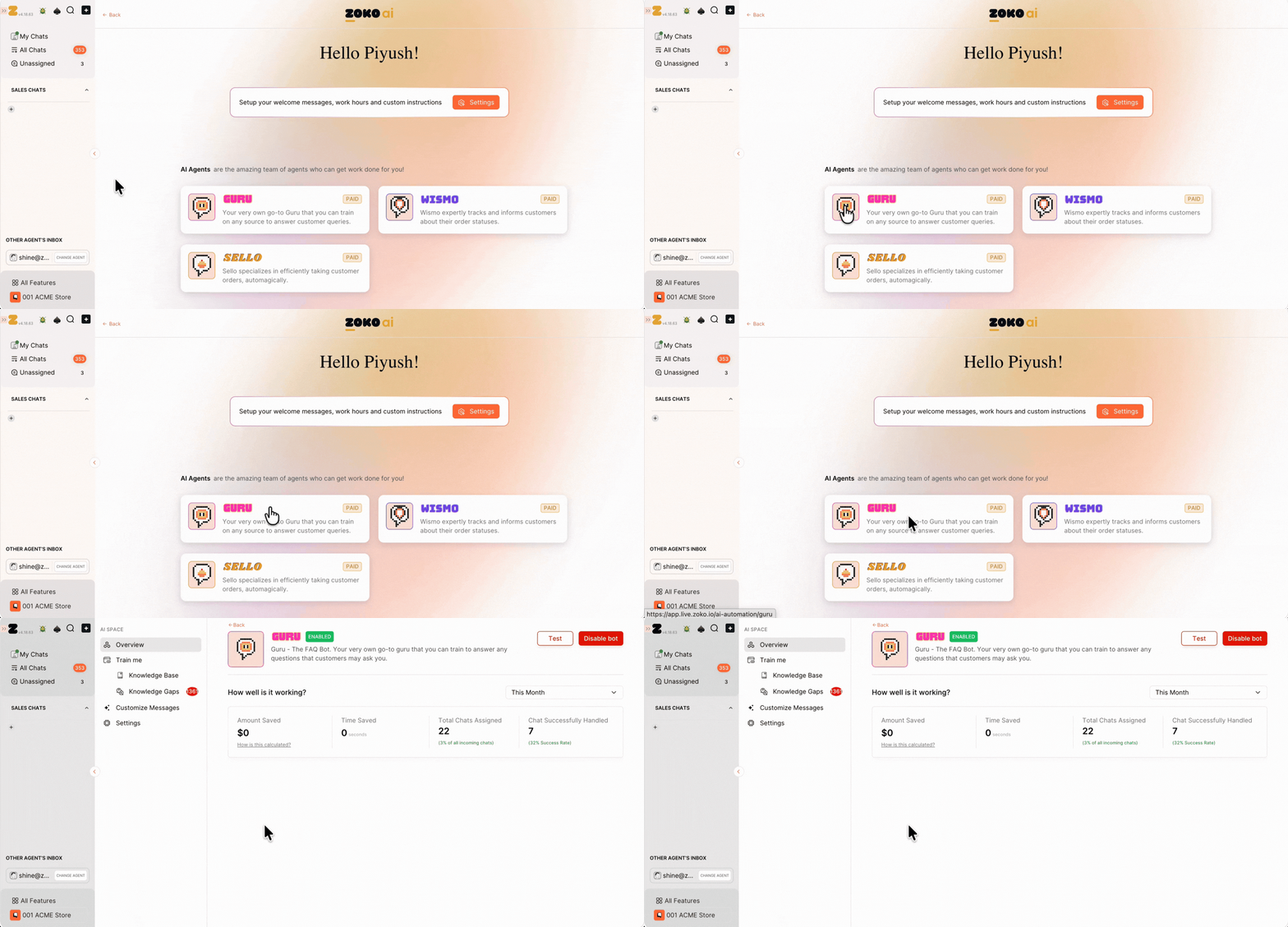
3. Click on Settings.
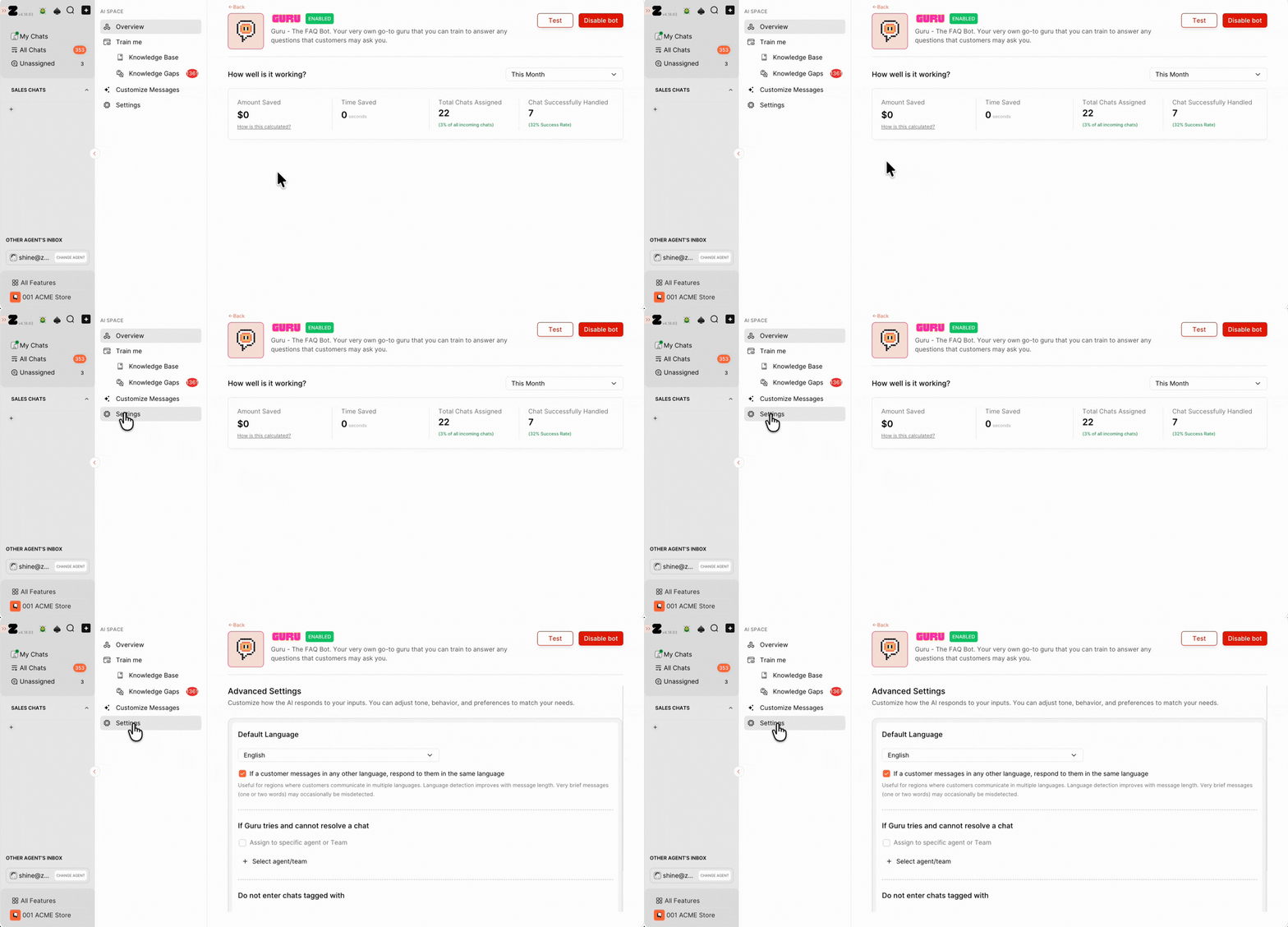
4. Under If Guru tries and cannot resolve a chat, enable the toggle, click Select Agent/Team, and select the agent or team to whom chats should be automatically assigned.
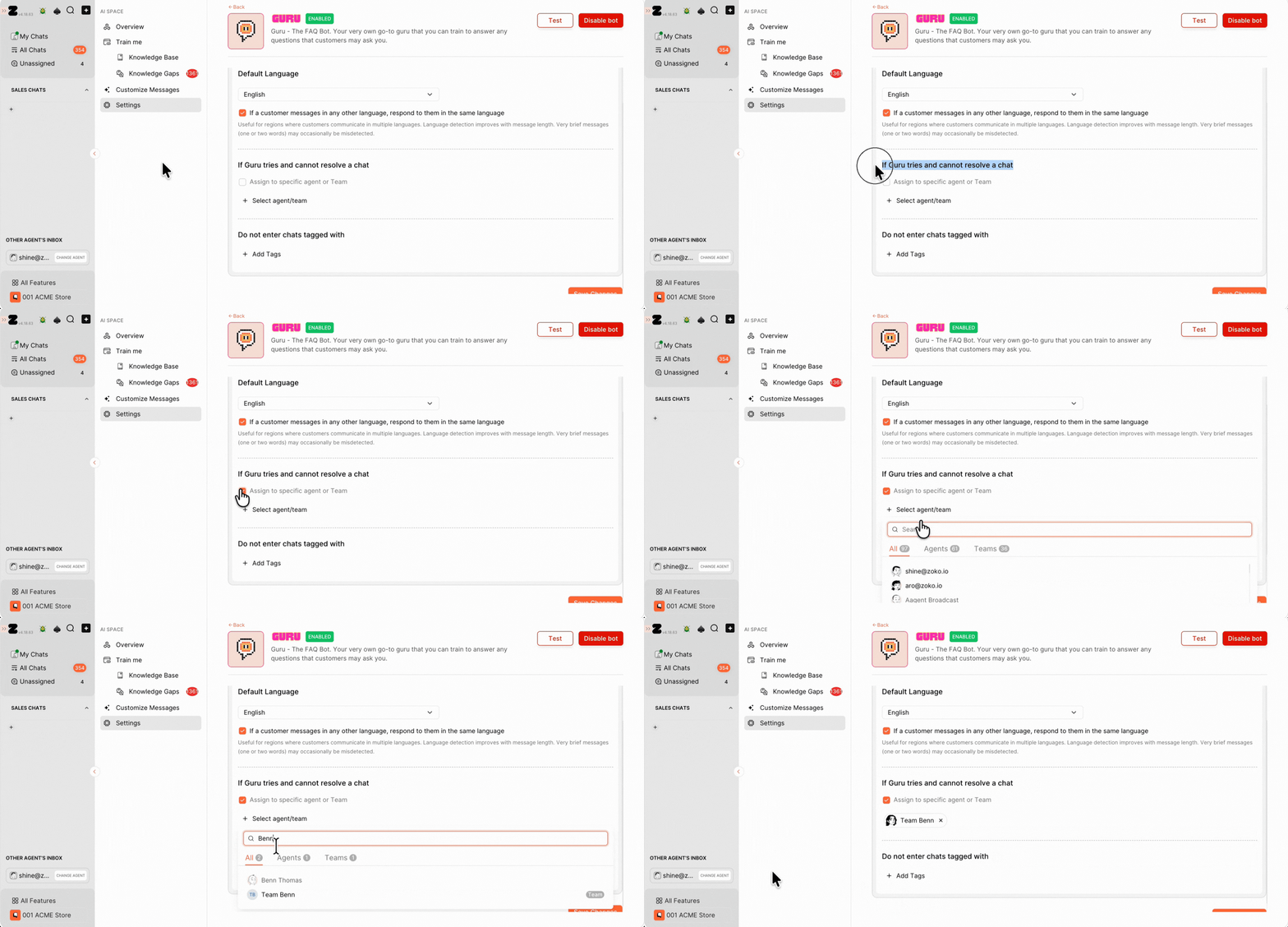
5. Click on Save Changes.
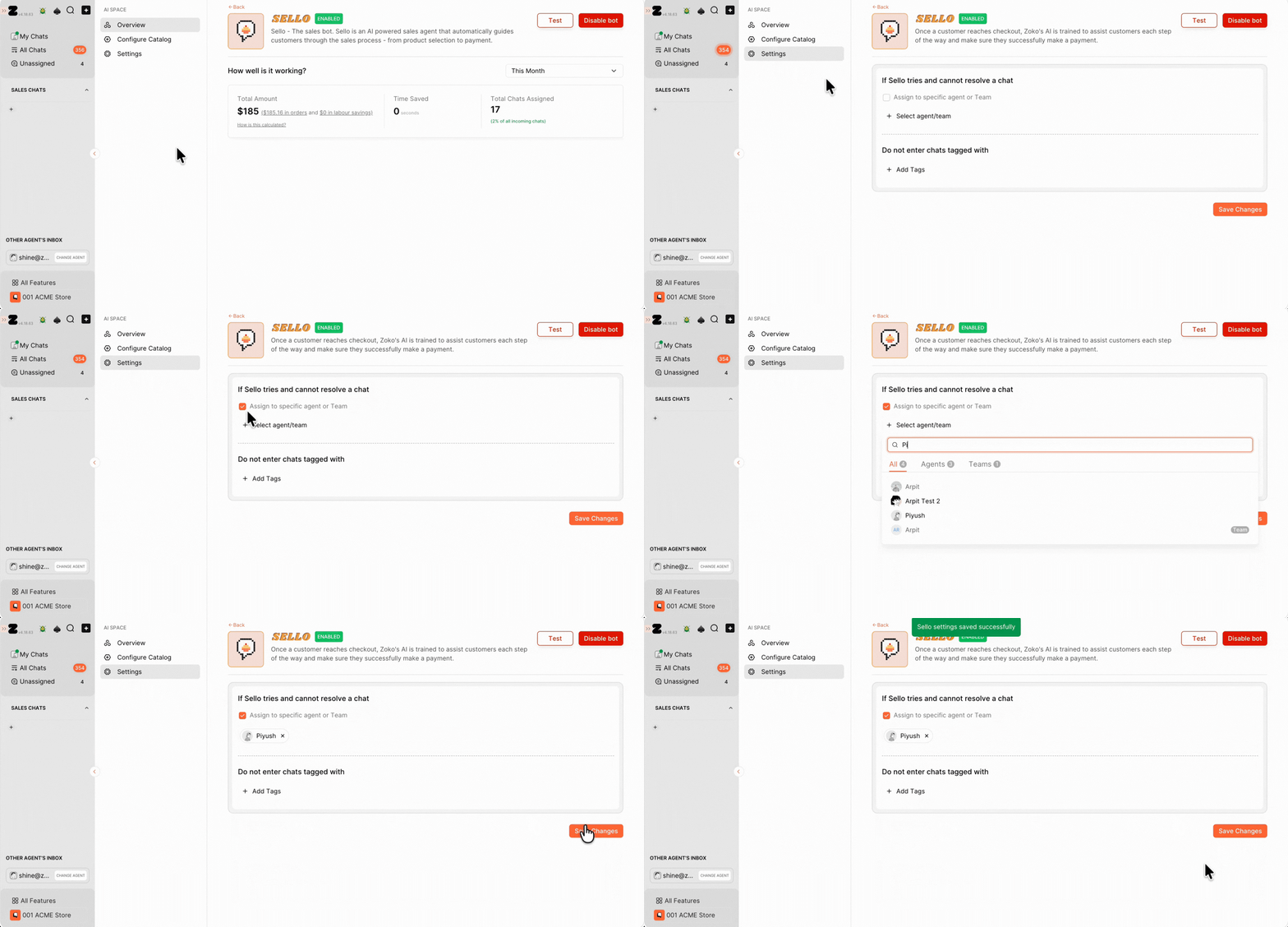
Similarly, you can configure the same setting for Sello by navigating to Zoko AI >> Sello >> Settings and enabling the If Sello tries and cannot resolve a chat option, and selecting the agent or team to whom you want the chats to be automatically assigned.
Note: Only chats that the AI bot is unable to resolve will be automatically handed over to the selected agent or team.
Keywords: Assign chats to agents, Auto assign chats, Guru chat, Sello chat, Zoko AI, Chat routing
