


Understanding WhatsApp Call Health Status
Understand WhatsApp Calling health statuses in Zoko and what to do for each status.
.png)
Share on WhatsApp
.png)
Your WhatsApp Calling Health Status helps you understand how your number is performing and whether you need to take action.
Your number can have one of four statuses: Healthy, At Risk, Restricted, or Paused. These statuses reflect your calling activity, customer feedback, and any restrictions WhatsApp has applied to your number.
Please note that we cannot change your WhatsApp Calling Health Status or remove any restriction applied by WhatsApp.
You can check your Health Status under WhatsApp Calling
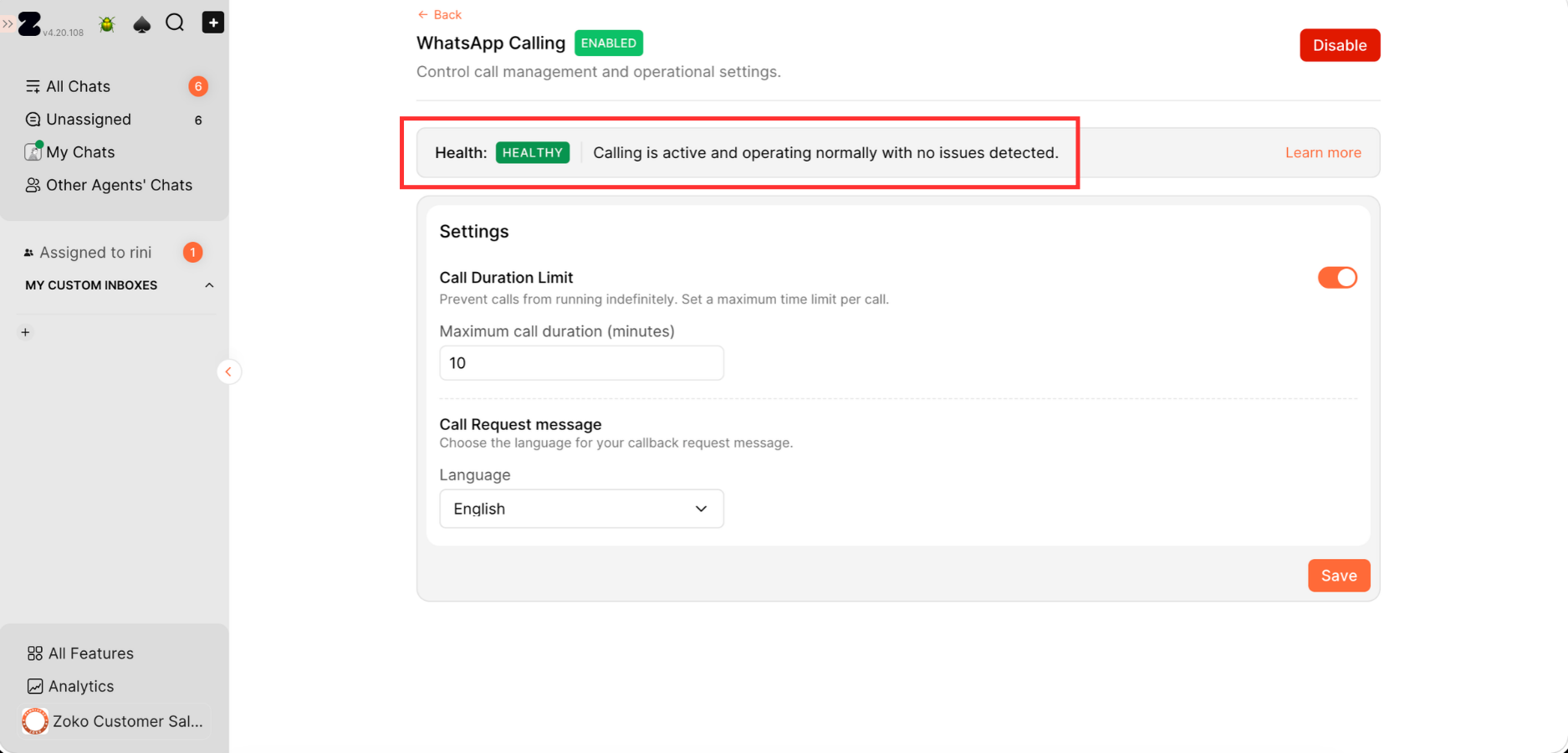
Let's understand each status:
1. Healthy: Your WhatsApp number is in good standing for calling. There are no current warnings or restrictions affecting your WhatsApp Calling. You can continue to make and receive calls normally.
2. At Risk: Your number has received a warning because of negative feedback on your calling activity or a low call pickup rate. For example, customers may be blocking or reporting your calls, which can cause Meta to mark your number as At Risk. Calling is still available at this stage, but continued negative feedback can lead to restrictions.
So, what should you do in this situation? Treat this as a warning. Make sure you're calling customers who are expecting to hear from your business, and avoid repeatedly calling customers who don't answer or engage with your calls. This can help prevent further restrictions.
3. Restricted: WhatsApp has restricted calling on your business number due to account violations. When this happens, the calling button is hidden in Zoko, so you cannot make or receive WhatsApp calls from your business number.
So, what should you do in this situation? Wait for WhatsApp to lift the restriction. During this period, review your calling activity and make sure you follow WhatsApp's calling guidelines. Once calling is restored, avoid unnecessary or repeated calls that could lead to another restriction.
4. Paused: Your number has reached the threshold for negative calling feedback, and WhatsApp has paused calling functionality. Both business-initiated and user-initiated calling are paused, and calling buttons will be removed from Zoko. The pause lasts for 7 days.
So, what should you do in this situation? Wait for the 7-day pause to end. Use this time to review your calling activity and identify what may have caused customers to block, report, or give negative feedback on your calls.
Once the pause ends, make sure you're calling customers who expect to hear from your business. Avoid unnecessary or repeated calls to prevent your number from being restricted again.
Keywords: WhatsApp Calling status, WhatsApp Calling health, Calling restrictions, Calling guidelines
