


How to Check Messages Sent via Flows
.png)
Share on WhatsApp
.png)
If you want to quickly check whether a flow is working correctly, you can check the latest messages sent through that flow directly from the chat section. This helps you confirm if everything is running smoothly or identify any issues.
To do this:
Make sure the flow you are checking is live. You can confirm this by going to Zoko Flows and checking under Published Flows
1. Go to All Chats.
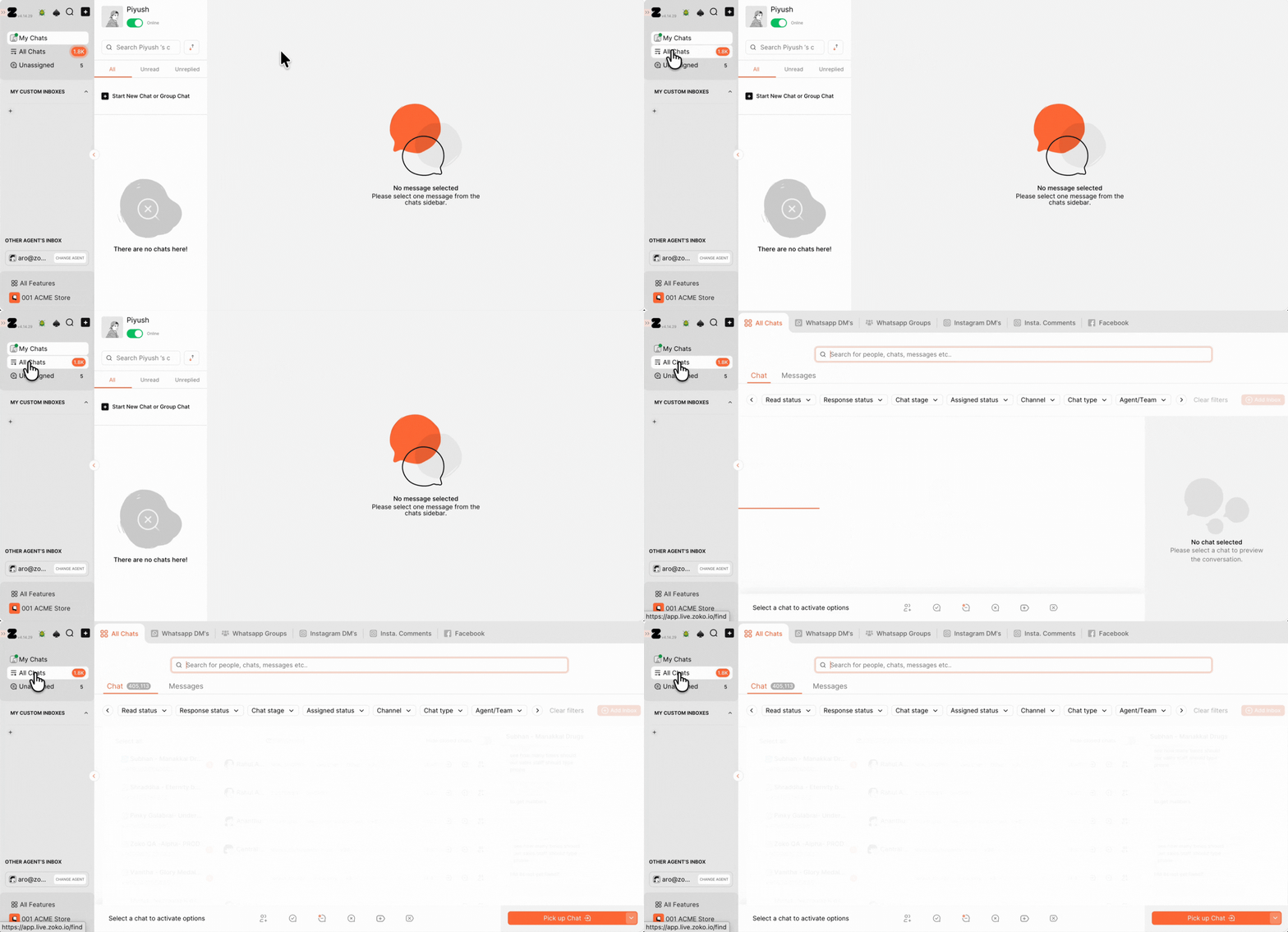
2. Click on the Flows filter.
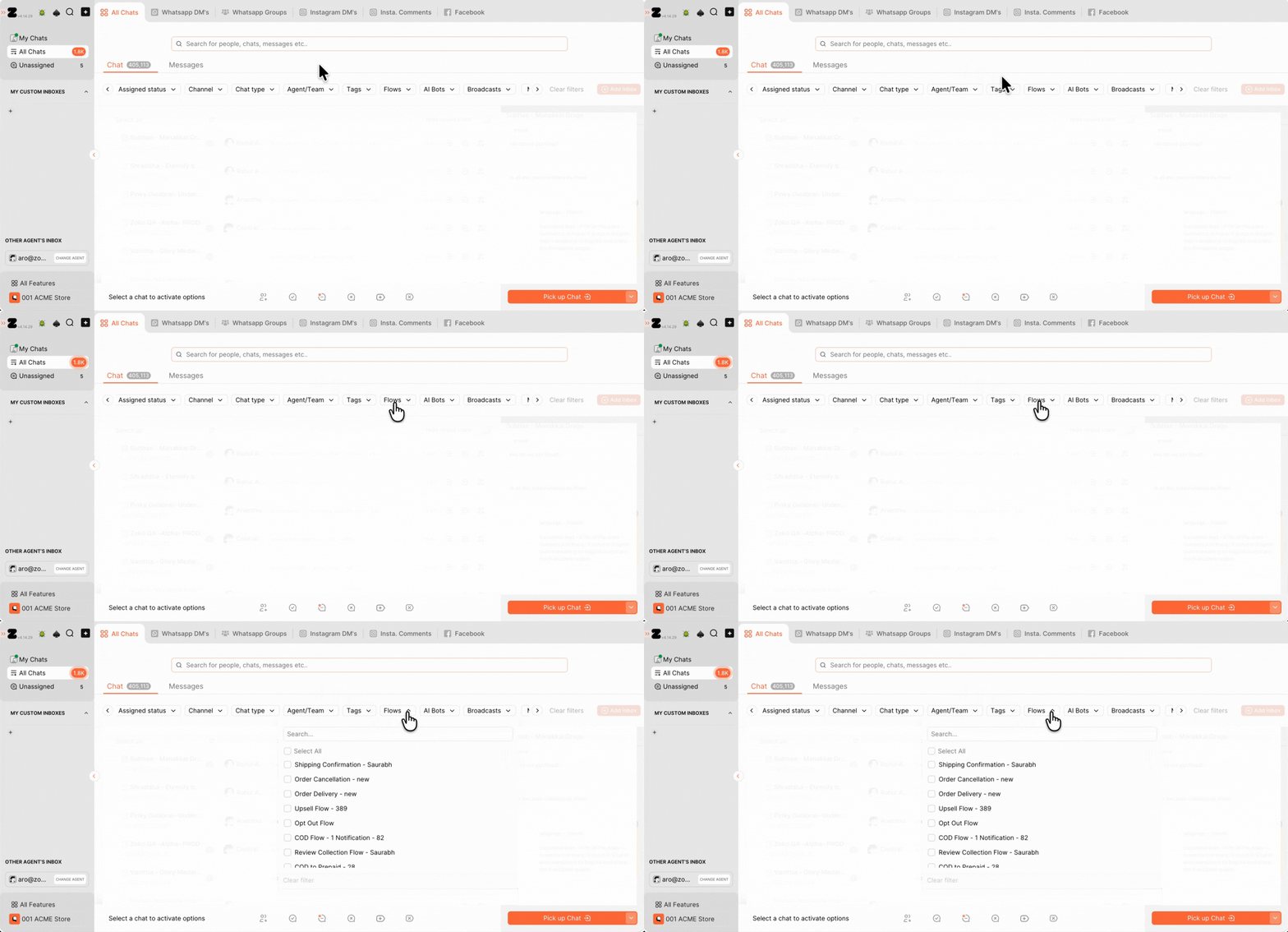
3.Type the flow name in the search bar or pick the flow you want to check.
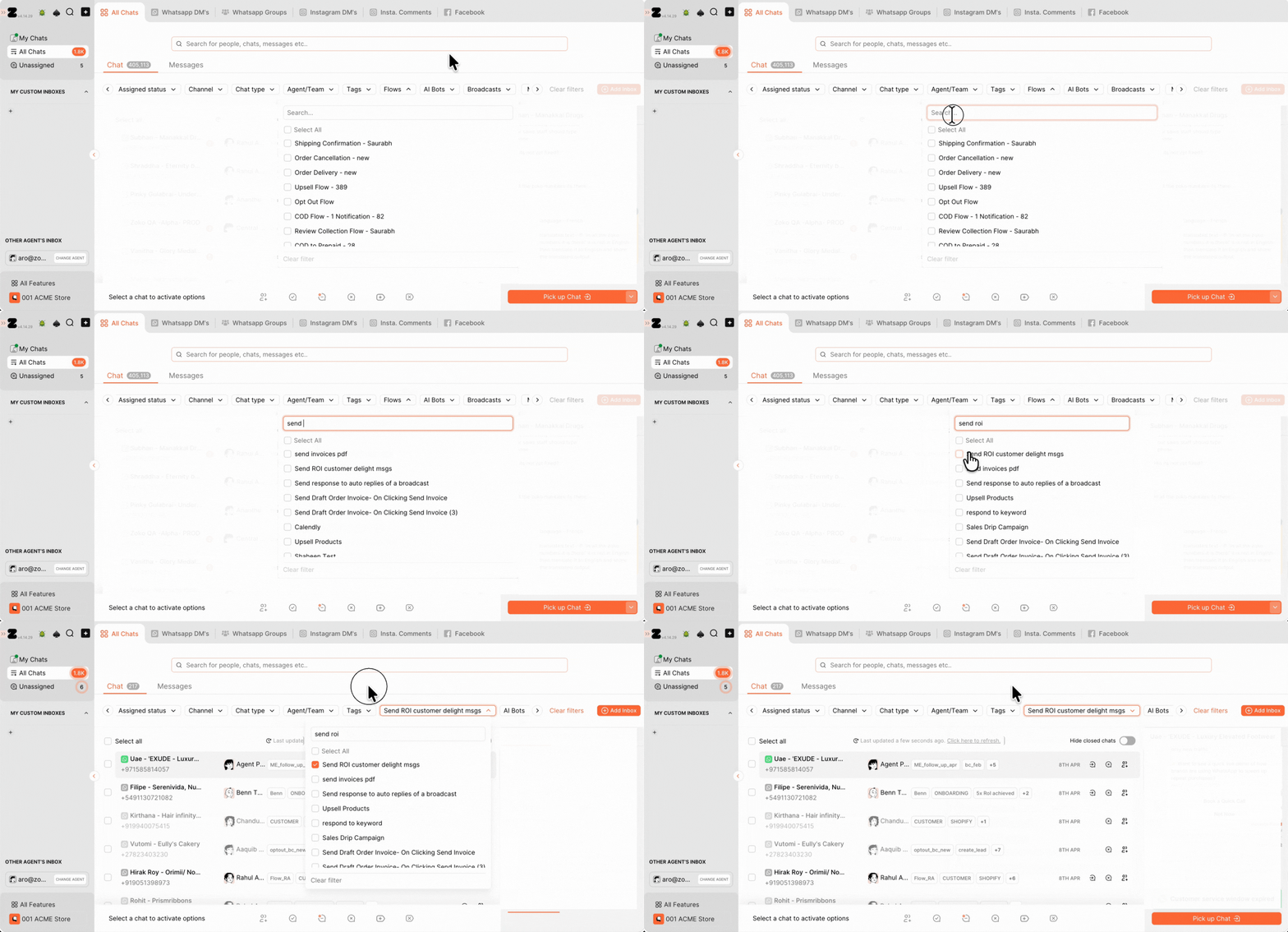
Once you select the flow, you’ll see all the related conversations along with the messages sent. This makes it easy to check if everything is working as expected.
If something doesn’t look right or the flow isn’t working properly, feel free to CONTACT US, we will be happy to help.
Keywords: View flow messages, How to check flows, check flow messages, Zoko flow.
