


How does “Enable Re-attempts” work in Broadcast?
Learn how Smart Re-attempts helps improve broadcast delivery.
.png)
Share on WhatsApp
.png)
One of the most powerful options available for the Single Message broadcast type is Smart Re-attempts, and it’s something you should never disable while running broadcast campaigns. This feature is enabled by default and helps your messages reach as many customers as possible, even if some messages fail due to Meta’s marketing message restrictions.
Let’s say you send broadcast messages to 10,000 customers. Out of those, 7,000 messages are delivered successfully, while 3,000 fail due to Meta’s restrictions. Without Smart Re-attempts, you would need to manually identify the failed messages, create segments, and resend the broadcast again, which can be time-consuming and difficult to manage.
But with Smart Re-attempts enabled, the system automatically handles everything for you:
- Automatic Identification: Failed messages are automatically identified once the broadcast is sent.
- Automatic Retry: The system automatically retries failed messages based on the retry timeframes you configure. You can set retry timings such as 12 hours later, 24 hours later, or any timeframe that suits your campaign needs (maximum 48 hours only).
To do this:
1. Click on the edit pencil icon next to enable reattempts.
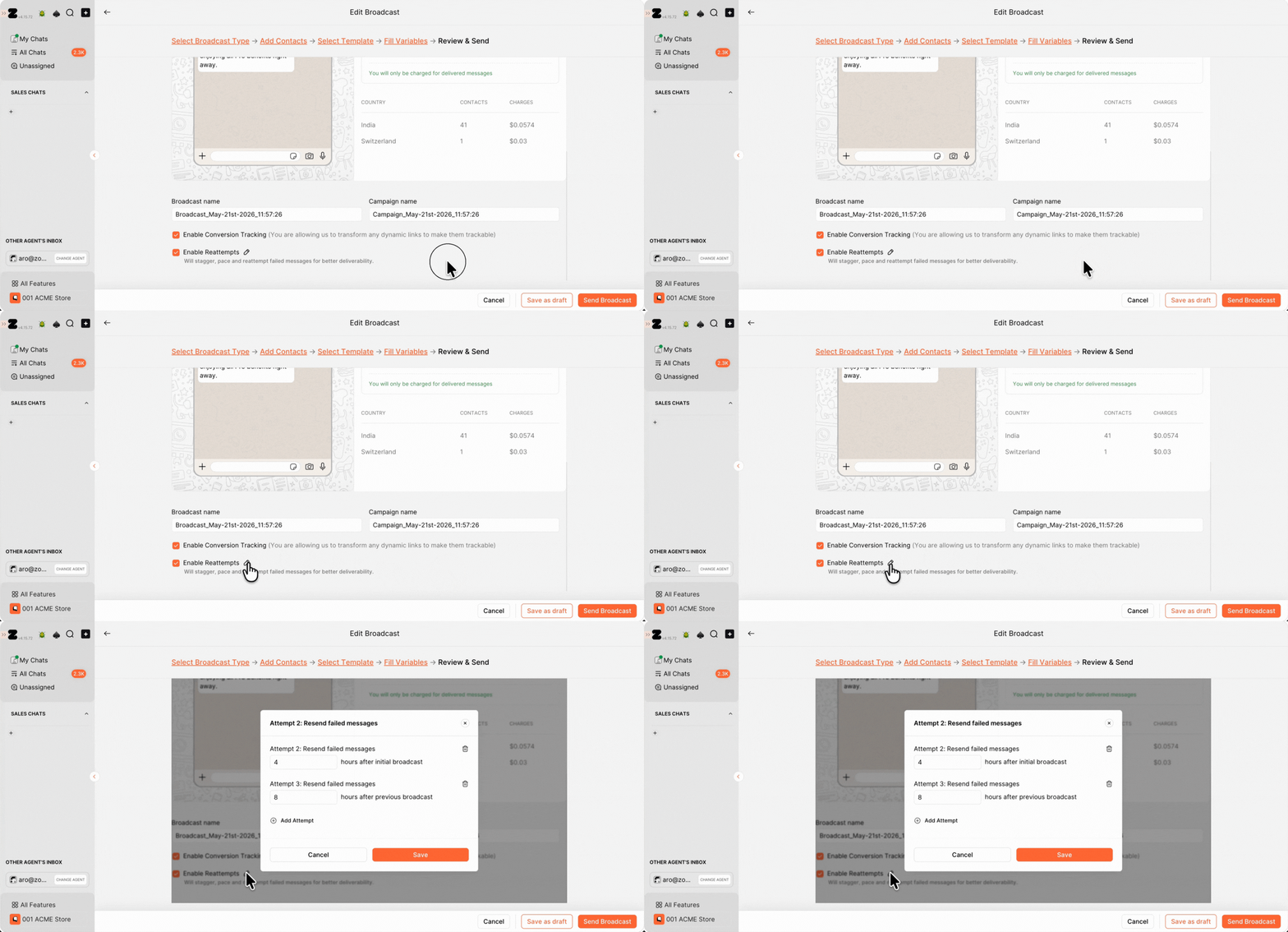
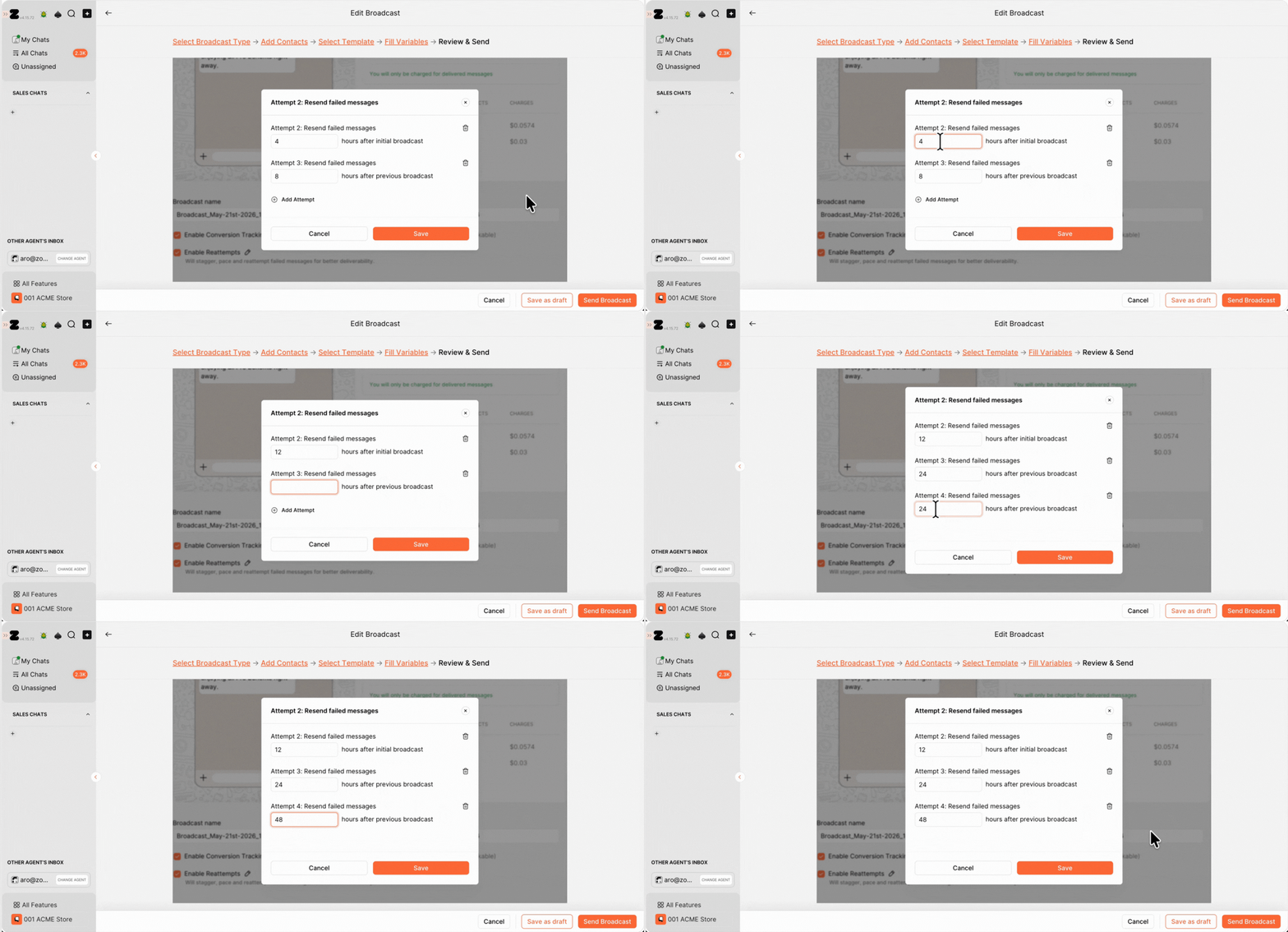
2. By default, the conditions are set to retry 2 times, but you can modify these retry timeframes based on your campaign needs. You can also add up to 3 retry attempts by clicking on Add Attempt.
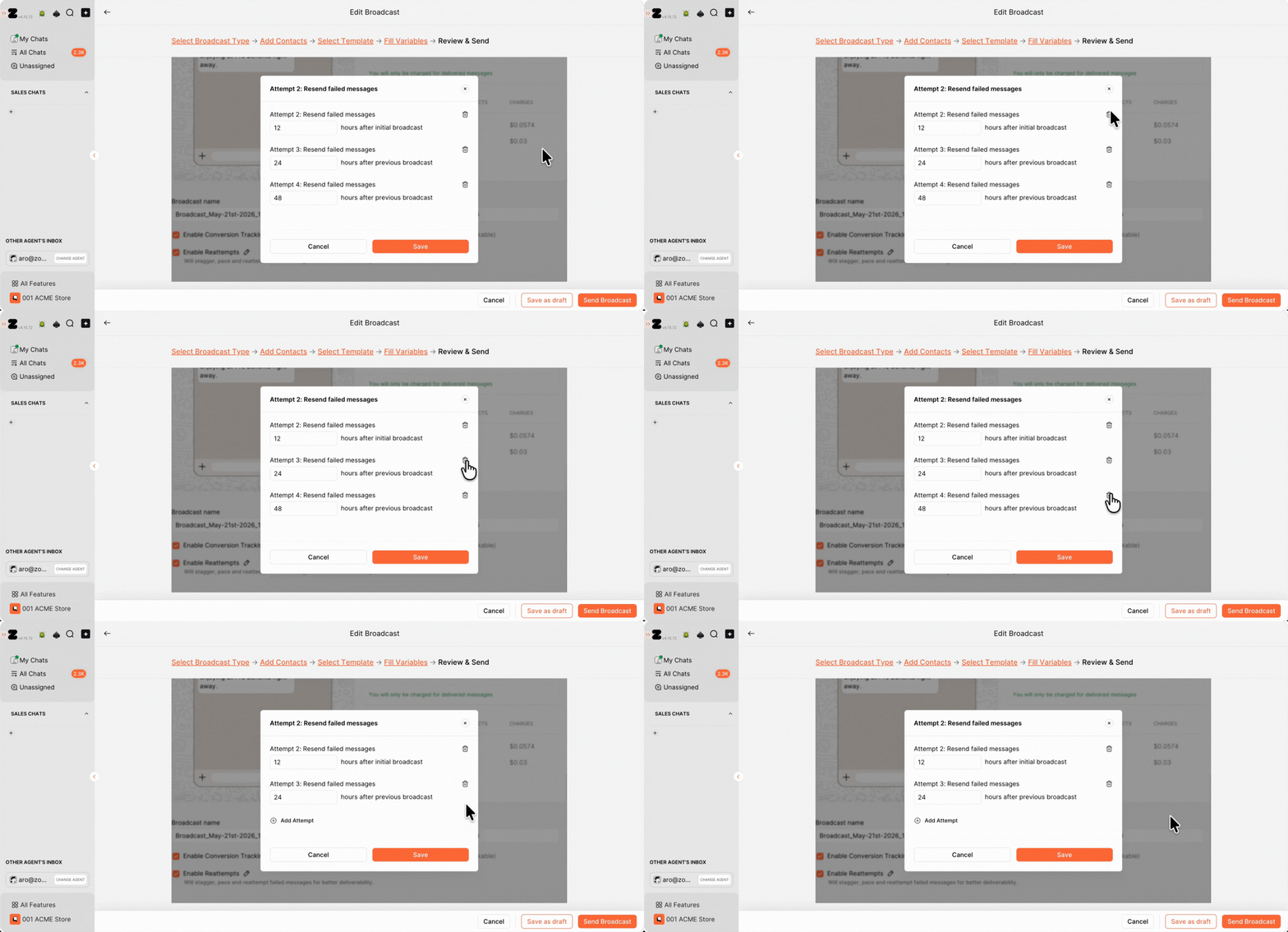
3. You can also delete retry conditions if they were added by mistake by clicking on the delete icon.
4. Once you've set the conditions, click Save.
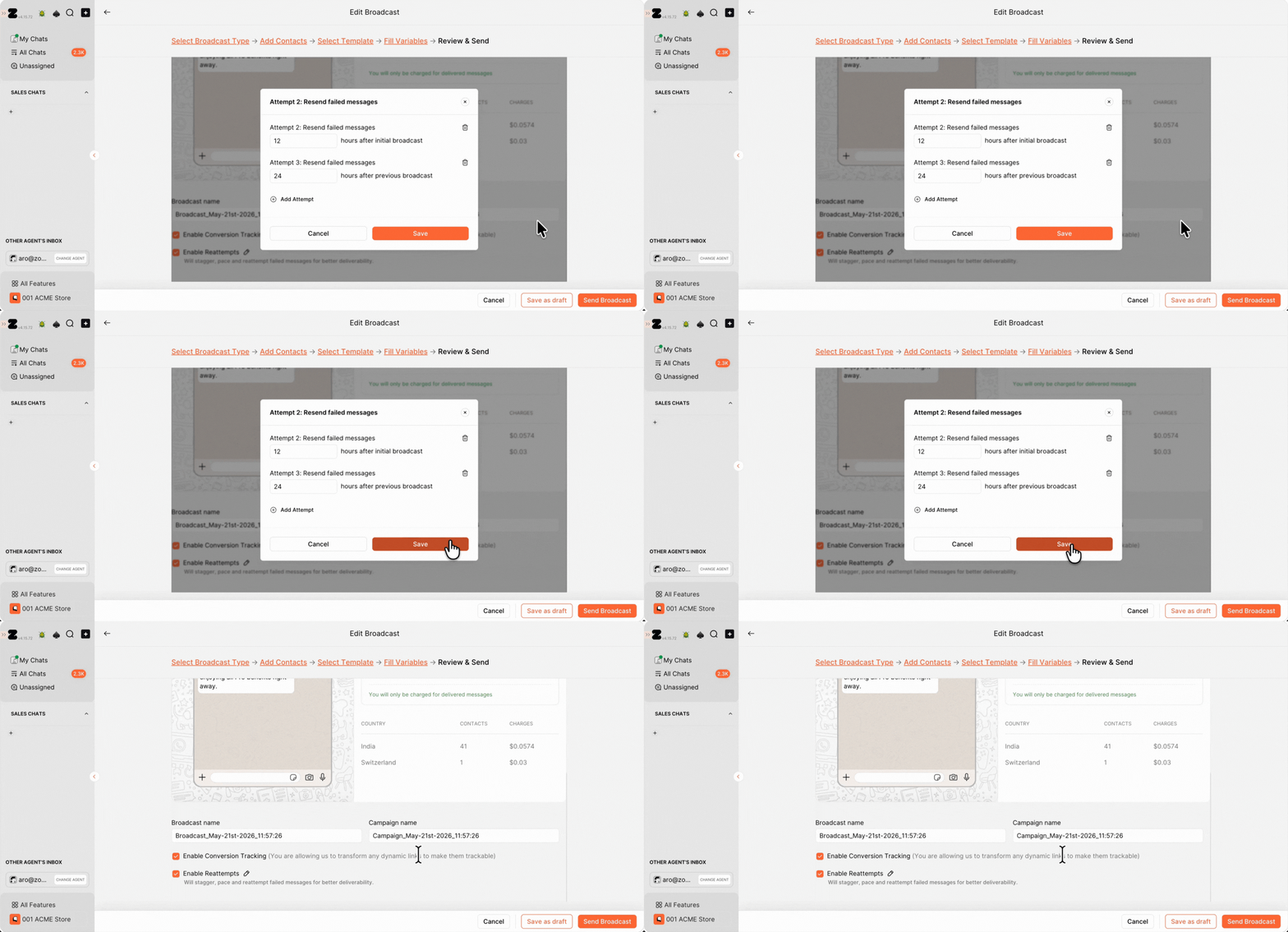
And that’s it!
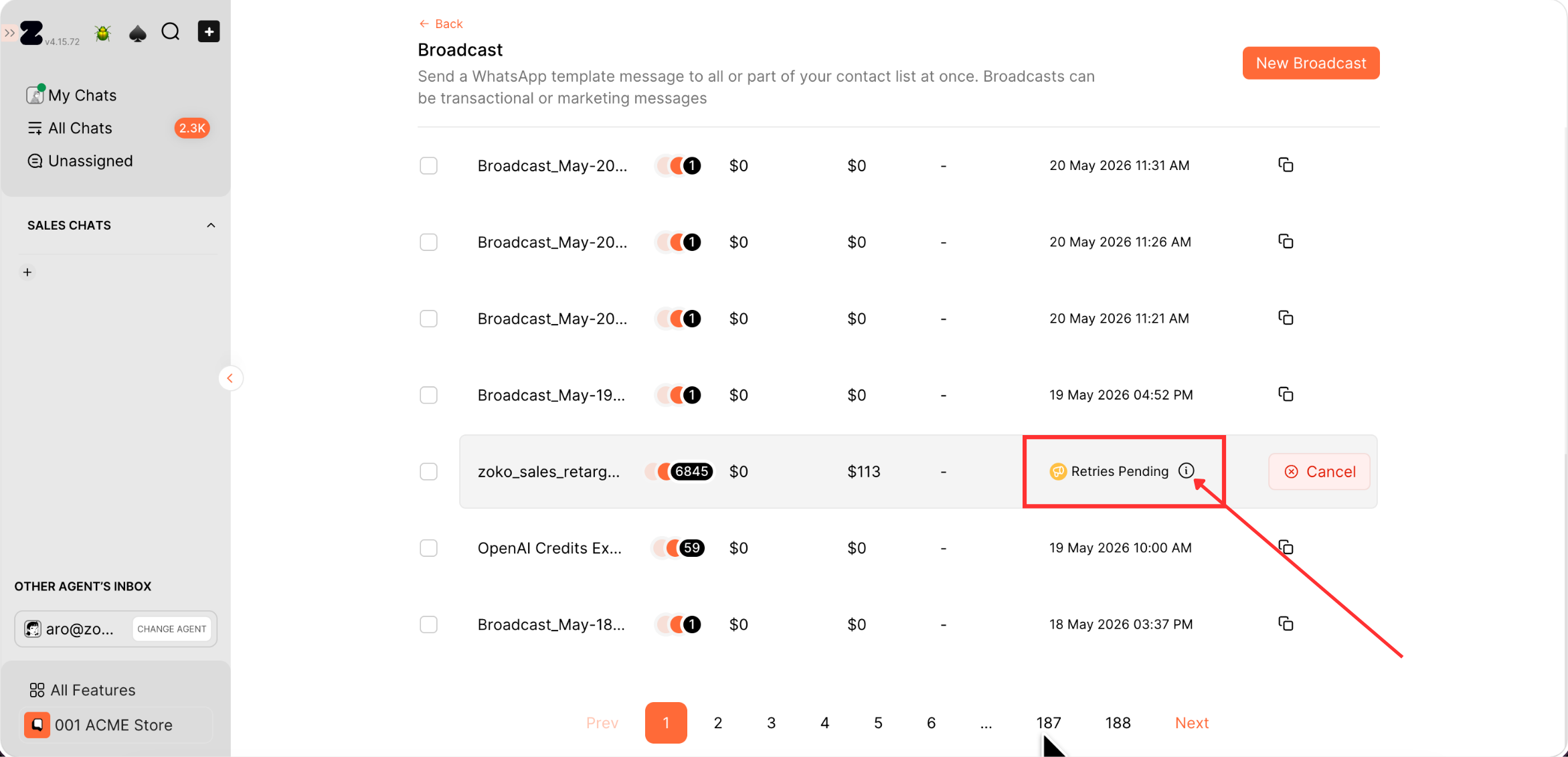
You can view the list of broadcast retries directly from the broadcast page. Hover over the “i” icon to view the retry schedule and see when the next retry attempts will be sent.
Keywords: Broadcast, re-attempts, Retry broadcast, Failed broadcast, Send broadcast
