


How to Stop a Flow or Move It to Drafts
Learn how to move a published flow to drafts.
.png)
Share on WhatsApp
.png)
If you want to temporarily stop a published flow, you can move it to Drafts. When you move the flow to drafts, you’ll be asked what you want to do with any flows that are already ongoing.
To do this:
1. Go to All Features and select Zoko Flows.
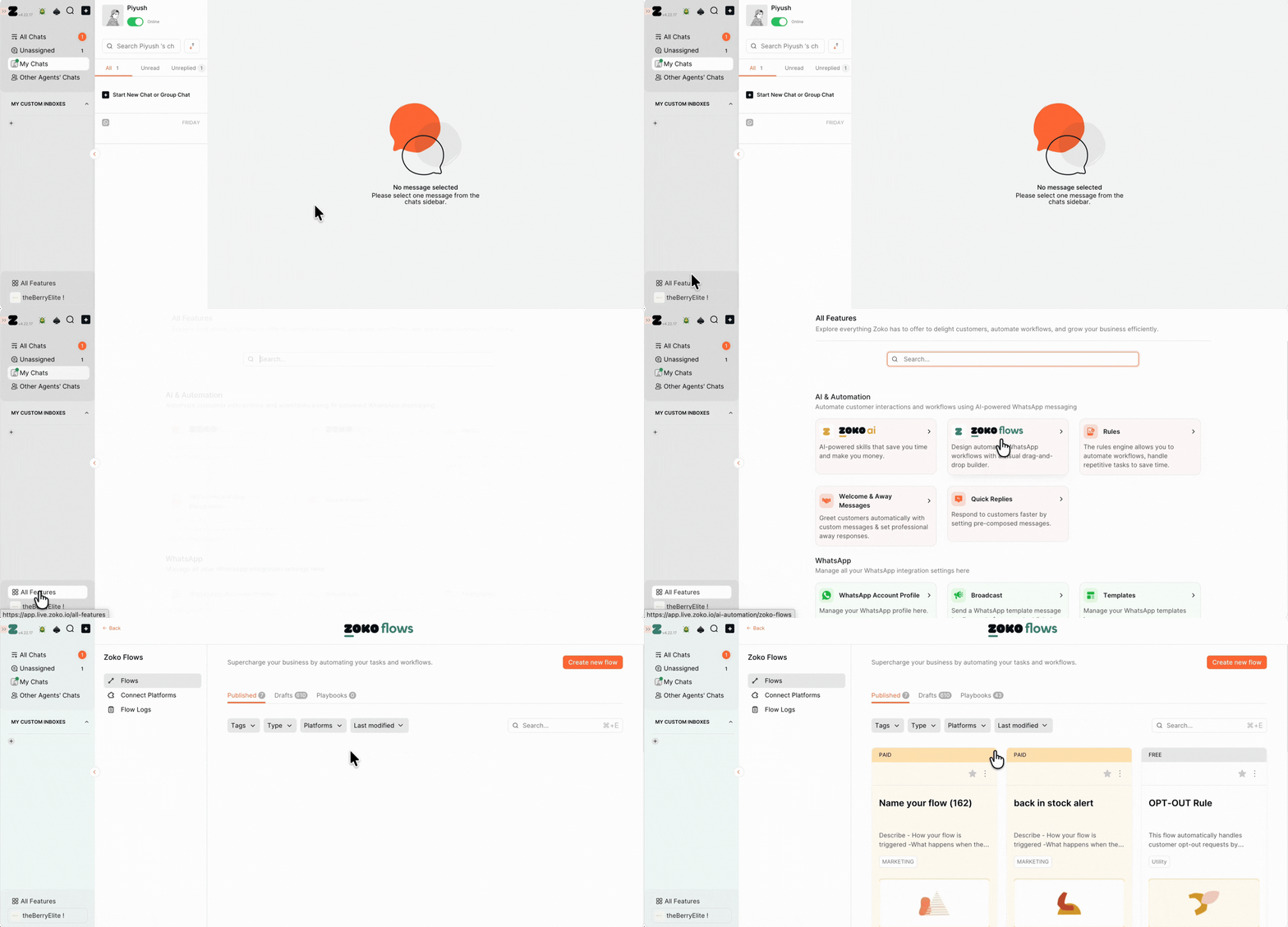
2. Select the published flow you want to move to Drafts.
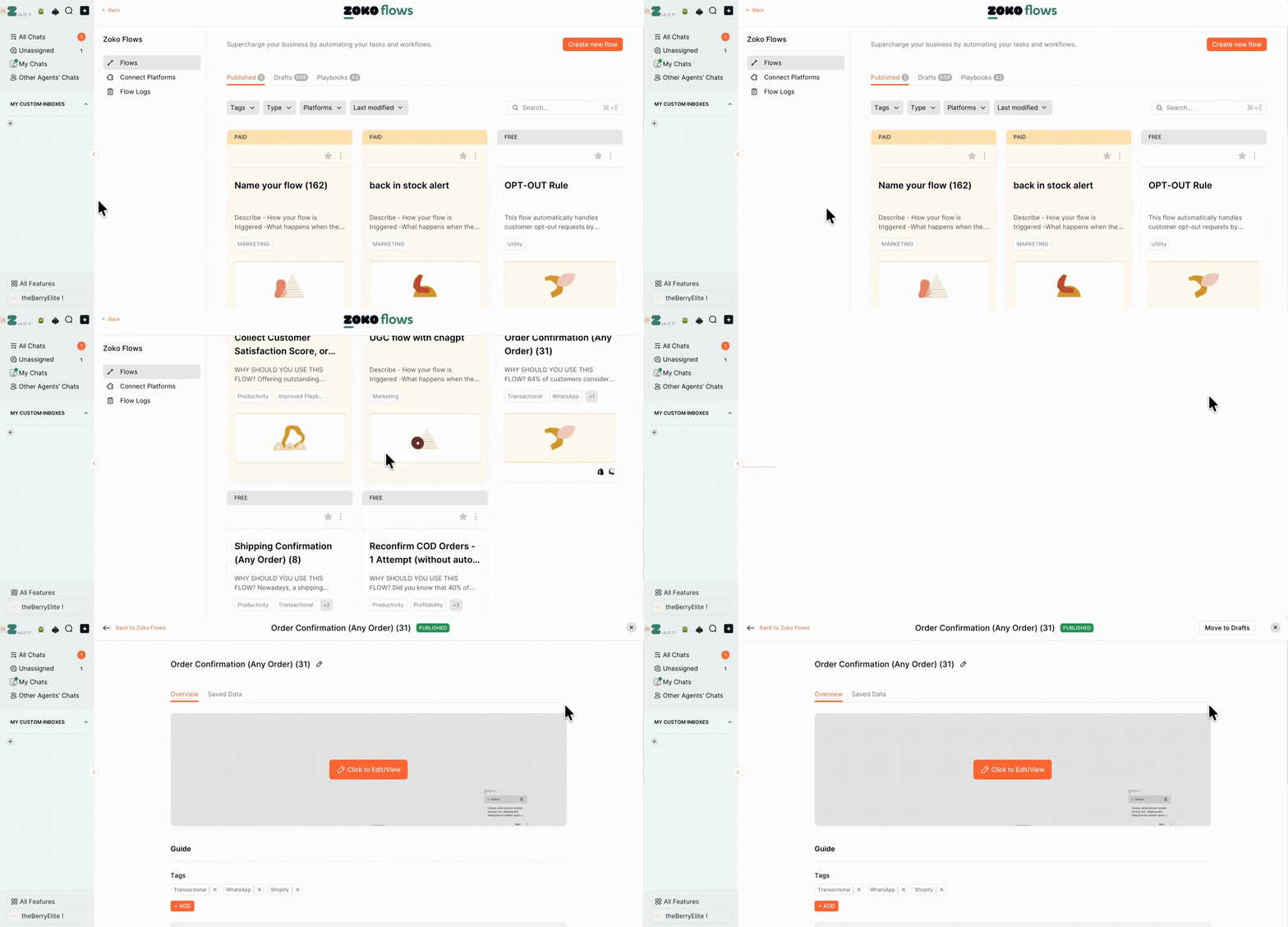
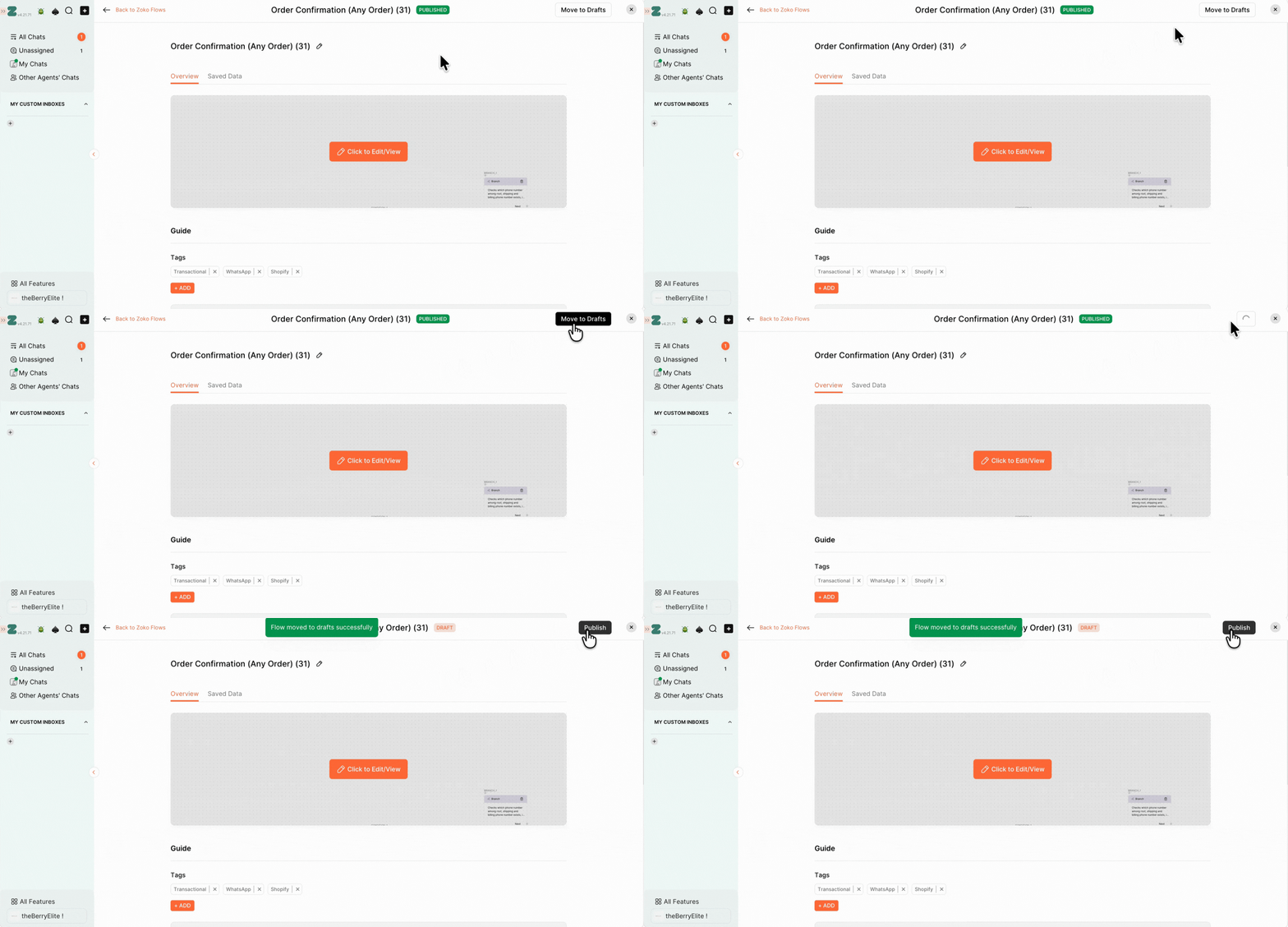
3. Click Move to Drafts.
If there are no ongoing flows, the flow will be moved to Drafts immediately.
OR
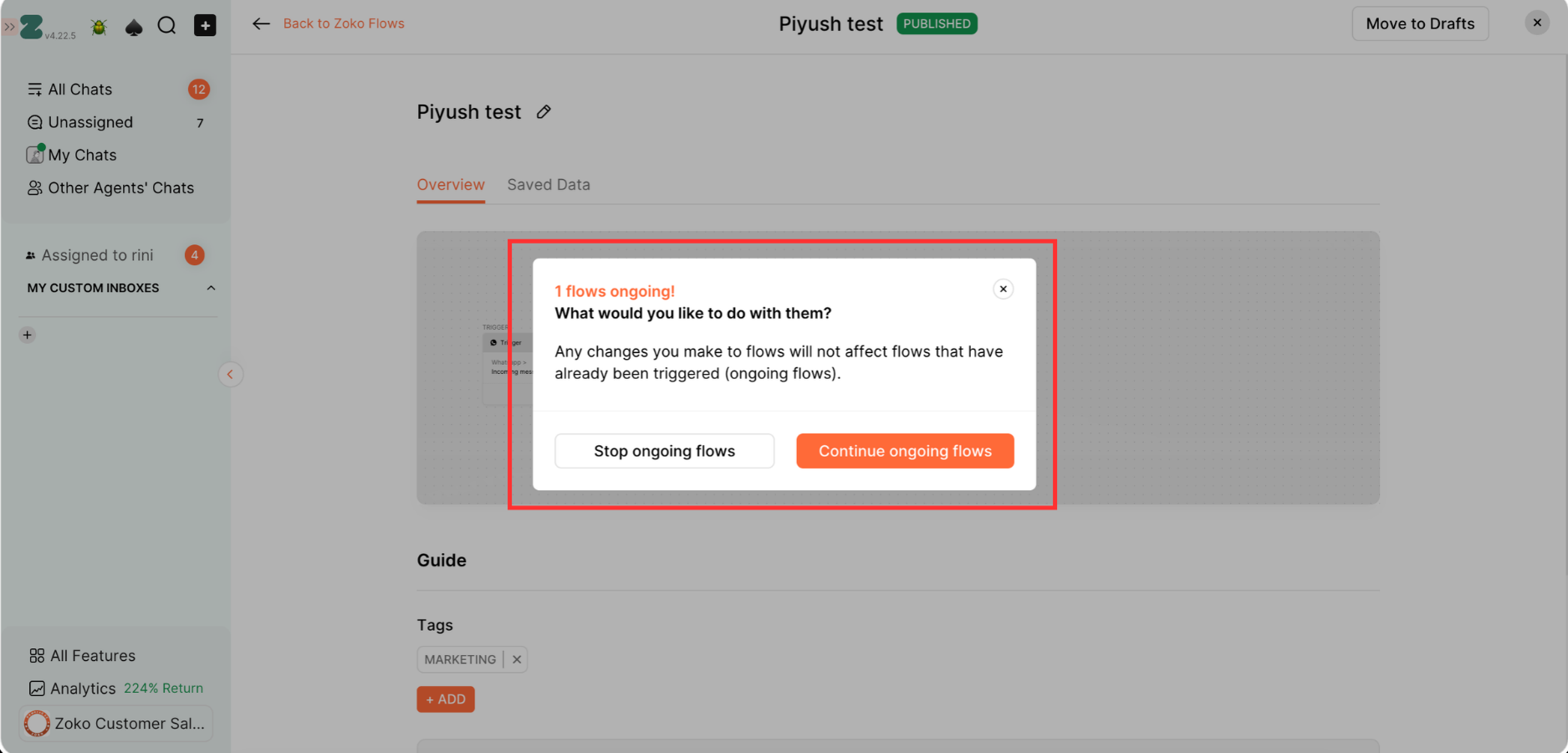
If there are ongoing flows, choose what you want to do with them:
- Stop ongoing flows: Stops all flows that are currently running.
- Continue ongoing flows: Allows flows that are already running to continue until they are completed.
Note: Any changes you make to the flow will only apply to new flows triggered after the changes are made. They will not affect flows that were already triggered and are ongoing.
That's it! The flow will be moved to the Drafts section and will no longer run. You can publish it again whenever you're ready.
Keywords: Disable flow, Drafts, Temporarily, Stop published flow
