


How to Cancel a Scheduled Broadcast
Learn how to cancel a broadcast that has already been scheduled.
.png)
Share on WhatsApp
Thank you! Your submission has been received!
Oops! Something went wrong while submitting the form.
.png)
If you have already scheduled a broadcast by mistake or no longer want to send it, you can easily cancel it before it gets sent.
To do this.
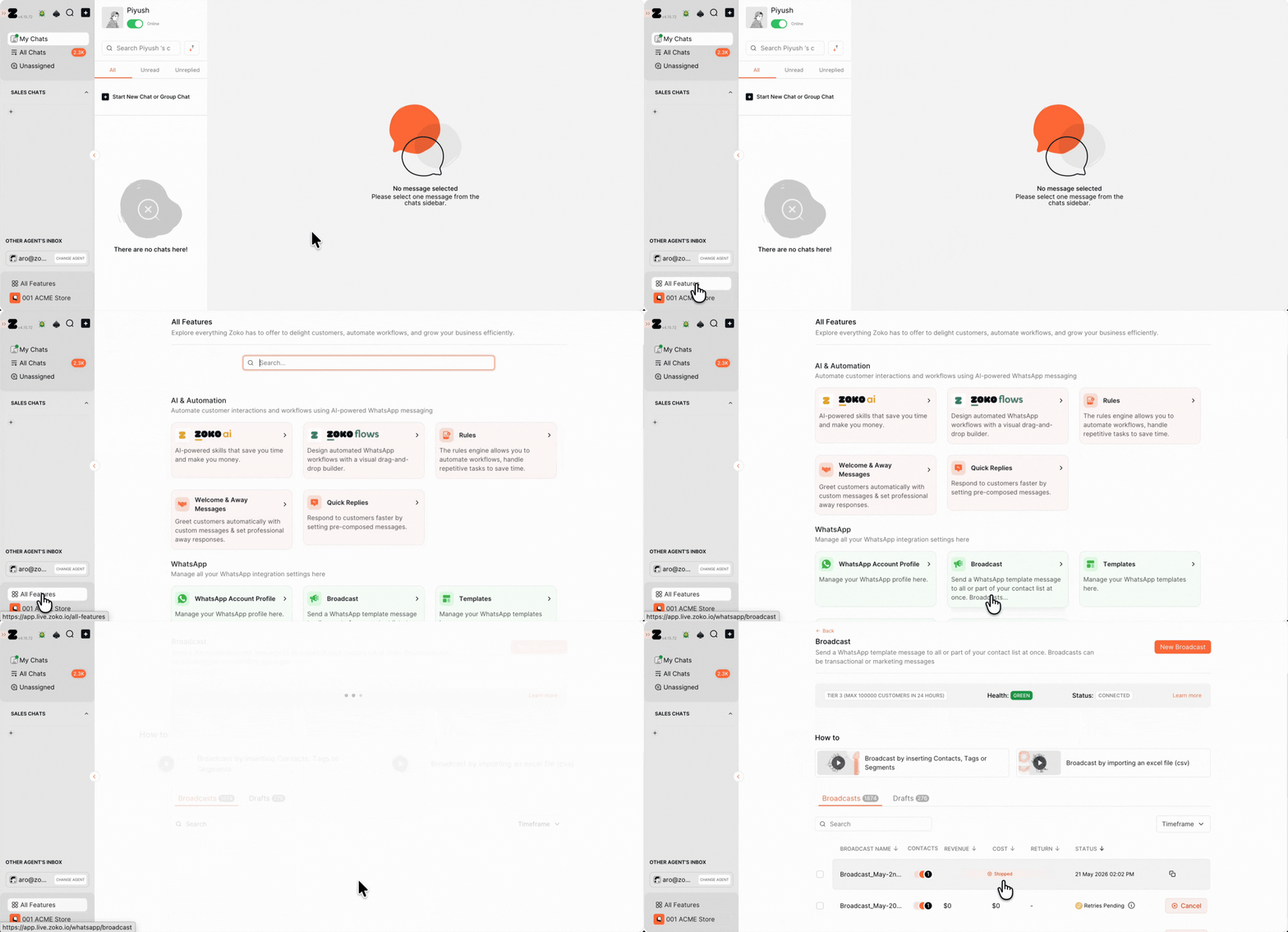
1. Go to the All Features and select Broadcast.
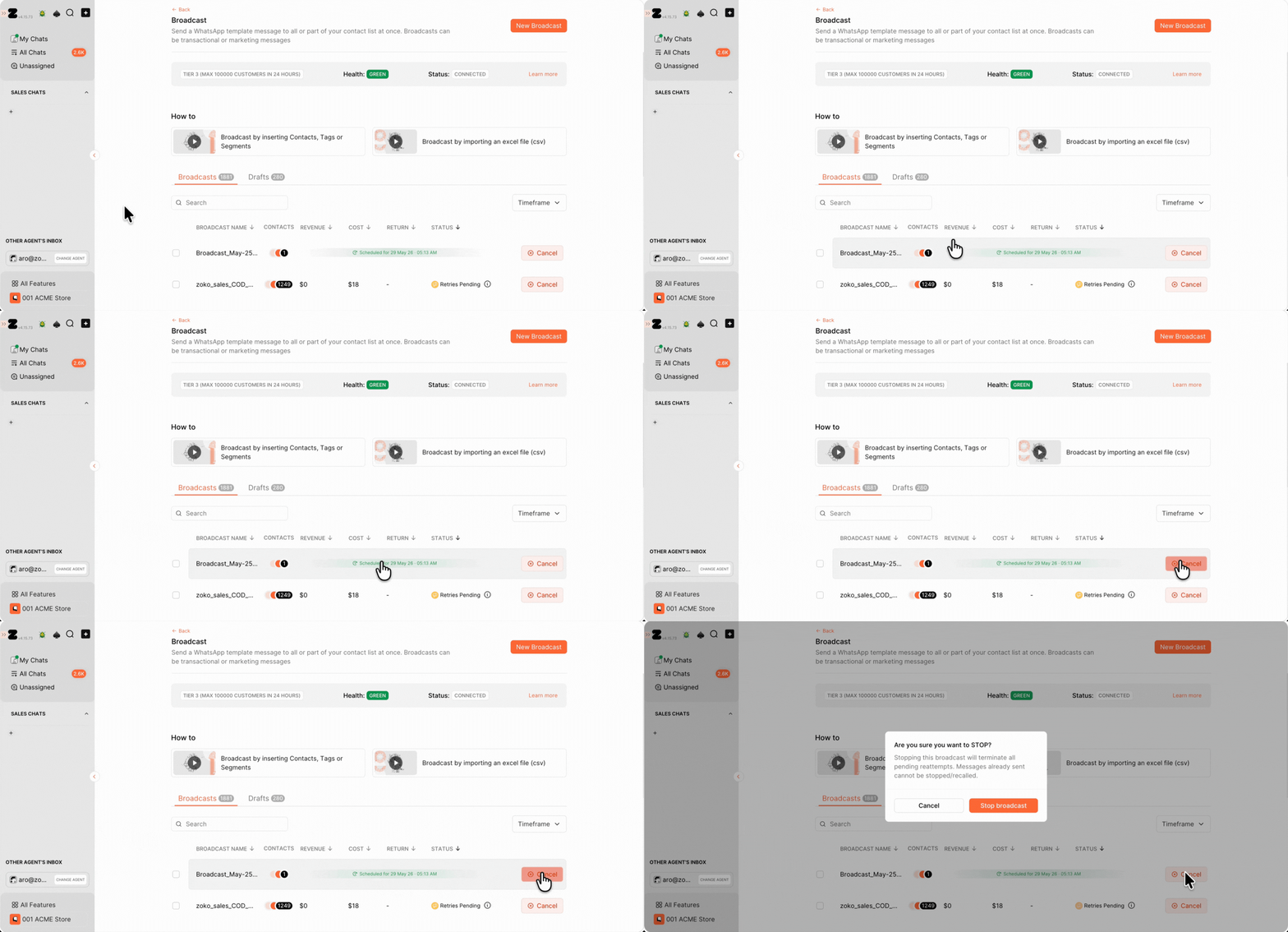
2. Open the scheduled broadcast that you want to cancel, then click on Cancel.
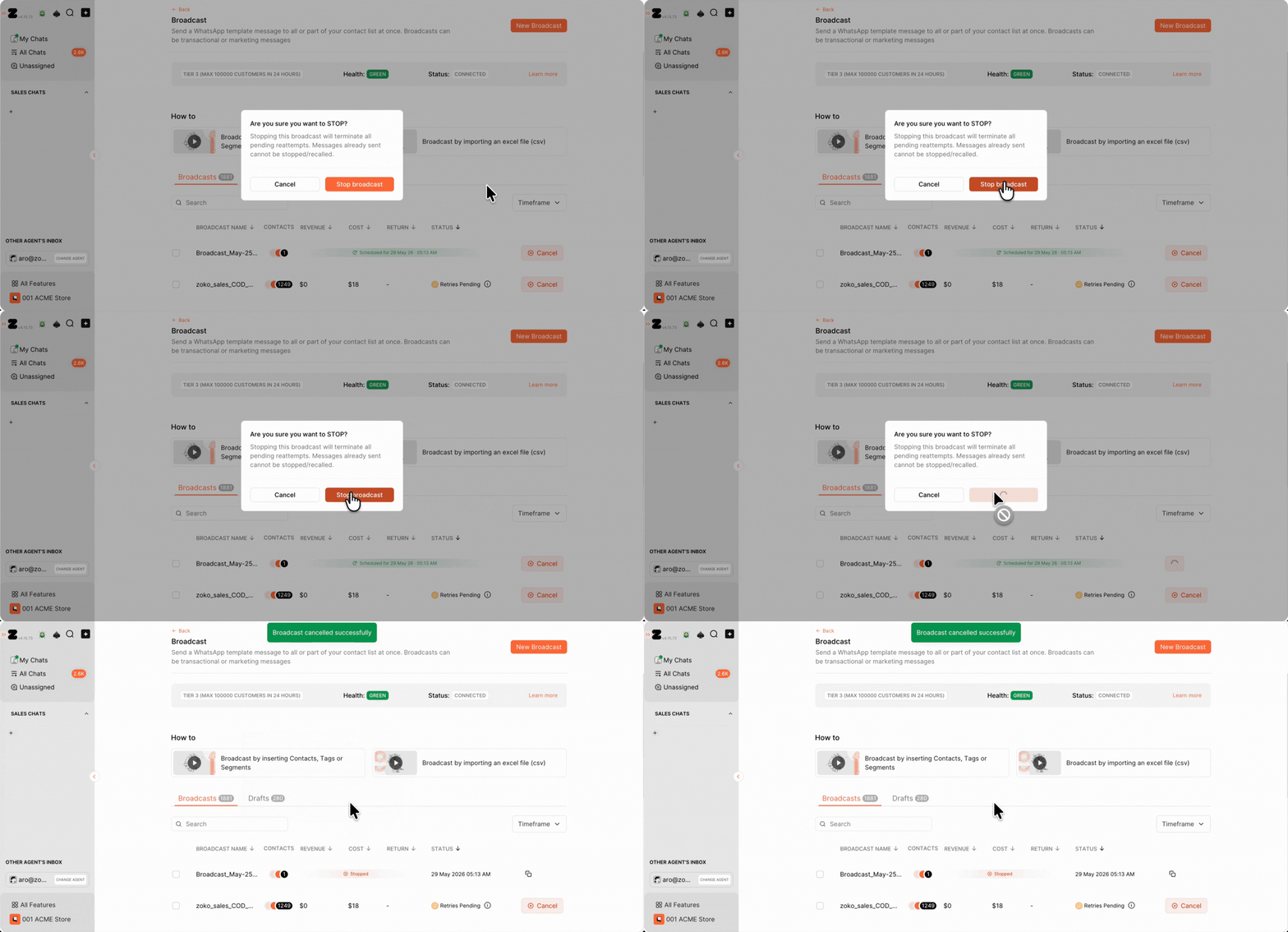
3. Click on Stop Broadcast.
Keywords: Scheduled broadcasts lists, Cancel Scheduled Broadcasts.
