


How to Find Your Billing Usage Reports (Shopify Users Only)
Learn how to check your billing usage reports in the Zoko dashboard.
.png)
Share on WhatsApp
.png)
You can check your billing usage report to see a monthly breakdown of the charges applied to your account. This helps you understand where your charges are coming from and review your billing activity.
Note: All charges are billed through Shopify. You will see them in your Shopify billing invoice.
To do this:
1. Go to More section.
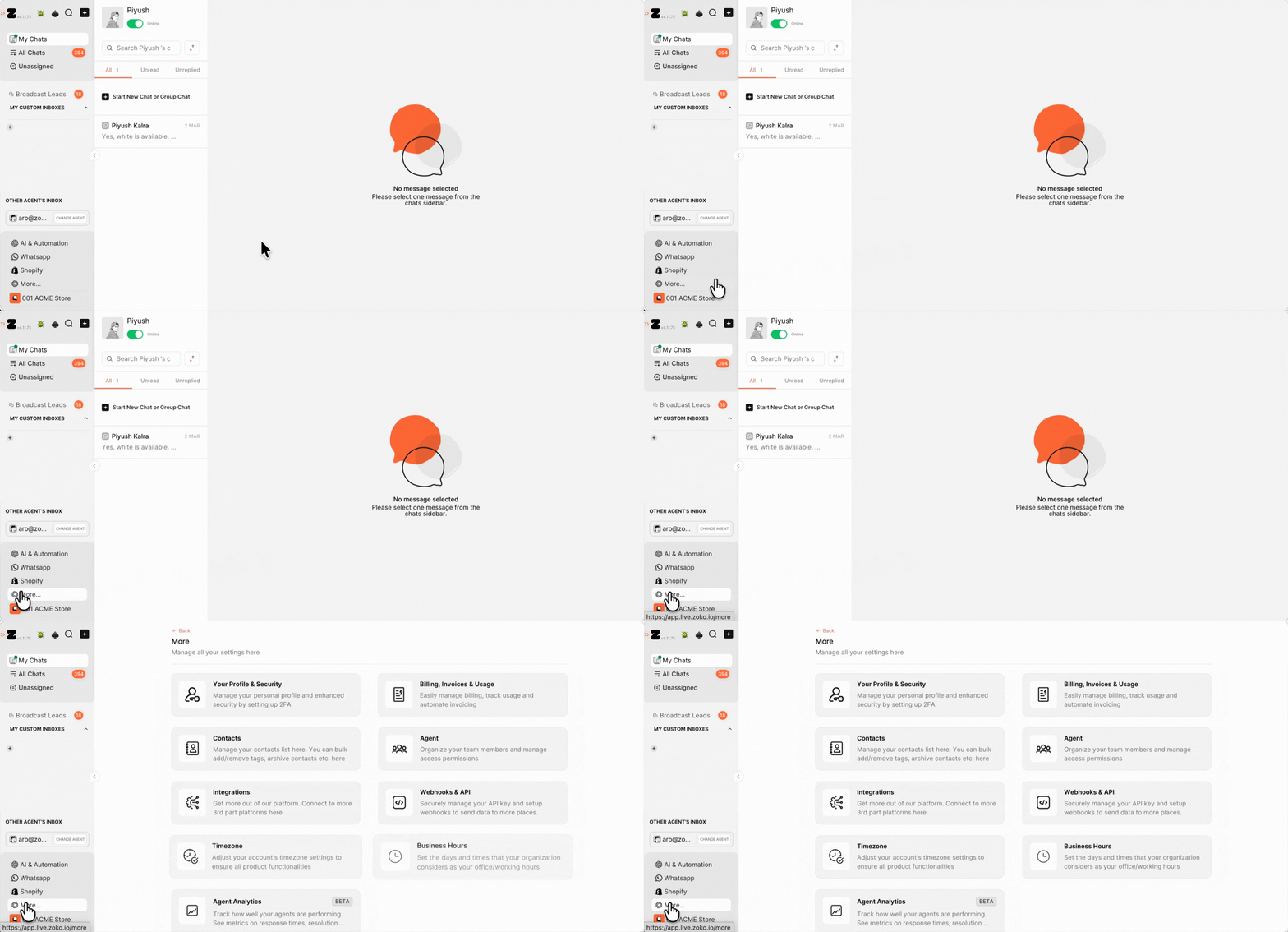
2. Click Billing, Invoices & Usage.
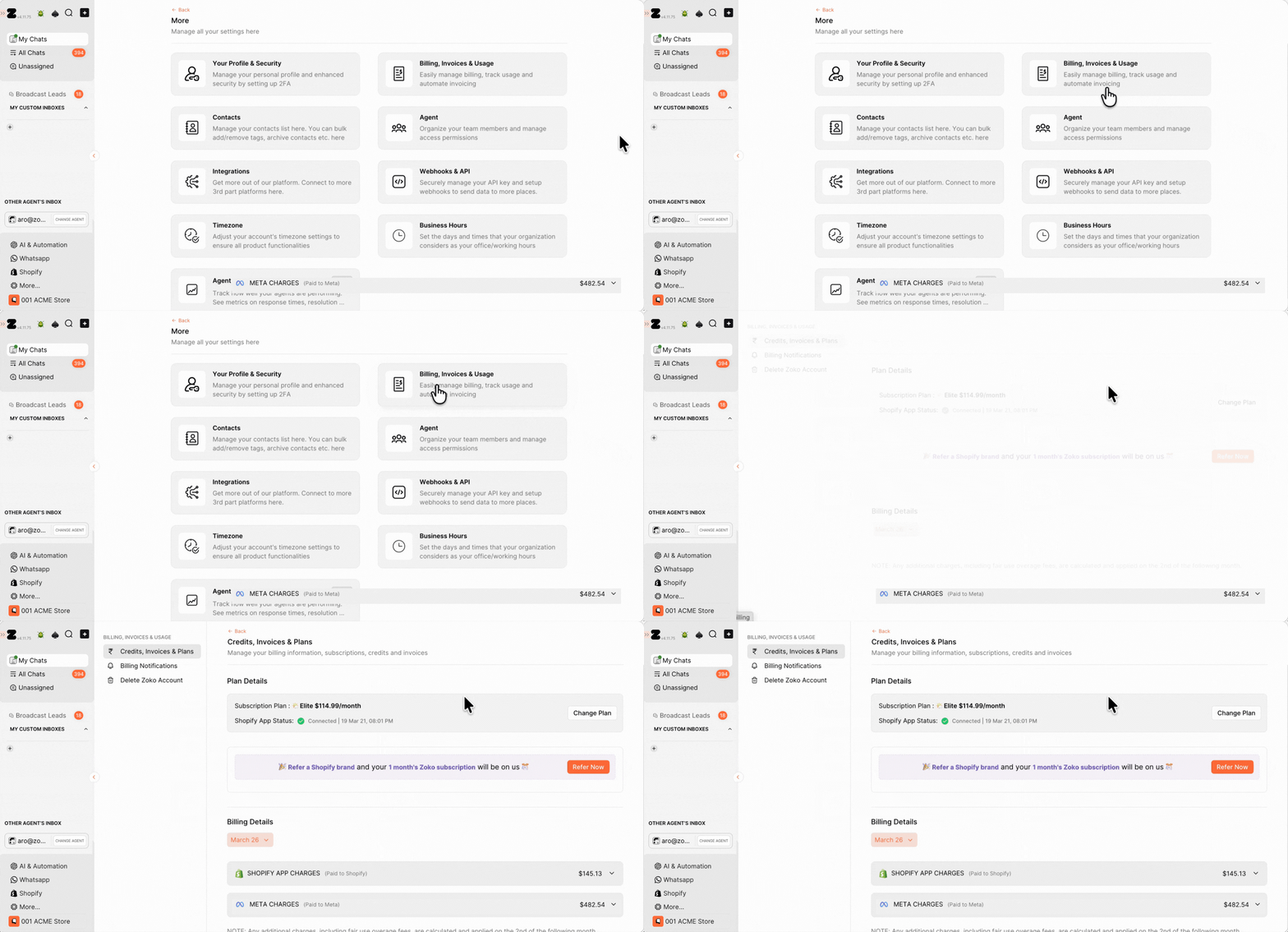
3. Your Billing Details will appear here. Select the month you want to view from the dropdown.
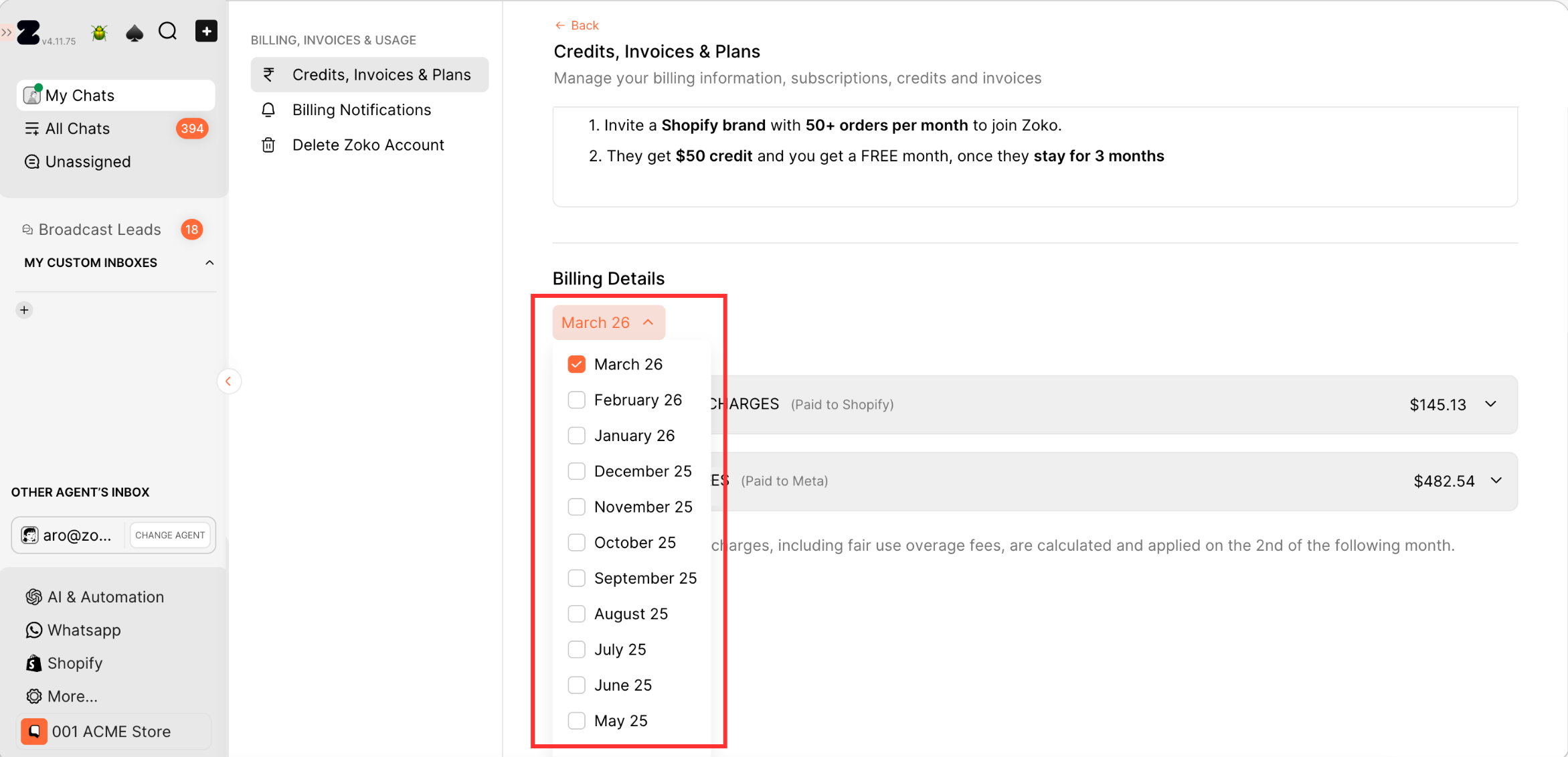
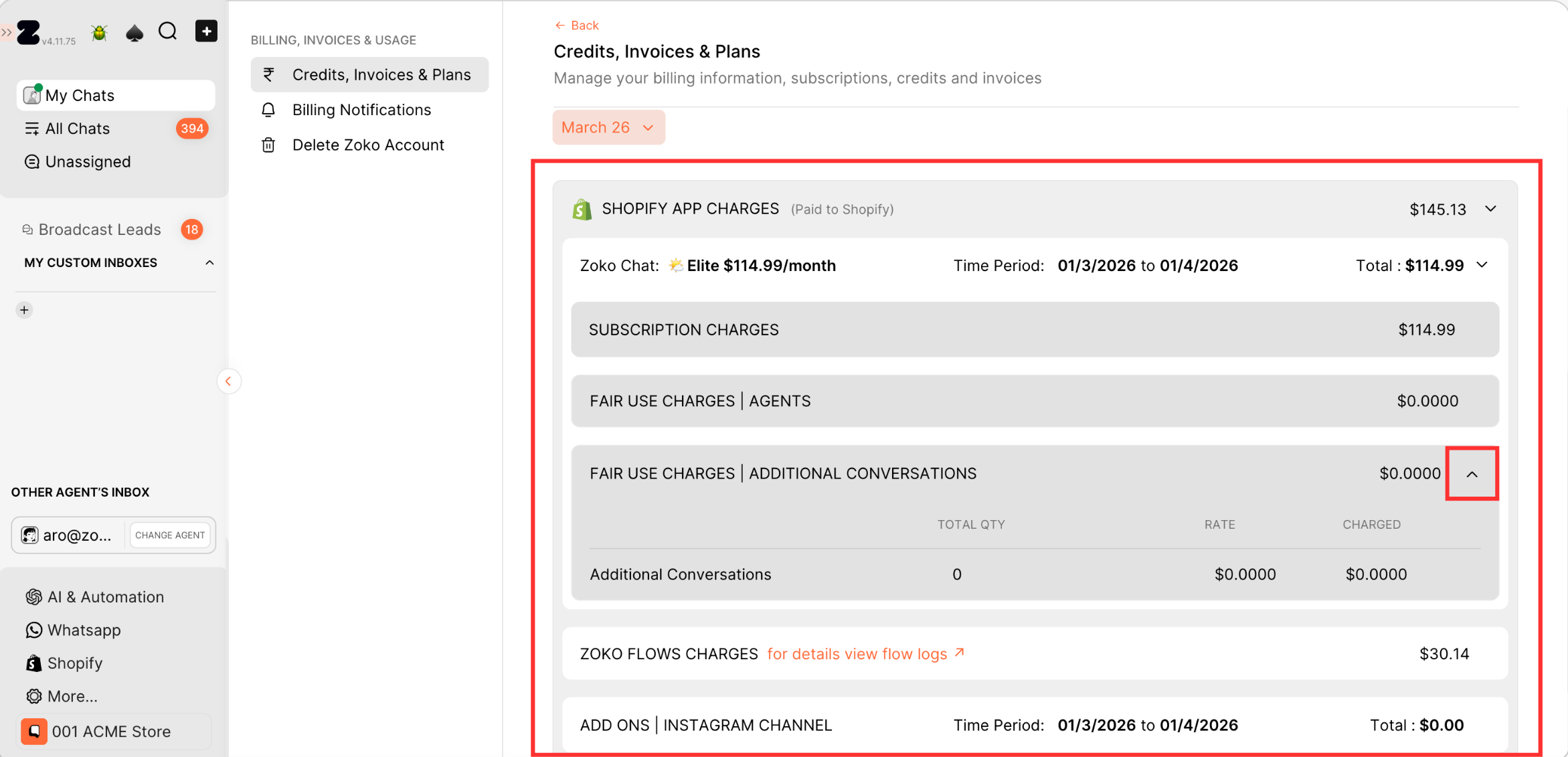
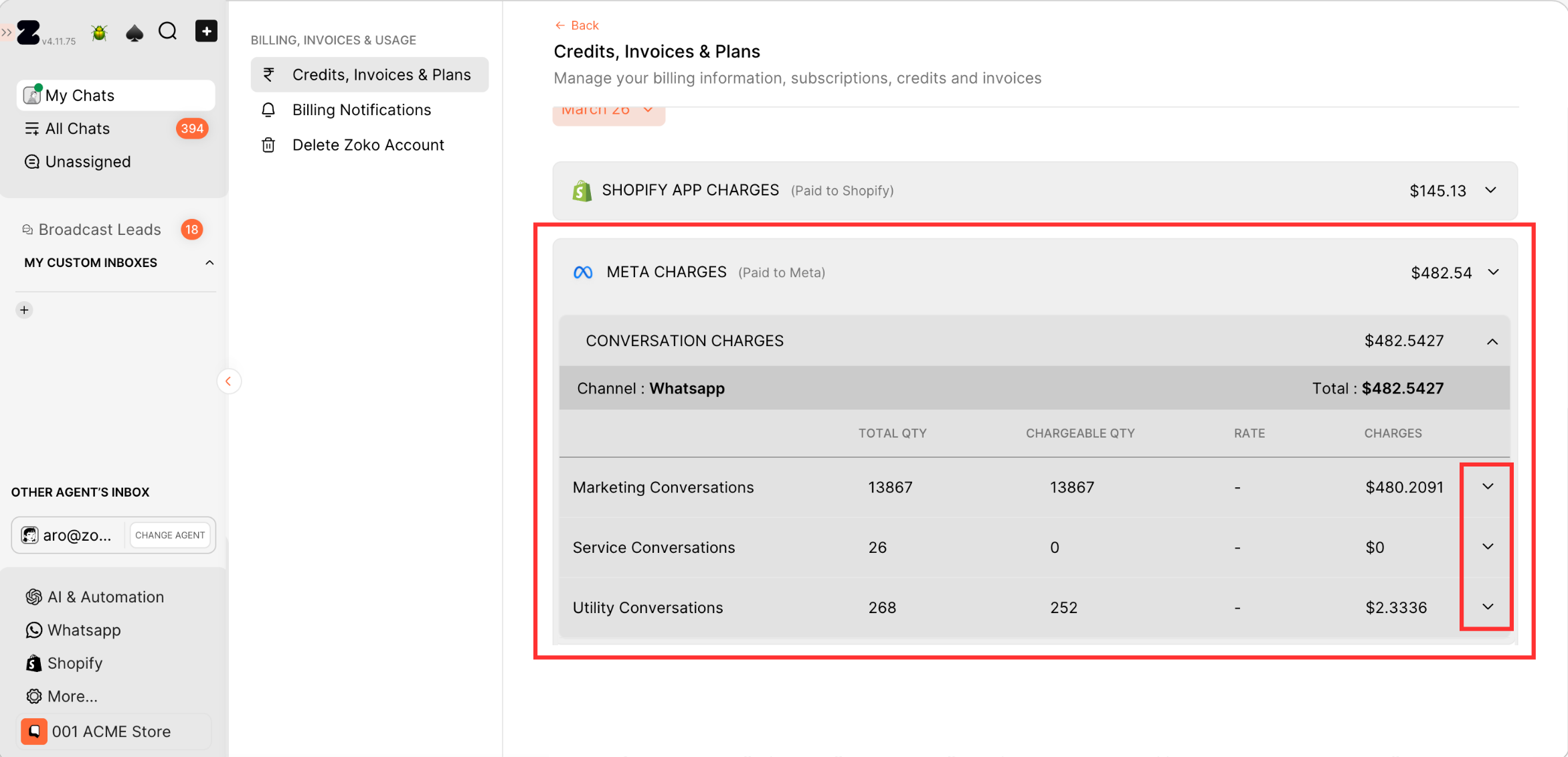
5. Once you select the month, you’ll see a monthly breakdown of your charges. The report is divided into two sections:
Shopify App Charges
These are the charges related to Zoko services, such as your Zoko subscription, Zoko Flows usage, and add-ons like Instagram Channel, additional agents, or Zoko AI. Click on it to see the detailed breakdown of each charge.
Meta Charges
These are the WhatsApp conversation charges from Meta, based on Meta’s WhatsApp pricing. Click on it to see the breakdown of each conversation charge.
Inside the conversation charges, you can click on any conversation to view the full details, including which country the charge was applied to.
Keywords: Zoko billing usage report, Zoko Shopify billing, Meta charges, Zoko subscription, Usage charges.
