


Why are There Two Zoko charges on My Shopify Invoice?
.png)
Share on WhatsApp
.png)
Zoko bills you through Shopify
When you install Zoko from the Shopify App Store, Shopify collects Zoko's fees and adds them to the invoice it sends you each month. That's why you won't get a separate invoice from Zoko.
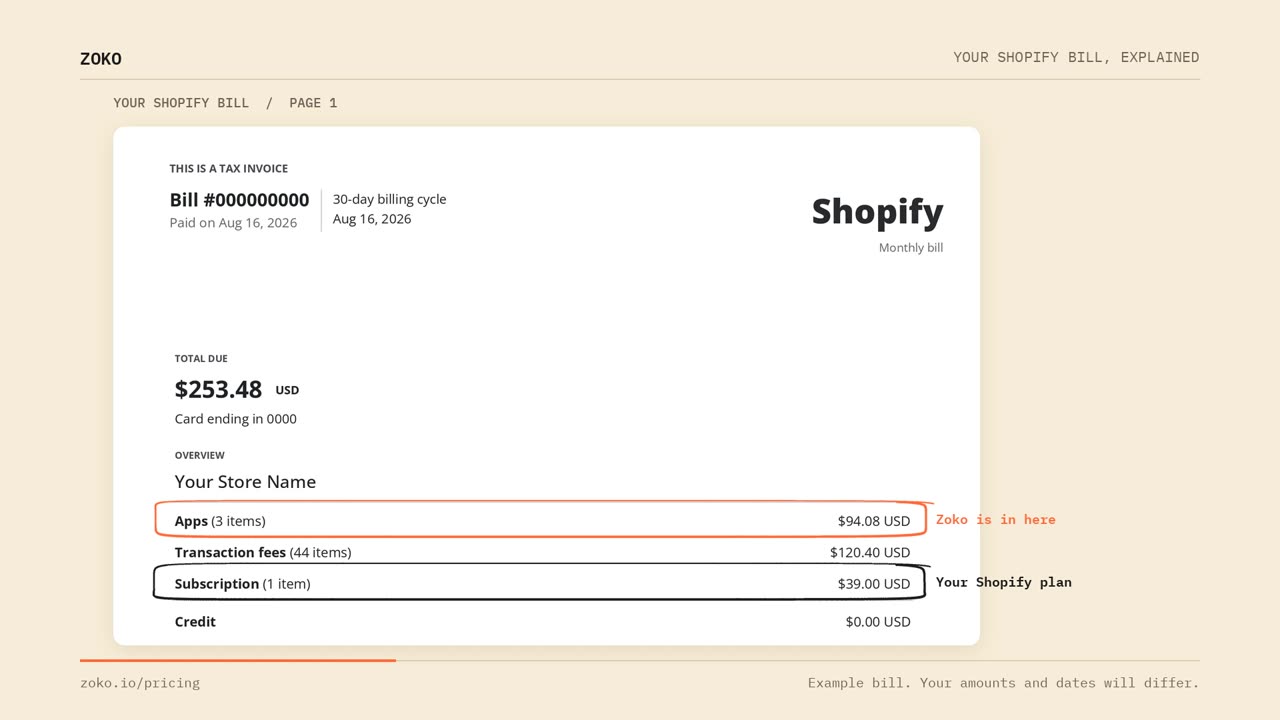
Page 1 Of Your Shopify Invoice
The first page shows totals. Subscription is your Shopify plan, which is Shopify's own fee. Apps is the total for every app installed on your store. Zoko is one of these apps, so both Zoko charges are included in the Apps total.
Page 2: The Breakdown by App
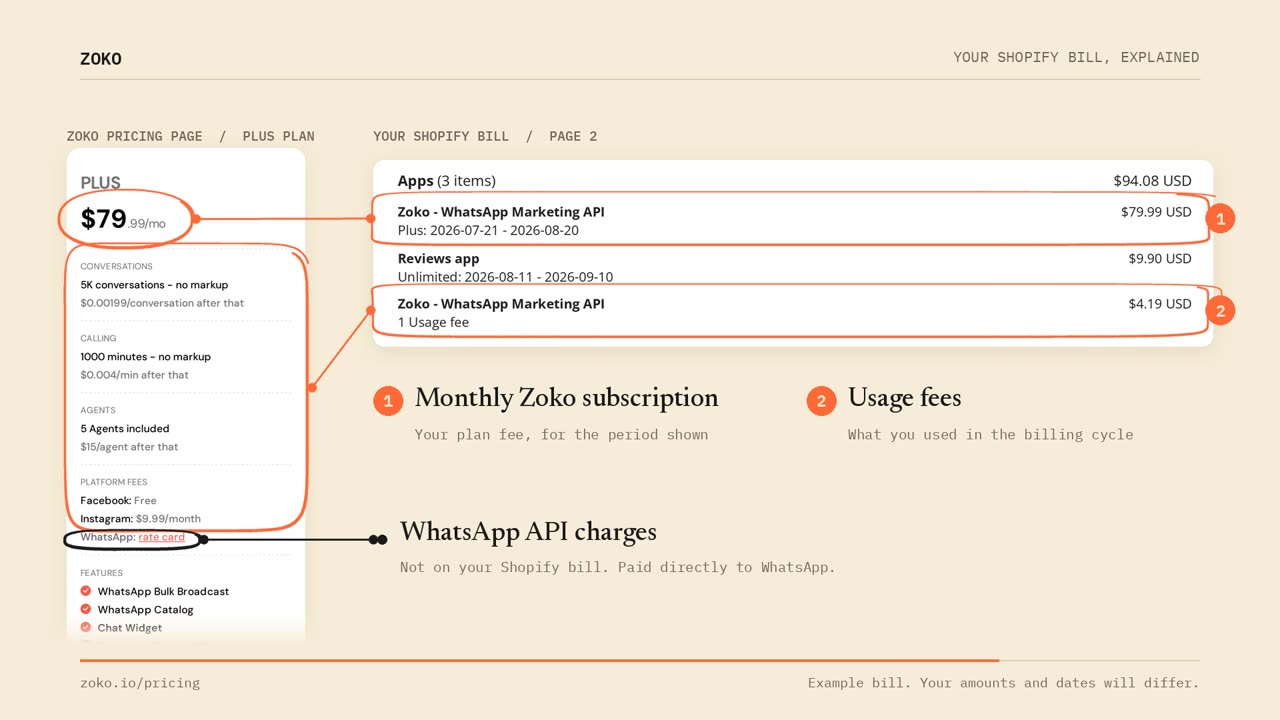
The second page breaks the Apps total down, app by app. Here you'll find two lines named Zoko - WhatsApp Marketing API.
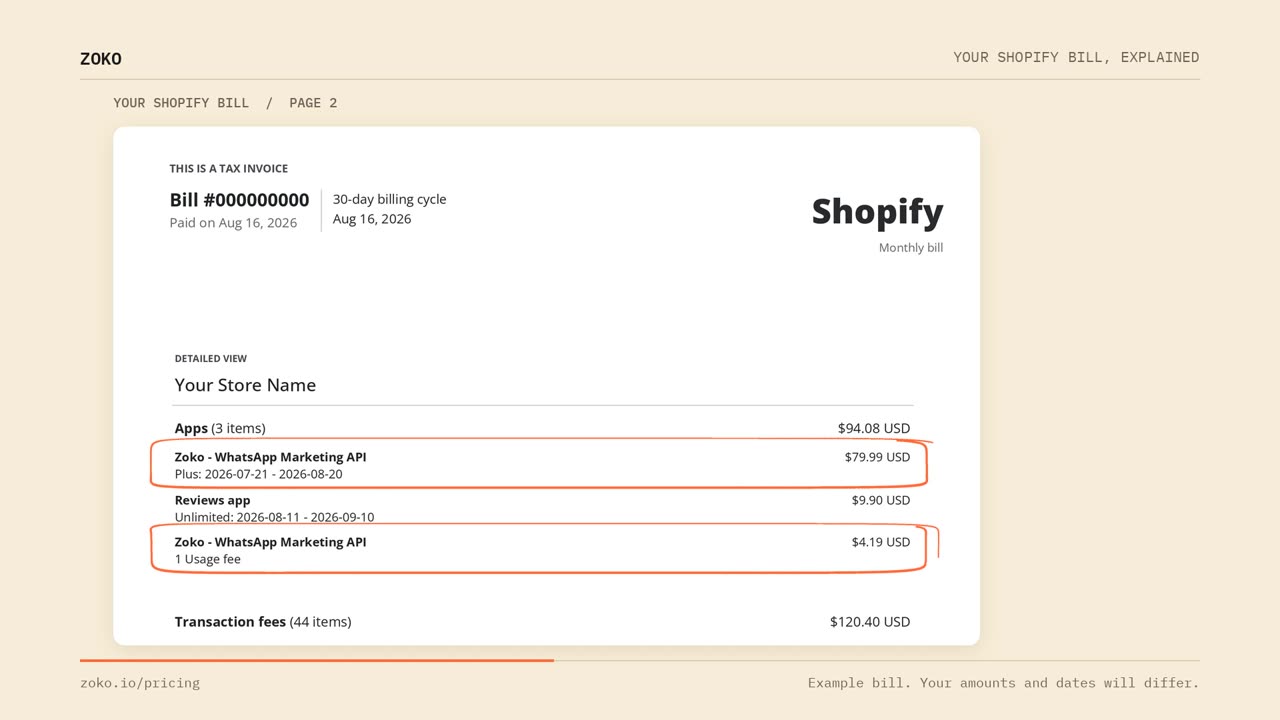
The first line: your monthly subscription
This is the fixed fee for your plan. Underneath, Shopify shows your plan name and the dates the fee covers, for example Plus: 2026-07-21 - 2026-08-20. The amount matches the price of your plan, shown above in the plans section.
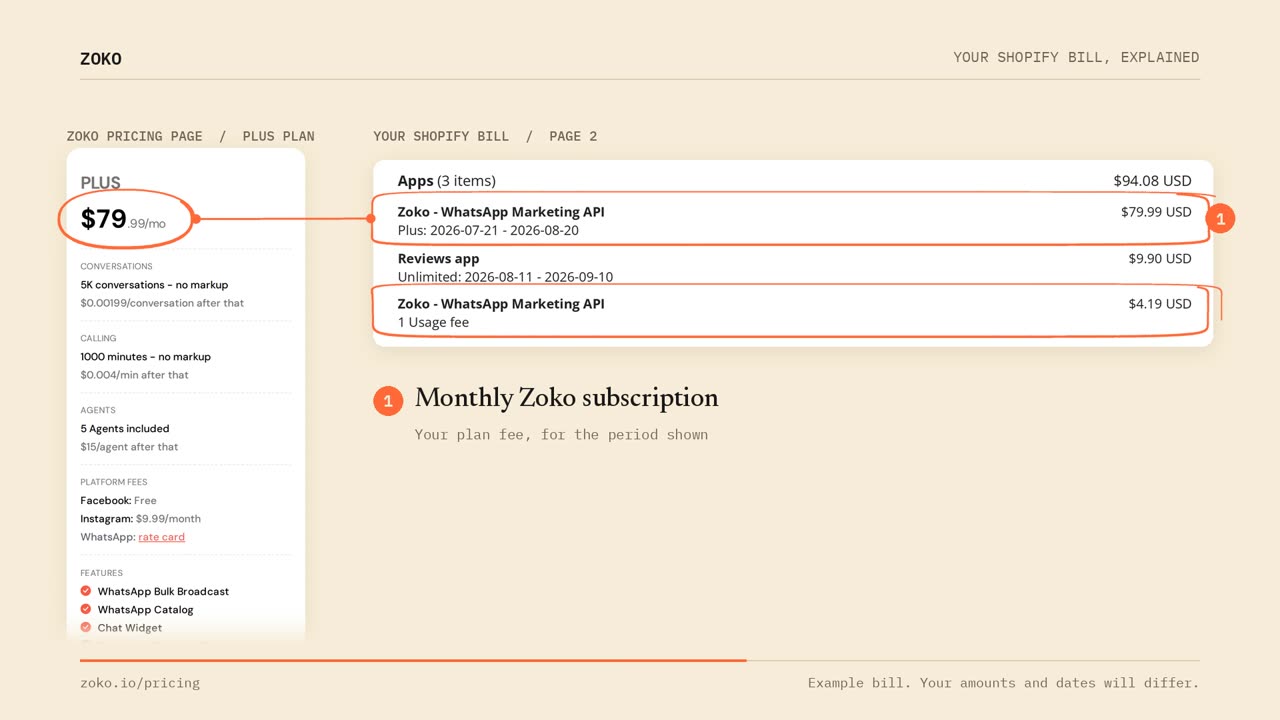
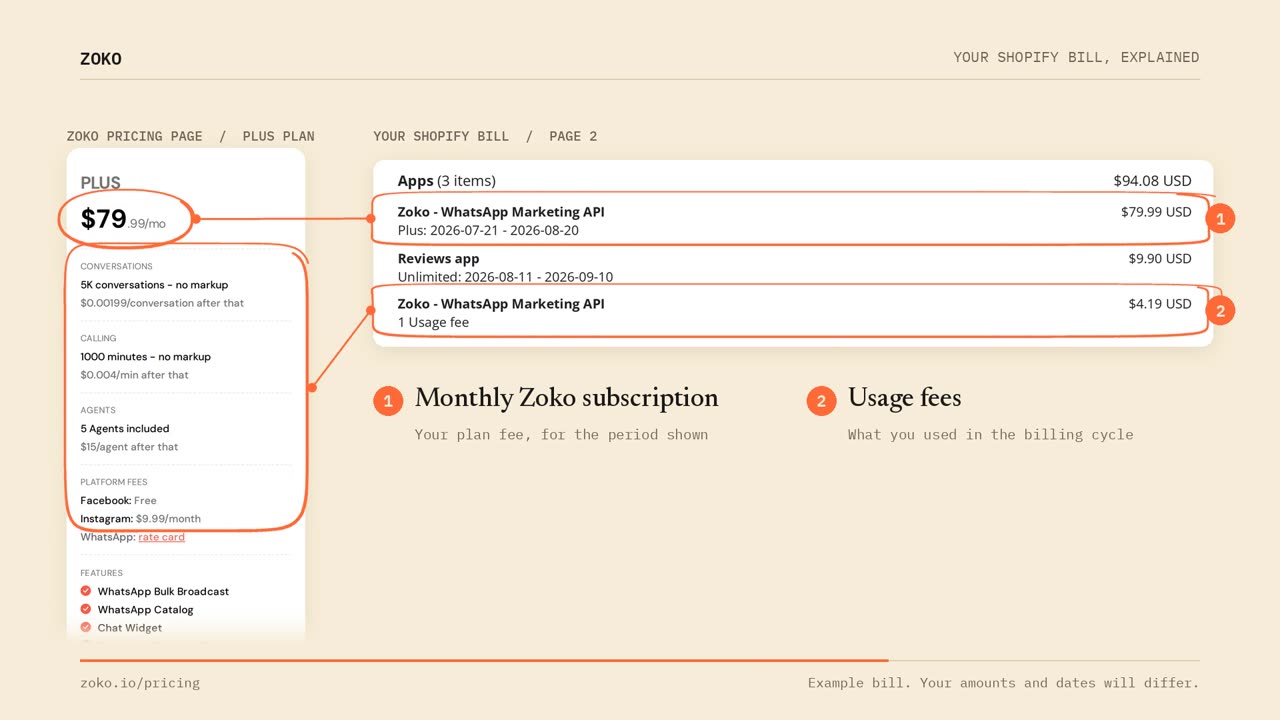
The second line: your usage fees
This line is labelled Usage fee. It covers conversations, calling, agents, Instagram, and any optional add-ons you choose, such as Zoko Flows and Zoko AI. The amount changes each month with your usage.
What you won't see on your Shopify invoice
Your WhatsApp API charges. You pay those directly to WhatsApp, and WhatsApp invoices you for them. See finding your Meta invoices.
Keywords: Shopify Billing, Zoko billing, Subscription, usage charges, Separate charges, Invoices
