


How to Troubleshoot Catalog Issues
Learn how you can troubleshoot catalog issues on your meta business manager.
.png)
Share on WhatsApp
.png)


Most catalog issues occur due to missing permissions or an incomplete WhatsApp catalog connection in your Meta Business Manager. As a result, you or your customers may not be able to see the catalog correctly.
To resolve the issue, follow these steps:
Step 1: Verify Catalog Access in Business Manager
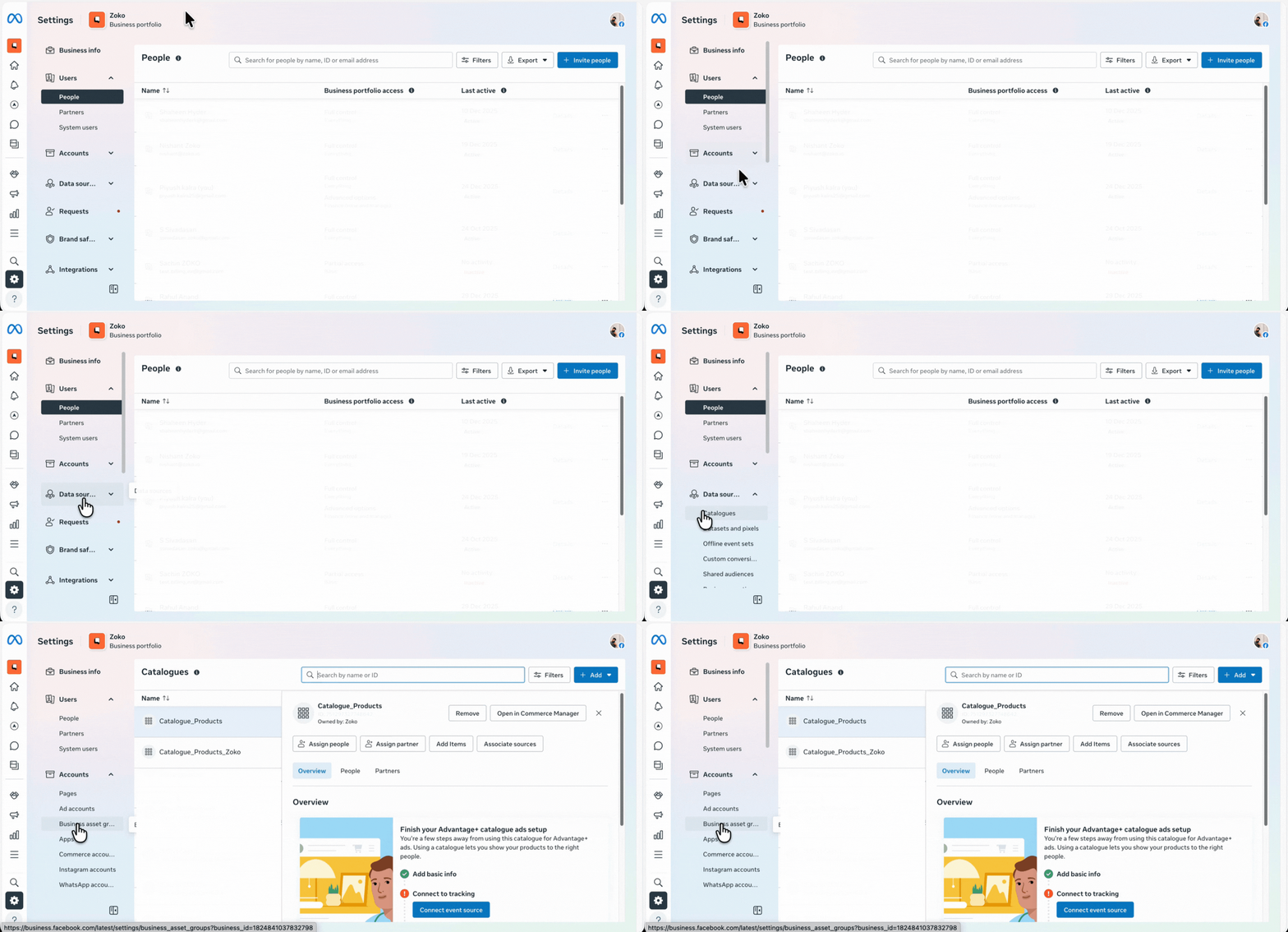
1. Go to Meta Business Manager.
2. Go to Data Sources and click on Catalogues.
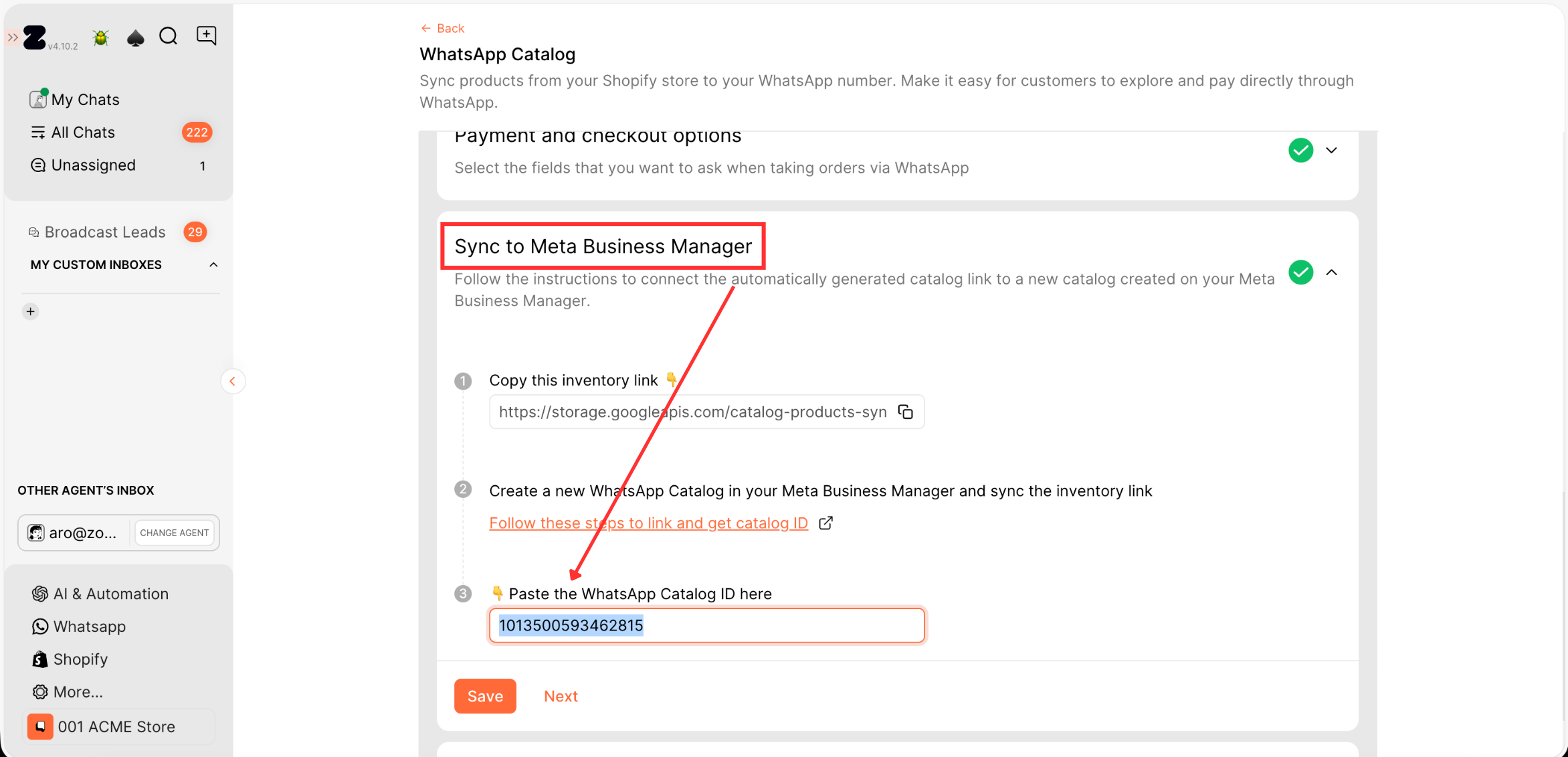
3. Copy the Catalog ID from your Zoko dashboard.
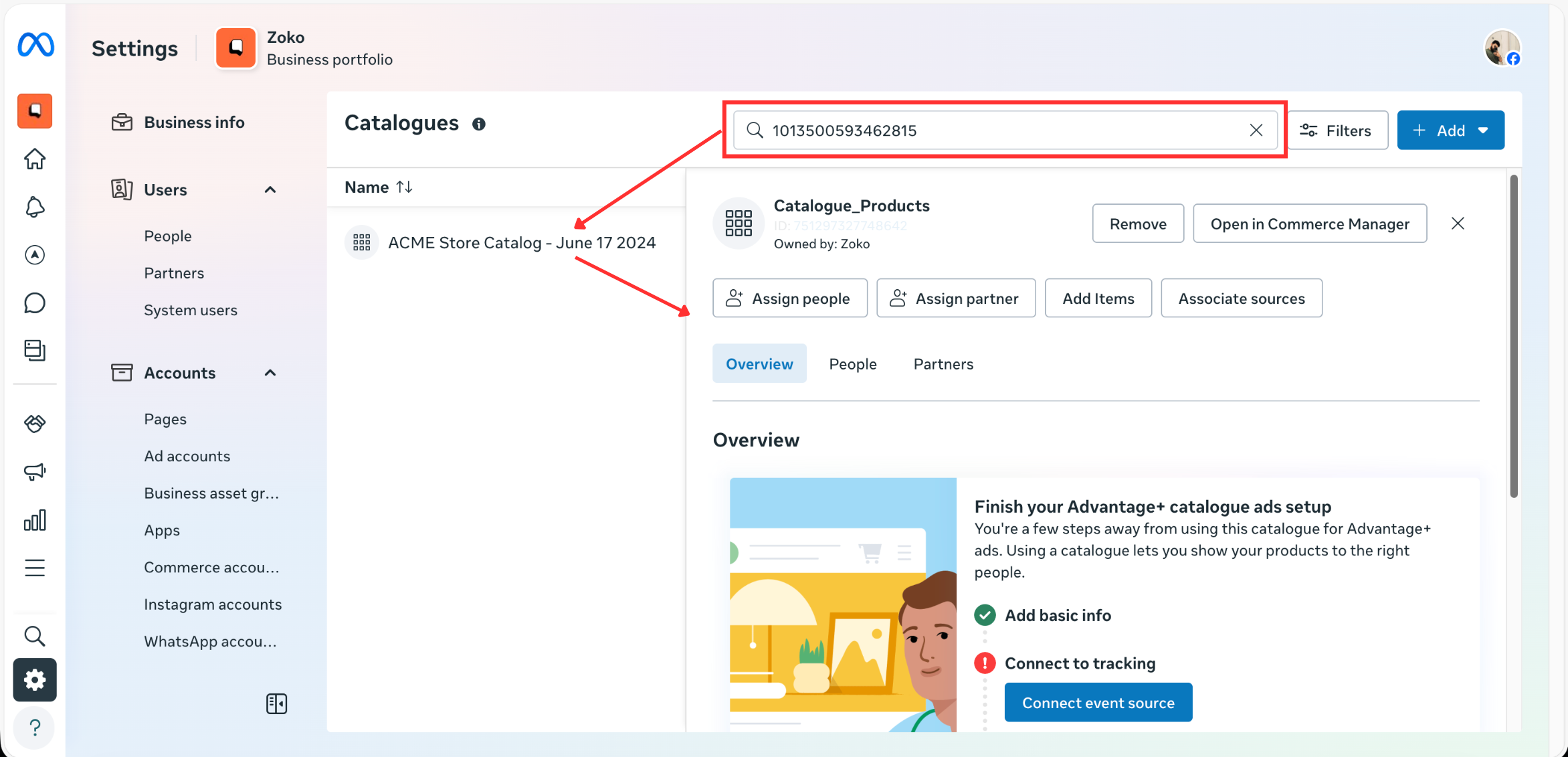
4. Paste the Catalog ID into the search bar and open the catalog.
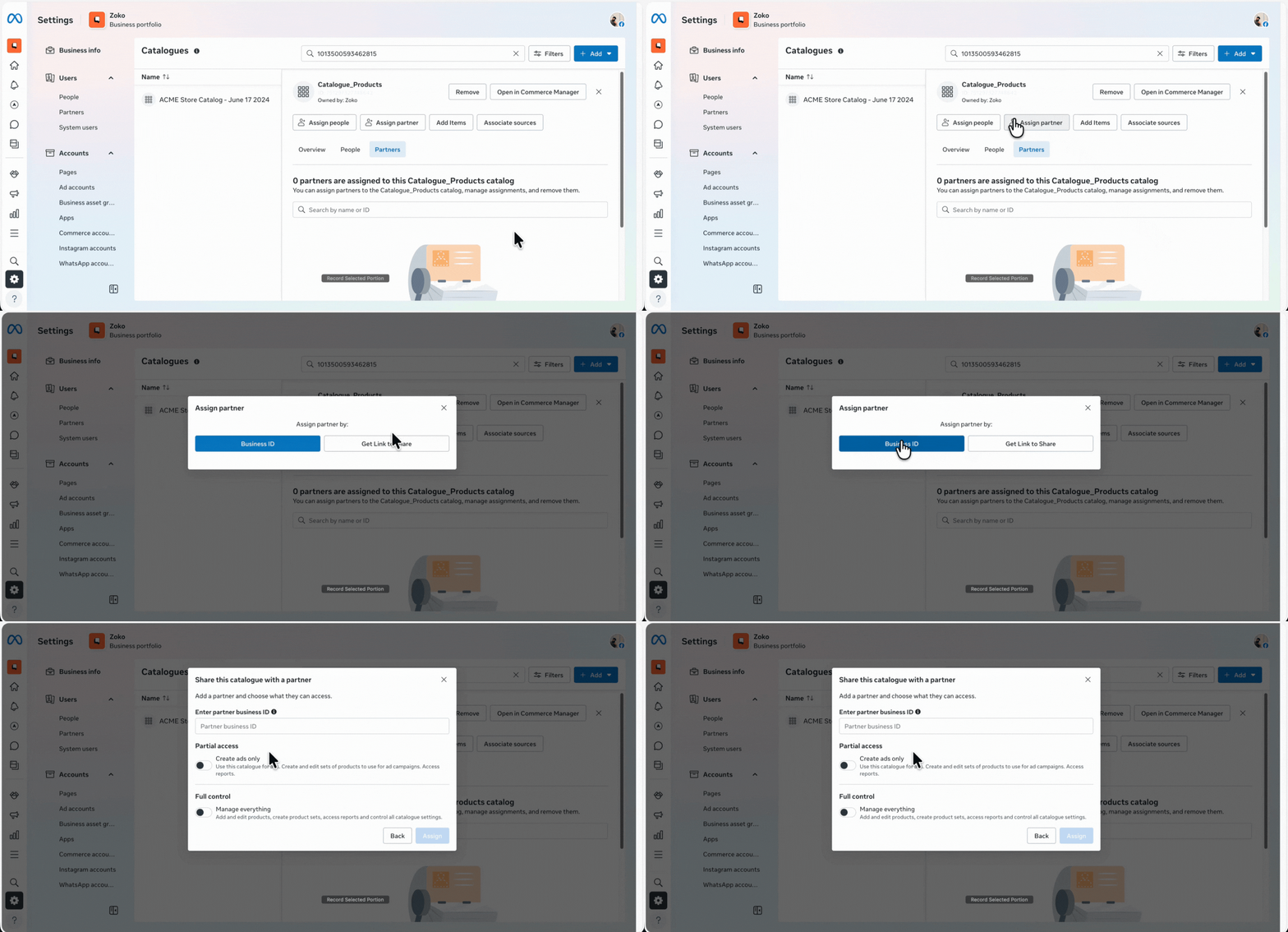
5. Go to Partners.
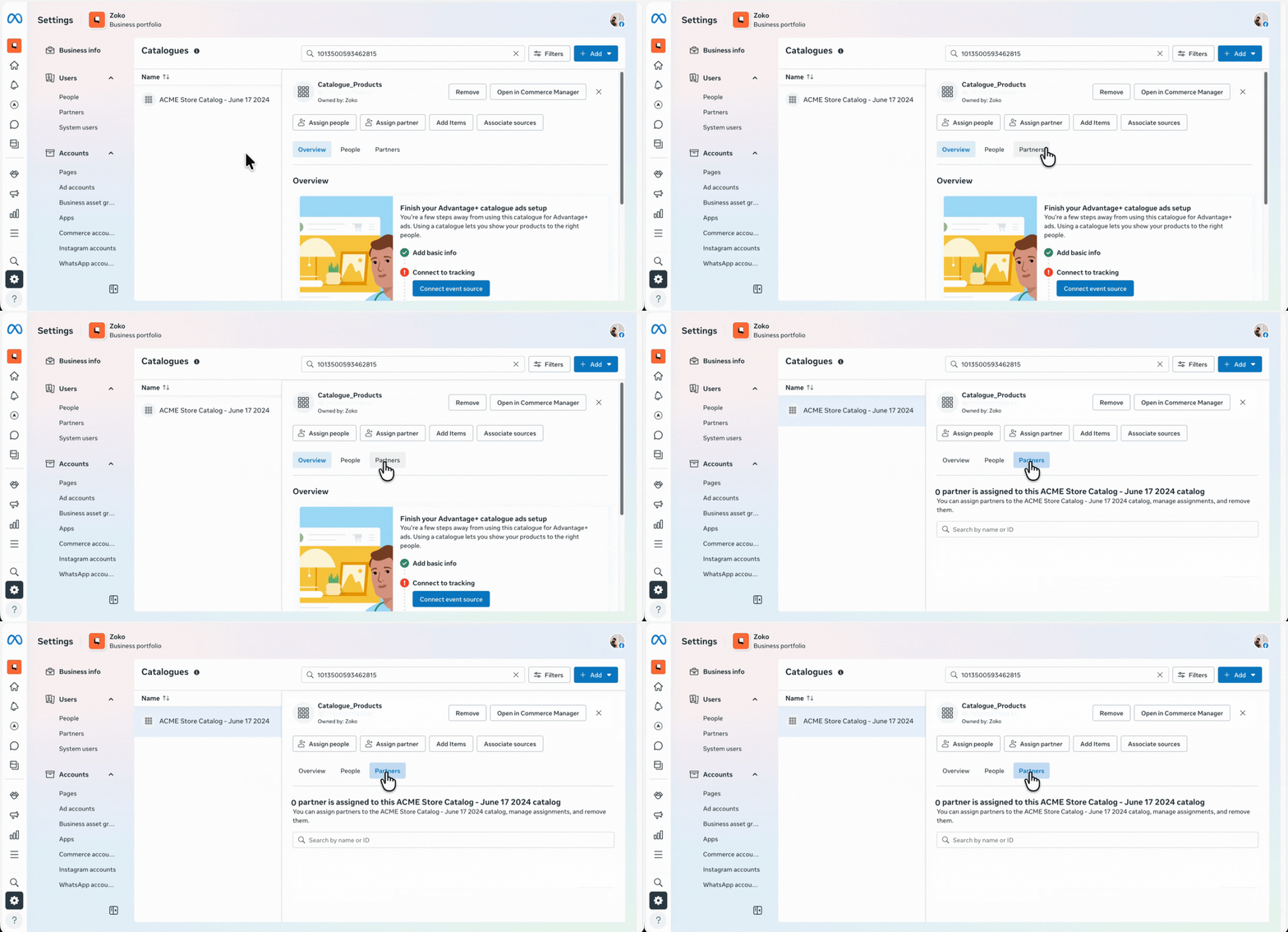
6. Check if Zoko is already assigned
- If yes, move to Step 2.
- If no:
- Click Assign Partner and select Business ID
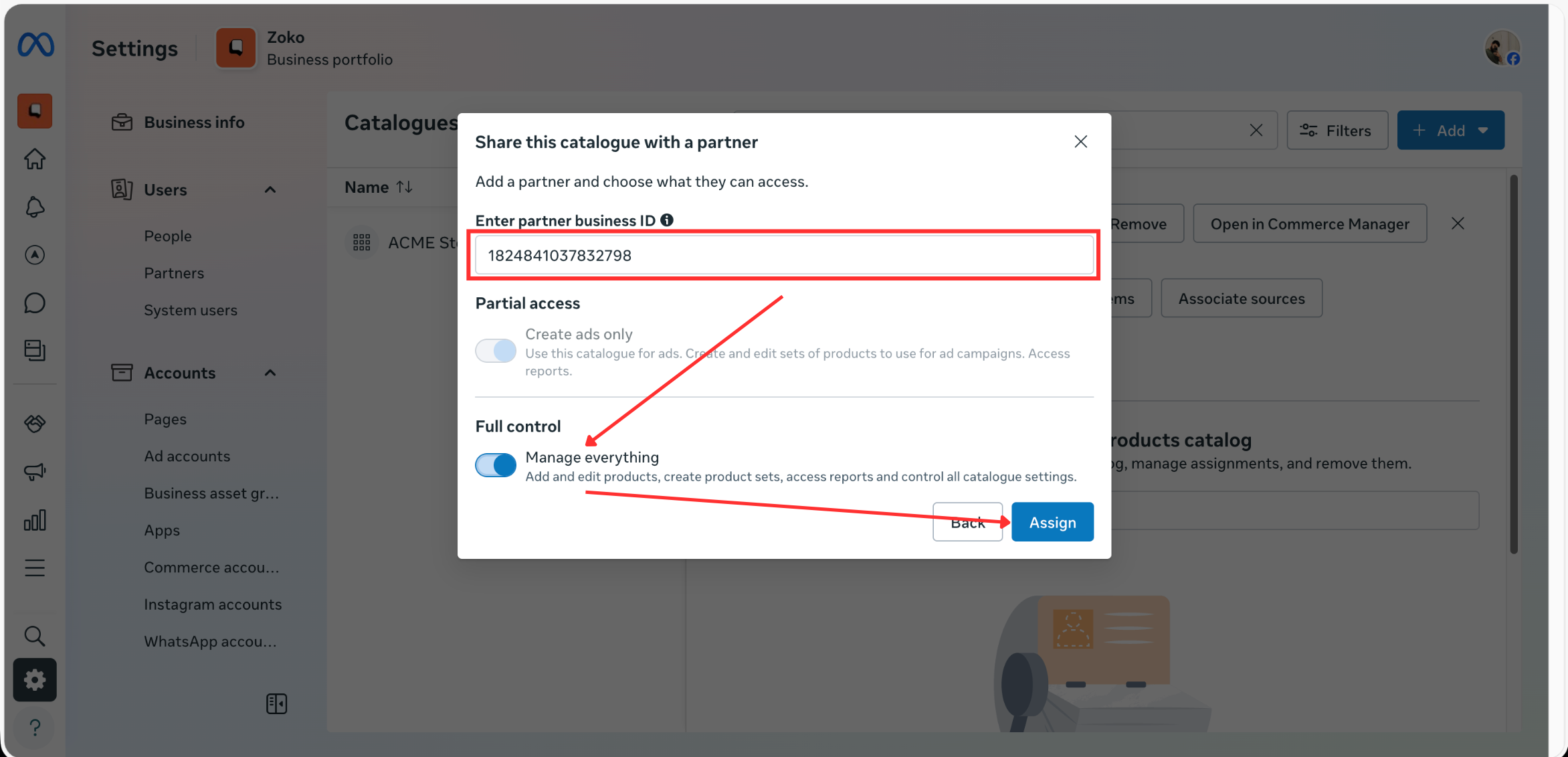
- Paste this ID - 1824841037832798, enable Manage everything, and click Assign
Step 2: Verify WhatsApp Account Access & Catalog Connection
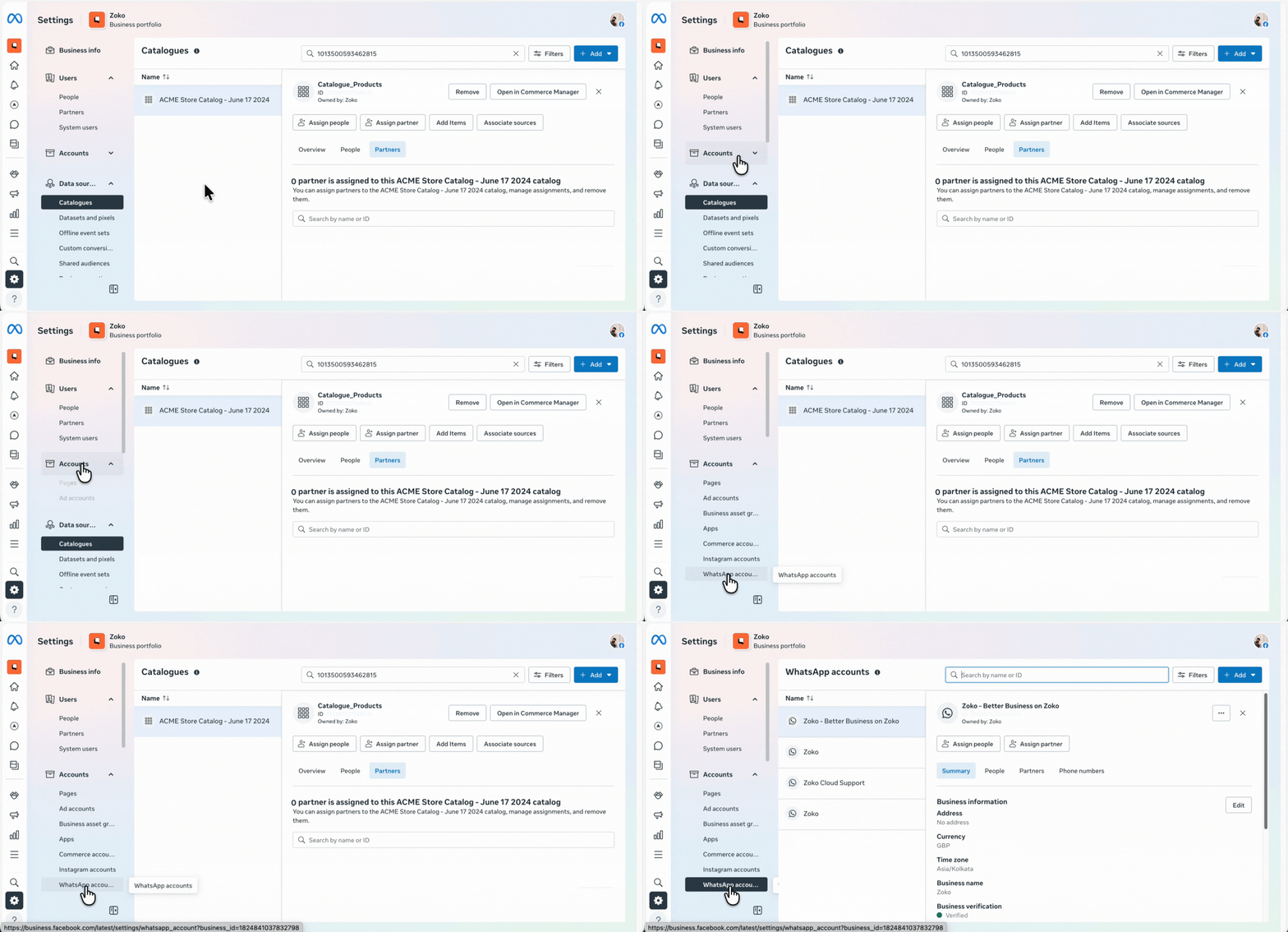
1. Under Accounts, click on WhatsApp Accounts, and then choose your WhatsApp account.
A. Check Partner Access
3. Go to Partners and confirm that Zoko is already assigned
- If yes, move to B section
- If not:
- Click Assign Partner.
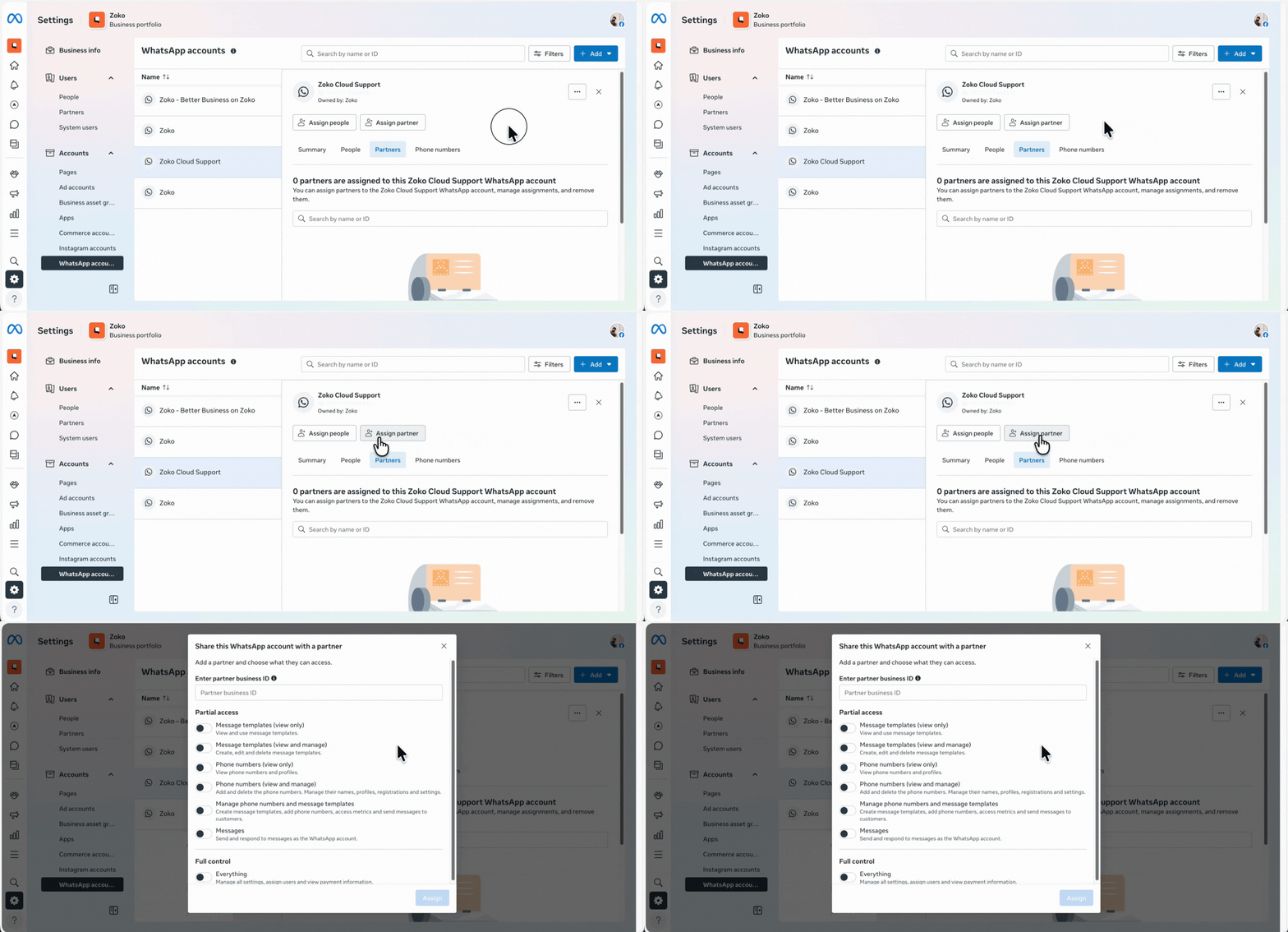
- Paste this ID: 1824841037832798, select Full Control >> Everything, and click Assign
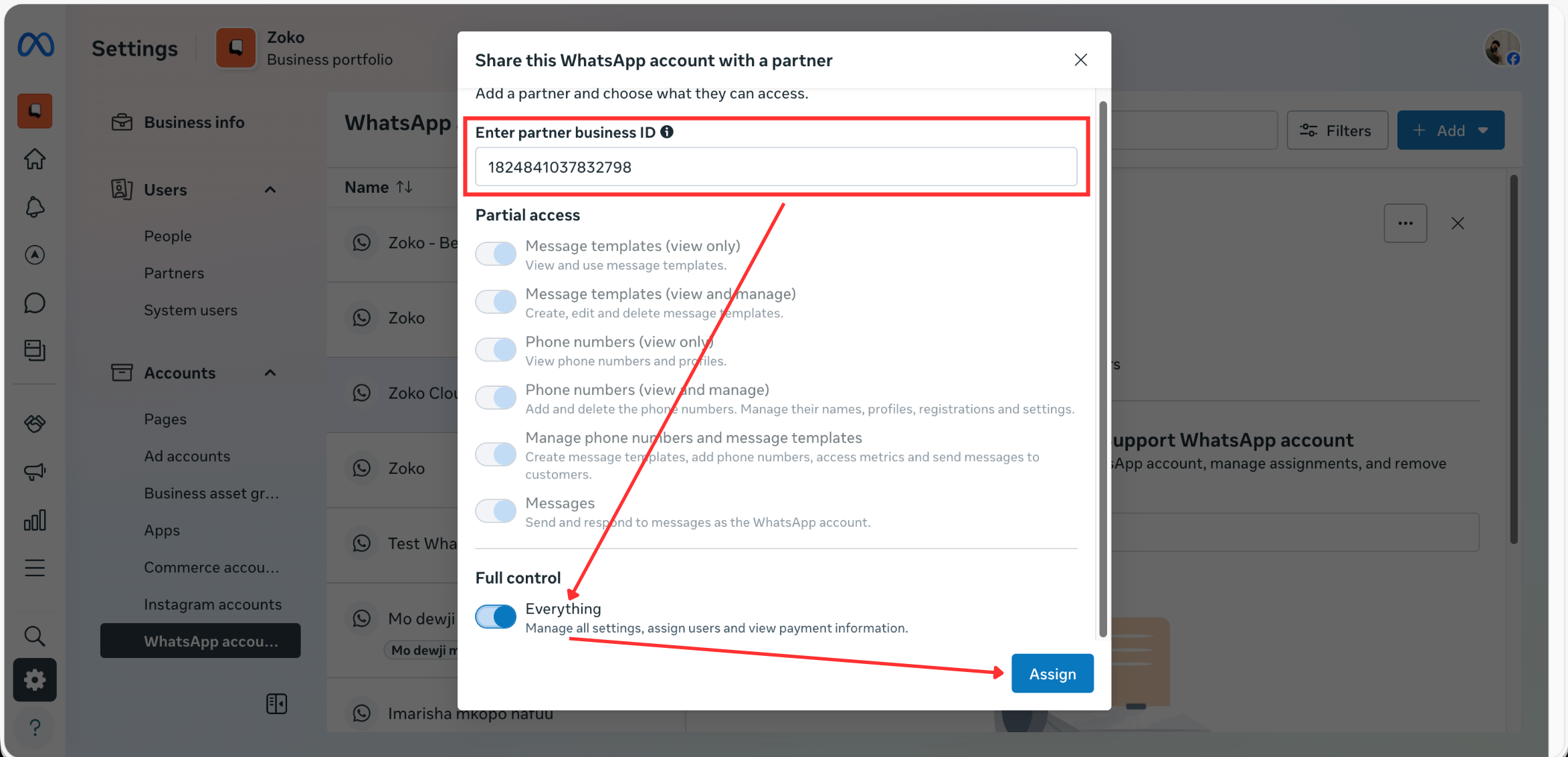
B. Check Catalog Connection
5. Under Summary, scroll down and click on WhatsApp Manager.
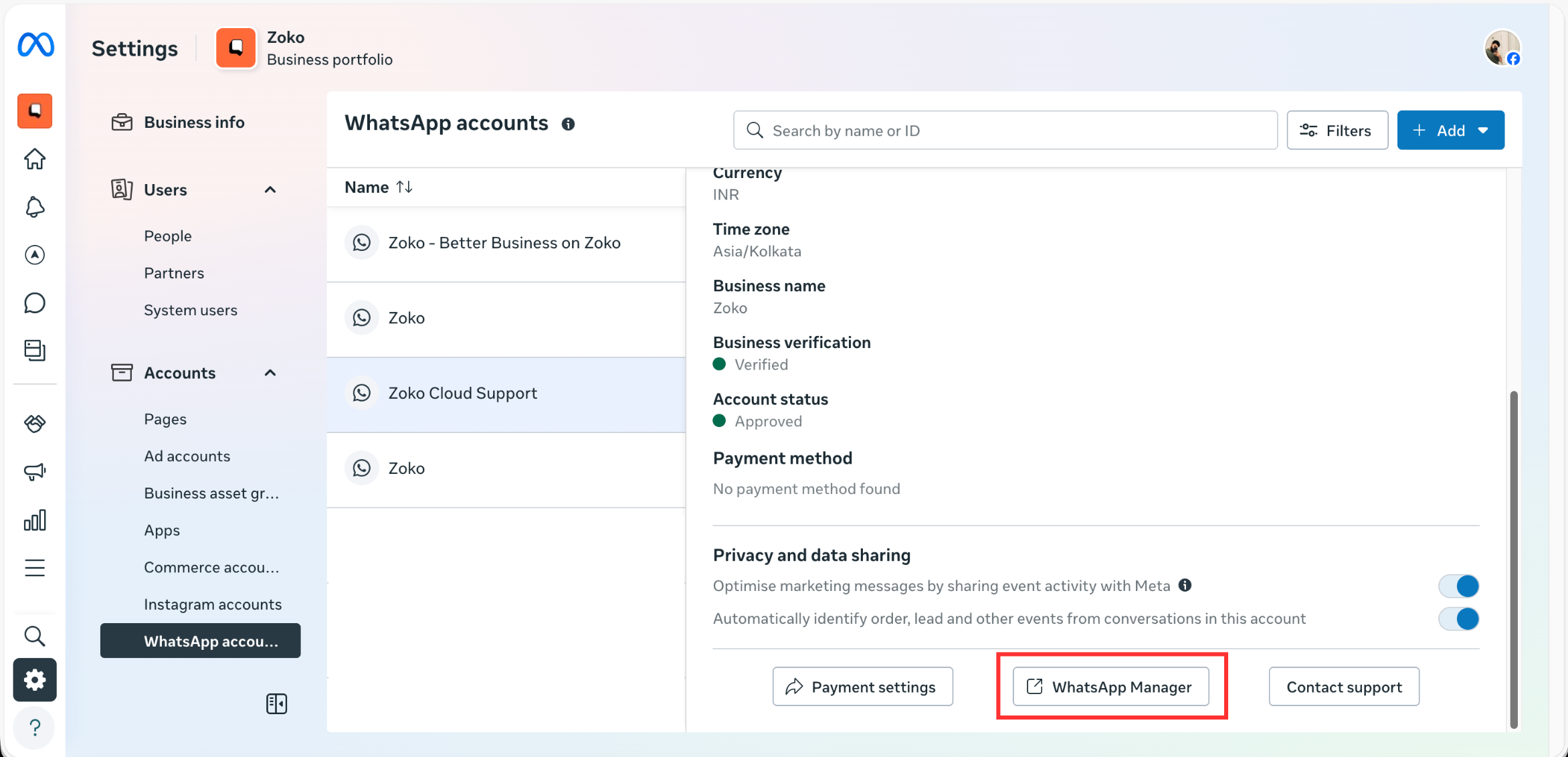
6. Under Account Tools, click on Catalogue.
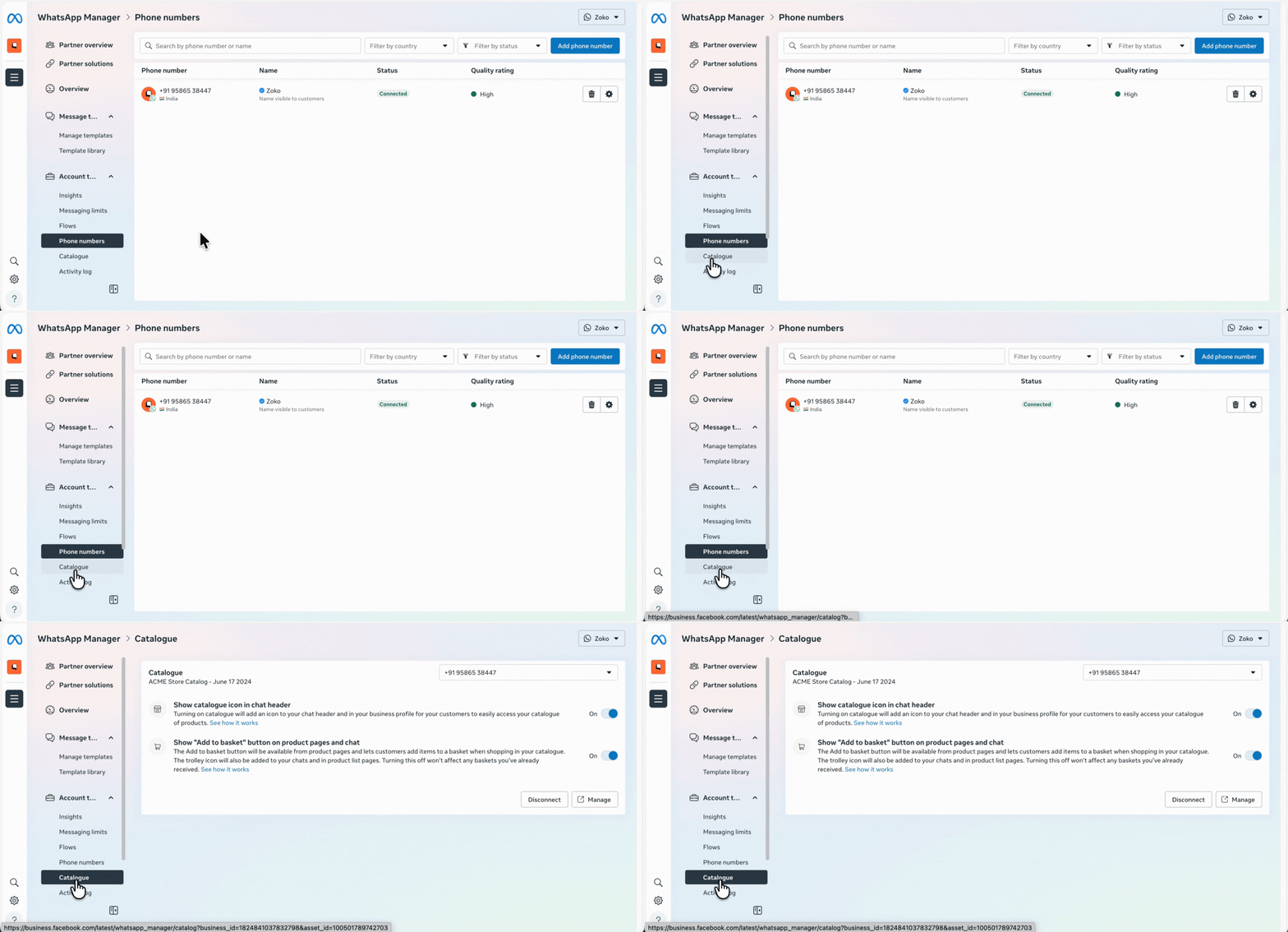
7. Check the catalog status:
- If the catalog is already connected, no action is needed.
- If not connected:
- Click Choose a Catalog.
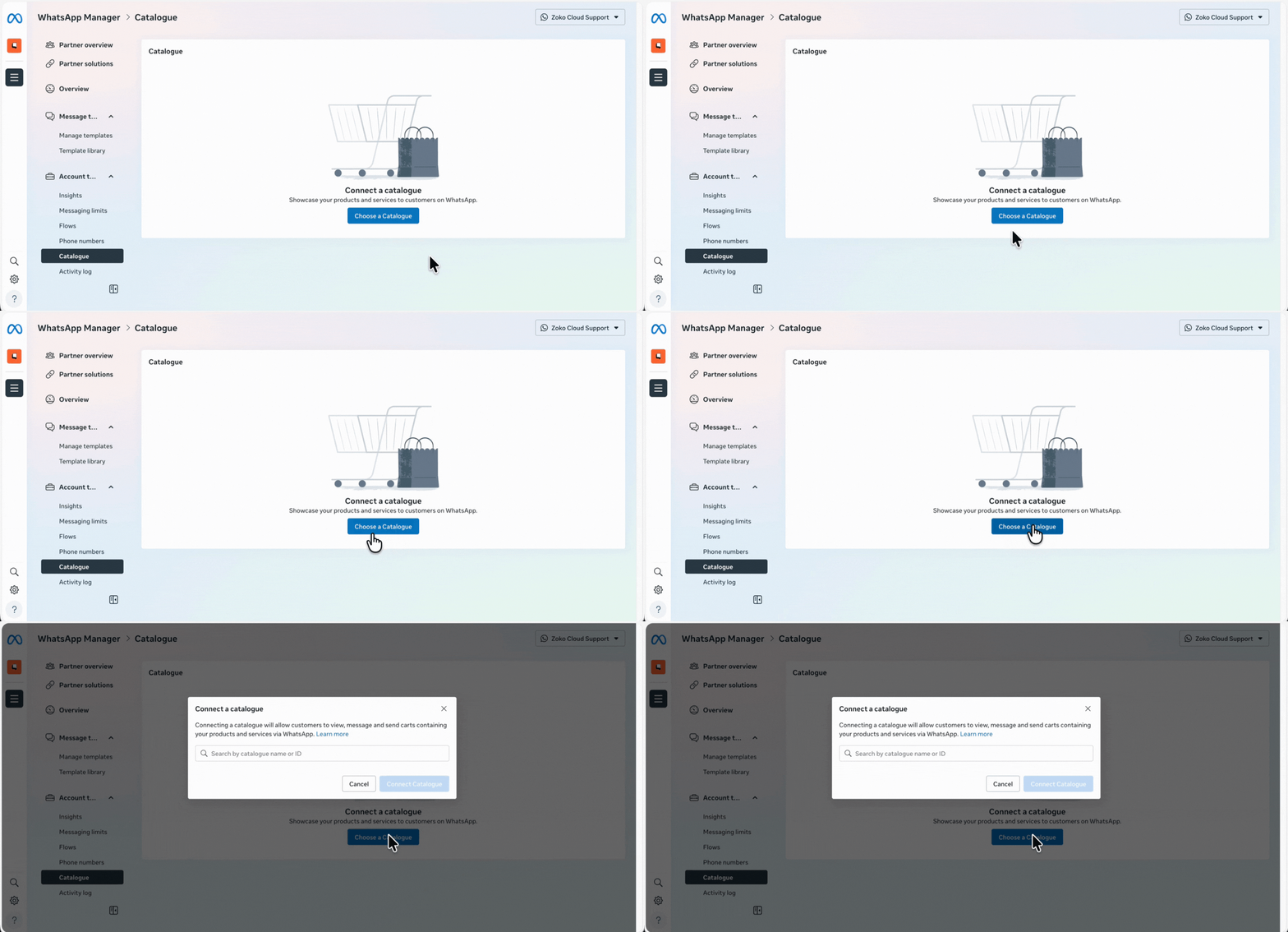
- Select the correct product catalog and click Connect Catalog.
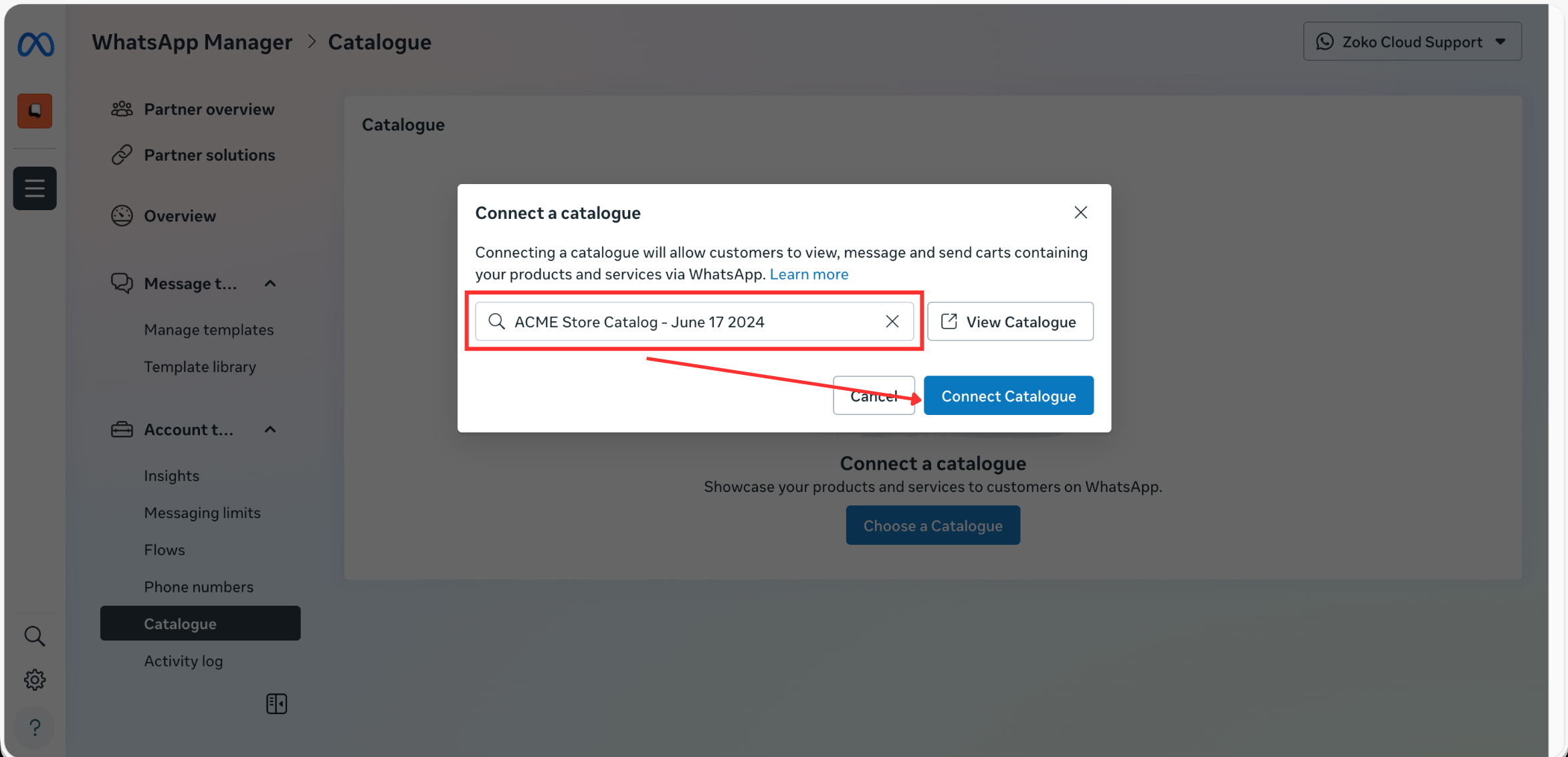
That’s it! Refresh your Zoko dashboard and allow up to 1 hour for the catalog to fully sync.
If the catalog still doesn’t appear correctly after that, feel free to reach out to us via WhatsApp. We’ll be happy to help you further.
Keywords: Catalog not working, Troubleshoot, Catalog issue, Fix catalog, Catalogue troubleshoot
