





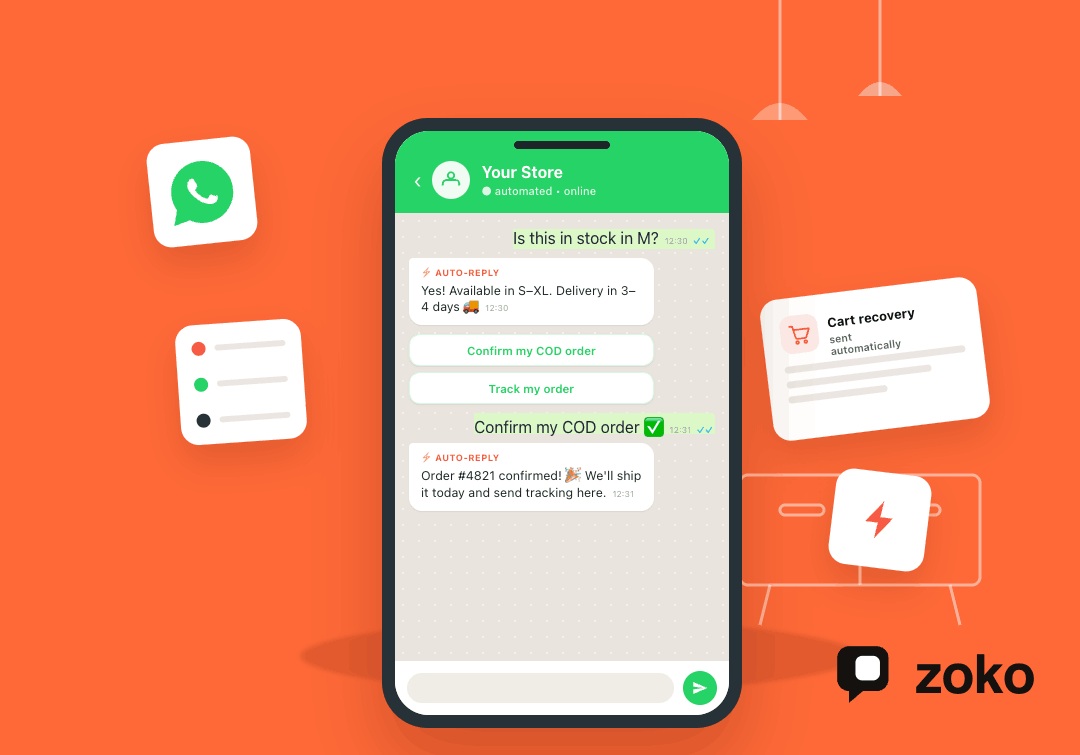


For Shopify merchants in India, every delayed WhatsApp reply can feel like a missed sale. Customers often ask about size, stock, delivery timelines, COD, returns, and payment options before they buy. When your team answers manually, chats pile up fast, follow-ups slip through, and ready-to-buy shoppers may choose another store. The pressure feels higher when a small team must handle sales, support, and order updates together.
WhatsApp message automation for business helps merchants send timely replies, updates, reminders, and support messages without making chats feel robotic. It can support abandoned cart recovery, COD confirmations, delivery updates, repeat purchase prompts, and common product questions.
This article explains how automation works, which Shopify workflows to automate first, and where human support still matters. You will also see how Zoko connects WhatsApp, Shopify, and automation to make sales chats faster, clearer, and easier to manage.
Key Takeaways
WhatsApp message automation for business helps Shopify merchants reply faster, recover missed sales, and manage customer chats more clearly.
- Automation sends replies, reminders, alerts, and updates based on customer actions.
- Shopify merchants can automate product questions, abandoned carts, COD confirmations, and delivery updates.
- Manual replies work for low chat volume, but automation supports busy sales periods.
- Zoko connects WhatsApp with Shopify workflows, catalog sync, cart recovery, and order updates.
- The best first workflows are FAQs, cart reminders, COD checks, shipping updates, and reviews.
- Human support should still handle complex questions, complaints, and high-value sales chats.
What Is WhatsApp Message Automation for Business?
WhatsApp message automation for business means sending pre-set replies, reminders, alerts, and updates based on customer actions. For Shopify merchants, it helps answer shoppers faster when they ask about stock, sizing, delivery, COD, returns, or payment options before buying.
Instead of making every reply depend on a team member being free, automation turns repeated chats into clear workflows. These workflows can support product questions, abandoned carts, order updates, delivery messages, and customer support without making conversations feel robotic.

How is it different from manual WhatsApp replies?
| Manual WhatsApp Replies | WhatsApp Message Automation |
|---|---|
| Works well when chat volume is low. | Works better when many shoppers ask repeated questions. |
| Depends on a team member being available. | Sends replies, reminders, and updates based on set workflows. |
| Can slow down during sales, launches, or busy hours. | Keeps responses consistent during high-volume periods. |
| Repeated questions take time from the team. | Handles common product, payment, delivery, and return questions. |
| Follow-ups can get missed in long chat threads. | Sends timely cart, COD, order, and delivery follow-ups. |
| Best for complex questions and personal selling. | Best for routine chats that need fast, clear answers. |
Where does Zoko fit in?
Zoko helps Shopify merchants turn WhatsApp chats into sales conversations. With Shopify integration, catalog sync, cart recovery, order updates, and support workflows, Zoko keeps customer chats fast, organized, and closer to checkout.
Also Read: How to Use WhatsApp for Shopify Abandoned Cart Recovery
Why Shopify Merchants Need WhatsApp Message Automation
Once a Shopify store starts getting regular WhatsApp inquiries, manual replies can slow down sales. WhatsApp message automation for business helps merchants answer faster, reduce missed follow-ups, and keep shoppers moving toward purchase.
Slow Replies Can Cost Ready-to-Buy Customers
Most shoppers do not ask questions just for information. They often ask because they are close to buying, but need one clear answer first. For Indian Shopify merchants, these questions may include size, stock, delivery time, COD, returns, or payment options.
A delayed reply can create doubt at the wrong moment. The shopper may compare another store, delay the purchase, or forget the product entirely.
Repeated Questions Drain Small E-commerce Teams
Small e-commerce teams often answer the same questions throughout the day. These chats usually cover:
- Product price and availability
- Order status and delivery date
- Payment options and COD
- Return, exchange, and refund rules
- Product details, sizing, and variants
Automation handles these repeated replies with consistency. This gives the team more time for complex questions, serious buyers, and customer issues that need personal attention.
Missed Follow-Ups Leave Revenue on the Table
Many sales do not happen in the first message. A shopper may ask about a product, leave a cart, choose COD, or wait for delivery details. Without automation, these follow-ups can get buried inside long WhatsApp threads.
Automated reminders help Shopify merchants recover missed chances. They can confirm COD orders, remind shoppers about carts, and share timely updates without adding extra manual work.
Also Read: Top AiSensy Alternatives for WhatsApp Marketing
How WhatsApp Message Automation Works in a Shopify Store
WhatsApp automation works best when it follows real customer actions inside your store. For Shopify merchants, the goal is simple: send the right message at the right moment.
1. A Shopper Triggers a WhatsApp Workflow
The process starts when a shopper takes an action that needs a response. They may click a WhatsApp button, ask about stock, abandon a cart, place an order, or choose COD at checkout.
Each action can start a different workflow. For example, a cart reminder should not sound like a delivery update. Clear triggers keep messages relevant and useful.
2. The Customer Gets the Right Message Automatically
After the trigger, the automation sends a pre-set message that matches the customer’s stage. This could be an instant reply, an order confirmation, a payment reminder, a cart recovery nudge, or a shipping update.
For Shopify merchants, this makes replies faster without removing the human touch. The message gives shoppers clarity while your team focuses on chats that need personal help.
3. Your Team Sees the Context Before Replying
Good automation does more than send messages. It can collect details like name, product interest, order number, issue type, or delivery question before a team member joins.
Zoko Flows and FlowHippo Flows can support workflows such as COD confirmations, shipping updates, abandoned checkout recovery, reorder reminders, and review collection.
4. The Chat Moves Toward the Next Step
Every automated message should guide the shopper toward a clear action. That action may be completing payment, confirming COD, checking order status, leaving a review, or buying again.
This is what makes WhatsApp message automation for business useful for Shopify stores. It turns scattered chats into guided conversations that support sales, support, and repeat purchases.
Best WhatsApp Automation Use Cases for E-commerce Businesses
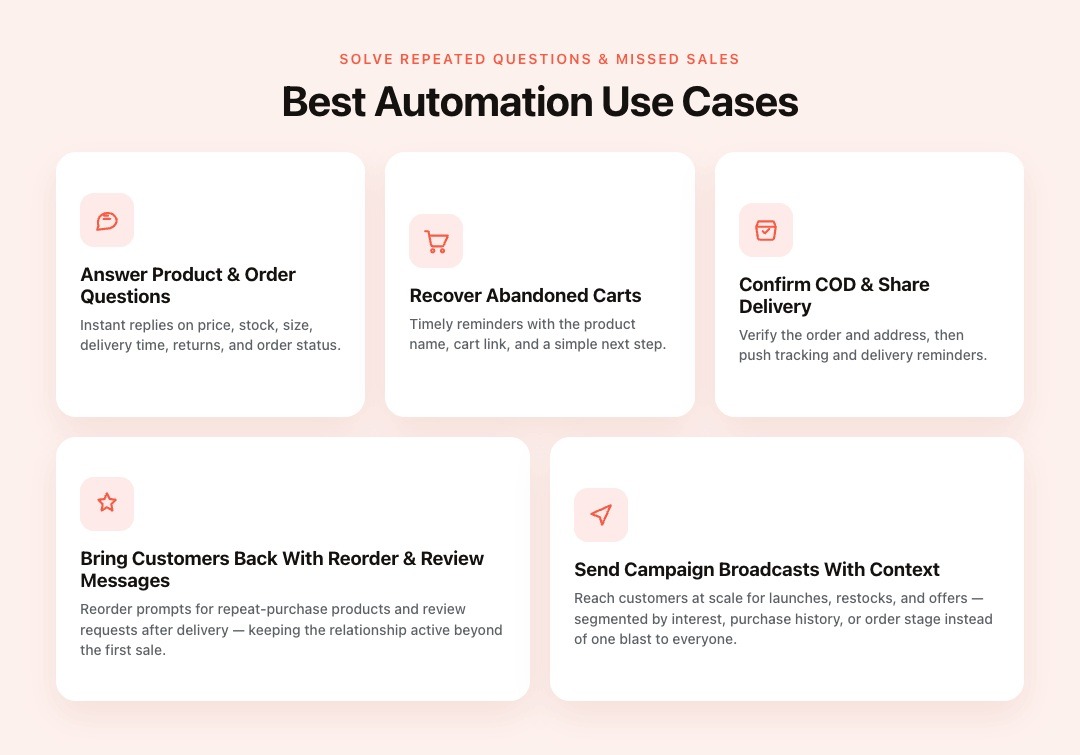
The best automation use cases solve repeated customer questions and missed sales moments. For Shopify merchants, these workflows should support faster replies, smoother orders, and better WhatsApp-based selling.
Answer Product and Order Questions Instantly
Shoppers often ask the same questions before they decide to buy. Automation can reply with clear answers about price, stock, size, delivery time, return rules, or order status.
Example: “Hi! This product is available in sizes S to XL. Delivery usually takes [insert timeline]. Would you like the size chart?”
Recover Abandoned Carts With Timely Reminders
Many shoppers add products to their cart but leave before payment. Automated WhatsApp reminders can bring them back while their purchase interest is still fresh.
For Shopify stores, this works best when the message includes the product name, cart link, and a simple next step. Zoko can help connect Shopify cart activity with WhatsApp-based recovery workflows.
Confirm COD Orders and Share Delivery Updates
COD orders are common in India, but they often need extra confirmation before shipping. Automation can confirm the order, check the address, and reduce confusion before dispatch.
When connected with logistics workflows, merchants can also send shipping updates, tracking details, and delivery reminders through WhatsApp. This makes post-purchase communication clearer for customers.
Bring Customers Back With Reorder and Review Messages
Automation also helps after delivery. Shopify merchants can send reorder reminders for repeat-purchase products and review requests after customers receive their orders.
These messages keep the relationship active beyond the first sale. They also help merchants collect feedback and encourage customers to buy again.
Send Campaign Broadcasts Without Losing Personal Context
WhatsApp broadcasts can support launches, restocks, offers, and seasonal campaigns. The key is to send messages based on customer interest, purchase history, or order stage.
With Zoko, merchants can use WhatsApp broadcasts to reach customers at scale while keeping messages relevant. This supports engagement, retention, and repeat sales without flooding every customer with the same update.
Also read: Chatbot Integration with WhatsApp Business: A Complete Process Guide
Connect Automation to the Full WhatsApp Buying Journey
Many businesses use WhatsApp automation only for quick replies and basic follow-ups. Shopify merchants can go further by connecting chats with product browsing, checkout, COD, support, and repeat sales.
Go Beyond Replies With Commerce-Ready Automation
Basic automation can answer common questions, but e-commerce automation should support the full buying journey. A shopper may ask about a product, check sizes, compare options, leave a cart, and return later.
For Shopify merchants, each of these actions matters. WhatsApp message automation for business should help the customer move from question to purchase, not just receive a faster reply.
Let Shoppers Browse Products Inside WhatsApp
Product discovery should feel easy when customers already prefer chatting on WhatsApp. With Zoko’s WhatsApp Catalog and Shopify catalog sync, merchants can show products where conversations already happen.
This helps shoppers move from interest to action with fewer steps. They can browse items, ask questions, and continue the buying journey inside WhatsApp.
Guide Customers From Question to Checkout
A strong automation workflow gives shoppers a clear next step after each message. It may share a product link, recover an abandoned cart, confirm COD, send payment details, or route the chat to support.
This keeps conversations organized and reduces sales friction. It also helps small teams manage more buyers without losing context.
Add AI Support Where Speed Matters Most
AI support works best when it improves response speed and clarity. A WhatsApp AI chatbot can answer common questions, route chats, and help customers get useful replies faster.
What Should Shopify Merchants Automate First?

Start with workflows that save time and protect sales. The best first automations are the ones your team repeats daily, and your customers expect quickly.
Automate High-Volume Customer Questions First
Begin with questions your team answers again and again. These usually include product size, stock, delivery time, order tracking, returns, exchanges, and COD availability.
For example, if shoppers often ask, “Is this available in medium?”, automation can send a quick stock or sizing reply. Your team can then step in when the shopper needs personal help.
Add Revenue-Linked Workflows Next
Once basic replies are covered, add workflows that directly support sales. These include abandoned checkout recovery, COD confirmation, payment reminders, reorder prompts, and review requests.
These automations help shoppers complete the next step without waiting for a manual reply. They also reduce missed follow-ups during busy sales periods or campaign days.
Keep Human Handoff for Complex Conversations
Automation should not handle every conversation from start to finish. High-value orders, complaints, product confusion, delivery issues, and sensitive support chats need human attention.
A good WhatsApp message automation for business setup handles repeated tasks first. Then it passes serious sales and support conversations to the right team member with helpful context.
Mistakes to Avoid With WhatsApp Message Automation
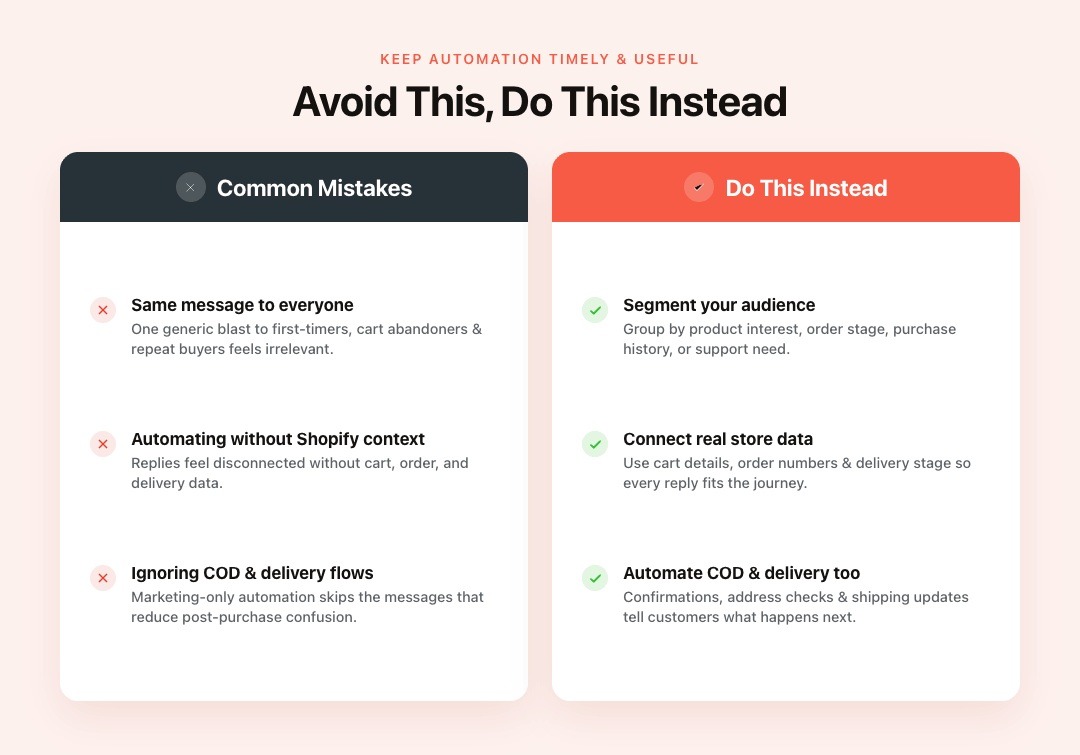
WhatsApp automation works best when messages feel timely, useful, and connected to the customer’s stage. Avoid these mistakes before scaling automation across your Shopify store.
Sending the Same Message to Every Customer
Generic messages can feel irrelevant and push customers away. A first-time shopper, cart abandoner, repeat buyer, and COD customer should not receive the same WhatsApp message.
Group customers by product interest, order stage, purchase history, or support need. This keeps automation helpful instead of noisy.
Automating Without Shopify Order Context
Automation works better when it uses real store data. Cart details, order numbers, payment status, delivery stage, and customer history make messages more useful.
Without Shopify context, replies may feel disconnected from the customer’s actual journey. Zoko helps connect WhatsApp chats with Shopify workflows, so merchants can respond with better context.
Ignoring COD and Delivery Workflows
Indian Shopify merchants should not automate only marketing messages. COD confirmations, shipping updates, address checks, and delivery reminders also matter.
These workflows reduce confusion after purchase and help customers know what happens next.
Conclusion
WhatsApp message automation for business helps Shopify merchants reply faster, reduce missed follow-ups, and guide shoppers toward purchase. Start with repeated questions, then add cart recovery, COD confirmations, delivery updates, and review requests.
Zoko connects Shopify and WhatsApp so merchants can manage sales chats with better context and fewer delays. Start your 7-day free trial and send your first WhatsApp campaign this week.
Also read: WhatsApp Business API Policy Guide for Shopify
Also read: WhatsApp Business Catalog Setup Guide
FAQs
Q. Can businesses automate WhatsApp messages?
Yes. Businesses can automate WhatsApp messages using the right WhatsApp Business tools, an approved setup, and clear workflow rules.
Q. Is WhatsApp automation useful for Shopify stores?
Yes. It helps Shopify stores handle repeated questions, abandoned carts, COD confirmations, order updates, and support chats faster.
Q. What messages should a Shopify merchant automate first?
Start with instant replies, abandoned cart reminders, order confirmations, COD confirmations, delivery updates, and review requests.
Q. Does automation replace human support?
No. Automation handles repeated tasks and passes complex sales or support chats to the right team member.
Interested to know more?
.svg)
Case Studies




















Featured Posts


Continue reading

The E-Commerce Divide: How the Top 10% of Brands Use AI to Grow 5X Faster (And Why It’s Not for Everyone)
Drive Sales with WhatsApp Catalog Integration: Here's How