





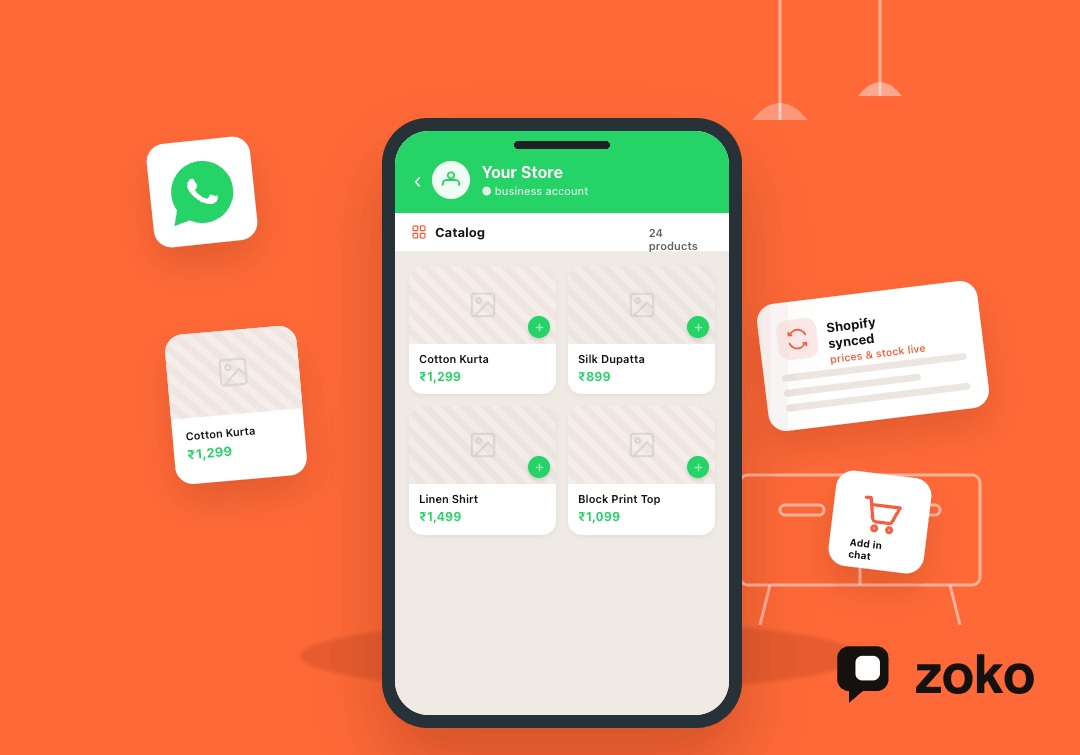


For Shopify merchants in India, product questions on WhatsApp can quickly turn into a manual workload. Customers ask for photos, prices, sizes, stock, and delivery details before they feel ready to buy. When your team shares every product manually, replies slow down, chats pile up, and interested shoppers may lose momentum.
A WhatsApp Business catalog setup guide helps merchants create a product showcase inside WhatsApp, so customers can browse before asking. This article explains what a catalog is, how to prepare product details, and how setup works. You will also see how Zoko connects Shopify catalogs with WhatsApp chats, helping merchants support faster product discovery and smoother buying conversations.
Overview
- Shopify merchants can use a WhatsApp Business Catalog to show products inside customer chats.
- A catalog helps shoppers view names, images, prices, descriptions, variants, and links before asking questions.
- Preparing product details before setup reduces repeated questions and confusing listings.
- Clear product groups make browsing easier during launches, campaigns, and high-traffic periods.
- Zoko helps connect Shopify catalogs with WhatsApp chats, workflows, and customer follow-ups.
What Is a WhatsApp Business Catalog?
A WhatsApp Business Catalog is a product showcase inside WhatsApp where businesses can display items with product names, images, prices, descriptions, and links where available. Customers can open the catalog from the business profile or view shared catalog items inside a chat.
For Shopify merchants, it works like a lightweight product browsing layer inside WhatsApp. Instead of sending product photos, prices, and links manually, merchants can give customers a clearer way to explore products before asking questions or moving toward purchase.
What Does a WhatsApp Business Catalog Do?
A WhatsApp Business Catalog is a product showcase inside WhatsApp. For Shopify merchants, it helps customers view product details before asking questions or moving toward purchase.
It Shows Products Inside WhatsApp
A WhatsApp Business Catalog lets businesses display products with names, images, prices, descriptions, and links where available. Customers can open the catalog from the business profile or receive catalog items inside chats.
For Shopify merchants, this makes product discovery easier because shoppers do not need to ask for every photo, price, or product detail manually.
It Helps Customers Browse Before They Ask
Many shoppers use WhatsApp when they want quick clarity before buying. A catalog lets them browse products first, then ask better questions about size, availability, delivery, COD, or returns.
This reduces repeated questions for small teams. It also makes WhatsApp chats more useful because customers arrive with clearer product interest.
It Works Best When Product Details Stay Updated
A catalog only helps when product information is accurate. Images, prices, descriptions, variants, stock status, and product links should match the Shopify store wherever possible.
For growing Shopify brands, manual updates can become difficult. Zoko helps connect Shopify catalogs with WhatsApp, so product conversations stay closer to real store data.
Also Read: Effortless WhatsApp Business Integration Guide
Why Shopify Merchants Should Set Up a WhatsApp Catalog
A WhatsApp Catalog helps Shopify merchants make product discovery easier inside customer chats. Instead of sending every product detail manually, teams can guide shoppers with a clearer browsing experience.
Customers Can Browse Products Without Leaving WhatsApp
Many shoppers prefer asking on WhatsApp before checking a store again. A catalog lets them browse product images, prices, descriptions, and links inside the same chat environment.
This reduces the back-and-forth around basic product details. It also helps customers move from casual interest to a more informed buying question.
Product Questions Become Easier to Answer
A shopper may first ask about a product, then check variants, confirm availability, and request a checkout link. A catalog gives the shopper useful product context before this conversation starts.
For Shopify merchants, this can make WhatsApp sales chats faster and more focused. The team can spend less time sharing details and more time helping customers decide.
Small Teams Spend Less Time Sharing Product Details
Small e-commerce teams often repeat the same product information throughout the day. Catalogs reduce manual sharing of photos, prices, size charts, product links, and availability details.
This supports smoother operations during launches, sales, and high-traffic periods. It also keeps customer replies more consistent across the team.
Campaigns Can Point Shoppers to Relevant Products
Catalogs can support broadcasts, cart recovery, restock alerts, and product recommendations when messages match customer interest. This makes campaigns feel more connected to what shoppers want.
With Zoko, Shopify merchants can connect catalog browsing with WhatsApp sales chats, helping product discovery move closer to checkout.
Also Read: ChatGPT in WhatsApp: A Zoko Solution to Streamline E-commerce Workflows
How to Prepare Your Products Before Catalog Setup

A WhatsApp Catalog works better when product information is ready before setup begins. For Shopify merchants, this step helps avoid confusing listings, repeated questions, and missed buying intent.
Make Product Names Easy to Recognize
Use product names that customers can understand quickly in a WhatsApp chat. The catalog name should match the Shopify product page as closely as possible.
Avoid vague names like “Premium Set” or “New Arrival 1” without context. Clear names help shoppers identify the right item before asking about size, price, or availability.
Write Descriptions That Answer Buying Questions
A strong catalog description should help customers decide whether the product fits their needs. Include practical details such as material, size, use case, contents, care instructions, or key benefits.
For example, a clothing item may need fabric, fit, and size details. A beauty product may need quantity, skin type, usage, and ingredient notes.
Add Product Images That Reduce Doubt
Images should show the product clearly and accurately. Use clean backgrounds, good lighting, and multiple angles when possible.
Helpful images can reduce basic questions before the chat begins. [Insert product image checklist or example here.]
Check Prices, Stock, and Variants Before Publishing
Before setup, review product price, availability, sizes, colors, materials, and variant options. These details should match the Shopify store to avoid confusion.
For larger catalogs, synced product data can reduce manual updates. This is where Zoko’s Shopify catalog sync can help keep WhatsApp product conversations closer to real store data.
Group Products by How Customers Shop
Organize products by category, bestseller, campaign, season, or use case. This makes browsing easier and helps customers find relevant items faster.
Better grouping also supports WhatsApp broadcasts, cart recovery, and product recommendations.
Also Read: Trying to Find Best WhatsApp Business API Provider? This Guide will Help you Choose your Provider
Also read: How to Delete Catalog in WhatsApp Business: 2026 Guide for Shopify Merchants
WhatsApp Business Catalog Setup Guide: Step-by-Step

Once your product details are ready, you can start setting up the catalog. This section keeps the process simple, so Shopify merchants can move from setup to customer-facing product discovery.
Step 1: Set Up or Review Your WhatsApp Business Account
Start with a complete WhatsApp Business profile. Add your business name, category, description, website, email, store hours, and contact details.
This helps customers trust the profile before they browse products or start a buying conversation. Shopify merchants should also make sure the profile matches their store branding.
Step 2: Add Products to the Catalog
Add each product with a clear name, product image, price, description, and link where available. Keep the details consistent with your Shopify product page.
For example, a fashion product should include size, color, fabric, price, and care details. A beauty product should include quantity, usage, and skin type where relevant.
Step 3: Review Product Details Before Publishing
Before publishing, check every product for missing or outdated information. Review names, images, descriptions, prices, variants, availability, and product links.
Use this quick check:
- Is the product name clear?
- Is the price correct?
- Are images accurate?
- Are variants explained?
- Is the product still available?
Step 4: Share Catalog Items in Customer Chats
After publishing, use catalog items inside real WhatsApp conversations. Share them when customers ask about sizes, prices, availability, product comparisons, or recommendations.
Catalog items can also support cart recovery, campaign replies, support chats, and repeat purchase conversations. This keeps product discovery close to the sales conversation.
Step 5: Keep the Catalog Updated
A catalog can create confusion if it shows old prices, discontinued products, or unavailable variants. Shopify merchants should review catalog details regularly.
For growing stores, Zoko’s Shopify catalog sync can reduce manual updates. It helps keep WhatsApp product conversations closer to real store data.
Connect Your Shopify Catalog to WhatsApp Sales Workflows
Most catalog setup guides stop once products are added and published. Shopify merchants need the next layer: a catalog that supports real WhatsApp sales conversations, follow-ups, and customer actions.
Catalog Setup Should Not End at Product Uploads
Adding products is only the first step. A useful WhatsApp Catalog should help shoppers ask better questions, compare products, and move closer to checkout.
For Shopify merchants, the catalog should support the sales journey after browsing begins. That includes product discovery, cart recovery, COD confirmation, support, and repeat purchase conversations.
Shopify Sync Keeps Product Details More Accurate
Manual catalog updates can become difficult when prices, stock, variants, or product lines change often. Incorrect product details can create confusion and slow down buying decisions.
Zoko helps Shopify merchants connect their store catalog with WhatsApp. This keeps product conversations closer to real store data and reduces the need for repeated manual updates.
Catalog Items Can Support Real Sales Chats
Catalog items work best when teams use them inside active customer conversations. Merchants can share products during size questions, product comparisons, campaign replies, and abandoned cart follow-ups.
This helps customers see the right item quickly. It also gives sales teams a cleaner way to move from product interest to checkout.
Catalog Browsing Can Connect With Automation
A connected catalog can support workflows beyond manual chats. Shopify merchants can use catalog interest to guide cart recovery, broadcasts, reorder reminders, review requests, and support follow-ups.
With Zoko Flows, merchants can build workflows that keep WhatsApp product discovery tied to customer actions. This makes the catalog part of the sales process, not just a product list.
Common WhatsApp Catalog Setup Mistakes to Avoid

A WhatsApp Catalog should make product discovery easier, not create more confusion. Shopify merchants should avoid these mistakes before sending catalog items into customer chats.
Uploading Products With Missing Details
Incomplete listings create more questions instead of fewer. Missing prices, weak descriptions, unclear images, and absent product links can slow the buying conversation.
Before publishing, check that every product includes the details customers usually ask for. This may include size, material, quantity, delivery notes, and availability.
Ignoring Product Variants
Shopify stores often sell products with sizes, colors, bundles, flavors, or materials. If these variants are unclear, customers may still need manual help before buying.
Fashion, beauty, food, and accessories brands should pay extra attention here. Clear variant details make WhatsApp browsing more useful.
Letting Product Information Become Outdated
Old prices, discontinued products, and unavailable variants can weaken customer trust. They can also increase support workload when shoppers ask about items they cannot buy.
Regular updates help keep WhatsApp chats accurate and sales-ready.
Treating the Catalog Like a Static Product List
A catalog should support real conversations, not just sit inside the business profile. Use catalog items in product questions, broadcasts, cart recovery, support replies, and repeat purchase chats.
This keeps WhatsApp product discovery connected to selling.
Conclusion
A WhatsApp Business Catalog gives Shopify merchants a clearer way to show products inside customer chats. When your catalog has clear names, accurate prices, strong images, updated variants, and useful descriptions, shoppers can find product details faster before asking questions.
For growing Shopify stores, keeping catalog details updated by hand can become difficult. Zoko helps connect your Shopify catalog with WhatsApp, so your team can set up product browsing with fewer manual updates.
Ready to set up your WhatsApp Business Catalog for Shopify? Start your 7-day free trial with Zoko.
Also read: WhatsApp Business Catalog Bulk Upload: A Step-by-Step Guide for Shopify Merchants
Also read: WhatsApp Message Automation for Business
FAQs
1. What is a WhatsApp Business Catalog?
A WhatsApp Business Catalog is a product showcase inside WhatsApp. Customers can browse product names, images, prices, descriptions, and links before asking questions or buying.
2. Can Shopify merchants create a WhatsApp Catalog?
Yes. Shopify merchants can create a WhatsApp Catalog, but larger stores should consider sync options to keep product details accurate and updated.
3. What product details should a WhatsApp Catalog include?
A catalog should include product names, clear images, prices, descriptions, availability, variants, and product links where relevant.
4. Can customers buy directly from a WhatsApp Catalog?
A catalog helps customers discover products and continue the buying conversation. The final purchase path depends on the merchant’s WhatsApp and Shopify setup.
5. How does Zoko help with WhatsApp Catalogs?
Zoko helps Shopify merchants connect catalog browsing with WhatsApp sales chats, automation, and customer workflows. This keeps product discovery closer to checkout.
Interested to know more?
.svg)
Case Studies





















Featured Posts


Continue reading

The E-Commerce Divide: How the Top 10% of Brands Use AI to Grow 5X Faster (And Why It’s Not for Everyone)
Drive Sales with WhatsApp Catalog Integration: Here's How