





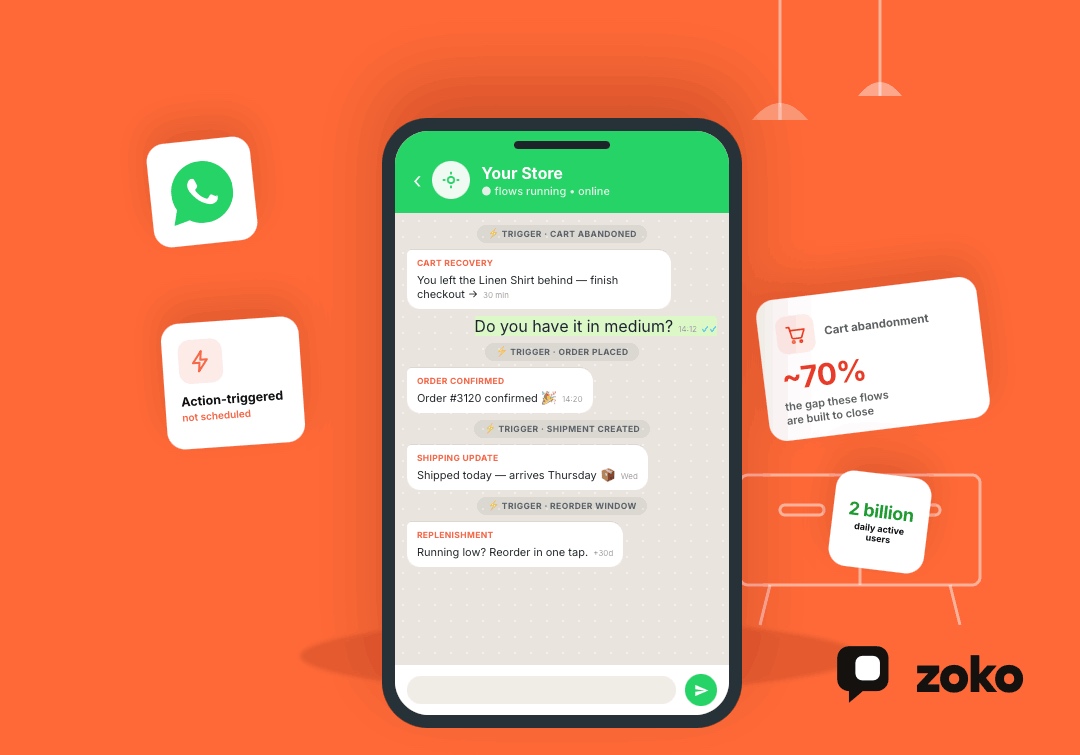


Most ecommerce stores lose a large share of shoppers right before checkout. WhatsApp automation exists to catch some of that loss and to keep customers coming back after they buy.
WhatsApp surpassed 2 billion daily active users, according to Meta CEO Mark Zuckerberg's remarks on the company's Q4 2025 earnings call on January 28, 2026, and it's already the app most of your customers check first, not last. That scale is exactly why an unanswered cart reminder or a late shipping update costs more on WhatsApp than it would on a channel people open less often.
This guide covers what WhatsApp automation means for an online store, how to build a strategy around it, which flows are worth setting up first, and how to get it running on Shopify without turning WhatsApp into another noisy channel.
TL;DR
- WhatsApp automation for ecommerce means triggering timely, personalised messages based on shopper actions, like cart abandonment, order updates, or reorder timing.
- Abandoned cart and checkout recovery are the highest-value flows to start with, since the shopper has already shown clear buying intent.
- The average documented cart abandonment rate across ecommerce sits above 70%, which is exactly the gap WhatsApp automation is built to close.
- Every automated flow needs opt-in, and messages should be segmented by shopper behavior, not blasted to an entire customer list at once.
- On Shopify specifically, WhatsApp works best when it's connected directly to order and catalog data, rather than run as a standalone messaging tool.
What Is WhatsApp Automation for Ecommerce?
WhatsApp automation for ecommerce means using WhatsApp to trigger messages based on what a shopper does, not on a fixed schedule.
- A cart gets abandoned, and a reminder goes out.
- An order gets delivered, and a review request follows a few days later.
- A customer's usual reorder window comes up, and a replenishment nudge lands right on time.
Small stores can get by manually replying through the free WhatsApp Business App. But automation at any real scale needs the WhatsApp Business API, connected to your store's customer and order data. That connection is what makes the messages feel timely instead of random.
How to Build a WhatsApp Automation Strategy for Your Store
A strategy starts with one question: what job should WhatsApp actually do in the customer journey? Trying to automate everything at once usually backfires. Picking one or two clear jobs first works better, and everything else follows from that decision.
1. Define Where WhatsApp Fits in the Customer Journey
If checkout drop-off is the biggest problem, WhatsApp should focus on reassurance, payment help, and gentle urgency. If repeat purchases are the goal, the messaging should centre on replenishment timing and product education instead. Deciding this up front makes every subsequent flow easier to build and measure.
2. Collect WhatsApp Opt-Ins at High-Intent Touchpoints
WhatsApp automation only works with permission. The best opt-in moments are checkout, account signup, and post-purchase, since the customer already has some intent at that moment. A checkout opt-in tied to order updates converts far better than a generic pop-up requesting WhatsApp consent without a clear benefit.
3. Segment Shoppers by Behaviour and Purchase Stage
A first-time buyer, a high-value repeat customer, and someone who abandoned checkout twice this month shouldn't all receive the same message. Grouping shoppers by behaviour and purchase stage, rather than just demographic details, keeps every automated message feeling relevant instead of generic. Most of this segmentation can run off the same order and customer data already sitting in Shopify, which is why a direct integration matters more than a workaround built through spreadsheets or manual exports.
The Best WhatsApp Automation Flows for Ecommerce
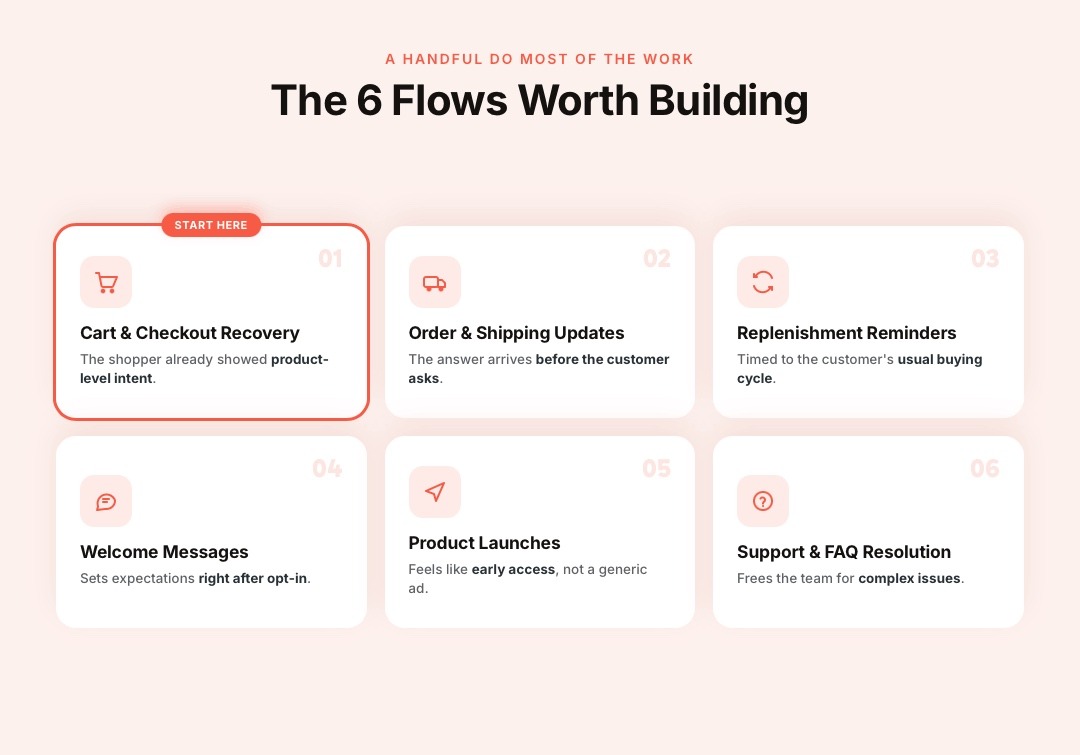
Not every flow deserves equal attention. A handful of them do most of the work for ecommerce stores.
1. Personalised Welcome Messages
A welcome message right after a customer opts in sets the tone for everything that follows. It's an easy flow to get right since there's no ambiguity about timing, and it gives the customer a clear sense of what kind of updates to expect from the brand on WhatsApp going forward.
2. Abandoned Cart and Checkout Recovery
This is the flow to start with. The shopper has already shown product-level intent, so a message reminding them of what they left behind, with a direct link back to checkout, tends to recover meaningful revenue.
The average documented cart abandonment rate across ecommerce sits at roughly 70%, according to Baymard Institute's research — which is exactly the gap this flow is built to close. Checkout abandonment, where a shopper has already entered payment or shipping details, deserves an even faster, more direct follow-up than a simple cart reminder.
3. Order Confirmation and Shipping Updates
Once a shopper buys, they want to know the order went through and when it's arriving. Sending confirmation and shipping updates over WhatsApp significantly reduces "where is my order" questions to support, since the answer arrives before the customer has to ask.
4. Product Launches and Pre-Launch Excitement
A heads-up before a public product drop, sent only to opted-in customers, feels like early access rather than a generic ad. This works especially well for repeat buyers who've already shown interest in similar products, since they're the audience most likely to act on it quickly.
5. Repeat Purchase and Replenishment Reminders
For products people use up over time, a reorder reminder timed to the customer's usual buying cycle does more than any discount code. The message should simply solve a real, predictable need rather than manufacture urgency that isn't there.
6. Customer Support and FAQ Resolution
A large share of support questions repeat themselves: delivery status, return policy, sizing. Automating answers to these on WhatsApp frees up a support team for the more complex issues, while customers get an instant answer to the question they actually had.
Metrics Worth Tracking
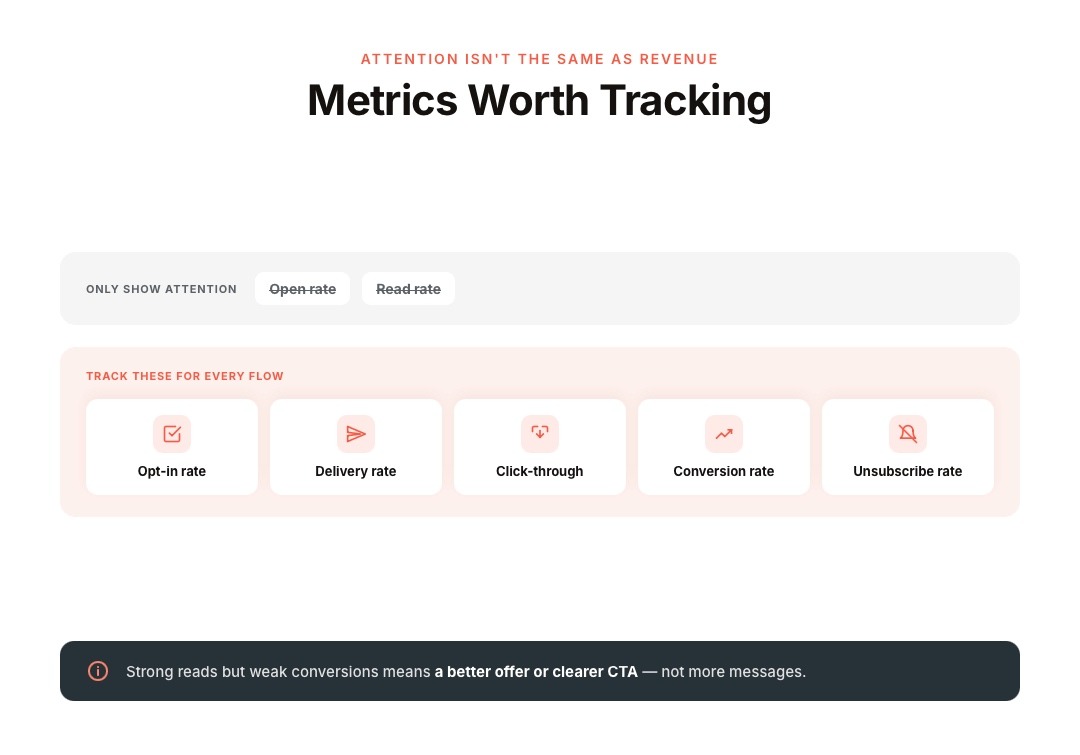
Open and read rates only show attention. What actually matters is whether a flow recovers revenue or drives a repeat purchase.
Track opt-in rate, delivery rate, click-through rate, conversion rate, and unsubscribe rate for every flow.
A flow with strong reads but weak conversions usually needs a better offer or a clearer call to action, not more messages.
Also read: Conversational Commerce Definition: What It Actually Means in 2026
Setting Up WhatsApp Automation on Shopify: A Step-by-Step Walkthrough
Here's what the setup actually looks like in practice, from a blank Shopify store to a live, working flow.
Step 1: Get Verified on the WhatsApp Business API
You'll need a Meta Business Manager account and a dedicated phone number that isn't currently active on personal WhatsApp or the WhatsApp Business App.
Most stores use a Business Solution Provider (BSP) rather than integrating directly with Meta's raw API, since a BSP handles verification, hosting, and template submission for you.
Step 2: Connect Your Shopify Store to the BSP
This step links your Shopify order, customer, and product catalogue data to the WhatsApp platform.
Once connected, the platform can read events like cart abandonment, order placement, and delivery status in real time, which is what every automated trigger further down the line depends on.
Step 3: Set Up Opt-In Collection
Add a WhatsApp opt-in checkbox or prompt at checkout, account signup, or another high-intent touchpoint.
Meta requires a clear opt-in before sending template messages, and the opt-in itself should state your business name and the types of messages the customer agrees to receive, as outlined in Meta's developer documentation on WhatsApp opt-in.
Step 4: Get Your Message Templates Approved
Business-initiated messages, like cart reminders or shipping updates, must use a pre-approved template.
Submit templates for your highest-priority flows first, since approval can take anywhere from a few hours to a couple of days.
Step 5: Build Your First Automation Flow
Start with one flow, usually abandoned cart or order confirmation, rather than launching everything at once. Set the trigger event, the delay before the first message, the message content, and an exit rule that stops the flow when the customer completes the action.
Step 6: Test, Then Turn On the Next Flow
Run the flow on a handful of real orders or test carts before rolling it out fully. Once it's working as expected, move to the next priority flow, building segments and templates as you go rather than trying to launch every flow in week one.
Most of the ongoing effort lives in step 6, not the initial connection. Refining triggers, message copy, and segmentation is where a WhatsApp automation program actually improves over time.
Setting Up WhatsApp Automation on Shopify
For a Shopify store, automation setup starts with connecting the WhatsApp Business API to your store's order, customer, and product data.
Meta requires a clear opt-in before sending template messages, and every business-initiated message must use a pre-approved template, as outlined in Meta's developer documentation on WhatsApp opt-in.
Once that connection and opt-in flow are in place, building segments and triggers around cart status, order stage, and purchase history becomes the actual day-to-day work, and this is where most of the ongoing setup effort actually goes, not the initial connection itself.
Where WhatsApp Fits Alongside Email and SMS
WhatsApp isn't meant to replace every other channel. It works best for moments that benefit from a fast, two-way reply — a cart reminder that turns into a sizing question, or a delivery update that leads straight to support.
Email still carries the messages that need more space: product education, seasonal campaigns, and lookbooks. SMS is well-suited to short, time-sensitive alerts, where WhatsApp adoption might be inconsistent. The strongest setup assigns each channel a specific job rather than repeating the same message everywhere.
Where Zoko Fits for Shopify Stores
Zoko connects WhatsApp automation directly to Shopify order and customer data, rather than treating WhatsApp as a bolt-on messaging tool.
Zoko Flows automates abandoned cart recovery, COD order confirmation, and shipping updates using your actual Shopify data, and WhatsApp Catalogue lets shoppers browse and buy without leaving the chat.
Merchants can check Zoko's pricing and use the bill estimator to work out their own monthly cost before committing.
See how other Shopify brands are successfully using Zoko.
Also read: WhatsApp Business API for Education: Complete Guide for 2026
Frequently Asked Questions
1. How is WhatsApp automation different from a regular WhatsApp broadcast?
A broadcast sends the same message to an entire list at once. Automation triggers a specific message based on an individual shopper's action, like abandoning a cart or receiving a delivery, which makes it more relevant and generally more effective.
2. Do I need the WhatsApp Business API to automate messages, or is the app enough?
The free WhatsApp Business App only supports manual, one-to-one replies from a single device. Real automation, connected to store data and running at scale, requires the WhatsApp Business API through a provider.
3. How soon after cart abandonment should the first message go out?
Many stores see good results sending the first reminder within 30 to 60 minutes of abandonment, while intent is still fresh, followed by one or two more spaced-out messages if the shopper doesn't respond.
4. Can WhatsApp automation hurt my customer relationship if I send too much?
Yes. Over-messaging is the fastest way to trigger opt-outs or blocks. Matching message frequency and content to actual shopper intent, rather than sending every promotion to everyone, keeps the channel trustworthy.
5. Is WhatsApp automation only useful for cart recovery?
No. It's equally useful for order updates, review requests, replenishment reminders, and customer support, though cart and checkout recovery tend to deliver the clearest, most immediate revenue impact.
6. What happens if a customer doesn't opt in to WhatsApp messages?
You simply can't send them template messages. Opt-in is a hard requirement under Meta's policies, so building strong opt-in moments into checkout and account creation matters as much as the automation itself.
7. Does WhatsApp automation work well for browse abandonment, not just cart abandonment?
It can, but more carefully. A single product view isn't strong enough intent to justify a message. Repeated views or category visits are a better trigger, and the message should feel like a helpful nudge rather than a hard sell.
8. How do I know if a WhatsApp automation flow is actually working?
Look past open and read rates. Track whether the flow drives an actual conversion, recovers a cart, or leads to a repeat purchase, and compare that against the number of messages sent to see real return.
9. Can WhatsApp automation replace my email marketing entirely?
No, and it shouldn't try to. Email still handles longer-form content like product education and seasonal campaigns better. WhatsApp works best for short, timely, high-intent moments where a quick reply matters.
10. Is WhatsApp automation worth setting up for a small Shopify store?
Often, yes, especially for cart recovery and order updates, since even a modest volume of daily abandoned carts adds up. Starting with one or two high-impact flows, rather than automating everything at once, is the more manageable path for a smaller store.
Interested to know more?
.svg)
Case Studies




















Featured Posts


Continue reading

The E-Commerce Divide: How the Top 10% of Brands Use AI to Grow 5X Faster (And Why It’s Not for Everyone)
Drive Sales with WhatsApp Catalog Integration: Here's How