








A product goes out of stock on your Shopify store, and interested buyers leave without a way to come back. Many search elsewhere, and a large portion never return. Without a way to notify them, these missed opportunities turn into lost revenue.
This is where WhatsApp Shopify inventory alerts become valuable. Instead of waiting for customers to revisit your store, you notify them the moment inventory changes. The alert appears inside WhatsApp, which has over 3 billion monthly active users worldwide.
For Shopify merchants selling to global audiences, speed matters. A real-time alert can bring a high-intent buyer back within minutes of restocking. To understand how this works, it helps to first define what WhatsApp inventory alerts actually are.
Quick look
- WhatsApp inventory alerts notify Shopify customers immediately when products restock, helping merchants reconnect with shoppers who already showed purchase intent.
- Customers subscribe through a "Notify Me" option on the product page, allowing stores to trigger alerts when inventory levels change.
- Alerts typically include product name, variant details, image, and a purchase link, guiding customers directly back to the product page.
- Shopify merchants use these alerts for back-in-stock updates, limited inventory notifications, and preorder availability announcements.
- Platforms like Zoko connect Shopify with WhatsApp, allowing merchants to send product updates and manage customer conversations in one place.
What Are WhatsApp Inventory Alerts for Shopify?
WhatsApp inventory alerts are automated messages that notify customers when a product’s availability changes on a Shopify store. These alerts notify shoppers when items return to stock, inventory becomes limited, or a product becomes available again.
Instead of relying only on email notifications, merchants send alerts through WhatsApp. Customers receive a message with the product name, image, and a link to the product page.
Typical alerts include:
- Back-in-stock notifications when inventory is replenished
- Low stock alerts when availability drops below a threshold
- Limited edition restock alerts for product drops
- Preorder availability alerts for upcoming inventory
Customers usually sign up for alerts through a “Notify Me” button on the product page. Once inventory changes, the system triggers a WhatsApp message automatically.
Understanding why Shopify merchants choose WhatsApp for these alerts helps explain their growing adoption.
Why Shopify Stores Use WhatsApp for Inventory Alerts?
Email alerts often arrive late. WhatsApp messages appear instantly in chat, helping merchants reach high-intent buyers before they purchase elsewhere
For Shopify merchants, this leads to several advantages:
- Faster message visibility compared with traditional email alerts
- Direct communication with high-intent shoppers who requested notifications
- Higher engagement with interactive messages containing images and buttons
- Better performance in regions where WhatsApp dominates messaging
Many Shopify stores selling internationally already use WhatsApp for customer support. Extending that channel to inventory alerts creates a faster notification system.
To see how this works in practice, it helps to examine the workflow behind WhatsApp inventory alerts.
How WhatsApp Inventory Alerts Work on Shopify
WhatsApp inventory alerts rely on automation that connects Shopify’s inventory system with messaging workflows. Platforms like Zoko make this easier by syncing Shopify data with WhatsApp conversations in real time.
When inventory changes, the system triggers a message to customers who requested notifications.
A typical workflow includes four steps:
- Customer opts in for notifications: When a product is sold out, the product page displays a “Notify Me” option. Customers enter their contact details and choose WhatsApp alerts.
- Shopify inventory updates: When a product is restocked or inventory status changes, Shopify updates the product availability. This event can be used as a trigger within Zoko workflows.
- Automated message triggers: Using pre-approved templates, Zoko sends a WhatsApp message with product details, personalization fields, and a direct link to the product page.
- Customer returns to purchase: Customers receive the alert in WhatsApp and can either return to the Shopify product page or continue the conversation to complete their purchase.
Because alerts are automated, the entire process happens within seconds after inventory changes. This speed is what makes inventory alerts effective for recovering potential sales.
Once the workflow is clear, the next step is understanding the benefits these alerts provide to Shopify merchants.
Benefits of Using WhatsApp Inventory Alerts for Shopify
For stores that experience frequent stockouts or high-demand products, WhatsApp inventory alerts, improves both sales recovery and the customer experience.
1. Recover revenue lost during stockouts
High-intent shoppers return quickly when notified immediately after restock.
For example, if 300 shoppers sign up for a restock alert on a product priced at $80, even a 15-20% purchase rate can recover $3,600-$4,800 in revenue from a single restock cycle.
2. Capture high-intent demand signals
Restock alert subscriptions provide direct visibility into product demand. Shopify merchants can track how many shoppers requested notifications and use that data to guide future purchasing decisions.
If a product receives 200+ alert requests before restocking, it signals strong demand and helps merchants prioritize inventory planning.
3. Shorten the purchase return journey
When a customer receives a WhatsApp notification with the product name, image, and purchase link, they can return to the product page immediately.
Instead of:
Product unavailable → customer leaves → customer forgets
the journey becomes:
Product unavailable → alert request → restock message → purchase.
4. Reduce product availability inquiries
Popular products often generate repeated support questions such as:
- “When will this item be available again?”
- “Can you notify me when my size returns?”
Automated alerts reduce these repetitive inquiries and allow support teams to focus on more complex customer issues.
5. Improve restock conversion windows
Many restocked products sell out quickly, especially in categories like fashion, electronics, and limited drops. Alerts ensure that interested shoppers receive notifications as soon as inventory becomes available.
This helps merchants convert existing demand first, rather than relying entirely on new store traffic.
How do you notify interested shoppers the moment inventory changes?
Platforms like Zoko connect Shopify with WhatsApp so merchants can send product availability alerts while managing customer conversations in one place.
Next, let's look at the main types of alerts merchants commonly send through WhatsApp.
Types of Shopify Inventory Alerts You Can Send on WhatsApp
Shopify merchants can send different types of inventory alerts based on stock conditions.
Common examples include:
- Back-in-stock alerts: These notify customers when a previously sold-out product becomes available again.
- Low inventory alerts: Messages inform customers when only a small quantity remains. This can encourage faster purchasing decisions.
- Limited edition restock alerts: Brands running limited product drops often use alerts to inform subscribers about restocks before items sell out again.
- Preorder availability alerts: When a product is not yet available but will arrive soon, merchants notify customers when preorder windows open.
Each type serves a slightly different purpose, but all depend on notifying customers at the right moment.
Because different channels can deliver these alerts, Shopify merchants often compare messaging options.
Also Read: WhatsApp Shopify Post-Purchase Upsell Strategies Guide
Also read: How to Use WhatsApp Shopify Stockout Notifications to Recover Lost Sales
WhatsApp vs Email vs SMS for Shopify Inventory Alerts
Shopify merchants typically use three main channels for inventory notifications: email, SMS, and WhatsApp. Each channel performs differently depending on the audience and geography.
| Factor | SMS | ||
|---|---|---|---|
| Message visibility | Very high | Moderate | High |
| Message format | Images, buttons, links | Full email content | Short text |
| Automation support | API-based | Native tools available | Messaging gateways |
| Customer interaction | Conversational | One-way notification | Limited |
| Global adoption | Very strong in many regions | Universal | Varies by market |
WhatsApp offers the highest engagement for inventory alerts due to instant visibility and interactive messages.
Once merchants choose the right channel, the next step is implementing alerts in Shopify.
How to Set Up WhatsApp Inventory Alerts on Shopify
Setting up inventory alerts requires connecting Shopify inventory updates with automated messaging workflows.
A typical setup involves the following steps.
Step 1: Add a “Notify Me” option on product pages: Display a form on sold-out product pages where customers can request notifications.
Step 2: Collect WhatsApp opt-ins: Customers enter their phone number and agree to receive inventory alerts through WhatsApp.
Step 3: Connect Shopify inventory triggers: Inventory changes in Shopify activate alert workflows automatically.
Step 4: Configure WhatsApp message templates: Create notification messages that include the product name, image, and purchase link.
Step 5: Test the alert workflow: Before launching alerts publicly, run test scenarios to confirm that notifications trigger correctly when inventory updates.
After setup, the next step is optimizing alerts so they remain useful and relevant to customers.
Also Read: How to Automate Shopify Sales with a WhatsApp Broadcast Bot: A Step-by-Step Guide
Best Practices for WhatsApp Inventory Alerts
Inventory alerts perform best when notifications are sent immediately and contain clear product information. Poor timing or vague messages can reduce purchase recovery.
Shopify merchants typically follow these practices.
1. Trigger alerts immediately after restock
Alerts should trigger automatically when inventory moves from 0 units to available stock. Some stores set alerts when inventory reaches 3-5 units to prevent overselling.
Sending alerts within minutes of restocking helps capture customers while purchase intent is still high.
2. Keep the message short and product-specific
WhatsApp alerts should include:
- product name
- variant (size, color, model)
- product image
- purchase link
For example:
“AirFlex Running Shoes (Size 9) are back in stock. View product: [link]”
Short messages are easier to read and act on.
3. Reference the exact variant requested
If a customer subscribed to alerts for Blue Hoodie - Medium, the message should mention that exact variant. Variant-specific alerts reduce confusion and increase return visits.
4. Avoid delayed or batch notifications
Batch alerts sent hours after restocking reduce effectiveness. High-demand items may sell out before customers receive the notification.
Real-time alerts sent immediately after restock perform better.
5. Send only relevant inventory updates
Customers signed up for alerts about a specific product. Use the channel only for restock, low inventory, or preorder alerts, not general promotions.
Following these practices helps Shopify merchants maximize the impact of inventory alerts. Next, let’s see when these alerts deliver the most value.
Also Read: How to Use WhatsApp for Shopify Audience Segmentation
When WhatsApp Inventory Alerts Make the Most Sense
Inventory alerts deliver the strongest results when products experience frequent stockouts or sudden spikes in demand. Shopify merchants often use them in situations where customers are already waiting for availability updates.
Use WhatsApp inventory alerts in the following scenarios:
- Limited product drops: Products released in small batches or exclusive collections often sell out quickly. Alerts notify waitlisted customers immediately when inventory returns.
- Seasonal product launches: Items tied to seasonal demand such as holiday collections or summer apparel, benefit from real-time restock notifications.
- International Shopify stores: Merchants selling in regions where WhatsApp dominates messaging, such as India, Brazil, and parts of Europe, often see stronger engagement with WhatsApp alerts.
- High-demand products with frequent stockouts: Products that repeatedly sell out generate strong demand for restock notifications. Alerts help capture buyers who were unable to purchase earlier.
- Higher-value products: For products with higher average order value, even a small number of recovered purchases can justify sending alerts.
In these scenarios, timely alerts reconnect Shopify stores with customers who already intend to purchase.
How Zoko Helps Shopify Stores Send WhatsApp Inventory Alerts
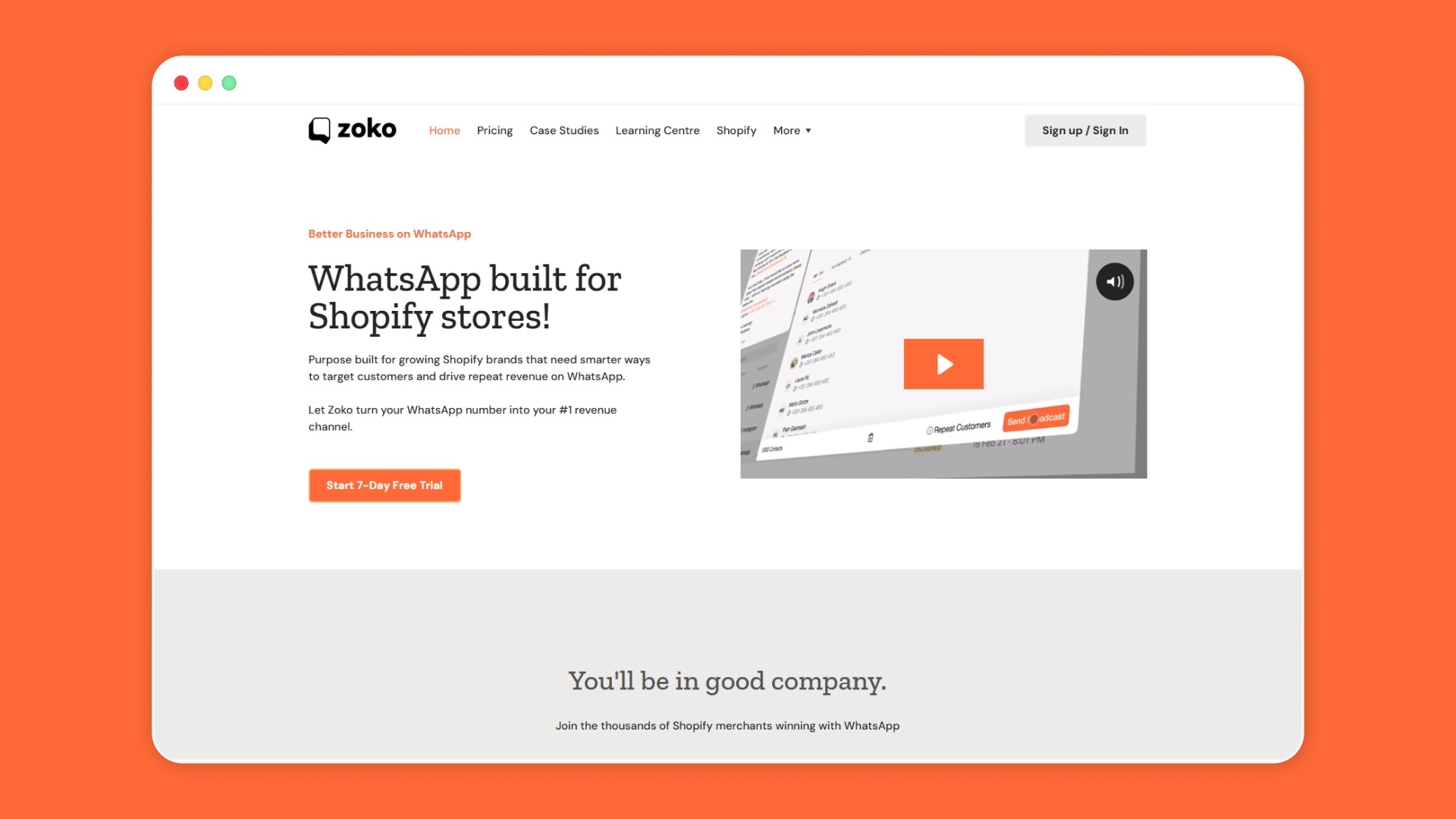
Zoko is a WhatsApp commerce platform designed for Shopify merchants. It connects Shopify with WhatsApp so businesses can manage customer conversations, sales interactions, and order communication in one place.
This allows merchants to notify customers about product availability and guide them back to purchase through WhatsApp.
Zoko helps Shopify merchants with inventory alerts by:
- Connecting Shopify store data with WhatsApp conversations: Merchants can communicate with customers directly in WhatsApp while referencing products and inventory from their Shopify store.
- Sending product availability updates through WhatsApp: When items return to stock, merchants can notify customers and direct them to the product page.
- Managing customer conversations in a shared WhatsApp workspace: Support and sales teams can respond to product inquiries and availability questions quickly.
- Automating common customer workflows using AI: This includes answering product availability questions and guiding customers back to purchase through WhatsApp conversations.
- Supporting logistics communication through Shiprocket integration: This includes COD order confirmations and delivery updates, which are critical for Indian e-commerce businesses.
Book a demo with Zoko to see how you can send real-time inventory alerts and bring customers back when products restock.
Also read: Top 10 Best Shopify Apps for Back in stock alert
FAQs
1. Can Shopify send inventory alerts automatically?
Shopify does not provide built-in automated inventory alerts for customers. Most stores enable them through third-party apps that monitor stock levels and trigger notifications when products are restocked or inventory thresholds change.
2. How do customers sign up for restock notifications on Shopify?
Customers usually subscribe through a “Notify Me” button on the product page when an item is out of stock. They enter their contact details, such as email or phone number, to receive alerts when inventory becomes available.
3. Can inventory alerts help with demand forecasting?
Yes. The number of customers requesting restock notifications shows real demand for a product. Shopify merchants often use this data to decide how much inventory to reorder and which products require faster replenishment.
4. Do inventory alerts work for product variants on Shopify?
Yes. Alerts can be configured for specific variants such as size, color, or model. This ensures customers receive notifications only when the exact version they wanted becomes available again.
5. Are WhatsApp inventory alerts useful for international Shopify stores?
They can be especially effective for stores selling in regions where WhatsApp is widely used. Customers in markets such as India, Brazil, and parts of Europe frequently interact with businesses via messaging apps.
Interested to know more?
.svg)
Case Studies




















Featured Posts


Continue reading

The E-Commerce Divide: How the Top 10% of Brands Use AI to Grow 5X Faster (And Why It’s Not for Everyone)
Drive Sales with WhatsApp Catalog Integration: Here's How