






25 Auto Reply WhatsApp Business Greeting Message Examples for Shopify Stores in 2026

25 Auto Reply WhatsApp Business Greeting Message Examples for Shopify Stores in 2026
Shopify merchants often lose sales when customer conversations stall at the wrong moment. A shopper asks about delivery, product fit, or order status, then leaves when no immediate response arrives. That expectation gap is real: 64% of consumers expect companies to respond and interact with them in real time, according to Salesforce.
For merchants handling high chat volume, COD questions, and repeat support requests, delayed replies can quickly affect customer engagement and conversion. An auto-reply WhatsApp business greeting message example can help close that gap by giving every customer an instant, relevant response.
This guide explains how greeting messages, away messages, and quick replies work, what makes them effective, and how Shopify merchants can use them for support, sales, and order-related conversations.
Key Takeaways
- A strong WhatsApp auto-reply greeting message example for Shopify stores helps reduce response gaps and keep high-intent conversations active. Whether it’s a product inquiry or order status, automating these messages ensures faster engagement.
- Setting up greeting and away messages depends on scale. The WhatsApp Business app works for basic needs, while the API is better suited for higher-order volume.
- High-performing greeting messages are clear, concise, and action-led. The most effective ones welcome the customer, explain how the business can help, and set expectations early.
- Different customer scenarios need different message formats. There are 25 examples across welcome, after-hours, order updates, COD confirmation, promotions, re-engagement, and support.
- As Shopify stores grow, manual message handling becomes harder to manage. Zoko helps merchants connect greeting messages to broader WhatsApp sales, support, catalog, broadcast, and post-purchase workflows.
What is an Auto Reply WhatsApp Business Greeting Message?
WhatsApp Business greeting and auto-reply messages are automated responses that help businesses respond faster and keep customer conversations active. For Shopify merchants, they are useful for welcoming new shoppers, setting response expectations, and guiding customers toward the next step without manual effort.
- Greeting messages are sent when a customer starts a conversation or returns after inactivity. They help introduce your business, welcome the customer, and direct them toward product questions, order help, or support.
- Auto-reply messages are usually sent when your team is unavailable or handling high message volume. They confirm that the message was received, share when a reply can be expected, and point customers to useful resources such as FAQs.
Why Auto Reply WhatsApp Business Greeting Messages Matter for Shopify Merchants?
Customers expect fast replies, especially on WhatsApp. Forbes cites Capterra research showing that customers typically wait only one to five minutes for a response. For Shopify merchants, that small window can decide whether a product question turns into a sale or a missed opportunity.
- They reduce response gaps at the start of the conversation: When shoppers message about products, delivery, COD, or order status, an instant reply keeps the interaction active instead of letting it drop.
- They improve customer engagement on a high-intent channel: WhatsApp conversations often start when a customer is ready to ask, compare, or buy. A timely greeting helps keep that intent warm.
- They help move shoppers toward the next step faster: A strong message can direct customers to product help, support options, order tracking, or current offers without delay.
- They make support and sales operations more consistent: Greeting and auto-reply messages help merchants handle repeated queries in a structured way, even during off-hours or busy periods.
- They support conversions without adding manual work: For Shopify merchants, these messages help maintain communication at scale while reducing missed opportunities from slow replies.
How to Set Up Greeting and Away Messages in WhatsApp Business
Before using the templates below, you need to know how these messages are set up. The process depends on whether you use the WhatsApp Business app or the WhatsApp Business API.
On the WhatsApp Business app: This setup works for smaller teams handling lower message volume.
- Open WhatsApp Business and tap the three-dot menu.
- Go to Settings → Business Tools → Greeting Message.
- Turn on Send greeting message and add your message.
- Choose who should receive it.
- Tap Save.
On the WhatsApp Business API: This setup is better for Shopify merchants handling higher order volume and more automated workflows.
- Get API access through an official Meta Business Partner.
- Submit message templates for Meta approval.
- Connect your Shopify store so customer actions can trigger messages.
- Add greeting or away messages to automation flows.
- Test all triggers before going live.
Also read: How to Set Up WhatsApp Automated Response for Customer Support and Sales
Elements of a High-Performing WhatsApp Greeting Message
A strong WhatsApp greeting message should do more than say hello. For Shopify merchants, it should make the first interaction clear, helpful, and easy to act on. Since greeting messages are sent when a customer starts a chat or returns after inactivity, they work best when they quickly set context and guide the customer toward the next step.
- A clear welcome: Start by acknowledging the customer and confirming they have reached the right business. This creates clarity from the first message.
- A short explanation of how you can help: Let the customer know what they can ask about, such as products, orders, delivery, or support. This makes the conversation easier to start.
- Relevant business information: If needed, include details like business hours, response timelines, or where to get urgent help.
- A tone that matches your brand: The message should sound professional, friendly, and easy to understand. It should feel helpful, not robotic.
- Simple and concise wording: Customers should understand the message quickly. Long or overloaded greetings can slow the conversation instead of helping it.
- Usefulness for the customer’s intent: The best greeting messages reflect why customers usually message your store, whether that is product discovery, order help, COD queries, or delivery updates.
25 WhatsApp Business Auto Reply Greeting Message Examples for 2026
Below are 25 WhatsApp templates grouped by business scenario. Customize them with your business name, product names, and relevant links before deploying.
Category 1: Welcome and First-Time Customer Messages
1. Warm Welcome with Navigation
Hi [Customer Name], welcome to [Brand Name]. We're happy you reached out. Whether you're looking for product information, placing an order, or need support, we've got you covered. Reply with: 1. Shop products 2. Track my order 3. Talk to our Customer Rep.
2. Simple Acknowledgment
Hi there! Thanks for contacting [Brand Name]. We’ve received your message and will get back to you shortly. In the meantime, browse our latest collection here: [link]
3. Friendly Introduction
Hello! Welcome to [Brand Name] on WhatsApp. We specialize in [product category]. Our team is here Monday to Saturday, 9 AM to 6 PM. We’ll reply to your message as soon as possible.
4. Value-First Welcome
Hi [Customer Name]. Great to connect with you. At [Brand Name], we offer [key benefit]. To get started, tell us what you're looking for or share your query, and we’ll find the best fit for you.
5. Welcome to Quick Help
Hi! You’ve reached [Brand Name]. To speed things up, let us know: Are you a new customer or returning? What product are you asking about? Our team will be with you shortly.
6. New Customer Onboarding
Welcome to the [Brand Name] family. We’re glad you’re here. Here’s what you can do on WhatsApp: Browse our catalog, place an order directly, and get real-time order updates. Just type your question, and we’ll take it from there.
Category 2: Away and After-Hours Messages
7. Standard After-Hours
Hi! Thanks for reaching out to [Brand Name]. Our team is currently offline, but we’ll be back at [time] on [day]. We’ll reply to your message first thing. In the meantime, check our FAQs: [link]
8. Weekend Away Message
Hello! We’re enjoying the weekend, but we have not forgotten you. [Brand Name] will be back on Monday at [time]. We’ve noted your message and will respond as soon as we return.
9. High-Volume Period
Hi [Customer Name]. We’re experiencing high message volume right now. We’ll get back to you within [X hours]. Thank you for your patience. For urgent queries, visit: [link]
10. Holiday Closure
Season’s greetings from [Brand Name]. We’re closed for the holidays until [date]. Your message is important to us, and we’ll respond as soon as we’re back. Happy holidays.
11. Time Zone Aware
Hi there! You’ve reached [Brand Name]. Our support team is based in [location/time zone] and is currently offline. We’ll be online at [time] and will respond to your message promptly.
Category 3: Order Status and COD Confirmation Messages
12. Order Received Confirmation
Hi [Customer Name]! Your order #[Order ID] has been confirmed. We’re getting it ready for dispatch. You’ll receive a tracking update within [X hours]. Thanks for shopping with [Brand Name].
13. COD Order Confirmation
Hello! We’ve received your Cash on Delivery order #[Order ID]. Our team will confirm delivery details with you shortly. Please keep [amount] ready at the time of delivery. Thank you for choosing [Brand Name].
14. Shipment Dispatched
Great news, [Customer Name]. Your order #[Order ID] has been dispatched. Track it here: [tracking link]. Expected delivery: [date]. Reach out if you have any questions.
15. Delivery Delay Notification
Hi [Customer Name], we wanted to keep you informed. Your order #[Order ID] is experiencing a slight delay due to [reason]. New expected delivery: [date]. We apologize for the inconvenience and appreciate your understanding.
16. Return and Refund Query
Hi! Thanks for reaching out regarding your order. To process your return or refund, please share:
Order ID
Reason for return
Photos, if applicable
Our team will get back to you within [X hours].
As your Shopify store grows, managing order confirmations, COD alerts, and delivery updates manually becomes unsustainable. Zoko's WhatsApp integration automates these workflows, ensuring every customer gets the right message at the right time, directly tied to your store data.
Category 4: Sales, Promotions, and Campaigns
17. Flash Sale Alert
Hey [Customer Name]! A flash sale just started at [Brand Name]. Get [X]% off on [product category], but only for the next [X] hours. Shop now: [link] Reply STOP to opt out.
18. New Product Launch
Big news! [Product Name] is finally here. We’ve been working on this for a while, and we think you’re going to love it. Be the first to grab it: [link]
19. Limited Stock Alert
Hi [Customer Name]. Just a heads-up, [Product Name] is almost sold out. Only [X] units left. Grab yours before they’re gone: [link]
20. Seasonal Offer
Hello! This [season/festival], [Brand Name] has something special for you. Enjoy [offer details] on all orders above [amount]. Use code [CODE] at checkout. Valid until [date].
Category 5: Re-engagement and Returning Customer Messages
21. Win-Back Message
Hi [Customer Name]! It’s been a while since we’ve heard from you, and we miss you. Here’s something just for you: [offer/discount]. Come back and shop at [Brand Name]: [link]
22. Abandoned Cart Reminder
Hey [Customer Name]! You left something behind. Your cart at [Brand Name] still has [Product Name] waiting for you. Complete your purchase before it sells out: [link]
23. Loyalty and Rewards
Hi [Customer Name]! You’ve earned [X] reward points with your recent purchases at [Brand Name]. Redeem them on your next order for [benefit]. Shop now: [link]
Category 6: Customer Support and Feedback Messages
24. Post-Purchase Feedback
Hi [Customer Name]! We hope you're enjoying your [Product Name] from [Brand Name]. We'd love to hear what you think. Share a quick review here: [link] Your feedback helps us improve!
25. Complaint Acknowledgment
Hi [Customer Name]. We're sorry to hear you had an issue. We take this seriously and want to make it right. Our team will look into this immediately and get back to you within [X hours]. Thank you for bringing this to our attention.
Customizing your messages is something any merchant can do independently. Managing them across a growing Shopify store, with automated triggers, Shopify sync, and a shared team inbox, is where a purpose-built platform removes the friction.
How Zoko Helps Shopify Merchants Set Up Auto Reply WhatsApp Business Greeting Messages
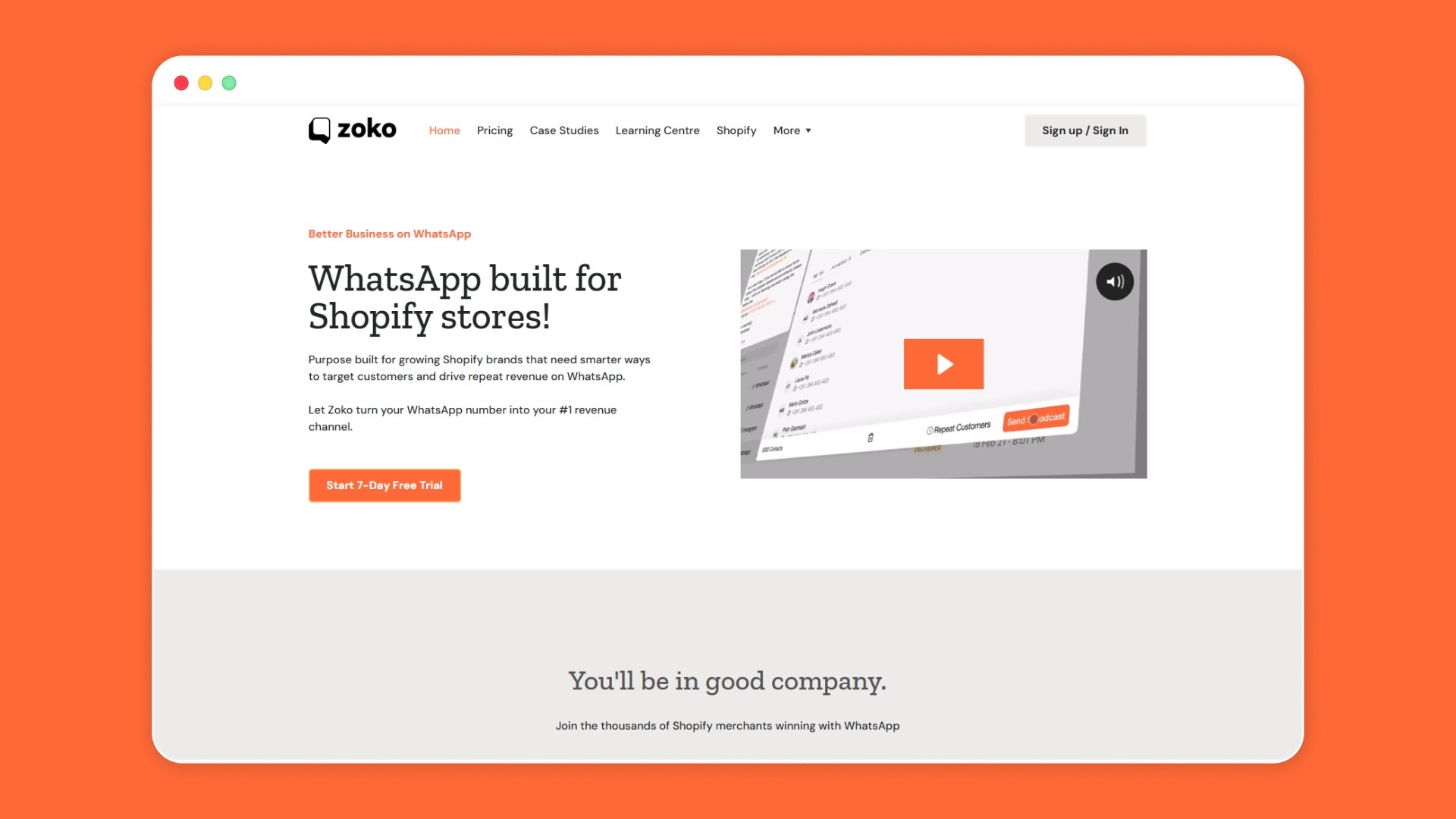
The WhatsApp Business app is suitable for smaller Shopify stores, but as your business scales, you need more automation.
Zoko provides an integrated solution that allows you to send auto-replies and greeting messages as part of a larger Shopify workflow, connecting your customer data, product catalog, and order status.
- Shopify and WhatsApp stay connected: Zoko syncs your Shopify store with WhatsApp so customers can browse products, ask questions, and place orders in chat.
- Broadcasts support targeted messaging: You can send personalized messages to customer segments for promotions, launches, and re-engagement campaigns.
- Flows automate common journeys: Zoko Flows supports automation for COD confirmations, shipping updates, abandoned carts, reorder reminders, and review collection.
- AI helps handle routine queries: Zoko supports AI-driven automation to respond faster and keep customer conversations moving.
- Catalog browsing happens inside WhatsApp: Merchants can sync their Shopify catalog so customers can discover and shop products without leaving the chat.
- Shiprocket supports COD and delivery updates: Zoko’s Shiprocket integration helps merchants manage COD workflows and logistics communication through WhatsApp.
- Teams can manage conversations in one inbox: Zoko gives merchants a shared inbox so multiple team members can handle sales and support more efficiently.
For Shopify merchants, Zoko makes greeting messages more useful by turning them into part of a larger WhatsApp sales and support workflow.
Conclusion
Auto reply greeting messages are one of the most impactful, low-effort changes a Shopify merchant can make on WhatsApp. They keep customers engaged, reduce drop-off, and set the right tone for every conversation, whether it's a first-time buyer, a returning customer, or someone tracking a COD order at midnight.
The 25 examples are ready to be customized and deployed with Zoko. By syncing these messages with your Shopify store, Zoko automates greeting responses based on customer actions, enabling more personalized, timely communication.
If you're ready to go beyond basic templates and start automating your WhatsApp Business greeting messages at scale with full Shopify sync and AI-powered flows. Book a demo today with Zoko.
Also read: WhatsApp Auto Reply: How to Set Up Automatic Replies for Business in 2026
FAQs
Here are rephrased FAQ questions with concise, original answers:
1. Do WhatsApp auto replies involve any extra cost?
Basic auto replies in the WhatsApp Business app do not usually require an added fee. Costs can come in when you use the WhatsApp Business API or a platform that supports automation, shared inboxes, and advanced workflows.
2. Can greeting messages help drive more sales?
They can, especially when they reduce response delays and guide shoppers toward the next step. A clear greeting can keep purchase intent active by helping customers with product questions, order support, or delivery concerns right away.
3. In what way does automation make greeting messages work better?
Automation makes greetings more useful by sending the right message at the right time, without relying on manual replies. It also helps merchants handle more conversations consistently during busy hours, off-hours, or key sales periods.
4. Are WhatsApp greeting messages the same as message templates?
No, they are different. Greeting messages are automated welcome messages inside WhatsApp Business, while templates are pre-approved message formats usually used through the WhatsApp Business API for structured outbound communication.
5. How is an auto reply different from a quick reply on WhatsApp?
An auto reply is sent automatically when certain conditions are met, such as after hours or when a customer starts a chat. A quick reply is a saved response that your team sends manually during a live conversation.
6. Is it possible to schedule WhatsApp auto replies for certain days or hours?
Yes, away messages in WhatsApp Business can be scheduled for specific times, custom periods, or outside business hours. More advanced scheduling and trigger-based automation are usually handled through API-based platforms.
7. How often should you refresh your WhatsApp auto reply messages?
Update them whenever your business hours, promotions, delivery timelines, or support processes change. It is also a good idea to review them regularly so they stay accurate, relevant, and aligned with what customers usually ask.
Interested to know more?
.svg)
Case Studies

















Featured Posts


Continue reading

The E-Commerce Divide: How the Top 10% of Brands Use AI to Grow 5X Faster (And Why It’s Not for Everyone)
Drive Sales with WhatsApp Catalog Integration: Here's How