





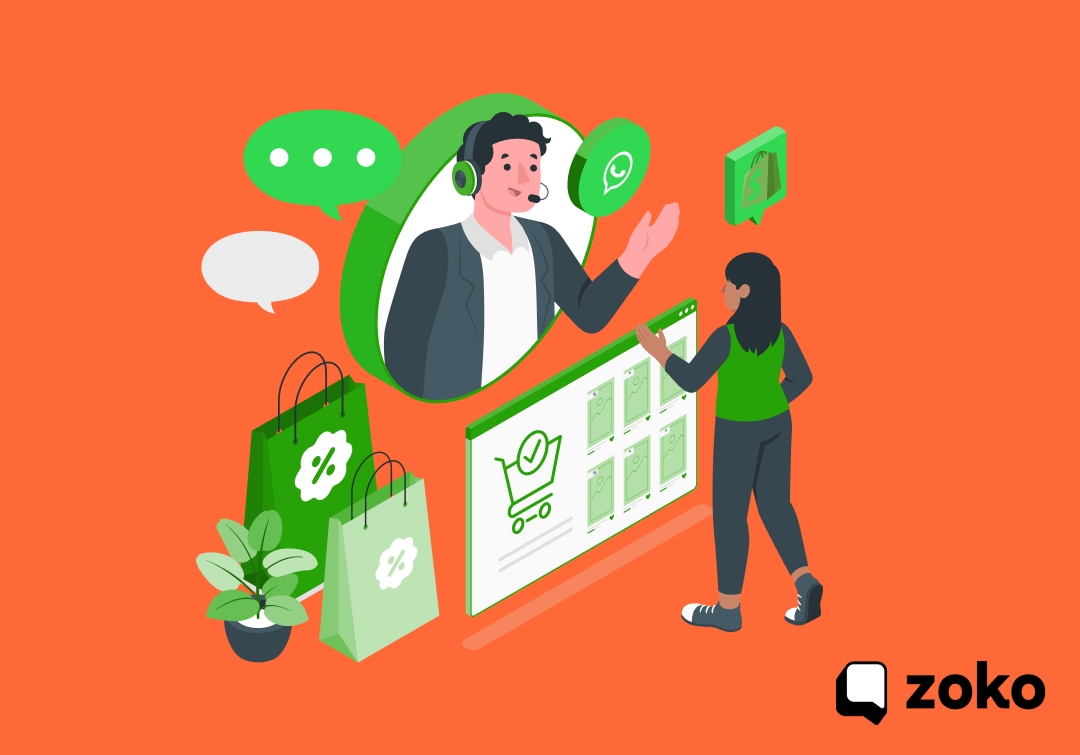


You’ve probably tried coupon pop-ups, email blasts, and even “limited-time” banners, yet the same things keep happening. Codes get ignored, carts go cold, and the few redemptions you do see are hard to attribute. Worse, the right offer often lands hours after the shopper has already moved on.
It’s not that your discounts don’t work; it’s that your customers don’t see them when they’re most likely to buy. And that’s where WhatsApp is rewriting the playbook.
According to a 2024 Forbes Business Council study, 66% of marketers say WhatsApp delivers a positive ROI, outperforming nearly every other digital channel. Messages on WhatsApp aren’t just opened; they’re acted on.
In this blog, you’ll learn how to use WhatsApp discount coupons to turn those missed moments into conversions: when to send them, how to set them up in Shopify, and how to make every message feel personal, timely, and impossible to ignore.
Key Takeaways:
- Timing is everything: Send WhatsApp discount coupons at key moments like cart abandonment, checkout hesitation, or post-purchase upsells to maximise conversions.
- Personalisation drives action: Mention product names, order details, or customer status to make each message feel natural and tailored, not like a mass promotion.
- Choose the right coupon type: Use short, high-impact offers such as percentage-offs, free shipping, or limited-time flash codes for quick engagement.
- Shopify setup matters: Create trackable discount codes or automatic discounts in Shopify with clear limits, expiry dates, and naming conventions for easy performance tracking.
- Automation increases efficiency: Tools like Zoko help automate WhatsApp flows for welcome offers, cart recovery, and re-engagement without manual effort.
- Compliance keeps campaigns safe: Always use verified WhatsApp Business templates and obtain customer consent before sending promotional messages.
- Analytics close the loop: Track redemptions, revenue, and chat-to-order metrics in Shopify and Zoko to refine your future WhatsApp campaigns.
When To Use WhatsApp Discount Coupons?
A WhatsApp coupon lands where attention already exists, turning moments of hesitation or excitement into measurable action. Most Shopify stores scatter discounts across channels, but the most effective ones use WhatsApp to target the right moment: when a shopper is curious, uncertain, or about to leave.
Below are the key touchpoints where WhatsApp coupons have the strongest impact.
- Cart Recovery:
Reconnect within 15–60 minutes after a shopper abandons checkout.
→ Use small, time-limited offers to recapture hot intent. - Checkout Hesitation:
Offer a small instant discount when a shopper asks about shipping or price in chat.
→ Converts real-time queries into confirmed sales. - First-Time Opt-In:
Reward new WhatsApp subscribers right after they opt in.
→ Makes their first experience feel exclusive and engaging. - Flash Sales or Limited Offers:
Announce deals in short bursts with clear expiry (1–2 hours).
→ Creates urgency and drives quick action. - VIP or Repeat Customers:
Send higher-value or early-access codes to loyal buyers.
→ Builds trust and long-term loyalty without over-discounting. - Post-Purchase Upsell:
Share a related product coupon 24–48 hours after purchase.
→ Increases average order value and repeat engagement. - Back-in-Stock Alerts:
Message customers waiting on specific items with a short coupon.
→ Rewards patience and sparks immediate conversions.
Pro Tip: Keep coupons short-lived (a few hours to a day), and always personalise; mention the product name or cart item. It feels natural, not like a blast.
While timing gets attention, the right type of coupon is what seals the deal.
Types Of Coupons That Work On WhatsApp
Not every discount works the same across channels. What grabs attention in an email can feel pushy or out of place on WhatsApp. The platform is quick, conversational, and personal; so your offers should feel the same. The aim isn’t to cut prices, but to make purchasing feel effortless and rewarding.
Here are the coupon types that perform best on WhatsApp:
- Percentage-Off Coupons:
Clear and easy to understand — for example, “Get 10% off your first order.”
Works well for welcoming new customers or creating quick action during flash sales. - Fixed-Value Coupons:
Example: “Save ₹500 when you spend ₹3,000.”
Encourages customers to increase their cart value to qualify for the discount. - Free Delivery Codes:
A small incentive that feels personal and useful. Perfect for recovering abandoned checkouts or nudging smaller orders. - BOGO (Buy One, Get One) Offers:
Great for stock clearance or promoting high-margin products. Works naturally in chat: “Buy one for yourself, get one free for a friend.” - Tiered Discounts:
Example: “Buy 2 items and get 10% off; buy 3 and get 15% off.”
Motivates shoppers to buy more and is effective for fashion, beauty, or lifestyle stores. - Limited-Time Coupons:
Creates urgency with messages like “Use code WHSAVE10 — valid for 1 hour only.”
Ideal for flash sales or time-sensitive campaigns where quick decisions matter. - Exclusive or Loyalty Coupons:
Designed for repeat or VIP customers to make them feel valued.
Builds stronger relationships and keeps your best buyers engaged. - Dynamic or Single-Use Codes:
Auto-generated unique codes ensure one redemption per customer.
Useful for tracking performance and preventing coupon misuse.
Pro Tip: Pair your coupon with a product image or catalogue card rather than plain text; it feels more engaging and authentic in chat.
Also Read: Boost WhatsApp Marketing Conversion Rates with Proven Strategies
Now that you know what kind of offers actually convert, it’s time to bring them to life inside Shopify, where every code, condition, and expiry starts.
How To Create Coupons In Shopify
A strong offer needs to be easy to apply, track, and automate, especially when shared over WhatsApp. Shopify makes this simple with built-in tools for creating discount codes and automatic discounts.
Choosing the right one depends on whether you want customers to enter a code manually or have it apply automatically at checkout.
Before you start sharing WhatsApp coupons, it’s worth understanding the two types of discounts you can create in Shopify and how each fits your campaign strategy.
|
Type |
How It Works |
Best For |
|---|---|---|
|
Discount Code |
Customers enter a unique or shared code during checkout. |
WhatsApp campaigns, personalised offers, one-time or VIP coupons. |
|
Automatic Discount |
The discount applies automatically when set conditions are met (e.g., spend ₹2,000, get ₹200 off). |
Cart-level promotions, flash sales, or guaranteed discounts without customer input. |
Once you know which type suits your campaign, it’s time to create them inside Shopify. The process is straightforward, but setting the right limits, timings, and testing the flow makes all the difference.
Step 1: Create a Discount Code
Discount codes are perfect for personalised or limited-use WhatsApp campaigns. They let you track performance while maintaining a sense of exclusivity.
How to set it up:
- In your Shopify admin, go to Discounts → Create discount → Discount code.
- Choose a type. Percentage, Fixed amount, Free delivery, or Buy X Get Y.
- Enter or generate a short, relevant code (e.g.
WA10APRorWELCOME500). - Set eligibility: all customers, specific groups, or particular products.
- Add conditions such as a minimum spend (e.g., Save ₹500 on orders over ₹3,000).
- Limit usage; for example, one use per customer or 100 total redemptions.
- Schedule start and end dates so the offer feels time-sensitive.
- Test the code on checkout before broadcasting it via WhatsApp.
Why this matters: Personalised codes make customers feel valued and help you attribute redemptions accurately, especially when running multiple WhatsApp campaigns.
Step 2: Create an Automatic Discount
Automatic discounts work best when you want to remove all friction from checkout; no codes, no typing, just instant value when conditions are met.
How to set it up:
- In Shopify admin, go to Discounts → Create discount → Automatic discount.
- Choose your discount type (percentage, fixed amount, or Buy X Get Y).
- Add the conditions, such as spend ₹2,000, get ₹200 off, or buy two, get one free.
- Set the active dates and any usage limits.
- Save, preview, and confirm it activates as expected.
Pro Tip: Shopify allows up to 25 active automatic discounts at a time; plan your WhatsApp campaigns accordingly to avoid conflicts.
Step 3: Create Dynamic or Single-Use Codes
For high-engagement WhatsApp campaigns, single-use codes ensure exclusivity and prevent overuse.
How to set it up:
- Use Shopify’s bulk creation tool or API to generate unique one-time codes.
- Each customer receives their own code (e.g.
WA4321,WA4322), perfect for broadcast automation tools like Zoko. - Track individual redemptions for better campaign analytics.
Why this matters: Single-use codes add a personal touch and prevent coupon sharing, especially important for WhatsApp broadcasts, where links spread quickly.
Step 4: Test and Track Performance
Your setup only works if it performs reliably. Testing ensures a smooth customer experience, while tracking helps refine future campaigns.
Checklist:
- Run a test purchase to confirm the discount applies correctly.
- Add UTM tags to checkout links sent via WhatsApp for tracking.
- Monitor Shopify analytics under Sales by Discount to measure redemption and revenue.
- Keep WhatsApp coupons short-lived (12–24 hours) to maintain urgency and higher conversion.
Example Codes in ₹
WELCOME500— ₹500 off on orders above ₹2,000 (new customers).FREESHIP— free delivery on orders below ₹1,500 (smaller carts).WA10— 10% off, valid for 24 hours (flash sale).VIP15— single-use 15% off for repeat customers.
Pro Tip: Use clear naming conventions like WA_ or CHAT_ before your coupon names. It helps you quickly identify which sales came from WhatsApp campaigns in your Shopify reports.
Creating the coupon is just the start; the real impact comes from how you deliver it. The next step is using WhatsApp to share those offers in a way that feels timely, personal, and impossible to miss.
Also read: Top 10 Best Shopify Apps for Discounts
How To Deliver Coupons Over WhatsApp
You’ve created the perfect coupon, now comes the most important part: getting it seen. The way you deliver your offer can decide whether it drives instant conversions or gets lost in the noise.
Here’s how to deliver coupons on WhatsApp so they reach the right people at the right time, without overwhelming your audience or risking spam flags.
- Automated Flows: Use message flows for key moments like cart recovery or checkout hesitation. A quick, friendly follow-up with a discount (e.g., within 15–30 minutes) feels personal and relevant, not robotic.
- Segmented Broadcasts: Send targeted coupon messages to groups like repeat customers or VIP buyers. Limit broadcasts to short, time-bound offers (e.g., 6–12 hours). Keep messages short and visual; a coupon code, expiry, and one clear CTA.
- Click-to-WhatsApp Ads: Run ads that open a WhatsApp chat instantly (“Chat to claim 10% off”). This captures high-intent shoppers directly from Meta platforms and delivers the coupon the moment they engage.
- 1:1 Chat Support: If a shopper asks about delivery, stock, or price, offering a small, timely discount during that chat often closes the sale. Keep these offers subtle; just enough to turn hesitation into purchase.
Suggested Read: WhatsApp Business Best Practices for Success in 2025
Even with the best coupons, timing and consistency can slip when done manually. That’s why automating your WhatsApp flows with Zoko helps you stay responsive, relevant, and revenue-focused, every single time.
Build Coupon Flows With Zoko
Sending out coupons manually might work when you have five customers, not when you’re managing hundreds of chats a day. Timing slips, follow-ups get missed, and before you know it, half your audience has already moved on.
That’s where Zoko steps in, not just to automate messages, but to make your WhatsApp coupon strategy smarter, faster, and consistent every single time. Think of it as having an assistant who never forgets to send the coupon, always follows up at the right moment, and even knows when a customer is about to make a purchase.
Here’s how Zoko helps you turn that idea into reality:
- Cart Recovery Flows That Actually Convert:
Trigger automated follow-ups at precise intervals, 15 minutes, 6 hours, or 24 hours, with coupon messages that match customer intent. No manual reminders, no missed carts, just timely nudges that bring buyers back. - Shopify Sync for Instant Product Sharing:
Zoko connects directly with your Shopify store so you can send product cards, images, and checkout links inside the same WhatsApp chat. One tap, one checkout — no extra steps. - No-Code Flow Builder: Build coupon campaigns without touching a single line of code. Create “Welcome,” “Abandoned Cart,” or “Re-Engagement” flows visually — all you do is set the trigger, message, and timing.
- Segmented Broadcasts: Send coupons to the right audience, like VIP buyers, repeat customers, or cart abandoners, instead of blasting everyone. It’s smarter targeting that keeps engagement high and unsubscribes low.
- Shiprocket Integration for COD Orders: Manage cash-on-delivery confirmations, updates, and coupons from one dashboard. Automating these steps not only saves time but also reduces failed deliveries and manual coordination.
- Verified Templates and Single-Use Codes: Use pre-approved WhatsApp message templates to stay compliant while sending discount codes. Combine them with unique, single-use codes to prevent overuse and keep every redemption trackable.
- Real-Time Analytics Dashboard: Track coupon performance: redemptions, conversion rates, and chat-to-order stats; directly inside Zoko. Know exactly which flow drives revenue and which needs a tweak.
- AI-Powered Replies: Let Zoko’s AI handle FAQs and recommend coupons based on customer queries. It keeps chats personal while freeing your team to focus on closing bigger sales.
Ready to simplify compliance and boost conversions? Sign up for Zoko’s 7-day free trial and see how effortless it can be to manage WhatsApp coupon campaigns; fully automated, fully compliant, and built for Shopify.
Also read: Top 10 WhatsApp Shopify Marketing Strategies for Festive Discounts
FAQs
1. How do WhatsApp discount coupons help increase Shopify sales?
WhatsApp coupons reach customers instantly when they are most engaged, such as during chats, after cart abandonment, or at checkout. This real-time engagement helps convert hesitation into action and leads to higher conversion rates compared to email or pop-up offers.
2. Can I automate sending discount coupons on WhatsApp from Shopify?
Yes. Tools like Zoko let you automate WhatsApp coupon flows for cart recovery, new subscribers, and post-purchase offers. You can connect Shopify directly, set triggers, and send personalised coupons without manual effort.
3. What type of discount works best on WhatsApp?
Short and personal offers work best, such as 10% off, free shipping, or limited-time flash codes. The key is to keep them time-bound (valid for 12 to 24 hours) and relevant to the customer’s shopping intent.
4. How do I track coupon performance on Shopify?
Shopify provides detailed analytics under Sales by Discount, showing how many redemptions and sales came from each code. Use clear naming conventions such as “WA10” or “CHAT15” to identify WhatsApp-driven conversions easily.
5. Is it safe and compliant to send discount coupons on WhatsApp?
Yes, as long as you use official WhatsApp Business API tools like Zoko and verified message templates. These ensure compliance with WhatsApp’s consent and privacy policies while maintaining message deliverability and customer trust.
Interested to know more?
.svg)
Case Studies













Featured Posts


Continue reading

The E-Commerce Divide: How the Top 10% of Brands Use AI to Grow 5X Faster (And Why It’s Not for Everyone)
Drive Sales with WhatsApp Catalog Integration: Here's How