




Are you struggling with managing Shopify returns and refunds efficiently? It’s a common pain point for many merchants, especially when handling customer communication, order updates, and logistics. These tasks can become time-consuming, leading to frustrated customers and lost sales.
What if you could automate returns and refunds using a tool that your customers already love? By integrating WhatsApp with Shopify, you can streamline the entire process, improve customer satisfaction, and reduce operational complexity. But how exactly does WhatsApp fit into the returns and refunds workflow?
In this article, you’ll discover how automating Shopify returns and refunds through WhatsApp can benefit you as a merchant. You’ll learn why automation is the key to improving efficiency and increasing conversions, and how it can help transform your returns process.
Quick look
- Automating Shopify returns and refunds via WhatsApp ensures real-time updates and immediate customer notifications.
- WhatsApp Business API enables merchants to automate return requests, refund notifications, and order status updates, speeding up the process.
- With 80% of WhatsApp messages read within the first five minutes and a 98% open rate, customers receive timely, high-engagement updates.
- WhatsApp improves personalized communication, leading to higher customer satisfaction and reduced friction in the returns process.
- Zoko integrates WhatsApp with Shopify, enabling merchants to automate returns workflows and enhance customer communication with minimal effort.
The Importance of Automating Shopify Returns & Refunds
Handling returns and refunds manually can cause delays, errors, and frustrated customers. Automating the process helps streamline operations and ensures a smoother experience for both merchants and buyers.
Here are the key reasons why automation is essential for Shopify merchants:
- Time-saving: Reduces the manual effort needed to handle returns, allowing you to focus on more valuable tasks.
- Improved accuracy: Minimizes human error, ensuring customers receive accurate return and refund information.
- Enhanced customer experience: Customers receive timely updates, boosting satisfaction and trust in your store.
- Efficiency: Streamlines the entire process through a single platform, like WhatsApp, eliminating the need for multiple systems.
- Cost reduction: Less manual work means fewer resources spent on returns management, cutting operational costs.
Now that you understand the importance of automating the process, let’s explore how WhatsApp can specifically enhance your Shopify returns and refunds workflow.
How WhatsApp Can Transform the Returns & Refunds Process for Shopify Merchants
WhatsApp is a widely used platform, with 853.8 million users in India alone, making it the most popular messaging app in the country. This provides Shopify merchants with a unique opportunity to tap into a platform that customers already use daily.
Here’s how WhatsApp can specifically enhance your Shopify returns and refunds process:
1. Real-time return confirmations
Send automated return request confirmations instantly through WhatsApp, reducing the wait time for your customers and improving their experience. This removes the common frustration of waiting for email replies. WhatsApp's high engagement ensures 80% of messages are read in the first five minutes.
2. Automated order status updates
Keep customers informed with real-time notifications on the status of their returns. Whether it's a return being processed, a refund being issued, or a delay, customers are kept in the loop, which prevents confusion and builds trust. WhatsApp boasts an average open rate of 98%, ensuring your updates are seen immediately.
3. Streamlined refund notifications
Automatically notify customers when their refunds are processed. WhatsApp's high engagement rates ensure customers receive these important updates right away, reducing the need for follow-up emails and manual communication.
4. Instant resolution and reduced friction
By handling returns and refunds on WhatsApp, you provide a seamless, low-friction experience where customers can ask questions or resolve issues directly in the chat, without being bounced between systems like email and support tickets.
5. Boosted customer satisfaction
With WhatsApp’s immediate delivery and read receipt features, customers know their inquiries are being attended to in real time. This leads to faster resolutions, higher satisfaction, and increased likelihood of repeat purchases.
Now that you understand the direct benefits of using WhatsApp for returns and refunds, let’s explore the key steps to get your Shopify store set up for automation.
Also Read: How to Use WhatsApp for Shopify Audience Segmentation
Also read: Redefining Returns and Exchanges: Zoko's Revolution in Automated RMA and Refund Processing
Key Steps to Automate Returns & Refunds with WhatsApp on Shopify
Automating your Shopify returns and refunds with WhatsApp can save time, improve customer satisfaction, and streamline your operations. Here’s a step-by-step guide to help you get started:
Step 1: Obtain WhatsApp Business API Credentials
To start automating your returns and refunds, you’ll need access to the WhatsApp Business API.
- Why it’s important: This API allows you to integrate WhatsApp with your Shopify store, enabling automated communication.
- How to get it:
- Sign up for a WhatsApp Business Account through the Facebook Business Manager.
- Apply for access to the WhatsApp Business API.
- Once approved, you’ll receive API credentials that will allow you to connect your Shopify store to WhatsApp.
Tip: Ensure your account complies with WhatsApp's guidelines and policies for businesses to avoid potential disruptions.
Step 2: Install a Compatible Shopify App (e.g., Zoko)
Now that you have the API credentials, you’ll need a compatible Shopify app to integrate WhatsApp with your store.
- Why it’s important: This app will connect your Shopify store to WhatsApp, enabling you to manage returns and refunds directly through the messaging platform.
- How to set it up:
- Go to the Shopify App Store and search for a WhatsApp integration app (e.g., Zoko).
- Install the app and follow the setup instructions to connect your WhatsApp account to your Shopify store using your WhatsApp Business API credentials.
- Configure the app to automatically trigger messages related to returns and refunds (e.g., return requests, refund processing notifications).
Tip: Choose an app that integrates seamlessly with both Shopify and WhatsApp to ensure smooth communication and workflow automation.
Step 3: Set Up Automated Return and Refund Workflows
Once your WhatsApp and Shopify accounts are connected, you’ll need to configure automated workflows for returns and refunds.
- Why it’s important: Automation eliminates manual intervention, speeding up the process and reducing errors.
- How to set it up:
- Create automated messages for each stage of the returns process, including:
- Return request confirmation
- Refund processing updates
- Return status updates
- Set up triggers that automatically send messages to customers once a return is initiated, approved, or processed.
- Use custom message templates to maintain a consistent, branded communication style across all messages.
- Ensure the messages are personalized where possible, using customer data like names and order numbers.
- Create automated messages for each stage of the returns process, including:
Tip: Personalize the messages to make the customer experience feel more engaging. For example, “Hi [Customer Name], your return request for order #12345 has been received and is being processed.”
Step 4: Configure Return Approval and Refund Notifications
The next step is to set up approval messages and refund notifications that automatically update customers on their return status.
- Why it’s important: Keeping customers informed about the status of their return ensures transparency and improves satisfaction.
- How to set it up:
- Once a return is approved, trigger an automatic WhatsApp message to notify the customer.
- When the refund is processed, send a confirmation message with details, including the refund amount and expected timeline.
- Include tracking information if applicable, such as COD (Cash on Delivery) refund status, if integrated with Shiprocket.
Tip: Make sure customers know exactly what to expect with clear and concise notifications about timelines and next steps.
Step 5: Automate Order Status Updates for Returns
Customers expect real-time updates on their returns. By automating these updates, you can enhance the customer experience and keep them informed without additional effort.
- Why it’s important: Real-time updates prevent customers from having to chase for information, reducing frustration and improving trust.
- How to set it up:
- Set up triggers to automatically send order status updates through WhatsApp, such as:
- “Your return request has been approved”
- “Your refund is being processed”
- “Your refund has been issued”
- Make sure these updates include clear next steps and estimated timelines.
- Set up triggers to automatically send order status updates through WhatsApp, such as:
Tip: Use WhatsApp’s read receipts to ensure customers are seeing and engaging with your updates. Follow up if necessary.
Step 6: Integrate with Shiprocket for Smoother COD Transactions
If your store offers Cash on Delivery (COD) as a payment method, integrating Shiprocket with WhatsApp automation can make the returns process even smoother.
- Why it’s important: Shiprocket automates the COD refund process, which can be complex and time-consuming.
- How to set it up:
- Install Shiprocket on your Shopify store to handle COD logistics.
- Set up automated notifications through WhatsApp to inform customers when their COD refund is processed.
- Include tracking details to allow customers to easily track their COD refund status.
Tip: Automating COD refunds via WhatsApp ensures your customers don’t have to wait for manual confirmation, making the process faster and more efficient.
Step 7: Test and Optimize Your Automation Workflow
Finally, it’s essential to test and optimize your returns and refunds automation to ensure smooth operations and compliance.
- Why it’s important: Testing helps identify any issues early, ensuring the system runs smoothly before fully implementing it.
- How to set it up:
- Run test transactions to check that return requests, notifications, and refunds are processed correctly.
- Review customer feedback to identify areas for improvement and fine-tune your messaging or process.
- Regularly analyze performance data to measure engagement, response times, and customer satisfaction with the automated returns process.
Tip: Continuously optimize your workflows based on real customer data to ensure your returns process stays efficient and customer-friendly.
Now that you have your returns and refunds process automated through WhatsApp, it’s time to explore how this can specifically improve customer experience and improve your business outcomes.
Also Read: How to Automate Shopify Sales with a WhatsApp Broadcast Bot: A Step-by-Step Guide
Real-World Use Case: How Shopify Merchants Can Benefit from Automating Returns & Refunds with WhatsApp
Managing COD orders can be a challenge for many Shopify merchants, especially when high return rates and delayed payments impact cash flow. By integrating WhatsApp, merchants can automate communications and reduce friction in the returns process. Zoko's WhatsApp integration offers an effective solution, as seen with Velvet Box by Shweta.
Velvet Box by Shweta, a jewelry brand based in Bareilly, was facing a 25% return rate on COD orders, which led to high Return to Origin (RTO) costs and delayed payments. The brand struggled with maintaining profitability due to frequent returns and slow cash flow.
The Challenge:
High COD return rates and payment delays were affecting the brand’s cash flow and customer retention.
The Solution:
Velvet Box integrated Zoko’s WhatsApp API to encourage customers to switch from COD to prepaid. Every time a customer placed a COD order, they received an automated WhatsApp message offering them a 5% to 10% discount if they opted to prepay.
This simple, personalized message prompted customers to switch to prepaid, which drastically reduced returns.
The Results:
- 15% reduction in returns within just 3 months, as more customers switched to prepaid orders.
- Faster payments, which improved the brand’s cash flow by 25%.
- Significant cost savings on forward and reverse logistics and blocked inventory, with prepaid orders having 300% to 500% fewer returns than COD orders.
- Improved customer satisfaction, as customers appreciated the quick and convenient payment options offered via WhatsApp.
This case study demonstrates how Zoko’s WhatsApp integration can help Shopify merchants not only reduce return rates but also improve cash flow and customer engagement.
Also Read: WhatsApp Shopify Post-Purchase Upsell Strategies Guide
How Zoko Enhances Shopify Returns & Refunds with WhatsApp Integration
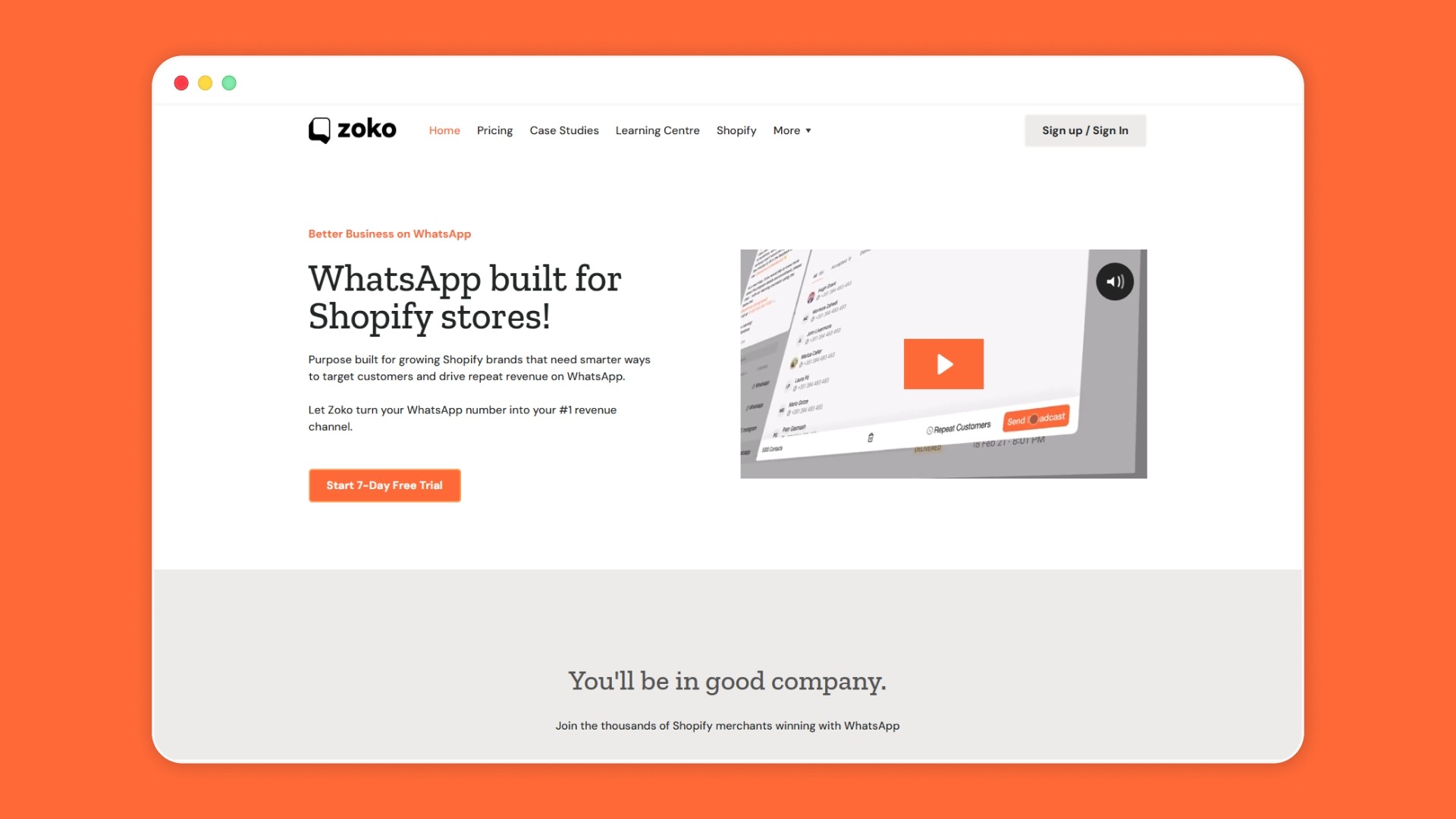
Zoko is a WhatsApp commerce platform that integrates seamlessly with Shopify to help merchants manage customer communication, sales, and support via WhatsApp.
Zoko utilizes the WhatsApp Business API to enable automation, streamline workflows, and improve engagement with customers in real-time.
Here’s what Zoko offers for Shopify merchants:
- Automated customer messaging: Send order confirmations, status updates, and customer support messages automatically via WhatsApp.
- Sales and marketing automation: Engage customers with targeted campaigns, promotions, and product recommendations.
- Integration with Shiprocket: Manage COD transactions smoothly and reduce RTO costs.
- Real-time order updates: Keep customers informed on order status, returns, and refunds via WhatsApp.
- AI-powered customer support: Automate common queries and improve customer satisfaction with instant responses.
- Centralized communication: Manage all customer interactions in one platform, ensuring seamless communication.
Ready to improve your returns process and improve customer engagement? Book a demo today to get started.
Also read: Top 10 Best Shopify Apps for Returns and Exchanges
Also read: Understanding the WhatsApp Automated Refunds System
FAQs
1. How can I reduce return rates for my Shopify store?
To reduce return rates, focus on clear product descriptions, accurate sizing guides, and better customer support. Offering prepaid options and automating the returns process can also help minimize returns.
2. How does WhatsApp help with customer communication during returns?
WhatsApp allows for real-time, personalized communication during returns. It helps keep customers informed with instant updates on the status of their returns and refunds, improving their overall experience.
3. How can Zoko automate my Shopify returns process?
Zoko automates returns by sending personalized WhatsApp messages for return requests, approval updates, and refund notifications. This speeds up the entire process while keeping customers informed instantly.
4. What are the benefits of using WhatsApp for returns and refunds?
WhatsApp offers high engagement rates and quick communication, which leads to faster response times and higher customer satisfaction during the returns and refunds process.
5. Can I automate the returns process for COD orders on Shopify?
Yes, automating COD returns can be done by sending WhatsApp messages offering customers a prepaid option, reducing RTO rates and improving cash flow.
Interested to know more?
.svg)
Case Studies





















Featured Posts


Continue reading

The E-Commerce Divide: How the Top 10% of Brands Use AI to Grow 5X Faster (And Why It’s Not for Everyone)
Drive Sales with WhatsApp Catalog Integration: Here's How