


Stop Chasing Carts, COD Orders, and Repeat Buyers Manually on WhatsApp
You'll be in good company.
Join the delighted Shopify merchants growing their businesses with the powerful suite of features from Zoko

.webp "schmancy-logo")


Key Features That Help You Build Revenue-Driving WhatsApp Chatbot Flows
Ready-to-Use Flow Playbooks
Launch faster with 11 essential, ready-made flows for abandoned carts, COD confirmation, prepaid conversion, reviews, reorders, upsells, and order updates. Don't pay extra for core automation.
Custom Step-Based Flow Builder
Create WhatsApp flows step by step using messages, buttons, conditions, actions, links, images, and follow-up decision paths. Build guided flows without starting from a blank screen every time.

Incoming Message Triggers
Start flows when customers send a keyword, ask a question, reply to a campaign, or message your WhatsApp number directly. Route each chat based on what the customer says.

Shopify and Order-Based Triggers
Run flows when shoppers abandon checkout, place orders, complete payments, cancel orders, or move through delivery stages. Keep WhatsApp follow-ups tied to real store activity.
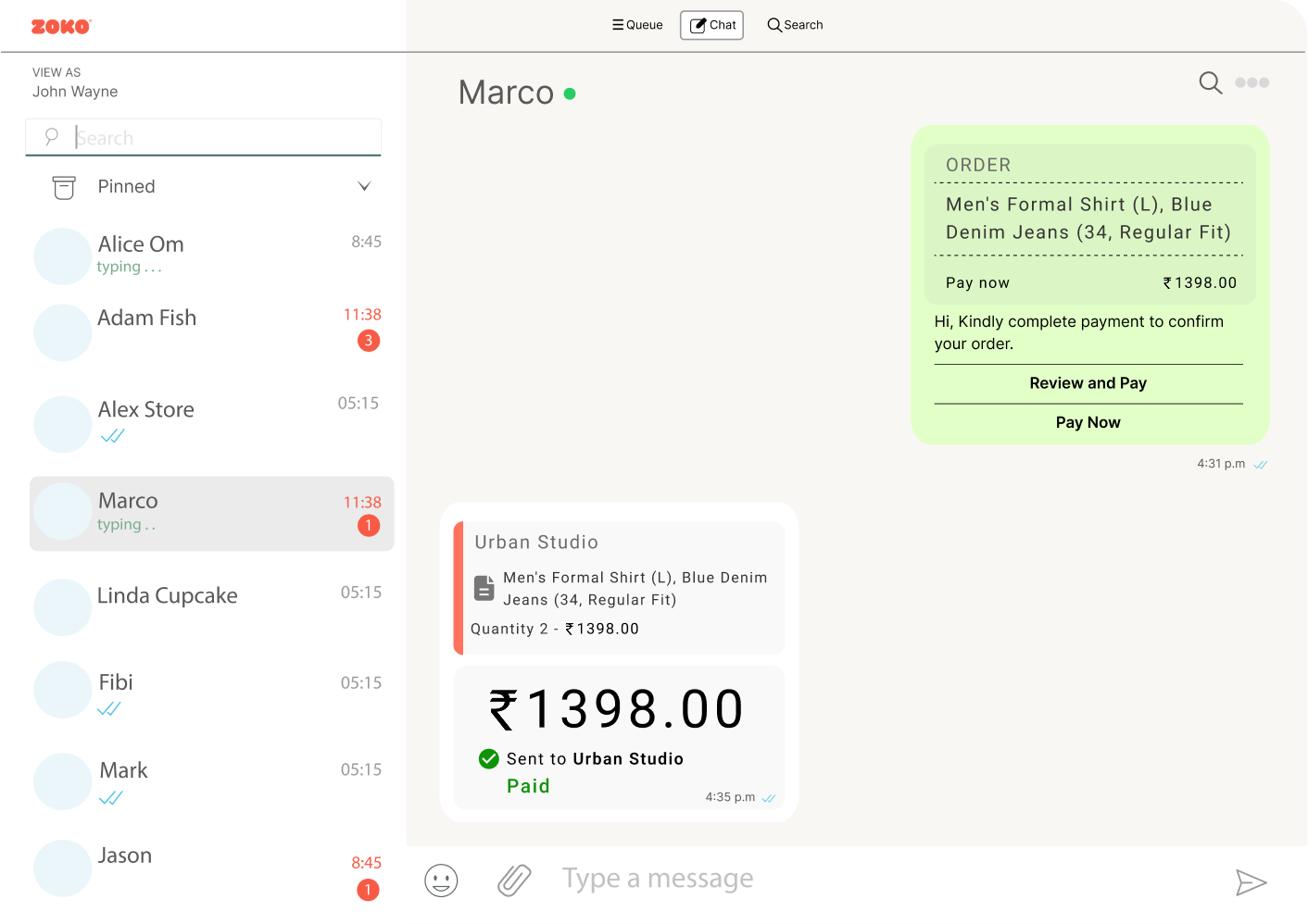
COD and Payment-Aware Logic
Send different messages to COD and prepaid customers based on payment type, order value, or confirmation status. Use the right follow-up to reduce drop-offs and failed deliveries.

Wait-Time and Follow-Up Controls
Set wait times between messages for cart reminders, COD reconfirmations, delivery follow-ups, review requests, and reorder nudges. Reach customers when they are most likely to act.

Webhook-Based Triggers
Trigger chatbot journeys from systems beyond Shopify when needed. Connect store events, third-party tools, or backend actions to WhatsApp flows using webhook-based triggers.

Flow Tracking and Management
Save drafts, publish flows, pause unused automations, review sent messages, and organize flows with tags or favorites without losing control.
No Developer Dependency for Custom Flows
Build premium custom flows for a transparent monthly cost, instead of hiring developers for every change. Let your team test, edit, and improve chatbot journeys faster.

Works With Your Existing Tools
Zoko can fit into your current e-commerce workflows, including Shopify and connected business systems. Use it to keep WhatsApp conversations tied to the tools your team already uses.
Secure WhatsApp Customer Conversations
As an Official Meta Business Partner, Zoko helps you manage chatbot interactions within a structured WhatsApp Business setup that complies with the latest data privacy regulations. This gives your team a safer way to handle customer replies, order details, and post-purchase communication.


Built for Teams, Not One-Person Ownership
Marketing, support, and operations teams can manage flows from the same platform. This helps each team update the journeys they own without breaking the full customer experience.
.jpg "payment-notification")
Step 1: Identify the Manual Task Slowing Your Team Down
Pick one real business problem or high-impact task your team handles every day, such as cart follow-ups, COD reconfirmation, shipping queries, review requests, or reorder nudges.

Step 2: Select a Flow Playbook or Create a Custom Path
Start with a ready-made e-commerce playbook if the journey is common, like cart recovery or COD confirmation. Build a custom path when your store needs specific rules, messages, or customer segments.
Step 3: Map the Customer’s Next Best Action
Decide what each customer should do next after entering the flow, such as completing payment, confirming an order, tracking a shipment, leaving a review, or buying again. Then add the right message, button, link, delay, or condition for that action.
Step 4: Test, Publish, and Improve the Flow
Test every path before launch, including replies, buttons, payment links, delays, and fallbacks. Once live, track flow performance, pause weak journeys, and improve messages based on customer actions.
Faqs

Testimonial Section
Animeal
“We needed an effective solution to convert these interactions into sales. Zoko's WhatsApp Catalog integration turned out to be our best decision.”

Vipul Patil
Purplle.com
“Zoko...integrates all chats and enables our agents to manage customer success operations efficiently,... The best part was that it took us less than a day to set it up.”
Anuradha Nagar
Dr. Ortho
"Our customers seem really happy with the new WhatsApp chat option. It’s so much easier for them to reach us ..... We’ve been able to respond to queries 40% faster, .."
Navjyoti Kaur
Build WhatsApp Chatbot Flows That Keep Revenue Clocking After Your Team Logs Off
United States
3297 Mill Springs Circle Northeast
Buford
Georgia - 30519
India
A/4M, IG KHB COLONY, 5TH BLK, KORMANGALA,BANGALORE, Bengaluru (Bangalore) Urban, Karnataka, 560034


